
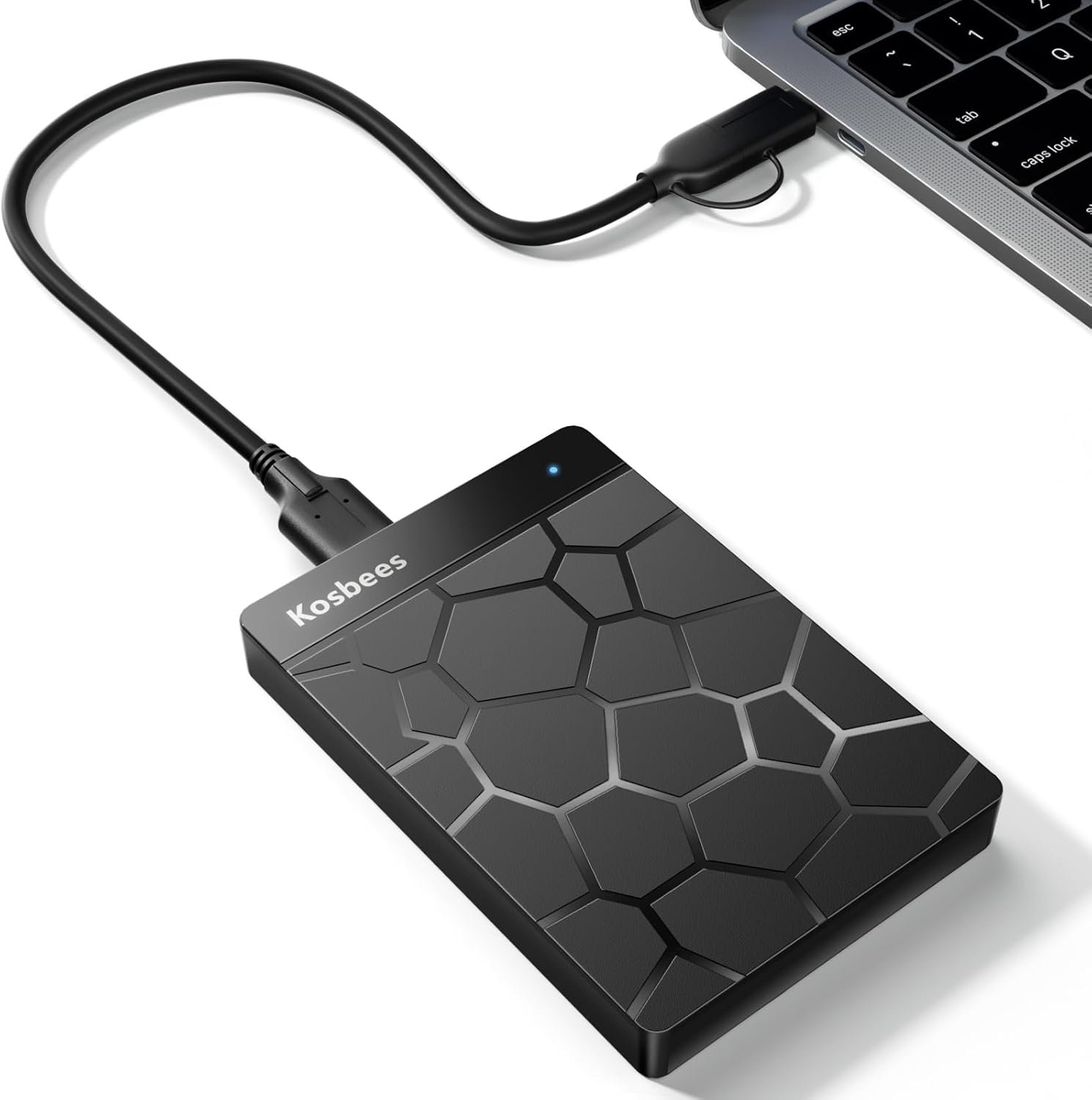
500 GB External Hard Drives,Portable Hard Drive for Windows,Ultra Slim External HDD Store Compatible with PC, MAC,Laptop,PS4, Xbox one, Xbox 360;Plug and Play Ready
$12.99
Related Products


From the brand

Kosbees
HDD
Kosbees

Kosbees External DVD Drive
Ultra-Slim DVD Player for Laptop,USB 3.0 Type C Portable CD Player +/-RW CD ROM Reader Writer Disk for Desktop Windows 11/10/8/7 Mac

Kosbees
focuses on the external HDD, you can find us all over the world.
【Plug-and-Play Expandability】 With no software to install, just plug it in and the drive is ready to use in Windows(For Mac,first format the drive and select the ExFat format.
【Fast Data Transfers 】The external hard drives with the USB 3.0 cable to provide super fast transfer speed. The theoretical read speed is as high as 110MB/s-133MB/s, and the write speed is as high as 103MB/s.
【High capacity in a small enclosure 】The small, lightweight design offers up to 500GB capacity, offering ample space for storing large files, multimedia content, and backups with ease. Weighing only 0.6 Lbs, it’s easy to carry “
【Wide Compatibility】Supports PS4 5/xbox one/Windows/Linux/Mac and other operating systems, ensuring seamless integration with game consoles,various laptops and desktops .
Important Notes for PS/Xbox Gaming Devices: You can play last-gen games (PS4 / Xbox One) directly from an external hard drive. However, to play current-gen games (PS5 / Xbox Series X|S), you must copy them to the console’s internal SSD first. The external drive is great for keeping your library on hand, but it can’t run the new games.
【Perfect After-sales Protection】Our external hard drive have been tested repeated in the harsh environment of the laboratory, and have obtained the Market and many customers. We treat quality issues with zero tolerance, We offer 2 years after-sales warranty, any questions feel free to contact us on Amazon
tips: Hard drive manufacturers market drives in terms of decimal (base 10) capacity. one gigabyte (GB) is equal to 1,000,000,000 bytes.Programs such as FDISK, system BIOS, Windows use the binary (base 2) numbering system. In the binary numbering system, one gigabyte is equal to 1,073,741,824 bytes Example:A 500 GB hard drive is approximately 500,000,000,000 bytes (500 x 1,000,000,000).When using the GB binary calculation, (500,000,000,000 / 1,073,741,824) that same 500 GB will show as 465 gigabytes.This is why Windows will show a 500 GB drive as 465 GB.
13 reviews for 500 GB External Hard Drives,Portable Hard Drive for Windows,Ultra Slim External HDD Store Compatible with PC, MAC,Laptop,PS4, Xbox one, Xbox 360;Plug and Play Ready
Add a review

$12.99
Kim G. Little –
Good value
A good valueA good value. It’s proven to be reliable and easy to use.
Melissa Batista –
Muy duradero
Muy buena calidad
Joelene C –
Nice to have on hand
I was able to just plug this in and it was ready to go so the connectivity is very easy to do at least on a laptop. I did see as others have that for this stating that it was a 500 GB drive it only had 465 GB to use. I am unsure of the long term durability as it is a spinning drive not a SSD drive so if it is dropped or bumped around 1 time too many it may not work but if you are someone that it going to let say store pictures and keep it in a desk drawer then I would say that it is durable. The storage as I said earlier that seller has stated it was 500 GB but you are only able to use 465 GB so keep that in mind if you want a true 500 gb storage capacity. If you do not mind that this is a spinning external hard drive this is pushing being a good value for your money.I have dragged and dropped about 500 pictures (not all at once) and the storage was good, its not super fast but it is not one of the slower ones ether
San T. –
Looks nice, works great
Price was right and it works great for my use. I use it to back up my digital files while on the road during my photography assignments. The files transfer quickly and I have always been happy with the preformance and reliability. the compact design makes it easy to fit into a side pocket. This is a great external drive that has given me extra piece of mind for storing and backing up my digital work.
Amazon Customer –
Not bad for price
The connector fits a little loose so if you move it around it disconnects from time to time. Place and don’t move especially while transferring data. Feels a little cheap, But for the price I can’t complain. Going to spend more and buy a better quality drive next time.
Perry Brown –
It works like you expect it to
Came in a small box, sturdy.Basically it was plug and play. I first thought I could plug it into my DVR from DirectTV to add storage, but nope…So I plugged it into my computer and it was automatically detected. It gave me 465 gigabytes of storage out of the listed 500.No issues dragging and dropping things into the storage.I mean, basically this did exactly what you would expect…. plug and play to give you more storage.I’m re-printing the instructions that came with it so it might answer any questions you may have.” How to set up an external hard drive for Windows system Start your computer, link the external hard drive to your computer’s USB port using a USB cable, and make sure it’s connected correctly. The external hard drive is connected to the computer – the drive is automatically mounted – the system recognizes the drive – the external drive letter appears in the system Note: If your external hard drive is not formatted, please format it before use, format as: My Computer> Device Management> Disk Management> Format> Finish Formatting.How to set up an external hard drive for Mac system Link the external hard drive to your Mac’s USB port using a USB cable and make sure it’s connected correctly. After making sure the external hard drive is connected to the computer, the new disk drive will appear in the Finder. Note: If your external hard drive is not formatted, please format it before use, format as: Launchpad> Miscellaneous > Disk Utility>select the disk to format>Erase> Select Format>Erase..3. How to set up an external hard drive for PS4 (250GB~8TB only)Go to Settings> Devices> USB Storage, and select External Hard Drive.Select the format as [Extended Storage], click XSelect [Next], click XSelect a format and click XSelect [Yes], after clicking XSelect [Surel, then click XOnce set up, any games or software you install will be stored on the external hard drive.Saved image/video clips will remain on the internal hard drive.4. How to set up an external hard drive for Xbox one (250GB~8TB only)Here’s how to get a hard drive up and running:Connect the hard drive to the USB port on the Xbox one.When asked how to configure the drive, select Yes.Enter the drive name.If you want to install the game on an external hard drive by default, select (Yes] when prompted.Once the external drive is installed and formatted, you can install and copy games on the external drive.”I hope this was helpful to you.This seems like a quality drive and it works for a few different devices.I’d say decide how much storage you need and then do your price shopping…
Customer –
Value oriented external drive, works well
This is a nice value oriented external hard drive. 500 GB isn’t a ton but it’s enough to store photos and other files (probably not enough if you are storing movies or something). It works as expected for an external drive – easy to use, simply plug it in the USB port of your computer, and you don’t even need to plug it in since it can be powered by USB connection and doesn’t require another power source. I basically use this to store some photos I downloaded and then I just keep it there as backup. The drive seems to be good too, it is indeed 500 GB (and not faked like some drives that will say 500 GB but in reality give you much less). It’s not super fast, so don’t use this to store things that you will frequently access, it really is meant for more of a backup role. But the price is super cheap, which makes this great for backup uses – you can get a faster SSD drive if you need higher performance but those are much most expensive. Note – depending on what you are connecting this to you might need to reformat it in an appropriate format. If it’s simply Windows this will work out of the box, but other systems might need their own.
Lo –
Works for Mac, but you have to reformat it first
I have a Mac. When you plug it into a MacBook Pro, it says “Do you want to connect JMicron USB to ATA/ATAPI Bridge to this Mac?” I wasn’t able to do anything until I reformatted it, which I did and renamed it because I have no idea what it says. Now I can add folders and such to it. The capacity is 500.09 GB as stated.You don’t have to do all those steps that some people talk about. You just connect it to your Mac and then find the characters in the file. Once you reformat it through Disk Utility, it works fine. It doesn’t make any noise and is compact design wise.It’s budget friendly for sure compared to the Apple ones I have, and I am not upset about it. It does what it’s supposed to do, stores my files, and doesn’t take up a lot of space. It’s slim and portable, which is exactly what I needed.For the price, this is a solid external hard drive. It’s not fancy, but it works well once you set it up properly. If you need something affordable that’s reliable and you don’t mind taking a few minutes to reformat it, I’d recommend this.
kayla –
Bought this for my son to use with his Xbox ! Works great for us. Good price and value for your buck 🙂
Gorden –
I ordered the Kosbees 500GB Portable External Hard Drive with the intention of using it for backing up pictures, movies, and software installers. Out of the box, it was plug-and-play ready, my PC detected it instantly, which was a nice start. It arrived well-packaged in protective foam, so no worries about shipping damage.Before using it, I formatted the drive and changed the default volume description, which was originally in Chinese. After formatting, the total usable space came out to 465GB. This is expected and not a defect, it’s due to how storage is calculated. Specifically, hard drive manufacturers use the decimal system, which is base 10. So 1 gigabyte = 1 billion bytes. In decimal, 500 gigabytes translates to 500,000,000,000 bytes.However, operating systems like Windows use the binary system, which is base 2. In binary, 1 gibibyte = 2³⁰ bytes. To translate 500 gigabytes to gigabytes in binary:500 gigabytes × 1,000,000,000 bytes per gigabyte = 500,000,000,000 bytes500,000,000,000 bytes ÷ 1,073,741,824 bytes per gibibyte = ≈ 465 gibibytesSo 500 gigabytes in decimal units translates to approximately 465 gibibytes in binary units. This conversion between numbering systems accounts for the missing storage space.Physically, the drive is ultra-slim and lightweight, but it’s essentially a laptop hard disk paired with a USB adapter. There are no visible brand markings on the casing, but using CrystalDiskInfo, I was able to confirm that the internal drive is a Toshiba.Performance-wise, it’s not particularly fast, but it’s not the slowest I’ve seen either. I transferred about 150GB of mixed media and software files in roughly an hour. For backup purposes, that speed is acceptable, just don’t expect blazing-fast transfers.Pricewise, I do think it’s a bit on the high side. There are plenty of other external HDDs with similar capacity available for less. That said, if you’re looking for a simple, cross-platform backup solution that works with Windows, Mac, PS4, Xbox One/360, and laptops, this one does the job without fuss.
Crazy about books! –
The Kosbees 500 GB External Hard Drive is very portable at just over 3”x4” and .5 inch thick. It is plug and play. It connected easily to my Windows 11 computer. The only odd issue is that the drive shows in Windows Explorer with a Chinese name. I was able to rename the drive to an English name without any issue. It has connection ends for USB-A and USB-C ports on the cable. I used both the USB-C and USB-A ports on my computer when testing the drive. I copied a couple of folders over to the Kosbees drive. The smaller folders had a little over 1000 items each, and they transferred over within a minute on the USB-A port. I also copied a folder with 6584 items and 21.8 GB of data over the USB-C port, and it took 9.5 minutes to transfer. The length of the transfer may have been affected by my laptop being in energy conservation mode. I am happy with the functionality and capacity of this drive. It is good value for the price ($37.88 at the time of review).
Pozzy –
I saw this external hard drive and wanted to give it a try figuring that at best I’ll have something to carry with me in my work bag for firmware upgrade storage while at work it’ll be loaded with foreign spyware or possibly even a tiny SD card masquerading as a 500 GB hard drive. After cracking it open, I confirmed that there’s actually a 500 GB spinning drive inside of it which is quaint. I did notice that the hhd was relatively fast, although the maker is of a brand I’ve never heard of before. After putting it on to my quarantined laptop and running a few scans I wasn’t able to find or detect any bloatware or spyware. I gave it format and was able to get it loaded up no problem into Windows 10 as well as connecting it through USB adapter to USBC on my cell phone. For the price and considering it comes with a case, I’d give this five stars for being a pretty good deal just make sure you don’t drop it while it’s moving.
JustAnotherDude –
I like how easy this external drive is to use – no drivers, no software, just plug it in and you are good to go. I am using it to keep my presentation files mobile as I still run in to cases where I am not able to present using my own laptop.This drive allows me to access all my presentation files using any computer that has an open USB port.Write speeds on large files are good and small files copy across surprisingly fast. Total available storage is actually 465GB out of the total 500GB available – which is expected.The one thing I’m not a fan of is that the drive uses a micro-USB cable which are not common so you’ll have a hard time finding one if you forget the cable at home when you go on the road. I bought a spare cable just in case but I would have preferred if this drive used standard USB cables.Overall a really good drive that is portable and quick, good to recommend.