

CMTECK Conference USB Microphone, Mute Button, Omnidirectional Condenser Boundary Mic for Recording, Streaming, Gaming, Skype (Windows/macOS)-Without Speaker
$14.99
Related Products


Product description

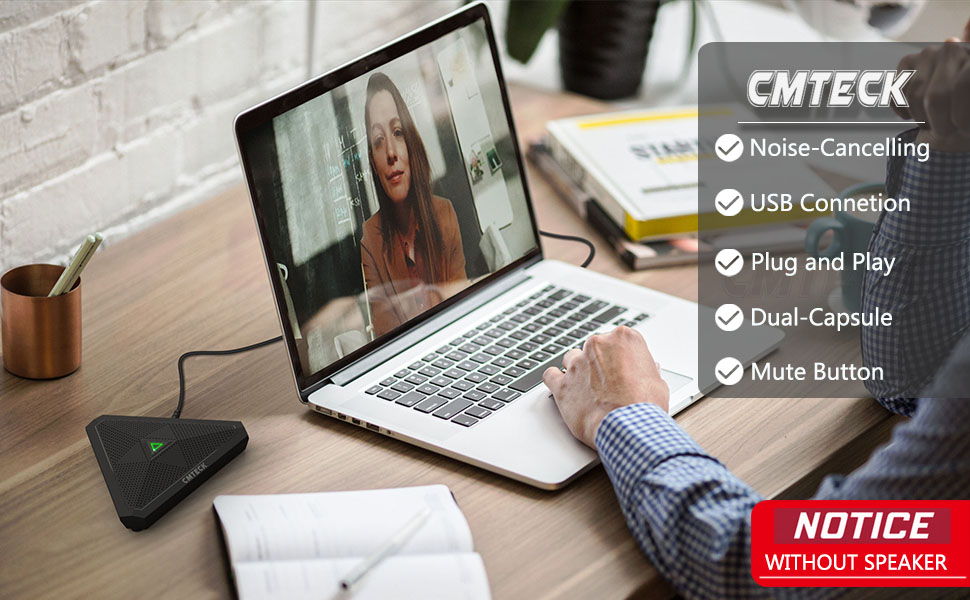


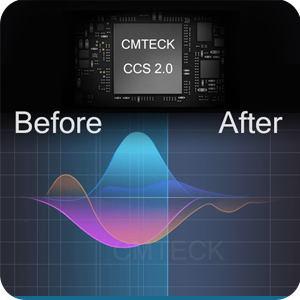
High Definition Sound & Noise-Cancelling Technology
Built-in CMTECK CCS2.0 Sound Card can effectively block the noise and eliminate echo, enables you to enjoy a clearer voice for hassle-free communication, better than traditional computer microphones.

Unique LED Working Indicator
• Built-in LED Indicator lights tell you the working status:
[Green Light]: Connected/Working[RED Light]: Mute Mode
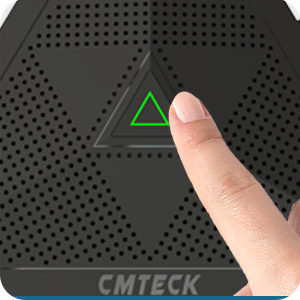
Convenient Mute Button
• You will enjoy a built-in touch mute switch, so you can mute the sound in an instant.
• No additional setting is required.

Omnidirectional Polar Pattern
• CM001 Mic has two omnidirectional capsules which can provide a larger pick-up range and better sound quality
• Highly sensitive microphone can transmit your voice accurately, fluently, clearly.

Dual Capsule Design
• Dual capsule design for broad audio pickup with clear voice intelligibility.
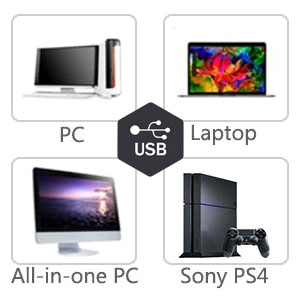
Plug-and-play USB connectivity (no drivers required)
• Easy to use, no driver needed
• COMPATIBILITY: Compatible with the standard including Windows systems 10 / 8.1 / 8/7 / Vista / XP, Mac OS
(NOT compatible with Raspberry Pi/Android)
Add to Cart
Add to Cart
Customer Reviews
4.2 out of 5 stars 3,092
4.2 out of 5 stars 445
4.2 out of 5 stars 3,092
4.2 out of 5 stars 1,261
4.4 out of 5 stars 15,205
Price
$14.99$14.99
— no data
$16.14$16.14 $19.94$19.94 $14.99$14.99
Smart LED Indicator
✓
✓
✓
✓
✓
Plug n’ Play
✓
✓
✓
✓
✓
Mute Button
✓
✓
✓
✓
✓
Speaker Function
no data
✓
no data
no data
no data
Volume Control
no data
✓
no data
no data
no data
Noise Cancelling Tech
CMTECK CCS 2.0 CMTECK CCS 3.0 CMTECK CCS 2.0 CMTECK CCS 5.1 CMTECK CCS 2.0
Stand Included
Desktop Base Desktop Base Desktop Base Tripod Stand Desktop Base
Pick-up Pattern
Omnidirectional Omnidirectional Omnidirectional Cardioid Omnidirectional
✔Crystal Clear Sound: Conduct advanced noise-canceling technology, the Conference microphone can easily capture clear sound with a 360°sensitivity pickup range(3m/10ft), 10 times better than a traditional computer microphone. (𝐍𝐎𝐓𝐄: 𝐈𝐭’𝐬 𝐣𝐮𝐬𝐭 𝐚 𝐦𝐢𝐜𝐫𝐨𝐩𝐡𝐨𝐧𝐞, 𝐧𝐨𝐭 𝐚 𝐬𝐩𝐞𝐚𝐤𝐞𝐫)
✔Plug and Play: Connected to a computer through a USB cable(1.8m/6ft), no drivers to install, hassle-free installation, well compatible with Windows and macOS. (NOT compatible with Raspberry Pi/Android)
✔Compact and Versatile: This microphone are small and portable. You can put it in your pocket or briefcase and take it wherever you want. Perfect for meetings, interviews, podcasting, home studio recording, YouTube, Twitch, Skype, Face Time, Gaming, and more.
✔Convenient Mute Button – Quickly mute/unmute your microphone: the built-in Indicator LED lights tell you the working status (Green Light: Microphone has been connected; Flashing Green Light: Working Mode; RED Light: Mute Mode)
✔Advanced Cancellation Technology – Built-in high-performance CMTECK CCS2.0 SMART CHIP can effectively block the noise and eliminate echo, better than a traditional computer microphone
■■■ No Built-in Speaker: Please note that this microphone does not have a speaker function. It is designed solely for capturing audio. Our Customer Experience Team is available at your fingertips 24/7 for anything you need! We promise: 1. 30-day return service and a 24-month warranty. 2. Original design. 3. Contains CMTECK Original Computer Microphone, 6ft USB Cable, User Manual.
13 reviews for CMTECK Conference USB Microphone, Mute Button, Omnidirectional Condenser Boundary Mic for Recording, Streaming, Gaming, Skype (Windows/macOS)-Without Speaker
Add a review

$14.99
Amazon Customer –
Great quality ease of use
This is a great product! I had no microphone for my computer. This is easy to install. Works great. I was talking on the phone via computer or zoom meetings in no time. It has on and off capabilities so you can mute it when you don’t want your conversation heard on the other end.You can easily record messages or conversations. It has beautiful clarity.
Sup Bala –
Record it at low level for best resuts.
Value for the money. Performs amazingly well. Arrived next day thanks for the prime next day delivery, Plug and play; just plugged it into a USB2 multiport hub; placed it on a cushion within the monitor base about 20 inches from self. According to the instruction level was set at 75. The level 70 was bit low. I input the audio directly on to an audio recording software without any DAW, The results were amazing. I was then able to compress and amplify using the software to the desired values. The key point is to record it at lowest possible level to avoid clipping and distortion. You can always adjust the results within the software; post-processing.
Matthew Blomquist –
Good mic for the price
I bought this microphone in order to host hybrid in-person/online DnD sessions at my house. The first one we ordered was faulty and didn’t work. The company was quick to send us a replacement, which we still use occasionally three years later.The setup was a little tricky and required us to change some settings on the microphone’s digital software in order to actually pick up sound. I think we watched some YouTube videos to figure that out. Once we got it working though, it worked great. We would use it in our living room with 6-8 people and those online could hear us clearly with no feedback. My husband and I would also use it when playing games together online so that our microphones wouldn’t echo each other. The mute button in the middle is also very convenient, making it easy to quickly mute yourself if there is a lot of background noise going on.It has held up over the years and I would definitely go with this if you’re looking for a microphone on a budget. I’ve never used it for professional streaming, but I might go with a higher-quality option if that was my goal.
JOHN B –
Good product, good price
The device arrived on time and installed easily. I did need to swap my microphone in Settings, but that’s easy. It took a bit of hunting around as the instructions are a bit sketchy, but it only took a few minutes to get it done. the microphone needed to be plugged into my PC, daisy chaining it off a USB port in a monitor didn’t work. Now that all that is covered, it has an attractive look, seems to be built well, and functions just as a desktop microphone should. No one has trouble hearing me, and the mute button on the unit works well. I bought this unit because I had to raise my voice to be heard on the microphone built into my laptop. This fixed the issue.
Amazon Customer –
easy to use and good quality
I picked this microphone as it is plat which will not affect visual. good quality, light weight, sound should be ok as I did not get complain about my voice. easy to set up, just need to plug in
Christopher Arnold –
Not great
I bought the first one a while back but never thought to really test it, I just assumed it was working as I was only sitting 2′ from it. When I needed a second mic for a different PC I ordered another. The new one was an out of the box failure. It was recognized and lit up but didn’t work at all, even on the PC that had my original mic on it. I decided then to test the other mic from about 2′. It was TERRIBLE, barely picking up my voice unless I was yelling. I’m actually upset with myself for not testing it earlier. I’ve been in so many Zoom calls and just assumed it was the far end having sound issues given that I’m running a gaming PC on a Gig fiber connection but lo and behold it was this awful mic causing clipping and attenuation issues. I returned the broken one but I’m stuck with the other one. I really liked the design so it’s a shame but function over form is better in a crucial piece of hardware. I ordered a ZaxSounds to replace it and it is MUCH better for about the same price. I’m talking night and day. I’ve been working in video conferencing since there’s been video conferencing and the rule is always audio is more important than video. Do yourself a favor and get the ZaxSounds.
GeneG –
Easy to use.
Easy to set up and use. Works great! Doesn’t take up a lot of space.
hunter4life –
Not Awful But Not Great
It’s very quiet unless you’re pretty close to it and noise canceling just sounds muffled. It does work though, it just doesn’t have a natural sound in my opinion. I guess it really just depends on what you use it for, if you plan to make videos or streaming I wouldn’t use it. If you’re using to make conference calls then it might work for you. Technically it’s better than a stock laptop microphone, it sounds better but it picks up less which to some maybe a good thing. Your voice is clear sounding but quiet and everything in the background is muffled. If you’re even 4 ft. Away from it you’re going to be really quiet. If you’re sitting right next to it sounds pretty good but just isn’t going to work for what I want to do with it. For me the onn. Desktop microphone from Walmart is better for around 30 bucks. This didn’t cost much so I didn’t bother to return it.
Karen Horan –
I use several group video chats and found this microphone effective during hybrid meetings.Easy to install. The cord is a perfect length for large group tables hosting 10 guests and possibly more.
Ken Sim –
It’s a vast vast improvement over using built in mics of whatever devices we were using. currently it’s being used in a room of 4-6 people and pick up is decent. Good value.
waldir jose maximiano –
sensacional ótimo produto
Brett G –
This microphone worked very well at first.However after 2 months the microphone continually enters mute mode by itself. This is obviously extremely annoying when on a call and makes the speaker useless.Even worse the return window closed after only 4 weeks – which is outrageous.DO NOT BUY THIS SPEAKER!!!
Maged –
Nice finishing, But not working.Mute bottom is nice with touch function.