

HP PS150 Portable Document Scanner | Compact, Portable, Wireless Digital Scanner with Duplex Mode for Home & Office | Rechargeable, USB & Wi-Fi Direct, Compatible with Mac & Windows PC and Laptop
$28.99
Related Products




Product description

The professional’s affordable alternative
When the papers start piling up, the HPPS150 Document Scanner steps up to the plate! Scanning documents is a joyful task with a device designed for home bookkeepers, humble paper-pushers, and other ‘regular’ people looking to convert a handful of files (leave the huge archives for another machine!). But don’t underestimate its powerful output, as users convert all kinds of documents, photographs, receipts, cards, bills, and other important papers in a single pass. And thanks to its slim profile, compact footprint, lightweight portability, and wide compatibility, you’re finally free to scan, save, organize, and share files anytime, anywhere—and even on the go. When you plug into your workspace PC, productivity is the HP signature. Add an HPPS150 Scanner to your cart today!
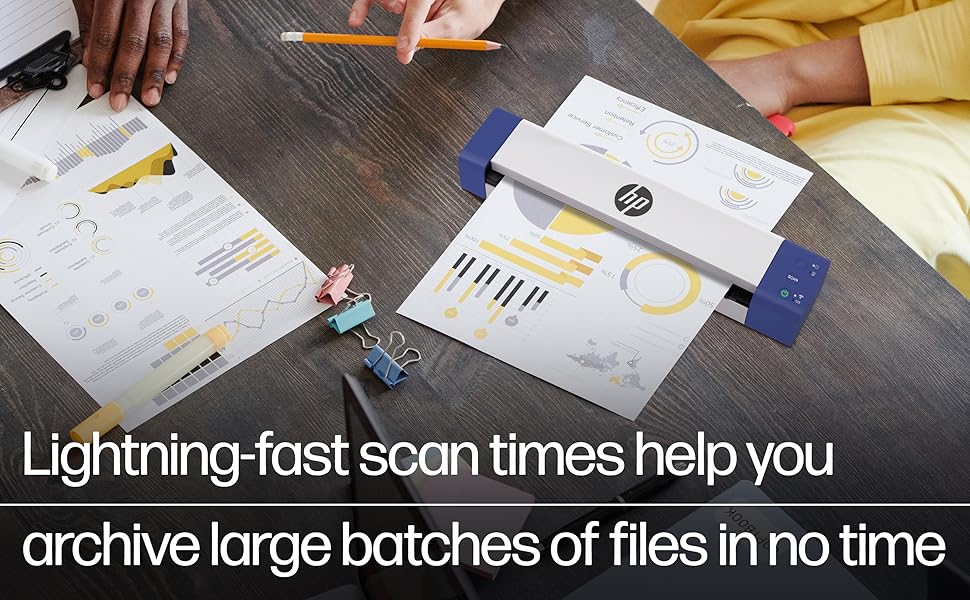
It’s your personal secretary (and travel buddy) all in one!
Documents piling up on your desk? Trying to get your papers together for tax time? Whether your scanning struggles are professional or personal in nature, HP saves the day. Designed for the occasional scan or ‘once in a while’ batch of documents, our versatile scanners adapt to your unique lifestyle and tech requirements with wide compatibility across today’s most popular PC and Mac computers.
From receipts and invoices to business cards and personal photographs, just pass your paper through the automatic feeder for crisp, clear, accurate digitization—nothing fancy about it! And whether you’re in need of wireless convenience, built-in battery, duplex capability, or travel-ready styling, HP has the solution. Browse our entire compact scanner lineup, and welcome home the newest addition to your workspace!
Pick Your Paper
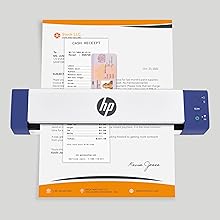
The scanner’s universal feeder receives documents of various dimensions from full size pages to small cards and receipts.
Ready for WorkScan
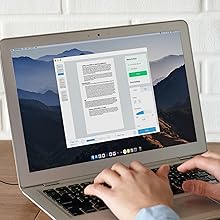
Use HP WorkScan software on your PC? Our Scanner lineup pairs efficiently and smoothly for easy operation.

Quick and Easy
15ppm scan speed is perfect for everyday productivity, so you can continuously feed and be done in minutes.

Amazing Resolution
HP’s state-of-the-art scanning technology delivers stunning 300 dpi resolution for beautiful blur-free results every time.
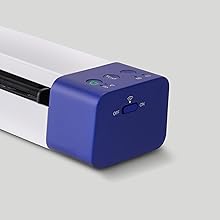
USB or Wi-Fi Connectivity
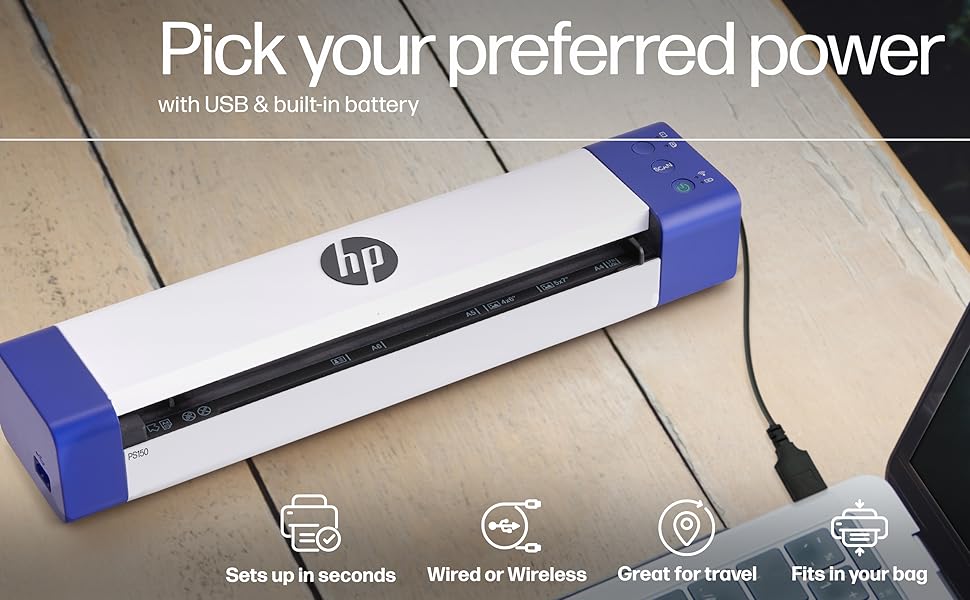
Plug in for long periods if you’re working at your desk; but when it’s time to fly, take it with you for truly wireless scanning.

Scan to Computer
The WorkScan app lets you digitally scan and view documents on your PC or Mac laptop.
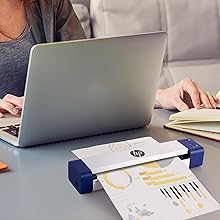
Duplex Capability
This special feature saves you time and stress! Duplex mode scans two-sided documents in one pass, no problem.
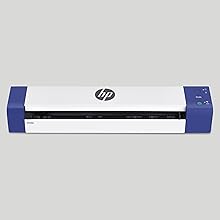
Reasonably Priced
Same capabilities, but so much cheaper! HP is making office equipment affordable, one device at a time!
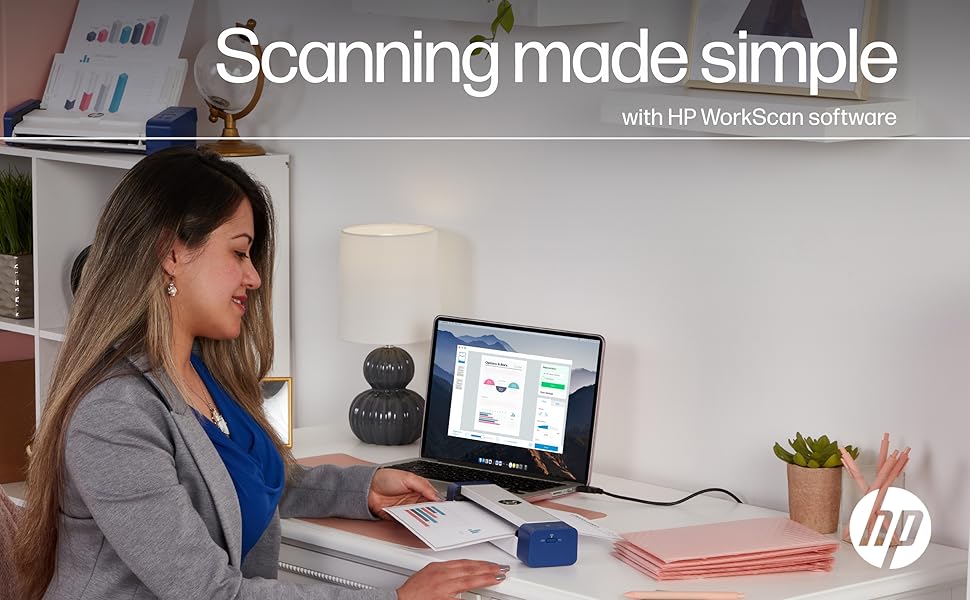
Scanning made simple with HP WorkScan software
Easy auto-scan & size detectionSimplex or duplex mode selectionFull color & black & white scanningResolution selection up to 300 dpiLarge scan preview with sliding zoomCrop, rotate & straighten toolsAuto-exposure with custom settingsAdjustable brightness, contrast & midtoneClean up edges, holes & backgroundSupports PDF, JPG & other major formats
Specs and Details
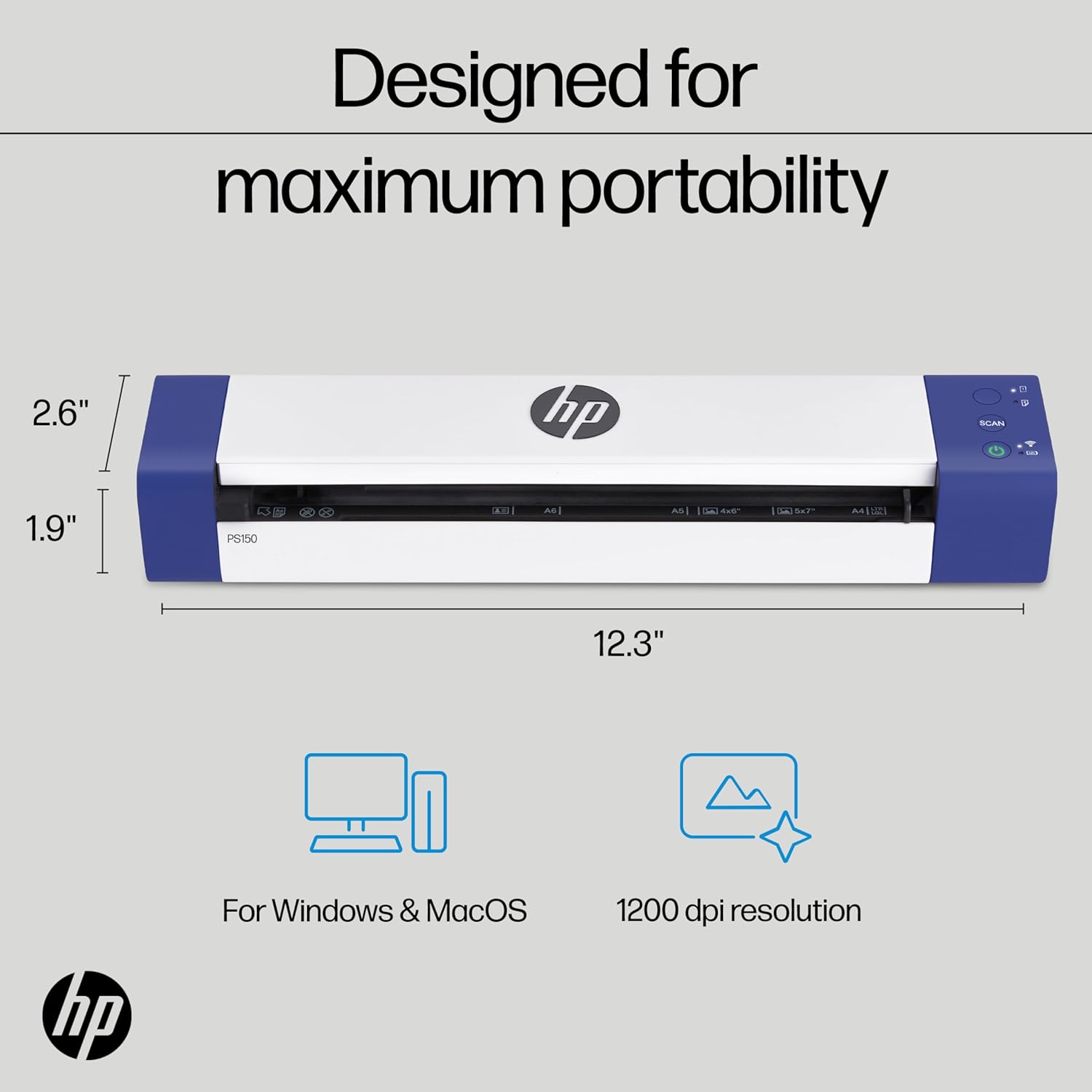
Max paper size: 8.5” x 14”Min paper size: 2” x 2.9”Speed: 15ppmResolution: 300 dpiPower: USB or rechargeable battery (included)Compatible with: Windows, MacDuplex mode: yesSoftware: HP WorkScanWiFi direct: yesDimensions: 12.3” x 1.9” x 2.6”Weight: 1.3 lbs.
Add to Cart
Customer Reviews
4.0 out of 5 stars 247
4.0 out of 5 stars 33
4.1 out of 5 stars 31
3.8 out of 5 stars 82
Price
$92.39$92.39 $127.49$127.49 $159.99$159.99 $229.99$229.99
Wired Only
✓
X X
✓
Wireless
X
✓
✓
X
One Sided Scan
✓
✓
X X
Two Sided Scan
X X
✓
✓
Battery Powered
X
✓
✓
X
Single Feed
✓
✓
✓
X
25-Page Feeder
X X X
✓
Fits in Your Bag
✓
✓
✓
X
Dimensions
11.6” x 1.4” x 2” 11.6” W x 1.9” D x 2” H 12.3” W x 2.6” H x 1.9” D 11.8” x 2.9” D x 4.1”
Weight
0.8 lbs. 1.1 lbs. 1.3 lbs. 3.3 lbs.
ON-THE-GO SCANNING MADE SIMPLE | Meet the Fastest & Lightest Single Sheetfed Scanner in its Class! | The HPPS150 Portable Document Scanner with “Wi-Fi Direct” & Rechargeable Battery Lets You Convert Stacks of Papers Into Digital Files—No Heavy, Expensive Equipment Needed! | Wide Compatibility Makes it Easy to Send Images to Your PC Computer or Mac Laptop for Amazing On-the-Go Versatility
Wi-Fi DIRECT CONNECTION – NO ROUTER NEEDED | Scan wirelessly by connecting your device directly to the scanner—no internet, no router, no cables. This is not a network scanner; it supports a one-to-one connection only, for fast, secure scanning anywhere.
SAVE TIME WITH DOUBLE SIDED SCANNING | Despite its Slim Profile, This Office Essential Offers Reliable 15ppm [15 Pages Per Minute or 4 Seconds Per Page] Operating Speed for Small- to Medium-Batch Jobs in Black & White & Color | Convenient Duplex Feature Scans Both Sides of Your Document in a Single Pass, Speeding Up Scan Time & Improving Your Productivity When Converting Invoices, Contracts, Plans, Reports & Letters
DESIGNED FOR LIGHTWEIGHT PORTABILITY | Slip Inside a Bag or Briefcase, Then Travel from Home to Office to Business & Beyond! | Compact, Portable Styling Suits Your Busy Lifestyle While Providing All the Capabilities of a Professional-Quality Document Scanner Including Beautiful 300 dpi Resolution, Versatile Paper Size Ranging from 2” x 2.9” (Minimum) to 8.5” x 14” (Maximum) & Versatile Conversion to PDF, JPG & Other File Formats
STUNNING SCANS WITHOUT THE WIRES | Skip the Clunky, Messy, Complex Setups with a Scanner That Easily Powers Via USB [Cable Included] or Charges Via Built-In Lithium Ion Battery for Truly Wireless Performance | Perfect Choice for People Who Fly or Travel for Work, Commuters, Small Business Owners, Legal Practices, Tax Preparers & Unique Scanning Tasks Such as Business Cards, Photos, Bills, Brochures, Receipts & Much More
WORK SMARTER WITH HP WORKSCAN | Download Our Free, Easy-to-Use Software or App for Windows & Mac to Start Scanning! | Simple, Intuitive Platform with Auto-Scan & Size Detection Allows You to Easily Adjust Document Settings; Preview & Zoom in on Scans; Crop, Edit & Optimize Image Quality; Clean Up Background, Edges & Holes; & Save to Destination with Just a Few Clicks—No Tech Savvy Required!
BIG OFFICE EQUIPMENT COMES HOME | Whether You’re Always On the Go or Always Work from Home, HP Supplies You with Affordable, High-Quality Office Essentials that Strike the Perfect Balance Between Personal & Professional | For Your Low to Medium Volume Digitizing Tasks, or a Smart Gift for Administrative Professionals, Students or Avid Travelers, Shop Our Complete Line of Scanners Scaled for Everyday Productivity
8 reviews for HP PS150 Portable Document Scanner | Compact, Portable, Wireless Digital Scanner with Duplex Mode for Home & Office | Rechargeable, USB & Wi-Fi Direct, Compatible with Mac & Windows PC and Laptop
Add a review

$28.99
Sheri in TX –
Buy this!
This is a fabulous scanner! What an improvement on my old flat-bed scanner! Buy this!
Maria –
Good product
It’s was better than I thought it would be. It was perfect except I got my other copier scanner working soon after I get, so had to return.
Gregory O. Davis –
OUTSTANDING Addition to My Office!
I would formerly get up and down from my desk to feed sheets to be (slowly) scanned on my HP Printer. This portable scanner is excellent! EASY setup and EASY to use. MUCH faster scanning than my HP Printer and gives crisp, clean images. Once I saw my optometrist using one of these (although a different brand), I thought I’d try it. In comparing different companies, models and reviews I chose this one. Seems like it’s made by a licensee of HP but in spite of that, it’s one of the best IT investments I’ve made. Strongly recommended and think you’ll be pleased.
Amazon Customer –
I’m Not Impressed
For the price, I expected better from HP.First, the product arrived with a flat, completely dead battery. Even after being plugged into a charger, it would not turn on for the first 1/2 hour, after which it would turn off if the charger was disconnected. After a couple of hours it was still charging, so I went to bed. The next morning it was fully charged. This experience leads me to wonder about the health of the battery because I’ve never had such an experience with a new product. It was obviously new because all the seals were in place.Secondly. the initialization and operation are not intuitive, and the instructions are lacking in my opinion. After fooling around with setup for almost an hour, I finally got it to work. The software didn’t recognize the device through the USB connection , no matter what I tried. When I finally figured out that this uses a direct WIFI connection, and not a network connection, I was able to install and use it wirelessly.Finally, I put a test document in to scan. I found the software not as user-friendly and smooth to use as some other, better-designed, software is. After a few crumpled papers, I (sort of) learned to use this scanner- I’m just not that impressed.
anonymous –
Good quality scan but wifi would not work for me
This was challenging to set up. The process is straight forward as long as the wifi direct remains connected which it would not with my computer. My computer is less than a year old so it is not a software issue with an older computer. I was able to make the connection in settings it would show connected but would not accept the scan. The USB connection worked perfect but I had an issue in the beginning as I have too many cords and was not initially using the USB cord which comes with the unit, I was using a usb to usbc cord and not the usbc cord to usbc cord once I changed cords to the correct cord which came with the unit it worked perfect.This is very easy to use once it is setup and I got over using wifi. My first 2 scans jammed in the scanner as I did not notice the notch on the left of the scanner which the paper has to be loaded to the right of, I was loading the paper on the top of the notch as it is black, I could not see it until the 2nd jam, when I looked closer I saw the notch to line up the page, once inside and correctly loaded this worked great. The scan is better than I would expect for a travel scanner, legible with the ability to adjust the quality in settings.Overall I think this is a good product with a good price, I would have given 5 stars if the wifi had held and worked.
jcalmi –
A Compact and Powerful Scanner, Perfect for the Home Office or for On the Go
As someone who needed a compact scanning solution for my home office, the HP PS150 has been a fantastic find. The first thing you notice is its size; it’s small and lightweight enough to easily fit into a backpack or a medium-sized laptop bag, making it truly portable. The construction feels solid and well-made, and the setup instructions were clear and easy to follow.It’s important to understand how this scanner connects. It is not a network scanner that you add to your home Wi-Fi. Instead, it creates its own Wi-Fi Direct signal. To use it, you turn on the scanner, connect your computer (in my case, a MacBook Pro) to the “HP” Wi-Fi network it broadcasts, and then open the HP WorkScan software. The software quickly finds the device, lets you set your scanning properties (like resolution and file type), and then you’re ready to go.The standout feature for me is the duplex scanning. You feed a document through once, and it scans both the front and back sides simultaneously. The scanned image immediately appears in the software, ready to be saved. This is a massive time-saver and works flawlessly.Initially, I thought the lack of network integration would be a drawback, but in practice, it’s not a problem at all. When you’re scanning documents, you’re always right next to the machine anyway, so connecting directly to its Wi-Fi is quick and simple.Overall, I love this scanner. Its portability, rechargeable battery, and efficient duplex scanning make it a great addition to my home office. Highly recommended for anyone needing a compact and reliable scanning solution.
Shelly Terry –
Does not work with a phone or laptop.
I chose this scanner as it would be easy to use while I was out and about and the small storage capacity. I cannot speak of the image quality because no matter how hard I try I cannot get this scanner to work. I cannot find any phone app to download that will work with this scanner. Also, I have tried to attach this to my laptop manually and wireless and to no avail it does not do anything. I even thought maybe it was me as I am older in my mid 50’s and maybe not as tech savvy as some even though I don’t think I’m very bad at tech things. I called my son who is very tech savvy, and he was unable to get this scanner to do anything either. So I have given this scanner every opportunity I could and it is a paperweight for me. Maybe you will have better luck. I do not recommend this purchase.
Lexy –
a nice portable scanner
Took a while to figure out how to set this up but once I did I really liked how it work. Was exactly what I needed. Scans stuff super fast and everything came out perfect. Its easy to use. Lightweight so you can easily take this with you on the go. The one downside though is the battery takes a really long time to full charge but once charged it does last a while.