

Plugable USB C Triple Display Docking Station | 100W PD, 3x HDMI (1x 4K 30Hz, 2x 1080p 60Hz), 6x USB 5Gbps Ports | Windows, macOS, ChromeOS Compatible – Enhance Productivity with Multi-Monitor Support
$16.99
Related Products






From the brand

Universally Compatible Docks

Find Your Docking Station
Windows Compatible Docks
Mac Compatible Docks
Shop for Business


Enterprise-Grade 12-in-1 Expansion for Hybrid Teams: Designed for compatibility with USB-C, USB4, or Thunderbolt laptops on Windows, macOS, or ChromeOS environments. Enables up to 3 HDMI monitors, wired Gigabit Ethernet network access, 6x USB 3.0 peripherals, audio, and device charging. Perfect for organizations looking to streamline IT deployments in hot-desking and managed office workspaces that demand reliable networking and easy device connectivity.
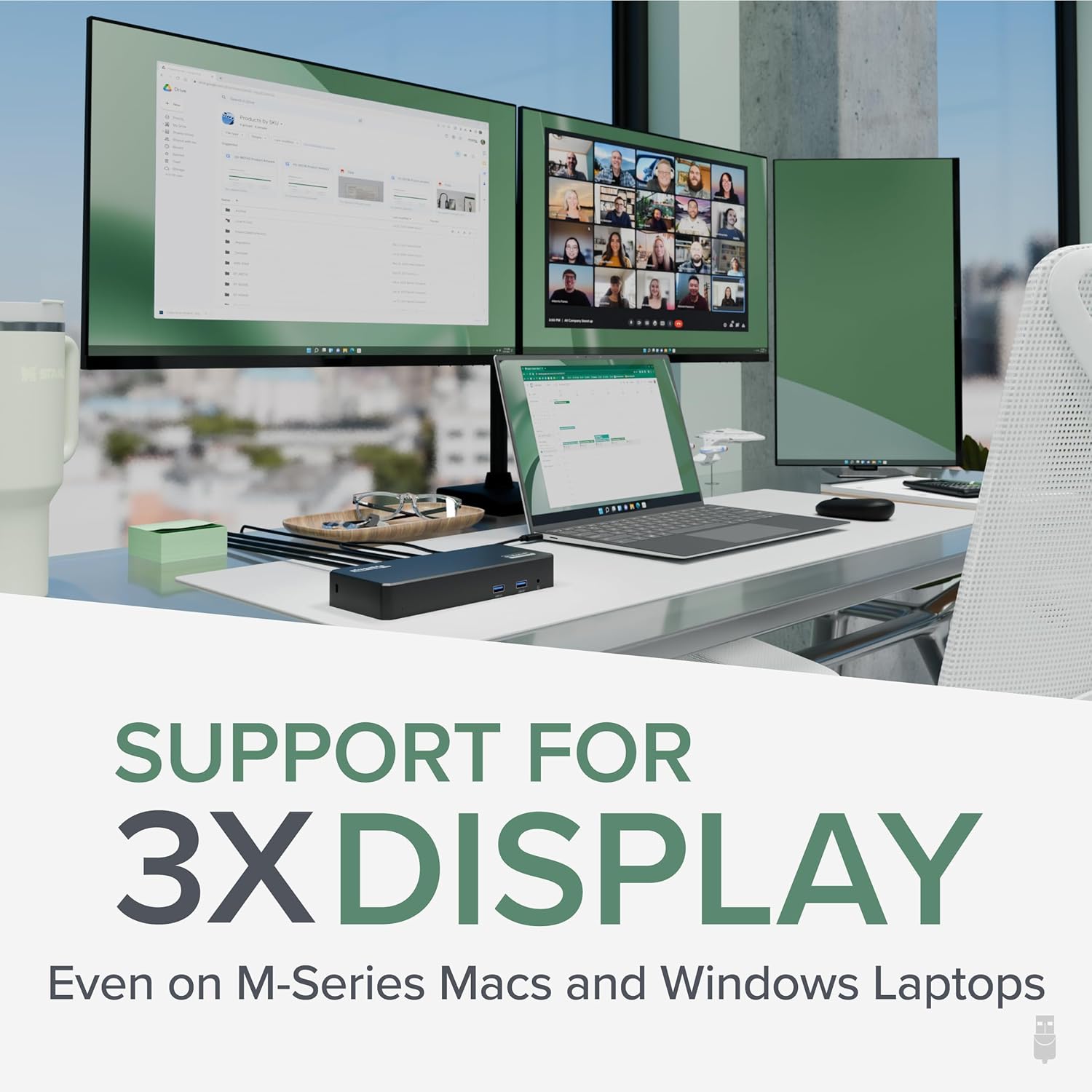
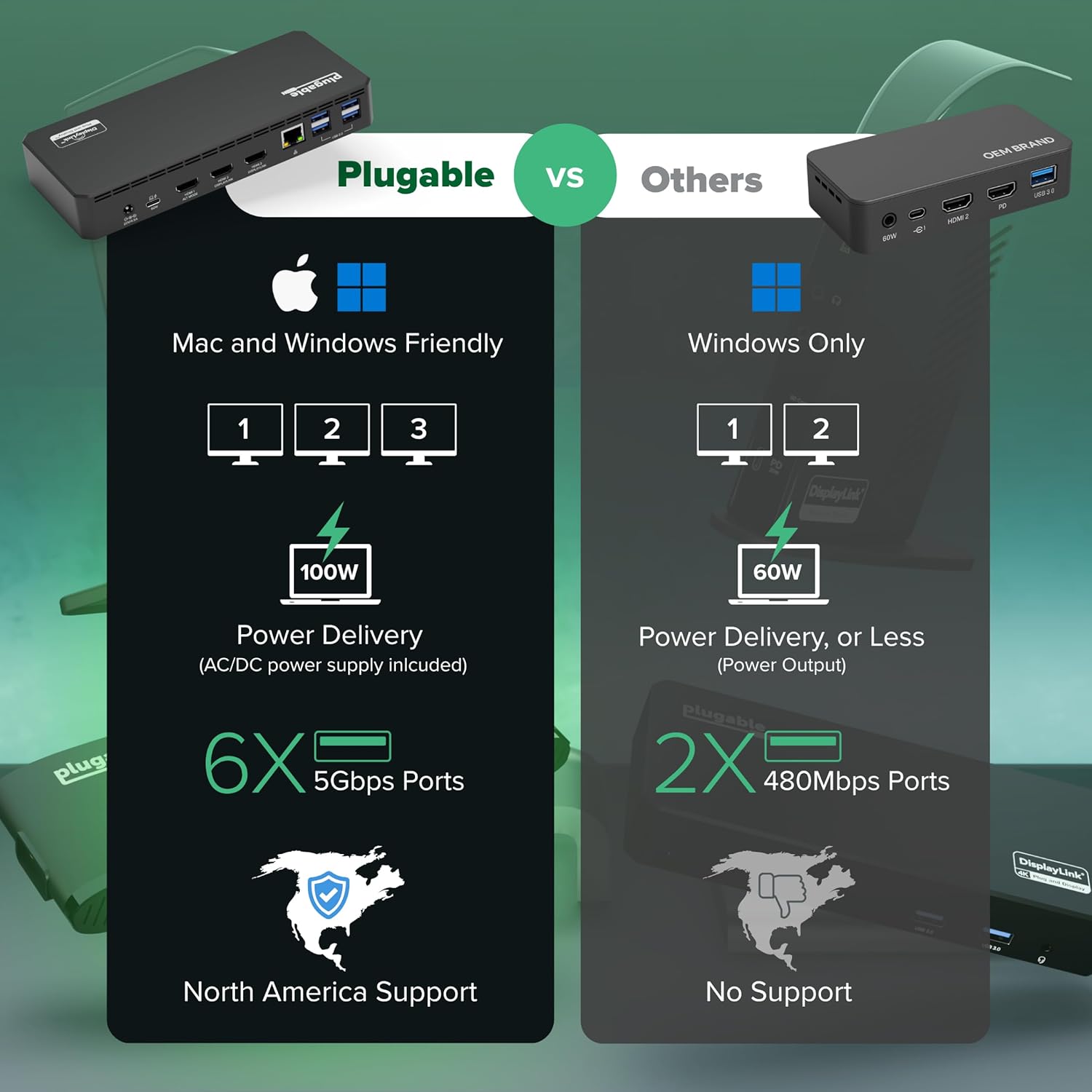
Triple Display USB-C Docking Station: Maximize productivity with support for up to three extended HDMI displays (1× 4K @ 30Hz via Alt Mode, 2× 1080p @ 60Hz via DisplayLink). Bypasses native single-display limitations on platforms like Apple M1/M2/M3 MacBooks. Compatible with all newer Apple Silicon systems, including M4 and M5. Optimized for enterprise use cases such as data analysis, presentations, and conferencing, it transforms any notebook into a multi-monitor workstation for your hybrid workforce.
Advanced USB-C Functionality: Integrated DisplayLink graphics technology and native USB-C video output (Alt Mode) are essential for maximizing workstation productivity, delivering full, native, high-performance multi-display support, while 100W USB-C Power Delivery ensures continuous host system charging in enterprise environments.
Universal Compatibility: Engineered for seamless integration with USB Type-C, USB4, and Thunderbolt-enabled systems across macOS (11+ with driver installation), Windows, and ChromeOS (v100+). that support USB-C Alt Mode and Power Delivery. Ideal for mixed-fleet IT environments, fully compatible with Dell XPS and Latitude, HP EliteBook and ProBook, Lenovo ThinkPad, and MacBook M series laptops, and more. Not compatible with Linux; HDCP not supported.
Expert Lifetime Support: Backed by North American-based technical support and our compatibility guarantee if something doesn’t work, we’ll make it right. Trusted by IT professionals worldwide, Plugable provides direct access to the engineers who design our products for deployment assistance, troubleshooting, and lifecycle support. We resolve issues quickly to minimize downtime and help organizations maintain productivity at scale.
13 reviews for Plugable USB C Triple Display Docking Station | 100W PD, 3x HDMI (1x 4K 30Hz, 2x 1080p 60Hz), 6x USB 5Gbps Ports | Windows, macOS, ChromeOS Compatible – Enhance Productivity with Multi-Monitor Support
Add a review

$16.99
Christine A. –
works perfectly!
I have about 8 different adapters and hubs I’ve bought for my HP Spectre 360, which, when I bought it in 2019, was a trendsetter for having very few connection points (one USB 2.0 and 2 USB-Cs – come on!!!!). I need three large monitors to do my job effectively, and it’s been really hard to find an adapter that a) allows 3 display connections, and b) works well. My latest one – a cheap Amazon purchase – didn’t have a tight connection with my computer’s USB-C input, and the USB 2.0 connections just stopped working after 6 months. When I went to purchase two new cheap adapters, both of the Display Port connections didn’t work for my third monitor.So, I decided to bite the bullet and pay more for a legit hub – especially a hub that allows 3 HDMI connections, versus only 2 HDMIs and a Display Port connection. I’m happy to say that this Plugable hub worked right out of the box. (Okay, to be fair, I didn’t follow the instructions and download the drivers BEFORE connecting the monitors, and the third monitor didn’t work right away – but once I actually downloaded the driver, it connected seamlessly.)While I got this for the 3 HDMI connections, I also love that there are 4 USB 2.0 and 2 USB 3.0 connections. Between my microphone, speakers, mouse, keyboard, and camera, I have a lot of USBs to plug in, and this accommodates all of them, AND it charges my computer at the same time, so now I have 1 USB-C and 1 USB 2.0 open on my laptop.I’m impressed so far! I hope the quality continues throughout months and years of use.
Charles Staten Island NY –
Excellent News
Gets the job done. Works perfectAllows me to add two HDMI monitorsAttached to my Mac Book a pro.And excellent choice and very easy to install.
Venita –
Plugable USB C Triple Display Docking Station
This docking station is a must-have for anyone with multiple wires or devices! It keeps everything organized and connects seamlessly. Super reliable, easy to set up, and makes my workspace so much cleaner and more efficient.
Nancy –
Device works but not compatible with Samsung Odyssey G9
Leaving a review for those who might need help with a Samsung Odyssey OLED – this doesn’t work. I’ve attempted multiple hdmi inputs (Micro HDMI to HDMI and HDMI TO HDMI) and varying devices (personal laptop, work laptop etc.) and this device is not compatible with the Samsung Odyssey G9 OLED monitor.Leaving a five star review since it’s no fault of the Plugable just silly samsung issues. Still on the hunt for a docking station that will work – for now my workaround is plugging an HDMI cable directly to the laptop AND the docking station USB-C which is annoying.The plugable is powerful enough to charge my work laptop but not powerful enough for my gaming laptop. Sleek design and looks nice on my desk if only the “Display Link” logo wasn’t on top of the device.
Vajar –
Freezes monitors, bad quality
10% reported issues. Unfortunatelly I am also one of them. I have had this station for a week so far. Running win 11 with 3 monitors. Only today, so far, everything froze for the 2nd time. Turning the unit OFF and then ON is the only solution. This is waste of money. DONT BUY IT.
Amazon Customer –
Works Great
Works and is easy to install
gowen –
Great, but check your compatibility first
I had trouble getting two monitors to work until I plugged them into HDMI 2 and 3 (DisplayLink) and that’s when I found out that my laptop doesn’t support HDMI 1 (Alt mode). I only need two monitors so I’m still happy with my purchase but if I had three monitors to connect I would probably be pretty unhappy. Maybe that should have been obvious to me from reading the specs but as it was I had to do some reading online before I figured it out. So I mention this here in case it helps the next guy.Aside from that, it’s a great little unit. Plugged everything else in and it was off to the races. Monitors seem very happy with the feed.
Eric K –
Apple 13″ MacBook Pro M1 2020 Laptop WORKS PERFECT!
I’m a nursing school student and I needed a lot of screen space because I have to research, reference and write papers simultaneously which is easier to do if I can see everything at once. I purchased a small single non-HD monitor to help and was using a j5 Create dongle to connect to the monitor, but still didn’t have enough space. So I decided to make a significant upgrade and purchased a 27″ 4k HD monitor from a local computer store and purchased another j5 Create dongle as they said it would work. So I plugged both dongles in, but unfortunately my laptop was incapable of running both monitors at the same time! I needed a “work around” since I found out that my M1 laptop is incapable of running two monitors at the same time so I researched my options and came across the DisplayLink software website and searched out where I could purchase the correct module, Amazon was the place!So, just a heads up, you can’t simply download the software and try to run two j5 Creative dongles at the same time or even a single dongle from J5 Creative that has 2 or more HDMI inputs, it doesn’t work that way. Also, people are freaked out when you install the software and it asks for permission to “RECORD YOUR SCREEN,” well, the module and software need to do that because it’s grabbing that info and sending it to to module with a super short delay that’s virtually unnoticeable unless you decide to play video games, but I just need this for papers and such. Your computer isn’t transmitting your screen data to DisplayLink, it’s capturing your screen info, processing it and sending it to the module to do all the splitting and to do its thing.I purchased the cheaper module out of the three options as I’m running one 4k HD monitor and 21″ SD monitor in addition to my laptop screen. So the end result is 3-screens, all with different desktop images, and you’re NOT stuck with a “mirrored” screen, you get the true 3-screen experience!It works perfect with my laptop. I can also stream music videos from YouTube and watch them in 4k on the one monitor while running a bunch of programs at one time and moving from one monitor to the other and have no skips or weird things going on with the video. The only thing I think I could ding against this product is that if I try to run the video full screen on the 4k monitor it might lose some resolution, but considering how much work this software and module is doing, that’s pretty amazing!I would highly recommend using this product if you’re planning a setup like mine, but if you have two 4k HD monitors, you’ll probably need to go to the second or 3rd more expensive optional modules to run those displays. I’m very happy with this purchase and it works perfect for my needs!
Christian Villafranca –
One of the most budget-friendly docks I found! The product works as described.The Docking Station comes with a USB-C cable to connect the laptop to the dock, and the power cord is long enough for use with taller or standing desks. Does the hob well and I’m happy with it!
Amaury –
Buen producto cumple lo que promete y me dio la solución que buscaba, fácil de instalar.
Cliente de Amazon –
Excelente producto
Raphaël Maheux –
Product is top notch. I had an issue with connecting my webcam at first, but customer service handled the issue with ease and promptly. The issue wasn’t with the dicking itself, but with my computer running on energy savings.
Gyo –
simplemente instale el driver y mis 3 monitores recibieron señal, facil simple y elegante. Ahora en mi oficina tengo 3 monitores