

Redragon K552 Mechanical Gaming Keyboard, 87-Key Compact, LED Gaming Keyboard with Red Switches, Anti-Ghosting, Metal Frame for PC Gaming & Typing, Beginner-Friendly (Black)
$5.99
Related Products


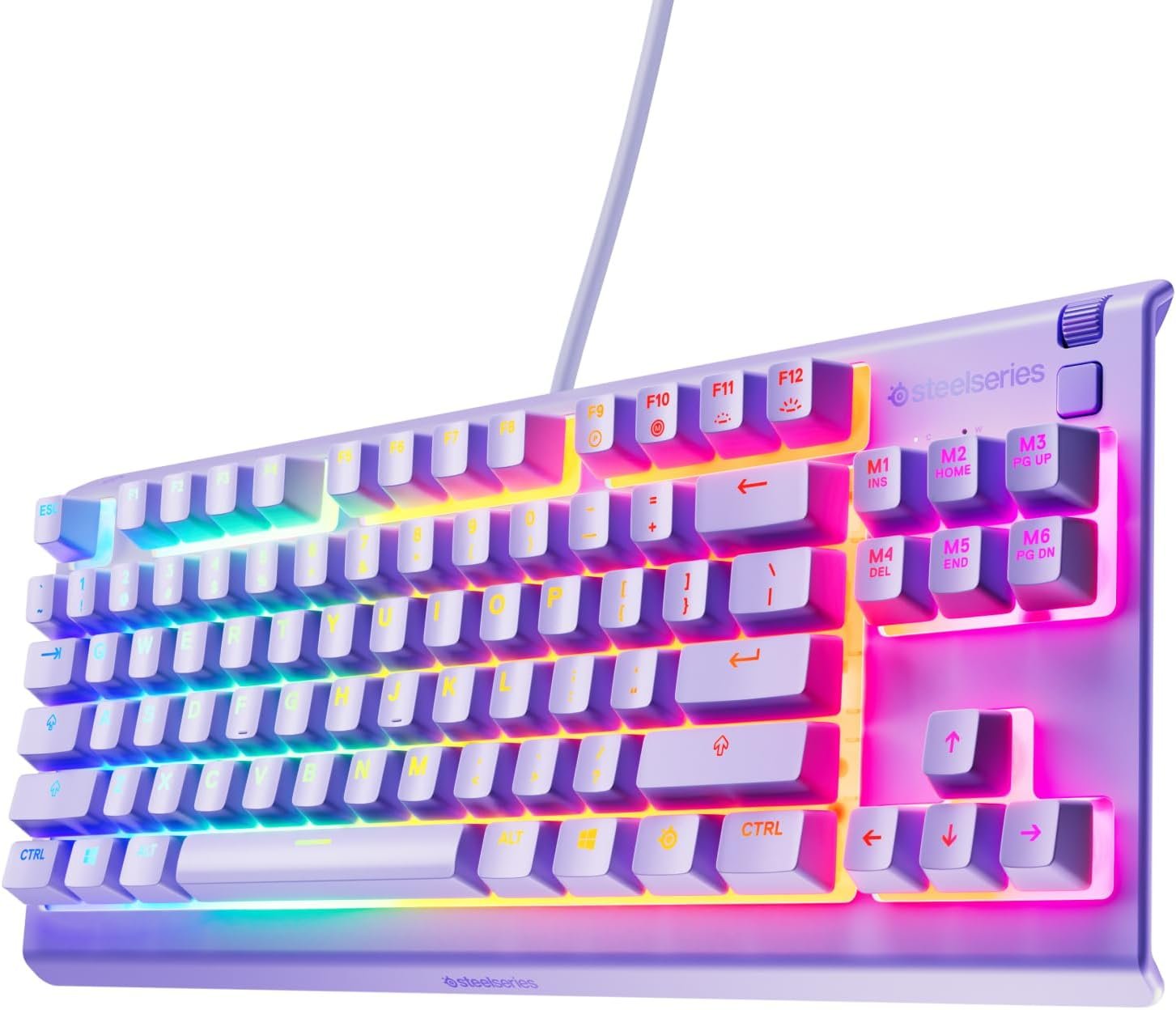


Product description


 Double Injection Molded Keycap
Provides you with a smooth and delicate feel, not easy to scratch, and the keycaps are wear-resistant.
 Splash Resistant
The spill-resistant design of the keyboard extends the life of the keyboard, improves safety and facilitates cleaning.
 Ergonomic Design
It enables you to maintain a more natural posture, effectively reduces wrist and hand fatigue, and improves typing efficiency and comfort.
 Fifty – Million Hits
Each key can last 50 million clicks, keeping it stable and reliable for a long time.
Redragon 75% Layout Keyboard
Add to Cart
Add to Cart
Add to Cart
Add to Cart
Add to Cart
Add to Cart
Customer Reviews
4.5 out of 5 stars 54,637
4.5 out of 5 stars 54,637
4.5 out of 5 stars 3,088
4.4 out of 5 stars 2,581
4.5 out of 5 stars 1,881
4.5 out of 5 stars 54,637
Price
$36.99$36.99
$29.99$29.99
$39.99$39.99
$34.99$34.99
$39.99$39.99
$39.99$39.99
Backlit
LED Backlit
RGB Backlit
LED Rainbow
Customizable RGB
RGB
—
Switch
Hot-swap Red Switches
Hot-swap Red Switches
Hot-swap Red Switches
Thick-lubed Linear Switches
Hot-swap Red Switches
—
Connection Method
Wired
Wired
Wireless & Bluetooth & 2.4G
Wireless & Bluetooth & 2.4G
Wired
Wired
75% Layout
√
√
√
√
–
√
Gasket
–
–
–
Gasket Structure
–
–
【Crisp Red Switch】Experience precise tactile feedback with our red switches, delivering smooth linear actuation perfect for rapid keystrokes in gaming and extended typing sessions. The satisfying click-free design minimizes fatigue while maintaining responsiveness, ensuring 87 full anti-ghosting keys register every command flawlessly—ideal for competitive gameplay and productivity.
【Immersive RGB Lighting & Premium Build】Elevate your setup with dynamic rainbow backlighting featuring 6 vibrant LED modes (breathing, wave, reactive, etc.) and adjustable brightness. The sleek black metal frame adds durability and modern flair, complementing any desktop aesthetic. Customize lighting profiles to match your mood or gaming style effortlessly.
【Compact & Space-Saving Design】Optimized for portability and efficiency, the tenkeyless 87-key layout frees up desk space without sacrificing functionality. Perfect for small setups or on-the-go gamers, its lightweight build easily fits into backpacks while retaining full gaming-grade performance.
【Beginner-Friendly Mechanical Experience】Designed for casual gamers and mechanical keyboard newcomers, this plug-and-play model balances affordability with premium features. Enjoy the signature “mechanical feel” for typing comfort and gaming precision, backed by durable construction that withstands daily use.
【Customization-Ready Platform】Unlock endless personalization with hot-swappable switches (3-pin compatible) and mod-friendly architecture. A versatile canvas for DIY enthusiasts seeking tailored sound, feel, and visuals.
8 reviews for Redragon K552 Mechanical Gaming Keyboard, 87-Key Compact, LED Gaming Keyboard with Red Switches, Anti-Ghosting, Metal Frame for PC Gaming & Typing, Beginner-Friendly (Black)
Add a review

$5.99
JP –
I really enjoy typing on this keyboard so I ordered another for work.
I’m a software engineer and can type anywhere from 85 – 110 WPM and those who code know the challenge of hitting special characters frequently; I should never miss a ; end line now :). I use to use an apple wireless keyboard with the chiclet style keys extensively the past several years and didn’t realize that was slowing down my typing. I actually purchased this keyboard for gaming at home but then bought another for work since I noticed a huge improvement in my typing speed. The reason I didn’t purchase a mechanical keyboard is due to the windows vs command key. The only mechanical keyboard I’ve found that has the command key is a das keyboard that is > $100 which is way over budget; can get 3 of these awesome keyboards for the price of one das. I’ve gotten use to using the windows key as the command with my pinky rather than the left thumb on command. I use both windows and mac so the switch has been great and it took a couple days to get use to replacing the thumb for command and using pinky for it but it has also made my windows typing much better since I use my pinky for windows anyway. For those who can’t give up their mac specific keyboard should look into buying one of these since you will make it work due to how awesome the keys feel. It’s identical to the more expensive cherry ones. I won’t feel bad if this keyboard breaks a year later since it’s only $30 and the ones that have the common cherry switches cost > $50. The apple wireless keyboard is double the price of this…# Pros- Identical to cherry switch that other more expensive keyboards use such as Das.- Increased my typing speed by at least 15 WPM.- Tactile feedback you do not get with chiclet style keyboards.- Solid and quality made. It’s heavy so it won’t move around the desk. Has nice grippy rubber pads too.- Don’t have to switch between the apple wireless keyboard and the windows keyboard since I use the same one off the KVM now.- I don’t have to recharge and replace the batteries in the wireless apple keyboard since this is corded. Got so sick of replacing batteries just to have wireless when it’s going to sit on the desk anyway so it was pointless. The apple keyboard would lose connection with the bluetooth too so again, it was pointless.- Compact size is better than a full size keyboard. Removing the number pad provides a better ergonomic experience which prevent strains due to widening the arms with the mouse. Research this if you don’t believe me. Some ergonomic keyboards put the number pad on the left side of the keyboard.- Best bang for the buck. Amazing value so I purchased 2 of them. Perhaps all the big brands such as Das will lower their price since this one seems to own the Amazon market right now. It’s 2018, people who are sane know that a mechanical keyboard shouldn’t cost > $100. C’mon, the IBM Model M in the 1980’s original price was around $250 but that’s some dated technology! It’s like paying the same price for an OLED TV for a tube tv. Who they trying to fool and that is why Redragon is here. They know the other manufacturers are price gouging.# Cons- None so far.# Neutral- My coworkers find it distracting since it’s loud but they can put headphones on. A mechanical keyboard is… loud.- Noticed some sound interference with my Logitech speaker setup at home. It sounds kind of cool because the breathing effect will also output in the speaker. Breathing will make it sound like a badass intro to a sci-fi action scene (think star wars lightsaber) and the solid light will make an ongoing high pitch noise. This is probably an issue with the KVM I use to switch between mac and pc. I don’t have this issue with the pc but when I switch it over to the mac the interference occurs.
Shelby –
Nice, affordable, satisfying
For my first mechanical keyboard, I couldn’t have asked for a better one! I’ve been using it for about a week now (I play World of Warcraft), and I have had zero issues. The sound is satisfying, yet not obnoxiously loud. The keys are nice and sensitive. The colors are vibrant as well. If you’re looking for a nice keyboard at an affordable price, I would say go for it!
AR1 –
Redragon K552
I had been contently using basic keyboards for years at work and home, without a second thought. Then, a few weeks ago, a colleague introduced me to the world of mechanical keyboards. At first I thought it was a little bit stupid that this was even a thing to be excited about. But immediately after talking to that person, I knew I needed to have one. This is why Prime exists – It was a purchase that couldn’t wait. I always liked the feeling of those old school IBM keyboards. I’m not much of a gamer, but I do use a keyboard all day long for work – programming, writing documents, endlessly revising wording in controversial emails, etc – so why not invest in a keyboard that makes me a little happier during that time?I chose this keyboard because it had the clicky blue switches, looked solid, had nice RGB, was tenkeyless, and had an overall good reputation. I was not disappointed when I received it. It feels very satisfying to type on. The tenkeyless form factor is perfect for me – I had never used num pads, but would find it frustrating not to have dedicated arrows, function keys, and Insert / Home / etc they way they are here. With the RGB, I find myself sticking to the mode where all keys are one static color. The flashy effects are distracting to me, but might be inspiring to some folks. The typing angle is comfortable with or without the legs extended, but the keyboard slides around the table a bit without them.There was another very similar Redragon keyboard (Visnu) that I was also considering. I went with the Kumura because it has a more compact form factor.Now that I’ve been sucked into the mechanical keyboard world, here’s what I think I would change. (Many other reviewers have already mentioned all of these things). The keyboard has a little bit too much of a “gamer” look to it, partly due to the font of the keycaps. It sounds like PBT keycaps have a nicer feel to them than the stock ABS ones anyway, so I would consider swapping to a custom set at some point. The raised Redragon logo is also a little bit too “gamer” looking too – I noticed that some other Redragon keyboards have a more subtle logo. A detachable cable, and maybe Bluetooth, would be nice too. I enjoy the clicky switches a lot, but am curious to try tactile but non-clicky switches which are apparently a little less obnoxious in an office environment. (Like many folks, I have been working from home during COVID). Maybe I would go with a white keyboard too.Overall, I think the Kumura succeeds in being a very nice entry into mechanical keyboards. It was under $40 when I purchased it. In retrospect, I would also have considered something like the Ajazz K870T, which is about $60 but has the features left on my wish list. But then again, $60 sounded like it was out of my price range at that point.UPDATEHere’s an update after three years. This keyboard is still my daily driver, and I have modded it a bit.- Rubbed out the logo on the front of the keyboard with an eraser.- After about year one, I swapped out the stock keycaps for a set of Matcha PBT dye subs with ZDA profile (ASIN: B08QJGH5VT). These were about $38.- About 1.5 years later, I swapped out the clicky blue switches for Akko Jelly Blacks (ASIN: B09K7QX9QK). These are linear with a bit of resistance, and are compatible with the Outemu sockets in the board. It costed about $34 for two boxes of switches.- I lubed the switches and stabilizers with the lube from this kit (ASIN: B09YLLVGX4).- I added a slab of mass-loaded vinyl to the case to dampen some of the case noise. This also makes the keyboard much heavier, which I prefer. A 12″ x 12″ square of MLV costed about $10.I have enjoyed tinkering with the keyboard and trying various mods suggested on YouTube. One particular channel that inspired me is Consumer Tech Review. The look, sound, and feel has changed substantially from the stock setup. Especially with the clicky actuation gone, most of the sound comes from keys bottoming out and feel comes from the anticipation of them bottoming out from when they are pressed. The Matcha keycaps completely change the vibe from “gamery” to “retro” / “enthusiast”. The RGB doesn’t shine through these, but it does show up in the gaps between keys which is good enough for me. It’s kind of stupid, but the sensory experience of the keyboard makes working just a little bit more pleasurable, and it’s been interesting to vary the experience through the customizations.The budget TKL market seems competitive now, but I like this one because the case is solid and the PCB has been reliable. More recent keyboards include things like gaskets to improve the feel and layers of foam to improve the sound. I’m curious to see what kind of differences those things make in person, but I am also trying to avoid blowing too much money on this stuff. The main thing on my wish list would be a detachable USB cable. It appears possible to do that by soldering and making some alterations to the case, so that’s an option.
احمد عبدالله –
ولا غلطه كم معي 3 سنين
Melet Chirino –
Un excelent clavier mécanique pour un prix bas. J’adore travailler avec ça longues journées de programmation et écriture sur l’ordi.
Freddy_ZA –
Exceeded my expectations
Darcy –
Had it for a year or 2 now and I’m using it right now to write this. if you look online and look at some of the good mechanical keyboards you can definitely tell the difference by sound. it is quite loud but I like it and definitely recommend if your looking for a good budget keyboard for gaming. It is a little bit of false advertising it terms of the fact that it isn’t RGB but instead only red. Its my fault for not reading it properly but its a bit misleading if you look at the photo.
rodrigo –
O teclado eu relutei muito em comprar e finalmente ao adquirir percebo como ele é fantástico. Resistente, bonito, “macio” de se digitar, é fácil de limpar e tem deixa meu setup incrivelmente belo.Acabei tendo um incidente nele e caiu água nele, tirei todos os botões pra ir fazendo a limpeza e com medo de ele ter pifado… nada, a água não danificou nada! Estou muito satisfeito com o ele.Só acho que devo pontuar que, se você é uma pessoa que gosta de teclados mais baixos ou mais suaves, pode se incomodar com esse teclado, pois as teclas são um pouco mais altas do que um teclado tradicional, mas nada que incomode, apenas se você só for do tipo que gosta de algo mais fino.No mais, é um produto excelente, pode comprar sem medo.