

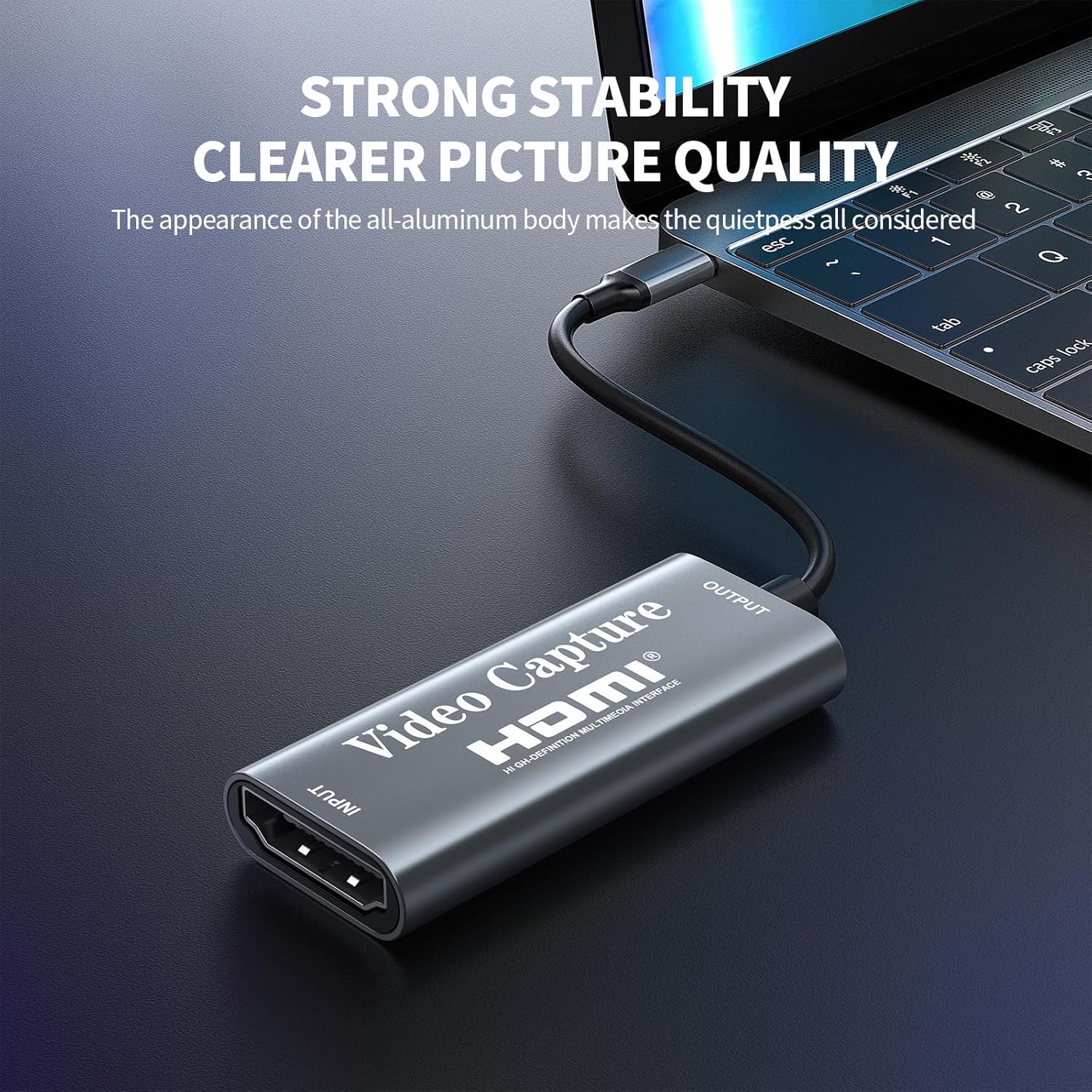
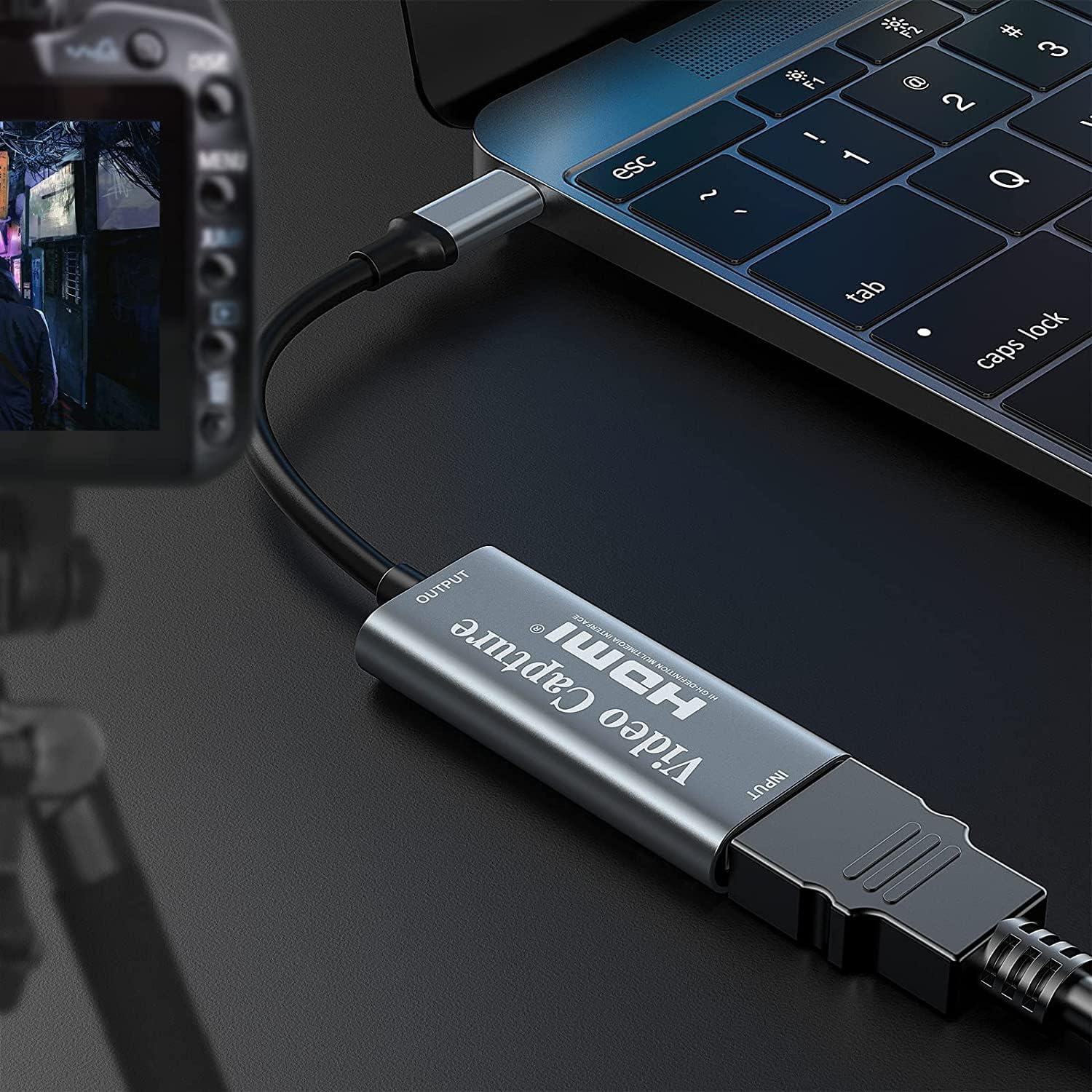
Video Capture Card, Video Recording Card Wonderful 4K HDMI to 1080P USB C for Gaming Streaming TV Recorder, for Windows Mac OS System with USB C Adapter to Adjust PS4, Switch, Xbox1
$16.99
Related Products



Product description




1 Game Capture
2 Live Broadcast
3 Video Conference
4 Advanced chip


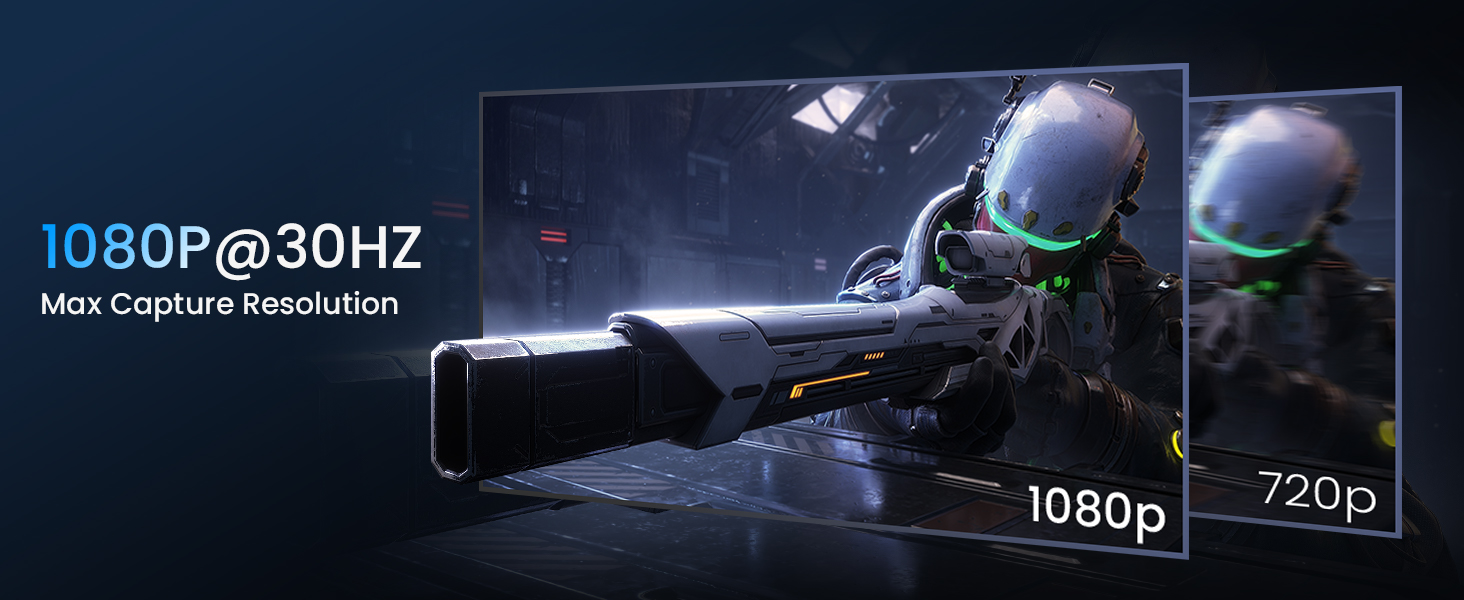
[60fps4K perfect capture card] – Designed for game recording, video recording, online meeting, live broadcasting etc. Records high resolution video up to 1080p at 60fps The USB-C end is compatible with more devices
Video Card Capture USB C – Capture card 60fps can be used for Windows, Android, Mac OS X and Linux. No more installing drivers, based on the high-speed USB 2.0 technology, let your live streaming on Twitch, YouTube, Facebook, Twitter, OBS, Potplayer and VLC
No delay, no freezing: the HDMI video capture card 1080p offers a high-resolution input with a resolution of up to 3840 x 2160 @ 60 Hz. 1080p video recording card images are fluid, without freezing and no delay. Suitable for HD video recording, live broadcasting, live games, etc
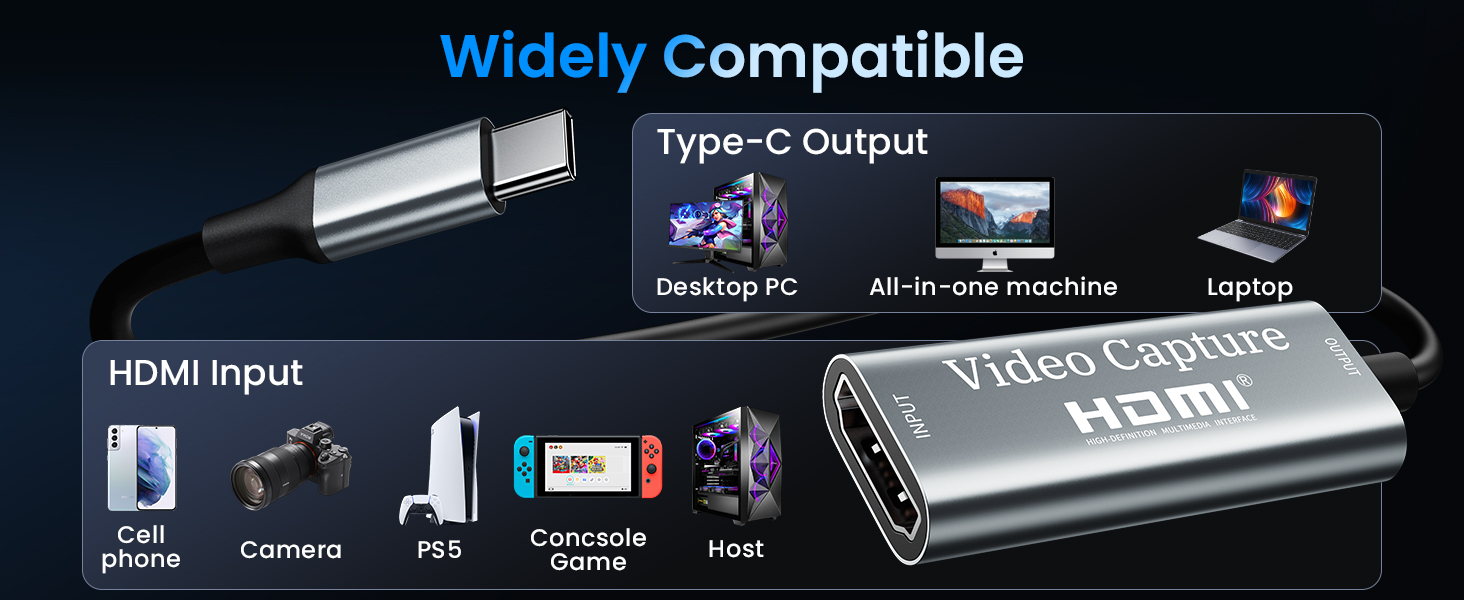
[Widely Compatible] – The 1080P HDMI recording card is compatible with most devices, such as: PS3, PS4, Xbox One, Xbox 360, Wili U Wii, Nintendo Switch, DVD, Security Camera, Webcam, Set-Top Box, DSLR etc
[You should forge the iron as long as it is hot] – We are sure that you will be satisfied with this game capture card – Input end: USB C / Output end: HDMI, package comes with a USB C adapter to adapter your USB C and USB device
11 reviews for Video Capture Card, Video Recording Card Wonderful 4K HDMI to 1080P USB C for Gaming Streaming TV Recorder, for Windows Mac OS System with USB C Adapter to Adjust PS4, Switch, Xbox1
Add a review

$16.99
Justin M. –
9 stars if I could! Don’t hesitate! Amazing CS!
I bought this to use with Hyperion or HyperHDR. It works great with both and is a great component for DIY ambient light system for your TV.I have it attached to a Raspberry Pi using the software above and other components, and it is $300+ less than a Hue kit. It was basically on for 2 months straight (active even with standby on my roku) and one day the Pi still recognized it as a device but there was no signal. The item temperature felt like a million degrees so I imagine the heat did something. Lesson learned about leaving it active.I have read a lot of the negative reviews saying the item stopped after a couple months, there was no company contact information or warranty. Usually for something under $20 I would just eat the cost and move on but wanted to see if the complaints were true. I will tell you most of that is not true and completely false. The only truth was, the contact information is not included with the product. I contacted the seller through Amazon (ask seller question about product), provided order information and told them about what happened. They offered either an order refund or replacement. I chose replacement and they sent a replacement using next day (1-2 day) shipping. This was almost 3 months after purchase. I received the new item the next day, plugged it in and my system was back to working status like expected.Use common sense and a little effort before leaving a negative review and spreading false information. While the product did have issues eventually, they 100% did what I (and anyone) should expect from a company. I would give them 10 stars but they absolutely should include contact information and/or warranty information with the product… And yes there is some spelling issues on the back of the product box (teh instead of the) but that doesn’t take away from the quality of the product.. especially because of the price.Functionality wise, it captures at 1920×1080 60fps and also captures HDR and SD frames without issue for me.
Travis S. –
Works well enough for PowerPoint and basic video capture. Plays well with Vmix
Good quality for the price, no complaints. Was using an AverMedia capture card to capture PowerPoint and HD video from our projection computer into our Streaming computer for church worship. Upgraded computers, and there were no drivers for AverMedia card on Win 11. Bought this as a cheap trial card to get us back up. Plugged it in and Vmix picked it up as a video source. No driver needed. Quality seems very good. I don’t have info on frame delay, but it seems minimal. It has less delay than some of our cameras. Delay is maybe the same as an NDI input. The included pics are comparisons between the original file and a capture from Vmix on the receiving end. In both pics the Vmix capture is on top and the original is on bottom. Video seems smooth at HD 30fps, have not tried at higher resolutions. Also this is with the original HDMI running through a HDMI splitter/extender which might be lowering the quality some. I would purchase another one if I had the need.
Angel Moran –
Good Item. Beginner Friendly. Nothing more
Good item. Quality isnt as great but its what you expect and does the job well. Good for beginners
AaLl86 –
Works well, reliable enough for now (after 3 months)
Works well and is durable. Input resolution is 4K but the output one (the one that the video card can emit is limited to Full HD). Nothing bad to say.
Amazon Customer –
Awesome tool! Essential item, especially at this price!
I have to admit. I was very skeptical about this item’s performance, initially… especially, considering how inexpensive it is. After receiving it I was blown away by how immediately intuitive, easy and effective it is. After installing the Meta Quest HDMI link app directly in my Metaquest 3S headset, all you do is attach this device to the other end of the HDMI cable that is running from your device (in my case, a PS5…) and plug the USB-C end of the device into your Metaquest unit… and that’s literally, it. Your Metaquest unit should immediately recognize the signal.In my opinion, this item is a must have. Just make sure that before you plug the adaptor into your headset that you change your HDCP settings on a PS5, otherwise your headset will just display a black screen. If you want to change your HDCP settings on your PS5, just go to:Settings > System > HDMIand then toggle the “Enable HDCP” option to turn it on or off. When you are done using your headset with you PS5, just turn HDCP back on, otherwise you won’t be able to view any streaming networks on your PS5.Again, this is a fantastic buy and I cant recommend it enough. My only criticism of this item is that it doesn’t offer you a way to charge your headset while you use it. If you can find an item that’s exactly similar to this but has that feature, I would definitely recommend it. Otherwise, charge your headset up nice and good and you’ll be good to go for a few hours.
K. M. –
Works with Ubuntu. For the price it’s really fine, but for me the framerate is low
This worked right away when I plugged it into my linux machine. I tried 1080p resolution and it looked fine. However there was about a half second lag between the signal input and the capture on my laptop; and the framerate was not high. I get *maybe* 8 fps. This is with an 11th gen Intel CPU and full USB 3.2 and plenty of RAM, and Intel graphics. I was halfway hoping for more frame rate, but for the price and compatibility it still seems like a win to me.
Global –
After much research, I found the Papeaso HDMI to USB C 3.0 Video Capture Card, which, according to specs, seemed to be the best of the available choices. It comes nicely packaged in a small box, including an extra USB C to USB A adapter if needed. Setup was a breeze; I had previously downloaded the latest version of OBS Studio and just followed the instructions on the Papeaso box to select and activate the device.I paired the video capture card with a nice HDMI Micro to HDMI coiled cable from GELRHONR which matches the design of the Papeaso device. I connected my Pentax K-3 camera and was able to replicate the LCD screen of the camera on my laptop via OBS Studio (camera menus, live view, picture gallery etc.). This will be perfect for in studio work, especially precise focusing in live view, and eventually will connect this to a tablet or iPad to use as a field monitor. It also works well with my Pentax K-70 camera. I am pleased with this purchase and would recommend this product.
J-B –
J’utilise cette carte de capture pour brancher ma Xbox sur mon Oculus Quest et ça fonctionne nickel. Le branchement est rapide, reconnu tout de suite par l’ordinateur, et la qualité d’image est fluide sans latence visible.Le format compact est pratique pour l’emporter facilement et la compatibilité avec OBS permet de tout configurer rapidement.Seul petit point à améliorer, le son peut parfois avoir un léger décalage selon le logiciel utilisé, mais un simple redémarrage règle le problème.En résumé, un bon produit, efficace et abordable pour capturer ou diffuser sans prise de tête.
Tennisboy –
I bought this to record from a firestick and having read some +ve reviews about this device I bought one – So far I’m happy with it – it has worked fine.I’m recording streams from a firestick with a Dell Latitude E5470 laptop, mainly recording rugby and football and using the OBS Studio SW which is free to download. The SW is quite detailed so you’ll need to do some reading etc to make it work – but I’ve got it sorted now.The quality of the recording when using an HDMI cable to send it to a TV is pretty good – not perfect but perfectly adequate.Biggest issue for me was losing audio – has happened twice so far & had to uninstall and reinstall the SW to fix it but it wasn’t that painful and I don’t think it was anything to do with the capture card.So yes – I’m pleased & it’s worth the money.
Adrián Albarrán –
Compre el modelo con el USB C.Lo use para conectar mi Nintendo Switch a mi lap, OBS lo detecto sin problemas y pude transmitir en discord solo para mis amigos.
Lukas –
1. Bildqualität: Das Video Capture Gerät liefert ein sauberes und klares Bild bei allen Aufnahmen. Besonders die 60 Hz Bildwiederholrate sorgt für flüssige Aufnahmen ohne sichtbare Verzögerungen oder Bildaussetzer. Egal ob Streaming, Gaming oder Videoaufnahme – das Gerät erfüllt seinen Zweck tadellos.2. Einfache Installation: Die Installation ist denkbar einfach. Man muss das Gerät lediglich über den USB 3.0 Anschluss mit dem PC verbinden und schon ist es einsatzbereit. Keine komplizierten Treiber oder zusätzliche Software erforderlich. Innerhalb weniger Minuten ist alles eingerichtet und einsatzfähig.3. Verarbeitung: Die Verarbeitung des Geräts wirkt hochwertig und robust. Das Gehäuse aus Metall macht einen stabilen Eindruck, was gerade für ein Gerät, das häufig im Einsatz ist, von großem Vorteil ist. Die Anschlüsse sind gut verarbeitet und der USB-Stecker sitzt fest, ohne zu wackeln.4. Preis-Leistung: Das Preis-Leistungs-Verhältnis ist absolut überzeugend. Für den Preis erhält man eine verlässliche und gut funktionierende Capture-Karte, die problemlos mit teureren Modellen mithalten kann. Vor allem für Einsteiger und Hobby-Anwender eine klare Empfehlung!Fazit: Das Video Capture Gerät überzeugt durch eine ausgezeichnete Bildqualität, einfache Handhabung und robuste Verarbeitung. Für den Preis ist es definitiv eine Empfehlung wert, insbesondere für diejenigen, die nach einer kostengünstigen und dennoch leistungsstarken Lösung suchen. Klare Empfehlung!