

ViewSonic VX3276-4K-MHD 32 Inch 4K UHD Monitor with Ultra-Thin Bezels, HDR10 HDMI and DisplayPort for Home and Office
$36.99
Related Products


The ViewSonic VX3276-4K-MHD is a sleek 32” (31 5″ Viewable) 4K UHD monitor with a modern and minimalist style perfect for home use With Super clear MVA panel technology and 80M 1 Dynamic contrast Ratio This monitor offers best-in-class screen performance with ultra-wide viewing angles A sleek edge-to-edge frameless design combined with stunning 3840 x 2560 resolution provides incredibly sharp and detailed visuals while HDR10 content support delivers a high Dynamic Range of vivid color and contrast for incredible screen performance Versatile HDMI DisplayPort and Mini DisplayPort inputs offer flexible connectivity options for both computing and gaming while an exclusive view mode feature provides intuitive presets for optimized screen performance in different applications With view Sonic’s industry-leading 3-year limited This monitor is a solid long-term investment that combines style and high performance for the home.
VERSATILE MONITOR: 32 Inch 4K UHD (3840x2160p) MVA monitor with thin bezels and 60Hz refresh rate
HDR10 CONTENT SUPPORT: For deep contrast, rich color, and vibrant details
ENHANCED VIEWING COMFORT: Flicker-Free technology and Blue Light Filter for reduced eye fatigue
OPTIMIZED VIEW SETTINGS: Offers “Game,” “Movie,” “Web,” “Text,” and “Mono” presets
FLEXIBLE CONNECTIVITY: The VX3276-4K-MHD supports laptops, PCs, and Macs with HDMI, DisplayPort, and Mini DisplayPort inputs
10 reviews for ViewSonic VX3276-4K-MHD 32 Inch 4K UHD Monitor with Ultra-Thin Bezels, HDR10 HDMI and DisplayPort for Home and Office
Add a review

$36.99
The Moose –
Excellent home or office use “IPS 2K” monitor … consider this alternative to “4K VA”
This is a nice quality monitor from Viewsonic. First off, I do not play video games, so my review pertains to home and office type use (MS Office, Web browsing, light duty photo editing, etc.). Having a 4K VA panel 32″ monitor in the office, I can honestly say that this 2K IPS 32″ monitor is a better value for the money. While I can still read text at the full 4K resolution, it is simply uncomfortable for a long time. A more pleasant resolution setting I use in the office is somewhere between 2K and 4K (more towards the 2K mark). Given that experience, I went for the 2K IPS monitor of the same 32″ size at home. The IPS panel vs. VA is a whole lot better, esp. with text on the screen; the VA has some slight but noticeable artifacts with text where the IPS is simply clear. The resolution is comfortable and at this 32″ size there is plenty of “real estate”. So, if you are looking inside the $400 price range for a 32″ monitor don’t get fooled by 4K unless you are planning to watch 4K TV on it perhaps? For home/office use, the 2K IPS is not only cheaper (less than $300) but fits the bill much better.I did a lot of researching and then, at work, I was able to get the 32″ 4K VA panel monitor and, to be honest, it is a disappointing experience for office use; I do not run the full 4K resolution and the VA quality just is not as good as the IPS panel. Having the 32″ 2K IPS (this Viewsonic) at home and given my experience with it, I would have requested the same for the office if I had to do it again. So, while 4K is good for some things for others 2K is preferable in my experience. If you get a chance to compare monitors in this price range for home/office use, you may find the same.Viewsonic is also a top notch brand with a 3 yr warranty. This particular model also has the frameless edge. Not only is the picture quality excellent but the monitor has a nice high quality look.
A reviewer in FL –
Excellent monitor, even for streaming
Bought it 2 years ago and it’s great. Zero issues, great picture. Initially used for computer work but now used for streaming movies. Excellent. ViewSonic tends to cost more than others, but they’ve never disappointed me. Specifically, I’ve never had pixel problems or any other problems.
Danny TR –
Excellent quality for the price, great for work, media and gaming
Build & Visual Quality: Very good build quality and an ultra-thin bezel design that looks sleek and modern. For a 1080p 32-inch monitor, the image is sharp and vibrant.Color Accuracy: Colors are surprisingly accurate for a monitor in this price range. Great for general use, content consumption, and even some basic editing.Response Time & Flickering: No noticeable flickering. The response time is solid for casual gaming and general productivity. Not a high-end gaming monitor, but more than enough for most users.Ease of Setup: Super easy to set up. Plug and play through HDMI or DisplayPort. The screen split feature is also very handy for multitasking.Value for Money: 100% worth it. For what I paid, this monitor offers excellent quality and performance. It definitely feels like a premium product at a budget-friendly price.Conclusion: Highly recommended if you want a large IPS screen with solid performance, reliable color, and a stylish design all at a very fair price.
Bob –
Good value
This is a review of the 32” 4K monitor with an “MVA” panel.This is a good monitor considering how little it costs (for a 32” 4K monitor that is). It has no obvious quality control issues I’ve been able to discern. If you get something for a low price like this, and it works exactly the way it’s intended to work, then you should consider yourself lucky that you got a good deal.Before I bought this monitor, I imagined that a 32” 4K monitor would make my computer life so much better. But I now feel that 32” is just TOO BIG for typical desktop usage. A 27” 1440p (aka QHD) monitor is the sweet spot for a desktop monitor. Most people buying this monitor would be better off with that and you’d save yourself some money or, for the same price, get a monitor that has better features and maybe better color quality and accuracy. However, I am not holding its size against the monitor, it is what you’re buying. Just advice for anyone reading this.As an MVA panel, I had high hopes that the blacks would be jet black and not have the “glow” of IPS monitors. I was wrong about that, this panel definitely has an MVA glow, I guess you would call it. Are the blacks a little bit darker than a typical IPS panel? I don’t know for sure, I only have one other monitor to judge it against, a Samsung “PLS” monitor that I bought 8 years ago for $800. That much more expensive monitor annoyed me for 8 years with its corner glow that ruined the experience of watching fullscreen movies or videos. I am happy to say that this Viewsonic monitor does not have any corner glow and it’s much better for watching movies. Yay! But still not jet-black blacks.The downside of this monitor having an MVA panel is that there’s a loss of contrast when viewing the corners or edges of the monitor. I would not recommend this as an office monitor (where IPS glow doesn’t matter), or for color-critical photo/video editing. But for a home monitor where you would use it in a dimly lit room and use it a lot for watching movies/TV/YouTube/Netflix etc., I think a VA type of panel makes sense. The viewing angle issue is barely noticeable most of the time, and this monitor certainly has a much better viewing angle than a TN monitor, but the issue is there.There’s nothing horribly wrong with the panel, but the colors seem to lack punch. Also, the monitor has a really weird gamma curve that I don’t like. It seems to work better with a Mac, but when I hook a PC up to it, it looks all wrong. Hint: there’s a setting in the menu system called “black stabilization” that’s by default set to 50. Lowering it may improve the look on a PC and give you darker darks and less of a washed-out look. Other than this “black stabilization” setting, I don’t see any other way to adjust the gamma in the monitor’s menu system.Before I bash the monitor, let me tell you what’s good about it: It has a lot of input ports, two HDMI and two DisplayPort (but I have no idea why one of the DP inputs is MDP; if you happen to have an old MacBook with an MDP port, you can just buy an MDP to DP cable which you probably already have anyway), it has an output for sound, it even has built in speakers, but the built-in speakers are pretty bad so they are mostly useless. The monitor also looks really nice. It’s very slim and has hardly any bezel at all.OK, let’s get to the bad. The monitor has no height adjustment, and this monitor definitely needs a height adjustment because it’s so huge; the default height is too high, I wish I could lower it as much as possible so I don’t have to strain my neck to see the topmost part of the monitor.The control system for this monitor is awful. The control buttons are on the back, and even basic tasks like changing the brightness or changing the input requires fumbling with a bunch of different buttons. In the future, I will definitely favor any monitor that has a remote control, or at least a d-pad on the front.There’s very little documentation about what all the functions do or how to use them. I downloaded the user manual from the web in PDF format, but it doesn’t tell you that much about what all of the mysterious functions do. What you can’t do in the menus is change the gamma or set an exact color temperature that you specify with a K value or change the color saturation.But the bottom line is that, despite the bad and the mediocre, there are no defects and it cost very little money. You can easily spend three times as much money for a 4K 32″ monitor that, at the end of the day, is still just a big high resolution monitor.UPDATE A FEW MONTHS LATERThe image quality on this monitor is very good.I realize now that when I wrote the original review, I was getting washed out colors with PC because the settings were wrong in Nvida control app. It was set to “RGB Limited” when it should have been “RGB Full”. Maybe this happened because I was using an HDMI cable instead of a DisplayPort cable to connect the monitor?I stand by in hating the controls for the monitor on the back/right. It takes forever and is a real pain in the ass to adjust even something simple like the brightness.I also stand by not liking the cheap stand that can’t be vertically adjusted.I also stand by 32″ being too big, but that’s not the fault of ViewSonic, it’s what I bought.Everything else about this monitor is great for the price. Especially great for watching movies or TV if you push your chair back about 3 feet form the monitor.
Francisco Medina –
View Sonic 32″ PC Monitor
I purchased two of these screens for my office and I absolutely love them. Elegant designed, great size and the resolution is perfect. Setup was pretty easy and very stable. The response time is really good and it is a great value for what you are getting. The speakers on the sreen are pretty loud. There are times I use the sound for virtual meetings. I have not tried them for gaming however for work purposes they are fantastic.
Mats –
Clear nice picture, the sound is terrible though so have a set of speakers available
Chris C. –
I recently got my hands on the ViewSonic VX3276-4K-MHD 32 Inch 4K UHD Monitor, connected to my minipc and I couldn’t be more thrilled! The display is absolutely stunning with vibrant colors that make everything pop. Watching movies and playing games on this monitor feels like a whole new experience! Plus, its sleek, thin design fits perfectly in my workspace without taking up too much room. While the speakers are decent for everyday use, I often pair it with my favorite sound system for an even better audio experience. If you’re looking for a monitor that combines style and performance, this is definitely the one to get!
Elias –
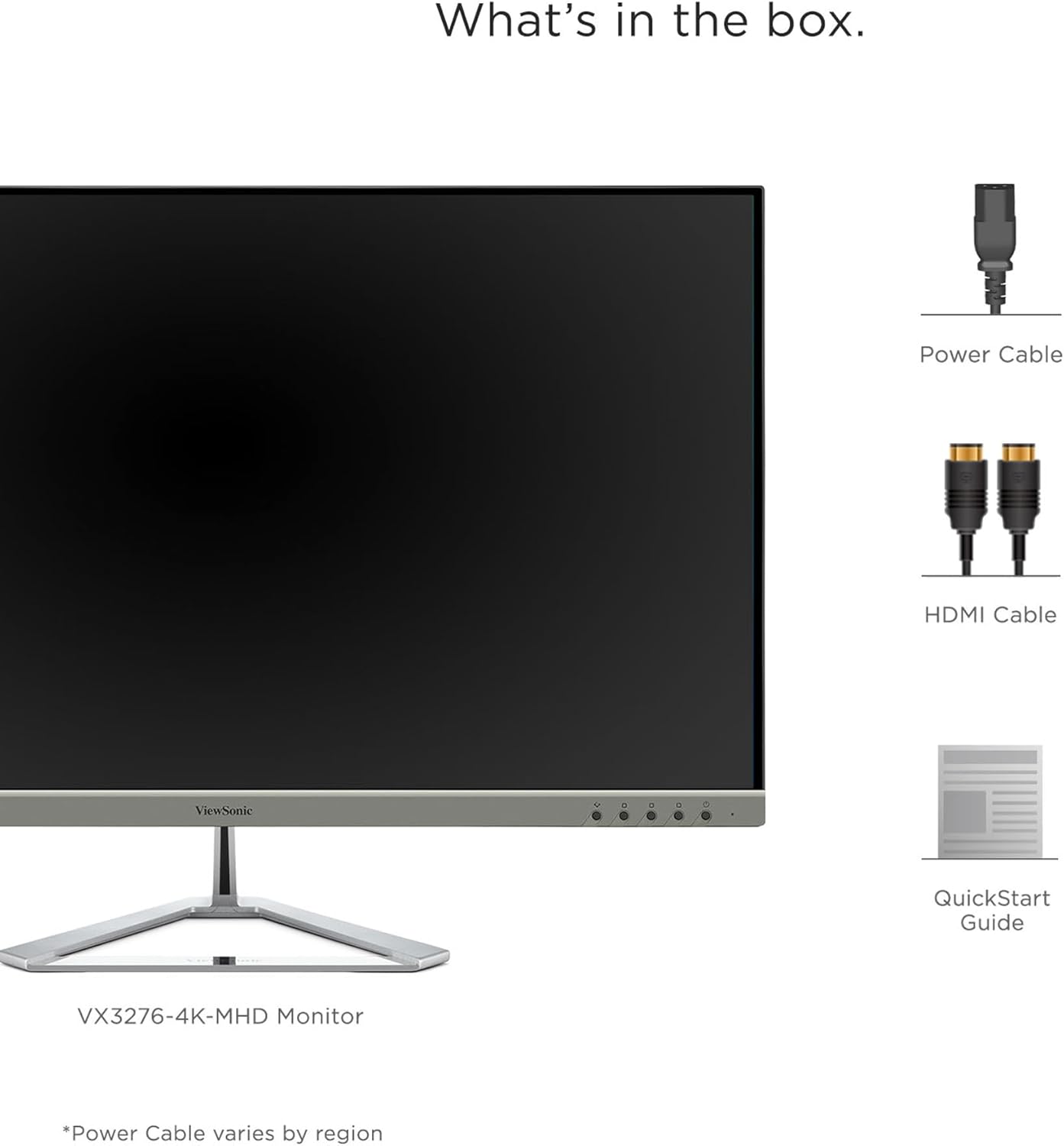
Hab nach einem guten 4K Monitor für mein MacBook Pro (Mid 2014) gesucht und mit dem Viewsonic VX3276-4K-MHD (32 Zoll, 4K UHD) einen gefunden.+ Design / Material / Konstruktion:Auf jeden Fall einer der coolsten Displays, die ich bisher verwendet hab. Durch den schmalen Rand kommt die Größe richtig zur Geltung, Der Rahmen ist Oben und an den Seiten effektiv 9 mm dick. Durch den schwarzen Bildschirmrand und der silbernen Fassung optisch jedoch viel dünner. Eine kleine rechteckige LED rechts unten leuchtet beim Betrieb blau, im Standby orange. Den Standfuß hab ich ehrlich gesagt nie ausprobiert (hab den Bildschirm direkt an die Wand gehängt), sieht aber sehr hochwertig aus und liegt auch schwer in der Hand. Der Monitor ist an der dicksten Stelle etwa 4,5 cm breit, sodass er sehr nah an die Wand montiert werden kann. Die Kabelanschlüsse befinden sich auf der Unterseite und etwas vertieft, sodass sowohl von Vorne, als auch von der Seite nur die Kabel sichtbar sind, nicht deren Stecker. Außerdem ist in dieser Vertiefung genug Platz, um die Kabel zur gewünschten Stelle zu führen – sehr minimalistisch also, gefällt mir gut!+ Funktion:Das IPS Panel sieht super aus. Bin begeistert von den Farben und der Schärfe. Auch der matte Display ist genau so, wie ich ihn mir vorgestellt hab. Selbst bei schönem Wetter, wenn die Sonne voll ins Zimmer scheint, spiegelt nichts. Auch ist die Bildschirmhelligkeit in einer solchen Situation immernoch sehr gut. Der Monitor besitzt viele Einstellmöglichkeiten, die sich alle über die 6 Tasten auf der Rückseite bedienen lassen. Dadurch, dass man diese Tasten nicht sieht, sondern nur erfühlt, ist die Bedienung etwas umständlich, jedoch muss man dort im Normalfall selten was ändern. Ich hab einige Einstellungen und auch die Game-Modi ausprobiert, komme aber immer wieder auf die Standardeinstellung zurück, diese ist bereits wunderbar kalibriert!Wenn man nicht gerade das Ohr an den Monitor legt, ist er völlig lautlos. Selbst wenn der Computer mal nicht lüftet, ist das Gerät absolut geräuschlos, konnte kein Surren oder ähnliches feststellen. Die verbauten Boxen sind absoluter Schrott. Selbst Systemtöne werden mit einem leichten Rauschen ausgegeben, die Tonqualität von den Lautsprechern von Smartphone oder Laptop sind um Welten besser – aber ganz ehrlich, wen interessiert der Ton bei einem externen Monitor?Nach dem Einschalten erscheint kurz das Viewsonic-Logo in Farbe in der Mitte des Bildschirms, dann erst das übertragene Bild. Zum Hochfahren braucht der Monitor insgesamt nur 5 Sekunden.+ Zubehör / Anschlussmöglichkeiten:Beiliegend ist das Netzkabel und ein HDMI-Kabel. Das Netzteil ist im Monitor verbaut.Auch die VESA-Kmpatibilität ist sehr gut – die 4 Gewinde für die Schrauben (mit einem Abstand von 100 x 100 mm) liegen auf der hinteresten Ebene des Monitors, es müssen also keine Abstandhalter verwendet werden. Auf der Unterseite befinden sich neben dem Anschluss des Netzkabels links des weitern 2x HDMI Ports, 1x Mini-DisplayPort, 1x DisplayPort, 1x Audio Out rechts.Fazit: Top 4K-Monitor! Kaufen!So und jetzt zum Thema mit den 4K bei 60Hz an einem alten Mac:Um mit dem MacBook Pro (Mid 2014) einen 4K-Monitor bei 60Hz zu betreiben gibt es nur eine einzige Möglichkeit – über ein Mini-DisplayPort zu DisplayPort Kabel !!!!!!!!!! Diese Kabel gibt es von verschiedensten Herstellern in vielen unterschiedlichen Längen – ich persönlich verwende eines von iVANKY um 10 Euro.Auf den Bildern sind die beiden Grafikkarten des MacBooks Intel Iris Pro und NIVIDIA GeForce GT 750M zu sehen. Das Bild des Monitors läuft bei mir automatisch auf der NIVIDIA-Karte. Seit ich dieses Kabel verwende, gab es bei den 60Hz keinen einzigen Aussetzer mehr. Ein weiterer Vorteil beim Verwenden des Mini-DisplayPorts (bzw. Thunderbolt-Anschluss) ist, dass sich das MacBook die Größen und Positionen der geöffneten Programmfenster auf dem Monitor merkt, das klappt sonst nicht.Selbstverständlich ist es auch möglich, das Bild direkt über das HDMI-Kabel oder einen Thunderbolt auf HDMI Adapter zu übertragen, jedoch nur bei 30Hz. Ich würde absolut niemandem empfehlen, den Bildschirm bei nur 30Hz zu verwenden. Man kann vieles schön reden, aber das ist einfach nur unerträglich mit der Zeit. Auch wenn man den Monitor nicht fürs Gaming verwendet, sondern nur zum Arbeiten, ruckelt der Mauszeiger, das Scrollen von Websites ist anstrengend, Videos sehen furchtbar aus, alles wirkt verzögert – tut euch das nicht an und investiert die paar Euro für das richtige Kabel.
M.B. –
Ich habe den ViewSonic Monitor als erstes in der Arbeit gestellt bekommen, da ich viel mit Excellisten arbeiten muss. So ein großer Monitor eignet sich hervorragend dazu. Ich bin so begeistert von dem Monitor, dass ich ihn mir sogar nochmal für Zuhause bestellt habe, um im Home-Office genau diese Qualität zu haben, wie im Büro.Der Monitor hat sehr gute Farben und eine wunderbare Auflösung. Angeschlossen habe ich ein Mac Book Air von 2013 via Thunderbolt auf HDMI. Die Übertragung ist sehr gut und man hat keine Abweichungen oder Ruckler drin. Zuhause habe ich ebenfalls dieses Setting. Jedoch habe ich auch probiert meine PS4 daran anzuschließen und war erstaunt. Die Qualität zum Gamen war wirklich super. Auch hier ist es echt klasse, wie sich das Farbverhältnis und die Übertragung perfekt anpassen.+ sehr guter Monitor für Arbeiten & Gaming+ echter Hingucker durch die Größe (32 Zoll)+ schönes Design durch rahmenlosen Monitor und edlen Standfuß+ einfacher Aufbau und Anschluss+ sehr gutes Preis/Leistungsverhältnis+ extrem schnelle LieferungDaten:+ Full-HD+ IPS-Panel+ HDMI+ DP+ Eye-Care+ Eco-Mode+ Lautsprecher (sehr gute Qualität)Ich bin mehr als zufrieden und kann den Bildschirm nur empfehlen. Klare Kaufempfehlung und volle 5 Sterne.
Ilana P –
L’écran est très très grand (ce que je voulais) mais l’encombrement sur le bureau est normal. La qualité d’image et la réactivité sont bonnes. Je l’utilise au travail sur PC où je suis amenée à avoir plusieurs documents ouverts en même temps et cela m’évite d’avoir deux écrans en faisant un split screen. Très contente de mon achat. Très bon rapport qualité/prix.