

Brother INKvestment 4355 Wireless Color Inkjet All-in-One Printer with 1.8” Color Display and Manual Feed Slot | Includes Refresh Subscription Trial(1) (MFC-J4355DW)
$28.99
Related Products


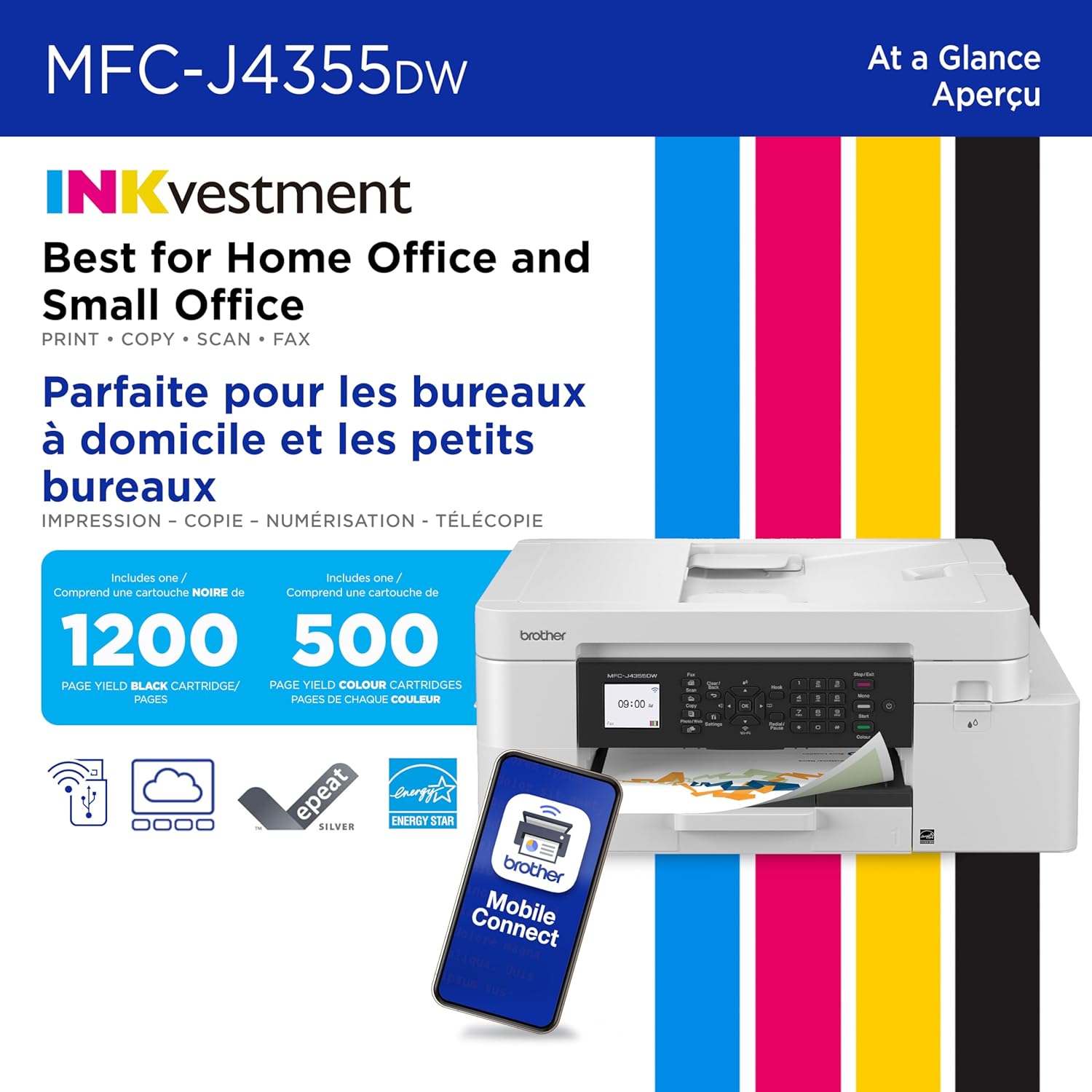


Take productivity to the next level with the Brother INKvestment MFC-J4355DW Wireless Color Printer All-in-One. An easy-to-use 1.8” color display provides enhanced functionality, with the ability to connect directly to popular Cloud apps(3) and Page Gauge(7), which monitors your ink usage so you know when you’re running low. Streamline your workflow with the included 150-sheet paper tray(4), one-sheet manual feed slot, 20-sheet single-sided automatic document feeder (ADF)(4) and flatbed scanner/copier functionality, and automatic duplex printing. Get the most out of your printer with advanced print speeds, Wi-Fi Direct®, and multiple connectivity options. Plus, the convenience to complete your work wherever you go – you can print directly from your mobile device from virtually anywhere with the Brother Mobile Connect app(6). Produce beautiful personal and business prints in vibrant color and bold blacks at fast print speeds with LC506 Brother Genuine Ink cartridges – the only brand we recommend for your Brother inkjet printer. Try one of our smart delivery systems with Refresh and have your ink delivered automatically, before you run out. Includes a 2-month FREE Refresh EZ Print Subscription Trial(1) and built-in savings of up to 50%(8). Disclaimers: (1) Refresh Free Trial requires enrollment in a monthly billed Brother Refresh EZ Print Subscription service plan based on monthly printed page allotments. Unused pages roll over, limitations apply. Additional page set charges and taxes apply during trial. Plan, options offer and pricing subject to change. Open to new subscribers located in the contiguous United States only. After the free trial period, your credit card will be charged on a monthly basis for the Plan Fee, Overages and Taxes in accordance with the Terms of Service. Overage fees will apply during free trial. Your service will continue on a month-to-month basis until you cancel it. May be canceled at any time. Upon cancelation, cartridge will be deactivated and must be replaced at user’s expense in order to continue printing. For full details or to enroll, visit: https://www.brother-usa.com/supplies/subscription-info (2) Requires an internet connection and an account with desired service. (3) Maximum Capacity based on using 20lb. paper. (4) Based on ISO/IEC 24734 (after first set of ISO test pages). For inkjet print speed methodology, please visit www.brother-usa.com/printspeed. (5) Free Brother Mobile Connect App download, wireless connection and connection of an eligible printer with Brother are required. Compatibility may vary by device, operating system and country. (6) Page Gauge is an estimate for informational purposes only. For actual cartridge yield information refer to go.brother/pageyield. (7) Based on combined value of the included extended limited warranty plus monthly subscription cost in U.S. vs. purchase of an extended limited warranty plus average cost per page of standard replacement cartridges. Savings will vary based on Refresh EZ Print Subscription plan selected.
BEST FOR HOME OFFICE AND SMALL OFFICE: This multifunction printer makes it easy to print, copy, scan, and fax —all in one compact printer. Includes one 1,800-page yield black cartridge and 750-page yield cartridges each color cyan, yellow, and magenta(2).
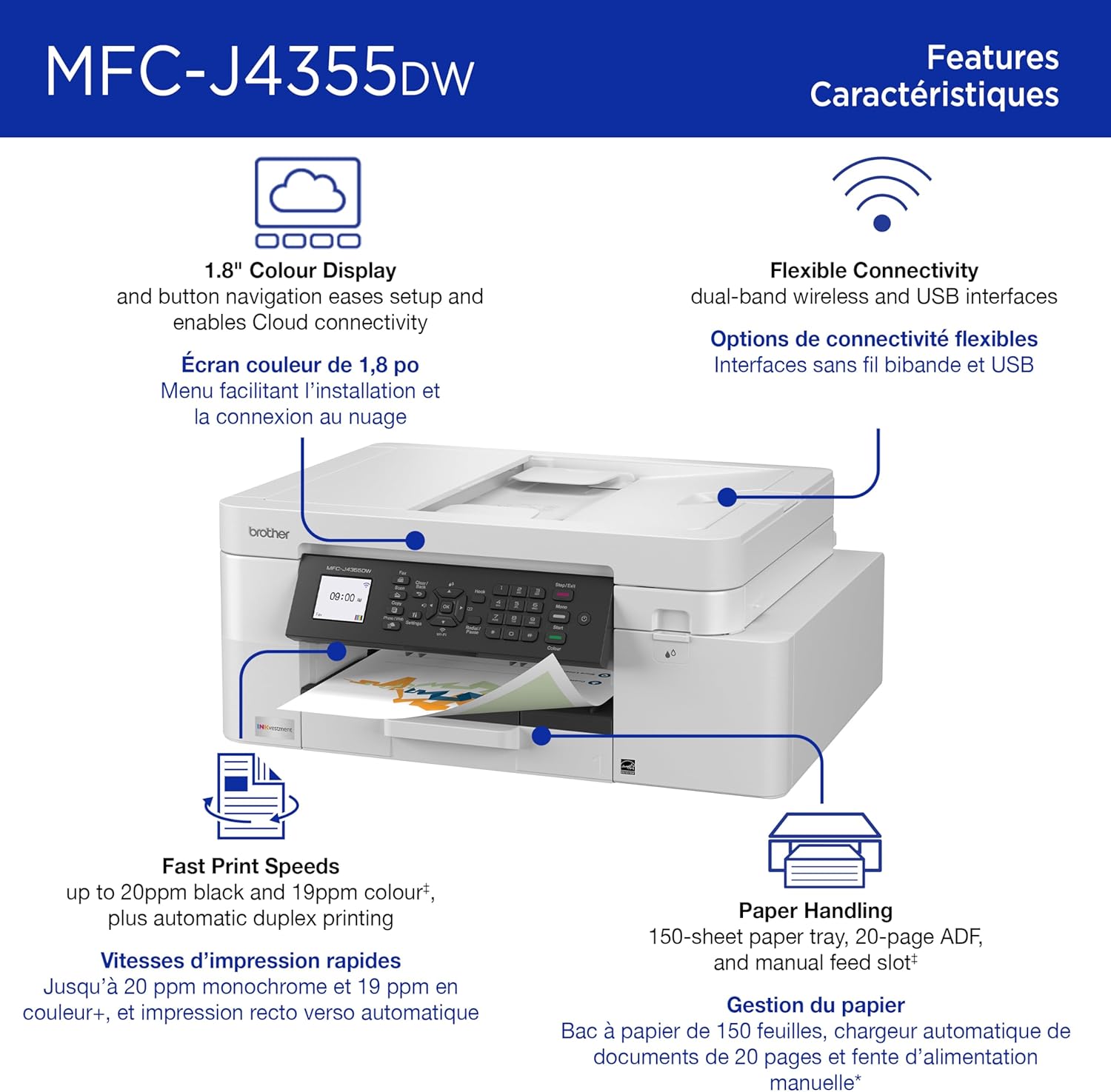
WIRELESS, MOBILE, AND USB CONNECTIVITY: Connect your way. Interface with your printer on your wireless network or via USB. Enhance your workflow with Wi-Fi Direct, which allows you to print wirelessly even without an external network connection.
CLOUD APP CONNECTIONS: Print from and scan to popular Cloud apps(3), including Google Drive, Dropbox, Box, OneDrive, and more with an impressive 1.8” color display that enhances clarity and ensures effortless operation.
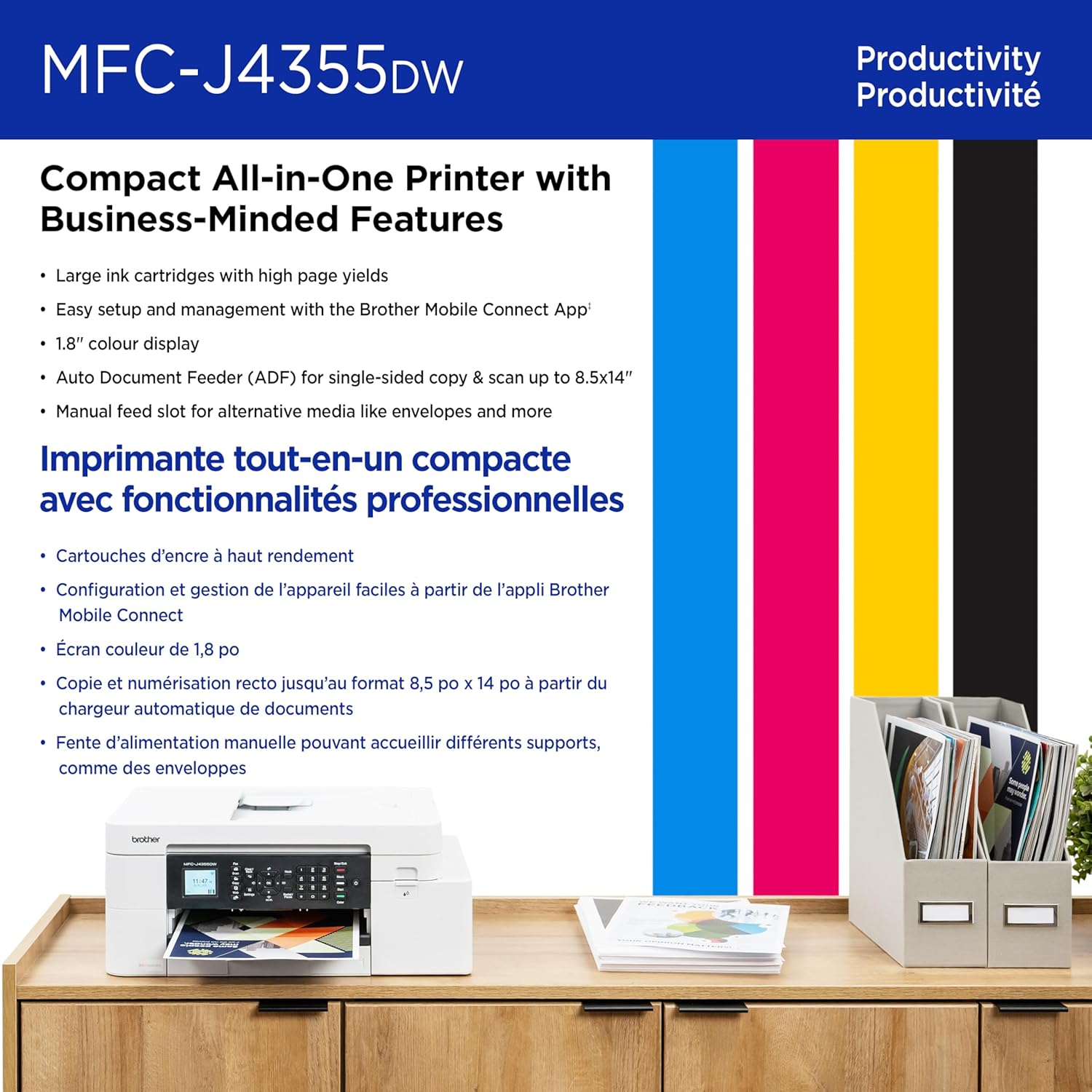
PRODUCTIVITY-FOCUSED FEATURES: Automatic duplex (2-sided) printing, 150-sheet paper tray, 20-page single-sided automatic document feeder (ADF), 1-sheet manual feed slot(4). Prints at fast speeds up to 20 pages per minute (ppm) black/19 ppm color(5).
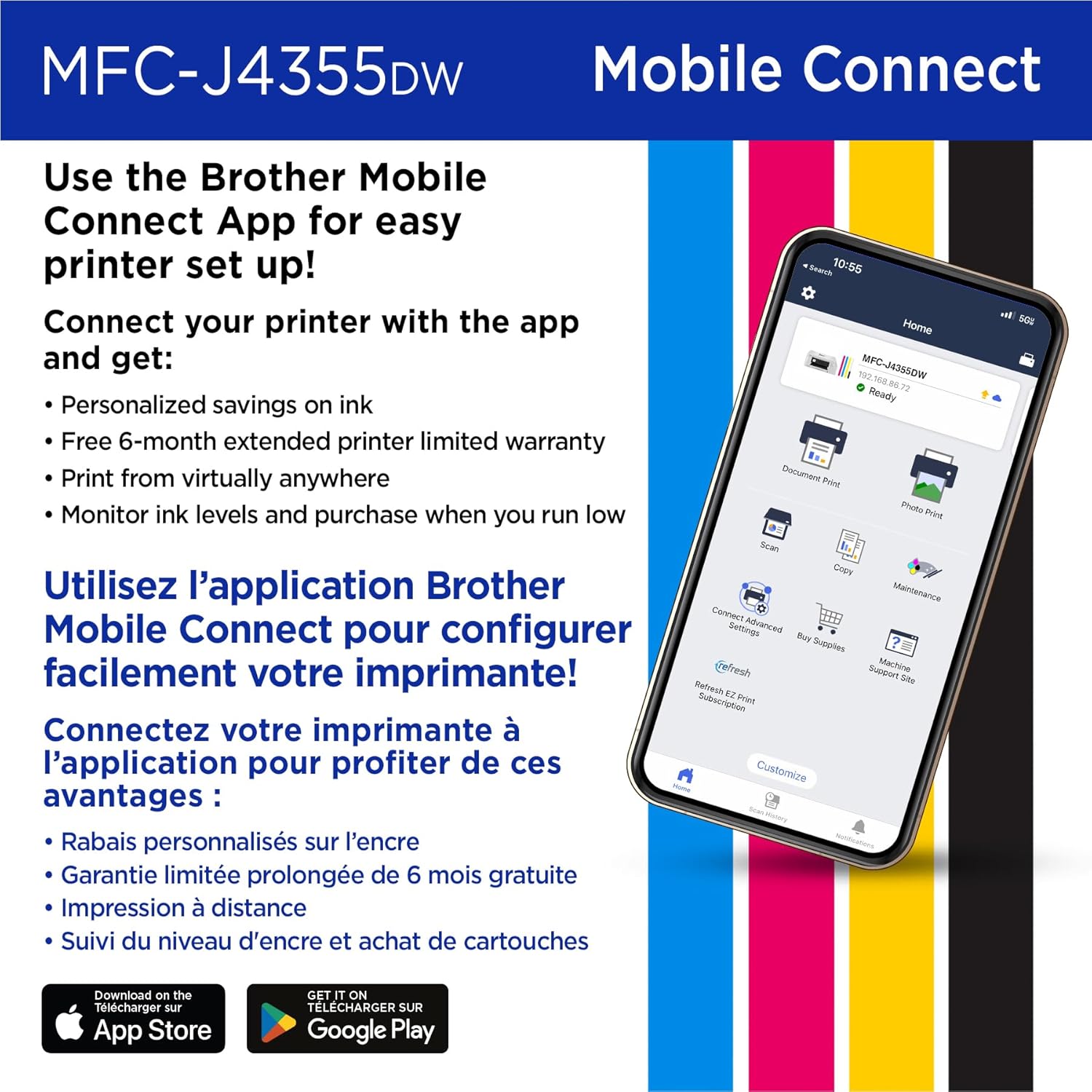
THE BROTHER MOBILE CONNECT APP: Put the power of printing at your fingertips. Go mobile with the Brother Mobile Connect app(6) that delivers easy onscreen menu navigation for printing, copying, scanning, and device management from your mobile device.
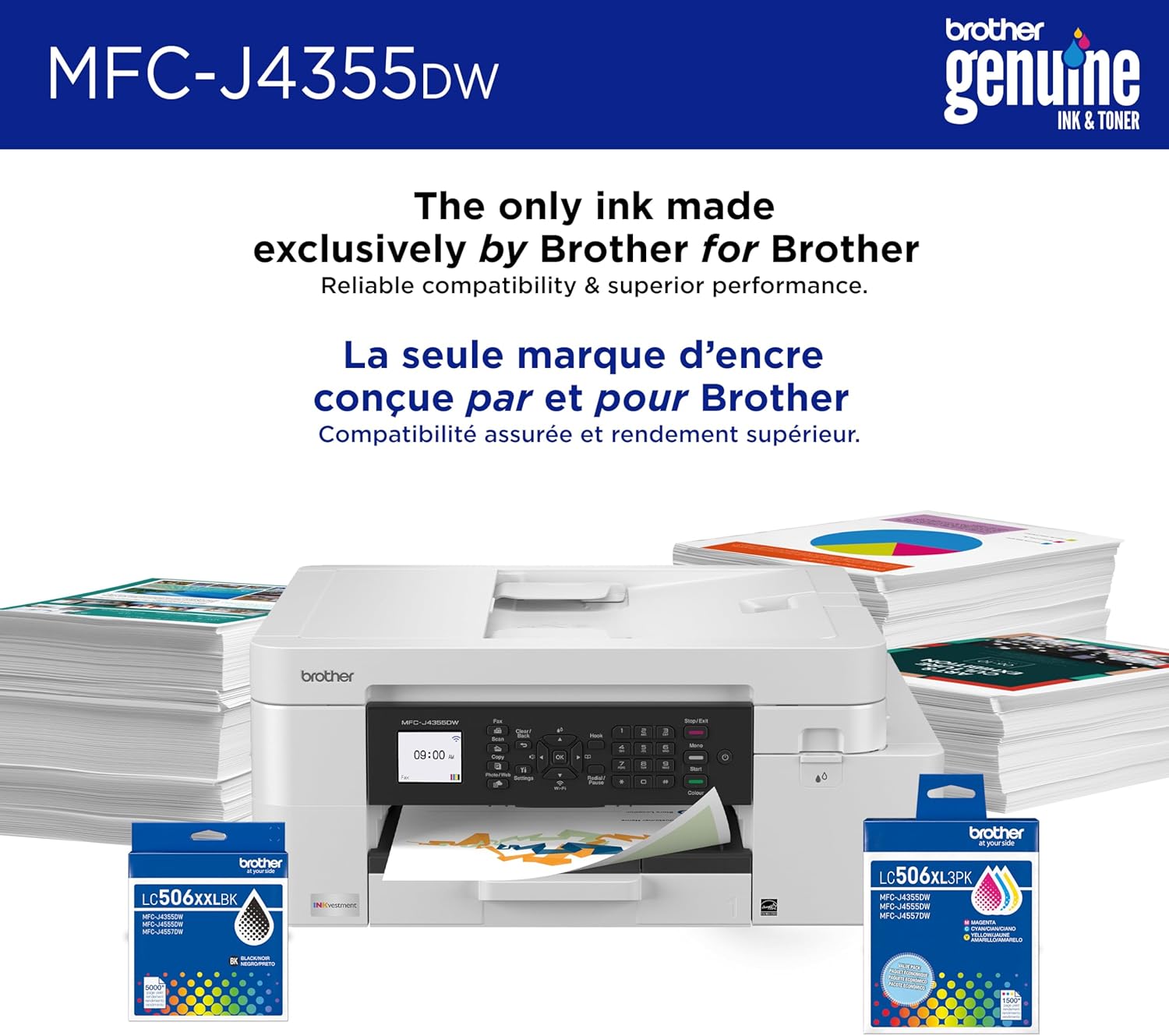
CHOOSE BROTHER GENUINE LC506 INK: Reliable performance you can count on. Brother Genuine ink cartridges are engineered by Brother to work seamlessly with Brother printers. Choose Brother Genuine Ink, the only brand we recommend for use with your printer.
9 reviews for Brother INKvestment 4355 Wireless Color Inkjet All-in-One Printer with 1.8” Color Display and Manual Feed Slot | Includes Refresh Subscription Trial(1) (MFC-J4355DW)
Add a review

$28.99
Victoria Atlee –
Best Quality for Price Printer
I absolutely love my printer. I highly recommend for anyone who is not necessarily “tech Savvy” but needs something that works easy, fast, and well. The price is definitely well worth the quality you receive from the printer. Don’t listen to the reviews about the ink – I have been printing tons of pictures (full color), PowerPoints for school, and documents for personal use and I still have nearly full cartridges despite having gone through a full stack of printer paper. Not only was it fairly easy to set up, but it works so nicely as a scanner, and copier. It makes my life so easy for school; I can simply scan my documents in and download as a pdf right onto my laptop wirelessly. When you’re setting it up, don’t be one of those angry people who gets frustrated because the printer doesn’t just magically work – read the instructions, follow the prompts, and you’ll be fine. My partner and I had some back and forth regarding what kind of printer to get, cheap or nice, and I am so glad I chose this one because I feel I did not need to compromise quality for price.
jk –
Good printer – easy to set up
I saw some reviews saying this printer was hard to set up. I am pretty much computer illiterate and had no problem.Followed the instructions and it was up and running in about 15 minutes. So far very pleased with its performance – crisp definition and faster than my old Canon ink jet (which I’ll never buy again due to its designed obsolesce with the “full ink pad” error code, which shut it down, and no way to replace or correct the problem).
Woody –
Update: 8 months of ownership, and it’s already a useless piece of junk.
Update: I’ve only had this printer for 8 months and it is a useless piece of junk. I’ve spent hours on the phone with Brother support, wasted gallons of ink “cleaning” it, and the print quality only gets worse and worse. I’m done with this thing and never buying another Brother product. This is ridiculous. My next step is to compel Brother to honor their warranty.After 12 years of hard service and expensive ink, I retired my HP printer and tried this Brother. Here are my first impressions:The Misses:1. I hate the 1980s grey plastic design. It looks like crap on my desk, particularly since all the rest of my computing equipment is black, but I was buying for functionality, not style, I guess.2. I have postage stamps that are bigger than the LED display on this thing. It’s not easy to see and you have to scroll down to see some of the messages the machine is providing.3. The set up is kind of clunky and involved compared to other printers. Some set up is done on the machine, other parts are done by going to the Brother website where you have to figure out where to go to download the drivers. I was looking for something on the website home page that said “set up your printer here”, but instead you have to hunt around.4. During the set up process, it asks to download several ancillary services. These are not well explained, and I may have inadvertently downloaded annoying bloatware. We’ll find out.5. If you are considering printing photos with this machine, just stop and move on to something else. My HP was far better. The photos are crisp, but the Brother interprets certain colors in bizarre ways. For example, white tents are rendered in light blue. Looks very strange compared to the actual photo.6. The power cord on this is ridiculously short compared to my HP, and I pretty much had to change my entire desk set up to stretch the cord far enough to reach my power strip.7. It wouldn’t kill Brother to give you a printer cord if you want a wired connection. Fortunately, I was able to reuse my HP cord THAT CAME WITH THE MACHINE.The Hits:1. Printing a standard page of text with an illustration or two is lightning fast. I’ve never seen an inkjet as fast as this.2. Standard printed text is very sharp.3. It’s more compact than my old HP All in One, mostly because the paper tray doesn’t stick out an extra 5 inches on the side.4. It is much quieter than the HP, which would go through a lot of noisy gyrations just get itself prepared to print.I’m not sure I did the right thing in buying this printer. I wanted to be thrilled, but so far I am not.
sewin’sq –
Just received it & hooked it up quite easily.
I only just got this yesterday & have it hooked up & working quite easily. Even tho all the negative reviews on ALL printers currently have lots of various problems, & so NONE of them sounded worthwhile. In fact this is now my 3rd printer brand in less that a year. Not that any of them quit working or broke, but they were just so DARN frustrating & totally non-user-friendly! :-(((ALL brands now have these ridiculously TINY display screens. And it’s almost IMPOSSIBLE to find what one is looking for. I hate there are now NO printed manuals. Ya hafta go online…find the correct site….find one’s model number…comb thru pages to find where the manual is….Gone are the days of “Plug & Play”, & nice paper manuals one could dog-ear, etc & find things in an instant….& that’s not even mentioning about how things used to last, well, like MANY years…thus our now “Built-in Obsolescence”…gotta feed that ole “corporate bottom line”…… But I digress!!!…This is supposed to be about this BROTHER printer. I did google “reliable printers”, & one choice was to go to PCMag. Which chose this one, tho it also had the usual neg. stuff.But the big click for me was the fact that it has this VERY nice, user-friendly functioning display working panel which is quite self-explanatory. Much of the input is done there & then there is the usual very small screen, but that then displays additional prompts, info, & instructions as to how to navigate whatever it is one needs to do.It starts out with the basic Set-Up demo & instructions, & tell which other buttons to press next on the ‘working’ panel to advance, etc., with one’s process.I was even able to hook up wirelessly without much difficulty. I made a goof up of my own doing which slowed me down a little, but easily got back on track.It prints quickly & with nice results in color when used.So overall, I’m pleased…well this is only Day One!…but it does feel like a much better start than I had with the other two I tried.I’ll try to remember to update in a few months…..’the proof is in the pudding’!
DeltAcceL –
Me ah salido muy bien, solo que si consume algo de tinta pero en todo lo demás muy bien
BKennedy –
Excellent printer and copier. Does everything you need it to, with efficiency and accuracy. Connected to Wifi quickly and with ease (unlike a previous printer of another brand which presented numerous Wifi connection issues). Great clarity of printed documents, simple ink installation, and great screen display. Very happy with this printer!!
CaptCom –
Imprimante facile à installer. Qualité d’impression superbe, claire et avec de très belle couleur. Je la recommande.
Bertin Valencia –
Una buena impresora, calidad precio y beneficio de uso de recarga de los cartuchos. muy fácil de recargar y de encontrar los tubos de recarga de tinta, dura mucho la tinta. Fácil de usar diariamente.
Markyoloup –
Enfin une imprimante fonctionnelle, dire qu’avec mon ancienne imprimante je me donnais un mal de chien pour avoir juste une feuille à imprimer. Maintenant les choses sont beaucoup plus simple pour moi 🙂