

Cudy AX3000 Wi-Fi 6 2.5G Mesh System, Covers up to 4800 Sq.Ft, Replaces Wireless Router and Extender, Supports Ethernet Backhaul, Ideal for 2.5G Network, M3000 2-Pack
$21.99
Related Products





Product description


 No-Buffer 4K Streaming. Responsive FPS Gaming.
Enjoy super-responsive gaming and video playback with the top-notch 160 MHz bandwidth and high RAM.
 Families, Friends, IoT, All Onboard.
Powerful CPU, DL/UL OFDMA, and MU-MIMO reduce latency while connecting hundreds of devices.
1 Fast and Responsive
2 Connect 256 Devices


Pro Machine with Pro Features  Control Online Time & Content
Regulate your kids’ online activities by setting an online time duration for their devices and banning inappropriate web domains.
 Secure Personal Network
WPA3 protects your wireless from brute-force attacks. Guest Network separates your own devices and guests’ devices to improve security.
 VPN Server and Client
Six built-in protocols provide compatibility with 50+ commercial VPN providers and enable you to host your own VPN server.
 Know Your Network
The system panel provides intuitive information for you to know network status. Built-in diag-tool helps locate problems and troubleshooting easier.
Wi-Fi 6 Mesh Wi-Fi: New-gen Wi-Fi 6 AX3000 whole home mesh system to eliminate weak Wi-Fi for better dual band signal up to 3000Mbps.
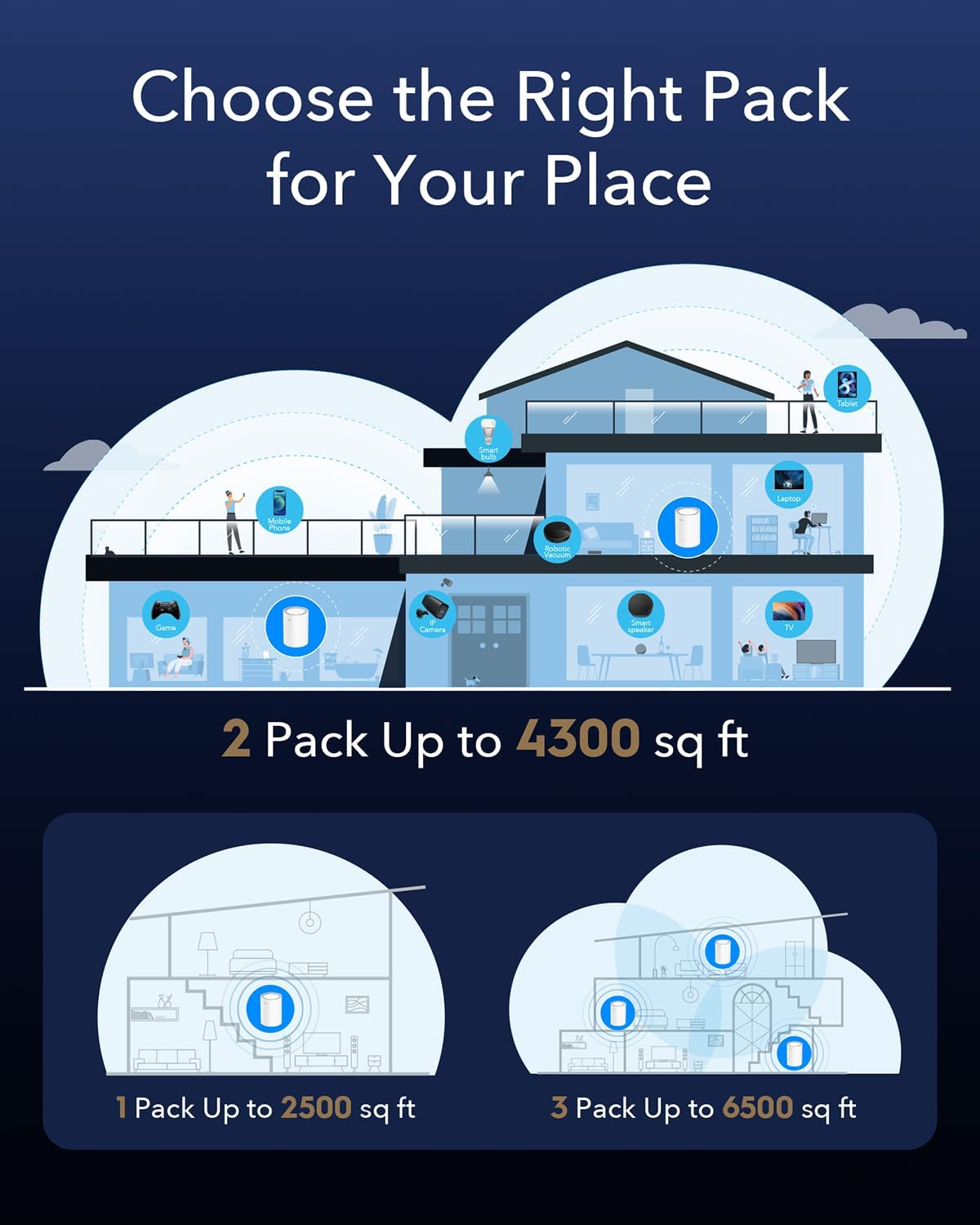
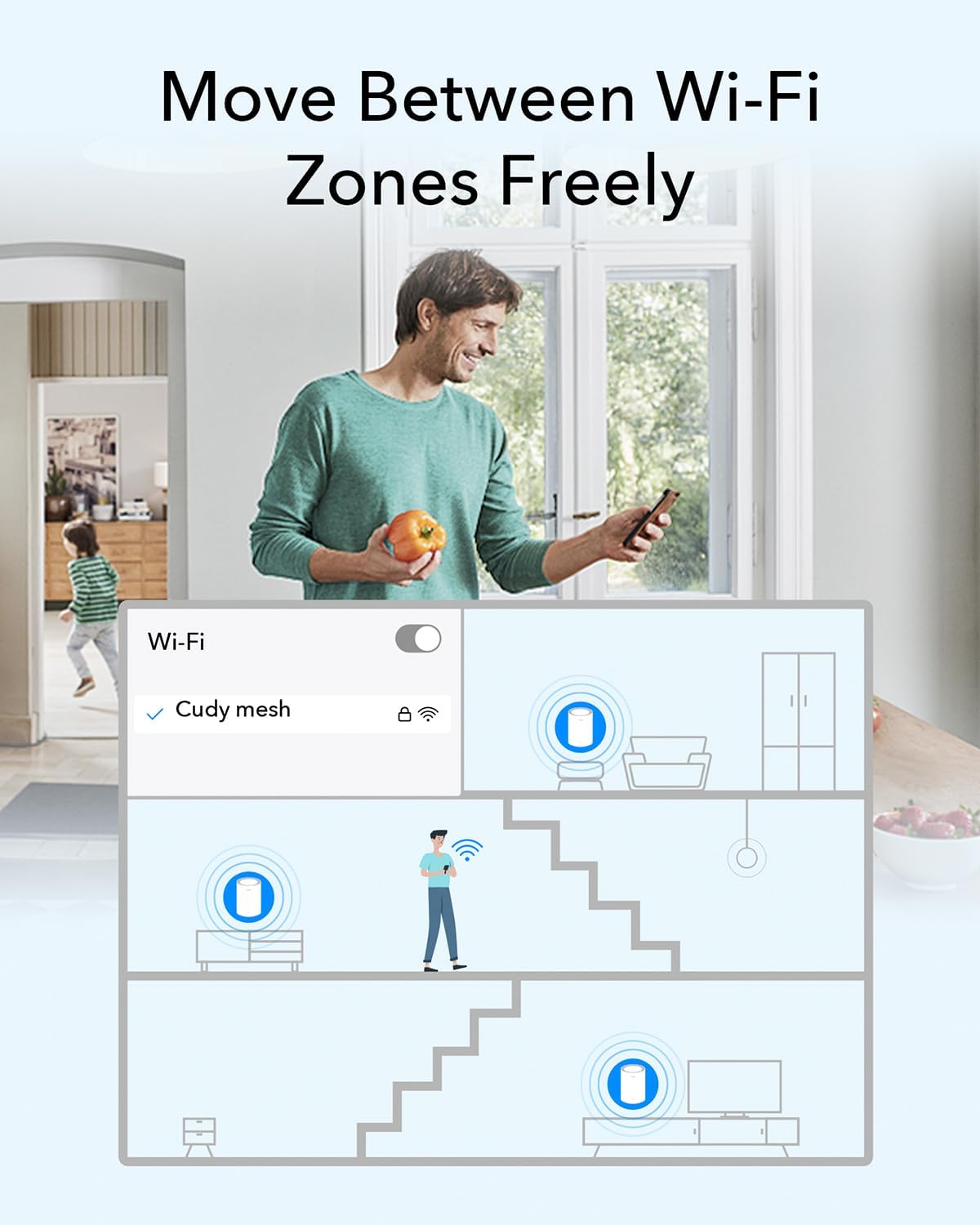
Whole Home WiFi Coverage – Covers up to 4800 sq.ft with seamless high-performance Wi-Fi 6 and kill dead zones and buffering. Better than WiFi booster and repeater.
Multi-Gigabit Port: Each M3000 has a 2.5G WAN(2 in total for a 2-pack) and supports Wired Ethernet Backhaul for better speeds. Any of them can work as a Wi-Fi Router.
Easy Setup and Management – Cudy App ensure you set up your network in minutes with clear guidance and keeps you always in control even when you are not home.
Designed for More Devices: Designed for connecting 200+ devices, everyone is able to enjoy a more efficient network that loads faster without dragging down performance.
8 reviews for Cudy AX3000 Wi-Fi 6 2.5G Mesh System, Covers up to 4800 Sq.Ft, Replaces Wireless Router and Extender, Supports Ethernet Backhaul, Ideal for 2.5G Network, M3000 2-Pack
Add a review

$21.99
Bikerholic –
Top-Tier Performance Meets User-Friendly Management: Cudy AX3000 Review
🚀 Performance & Connectivity: Speed Meets StabilityThe Cudy AX3000 Whole-Home Mesh Wi-Fi 6 System is another excellent networking device from Cudy.High-Speed Wi-Fi 6: It delivers impressive wireless speeds with up to 2402 Mbps on the 5 GHz band (supporting full 160 MHz bandwidth) and up to 574 Mbps on the 2.4 GHz band. Both bands utilize 2T2R (2×2 MIMO). Along with Multi-Band simultaneous backhaul.Stable Wireless Signal: The system maintains a stable connection and high speeds thanks to its five beamforming antennas (3 × Internal for 5 GHz and 2 × Internal for 2.4 GHz, leveraging FEM/PA/LNA components). Advanced technologies like MU-MIMO, DL/UL OFDMA, and BSS Color further optimize signal efficiency, especially in congested environments.Hardware Power: Managing up to 256 simultaneous connections/devices is easy with the powerful dual-core 1.3 GHz ARM Cortex-A53 CPU, supported by 128 MB (1 Gbit) of NAND Flash/ROM and 256 MB (2 Gbit) of DDR3 RAM. Powered with a 12V 1A AC adapter, idle at 4.2W and up to a maximum of 11W.🌐 Interfaces & Mesh CoverageThis two-unit bundle creates a seamless mesh network, providing extensive coverage:Coverage: Together, the two units provide large-scale coverage, ideal for 3-4 bedroom homes, covering up to 200m2 (approximately 2100 ft2).Multi-Gig Ports: Each unit is equipped with two essential Ethernet ports: one 2.5 Gbps port and one 1 Gbps (Gigabit) port. For maximum performance, a wired connection is strongly recommended, such as connecting both units to a 2.5 Gbps network switch (like the Cudy HS105) to take full advantage of the high-speed interface.🔒 Security & Advanced FeaturesCudy provides a robust suite of security and management tools typically found in more premium systems:Encryption: Supports the latest WPA3 security standard, alongside WPA2/WPA3 encryption.Enhanced Security: Features DNS over TLS with flexible options including Cloudflare, Google, or Quad9 for private browsing. It also includes an SPI (Stateful Packet Inspection) Firewall for deep packet inspection.VPN Support: Integrated VPN functionality supports multiple protocols: ZeroTier, WireGuard, OpenVPN, L2TP, and PPTP.Management Tools: The feature-rich management portal provides essential network controls, including QoS (Quality of Service), DDNS (Dynamic DNS), Wake on LAN, Wi-Fi Time Scheduling, Domain/IP/MAC filtering, and a comprehensive Network Status Panel.👍 Overall Satisfaction & User ExperienceOverall, I am very satisfied with Cudy’s built quality and the great bundle of features provided for the consumer market.The Cudy mobile app and Cudy Cloud Control offer a centralized, user-friendly network management platform. The application usage experience is simplistic and highly user-friendly, making this an excellent choice for home use, even for users without extensive computer networking knowledge.
T. heath –
Surprised how good these are actually! Stable throughput, excellent coverage.
I was actually kinda shocked at how good these are actually! Haven’t been running them for too long but so far I’m really like them, especially at an amazing deal!First off the spec sheet on these alone are shocking at this price point. WiFi 6, AX standard, 3000mbps speeds, 2.5gb ports on each unit, and mesh?!? Come on wild at this price point! Because of that I expected the software to be awful of the performance to be just sub par, but it was not any of those things, blown away!The software: First off set-up was a breeze, probably the fastest setup of any network gateway I have ever messed with, and I work in IT for a living so that’s a lot of units! Connecting the first unit and setting it in router mode took no time, including setting up my SSIDs for 2.4 and 5ghz bands, passwords, encryption types tool secs, save. Adding the secondary unit I expected to add on the time I saved however, I plugged it in, and it maybe took about 1min of flashing multiple colors pattern then connected on its own actually! Didn’t have to add any config, go through any process of adding, nadda it found the unit added,meshed it using my created said and pw. I will add that I do use the app, which was pretty nice, easy smooth, intuitive, and pretty feature rich surpriseingly. Was shocked by the amount of advanced settings the software gave access to, it is still a bit lighter, but not totally void of like other home brands I have tried. I will also say I did have a hiccup with the second mesh unit once in a setting change and reboot where it took a bit longer to find and connect, but it did get itself on there and work great once it did.So far been a few days running and there isn’t ANY! Low spots in the house anymore, wieroess conectivity is super solid.Every part of the house is getting my solid full throughput with very little fluctuations.Overall I’m actually really happy with this set, it’s solid, great throughout, great distance per unit before you even see a single bar drop, and the software was easy, and allowed decent configuration. It’s awesome at this price point for these specs completely unheard of. Time will tell if it will hold up that will be the final call on it but again with the cost, if it’s a couple years only would still be very worth it. I’d definitely be interested in checking out more of Cudy’s network equipment now that they are on my radar for low cost high spec network equipment.
Dope Familia –
Easy to set up, fast and stable
I replaced my existing Ax3000 mesh system (Tenda MX12). With the my previous system, I would have handover issues when walking from one side of the house to another with my smartphone where my wifi would hang and I had to turn wifi on and off. I am absolutely thrilled that I have no issues with this system from Cudy. My internet connection is stable and steady. This is also faster than my old system where previously I was maxing out at about 450mbps, but with this I am seeing top speeds of about 540mbps around the house. I am not using any advanced settings or security and went with the out of the box set up. I downloaded the Cudy app set up the network names and passwords (I resused the same name and passwords from my old system so I didn’t have to re-setup all my connected devices and it worked without any issues). I have both the 2.4 and 5ghz networks named the same and my 2.4ghz only devices are able to connect without issues. It connected the satellite unit which automatically got detected. Then I moved the satellite to another corner of the house on another floor. In all it took me about 10-15 mins to set up everything. One issue I ran into is that after a couple of weeks, the Cudy app stop seeing my units. The internet still works fine, but if I wanted to go in there and tweak something or see who was connected, I wouldn’t be able to. Not sure if that’s more of an issue with the device or the app. Everything else is working great for now, so I’ll cross that bridge when I need it…will probably require setting up the devices again.
Nick –
I’ve had these in place for a couple of weeks. They’ve been reliable particularly with 802.11ax clients. The quick install guide is brief and fairly well written. I plugged the WAN port into another router, it soon obtained a WAN IP from a DHCP server in my setup. There is a single port for connecting another device, which could always be a hub or switch.At the first step of setup, not explained is the difference between Mesh Wi-Fi Router and Mesh Access Point. The first is the default, which will create a 192.168.10/24 subnet with the router at 192.168.10.1. Going to that address or cudy dot net will present the control panel, which is well featured. A traceroute will show the router as the first hop.Choosing Mesh Access Point instead joins clients to the same subnet that the router is on, with the first hop of the traceroute being whatever gateway that subnet has, and the cudy not seen in the routing. I was able to access cudy dot net from my iPhone with this infrastructure too, however accessing from a Windows 10 client gave a page saying “Your device does not appear to be connected to your Cudy router’s network.”.Adding a router to the mesh was essentially just plugging it in, pressing a button on the router and clicking a button on the web interface to add a new router.I first tested with my iPhone, wandering around to different locations and running a speedtest. Signal and performance was good, and in distant locations with good performance, I lost signal when the second router was disconnected, confirming the benefit of the mesh.Speedtest performance was less than when connected to a router in the loft when I tested with a USB 802.11ac dongle on Windows 10, despite the cudy routers being closer. Sometimes a poor channel was selected where performance was dire, but usually corrected with a disconnect and reconnect. With a Windows 11 machine in the same location having a good quality 802.11ax card, performance was comparable to both the Cudy setup and the loft router.With easy setup, a clean and well featured control panel, and capable of good performance with a decent WiFi 6 adapter, I’d definitely recommend these.
De Micheli Daniele –
Una scoperta interessante Cudy, che offre dei dispositivi molto validi dal punto di vista sia qualitativi che tecnologici.La configurazione è stata super semplice, praticamente plug & play, per la maggior parte degli utenti.Le configurazioni tuttavia sono molteplici ed è possibile davvero attivare e sfruttare un sacco di funzionalità (come per esempio VPN o DDNS).Una cosa che ho apprezzato tantissimo è la possibilità di gestire tanti dispositivi contemporaneamente senza che la rete ne risenta – tra smartphone, smart TV, tablet e videocamere, non ha fatto una piega e la rete mesh è molto funzionale.Dal punto di vista della velocità ci viene in contro una porta da 2.5Gbps, quindi già più del doppio di una standard gigabit che ha il 90% dei dispositivi di questo tipo al momento, e che è ancora largamente diffusa.Insomma, se stai cercando un modo per avere una rete stabile, veloce e facile da gestire in tutta la casa, questo sistema è una scelta che consiglio senza pensarci troppo; diciamo per finire che penso sia un dispositivo sia per uno che non ne capisce un gran che, sia per uno smanettone che vuole avere sotto controllo tutta la propria rete domestica.
Stefan –
Ich teste als Vine-Tester zwar Produkte kostenlos, aber ich bin mit vollem Herzen dabei. Und ich versuche immer, mich in die Lage eines normalen Käufers zu versetzen – gar nicht so schwer, wenn man ehrlich ist. Wer mehr über meine Bewertungsphilosophie wissen möchte: Einfach mein Amazon-Profil besuchen.📦 Erster Eindruck & VerarbeitungDas Mesh-System kommt sauber verpackt und macht einen hochwertigen Eindruck. Die Geräte sind kompakt, robust und stabil verarbeitet. Alles wirkt durchdacht und funktional, die LEDs sind dezent und nicht störend.⚙️ Nutzung & AlltagseindruckIch hatte zuvor bereits den Cudy AX1500 getestet – der AX3000 ist in allen Bereichen deutlich überlegen. Besonders praktisch: OpenVPN mit Client-Konfiguration funktioniert problemlos, was zusätzlichen Nutzen für flexibles Arbeiten von unterwegs bietet.Der AX3000 richtet sich klar an normale Nutzer, die einfach ein stabiles und schnelles WLAN mit guter Reichweite aufbauen möchten – und genau das gelingt ihm hervorragend. Die Einrichtung ist kinderleicht, die Mesh-Funktion sorgt dafür, dass große Wohnungen oder Häuser zuverlässig abgedeckt werden. Auch bei vielen verbundenen Geräten bleiben Geschwindigkeit und Stabilität top.➕ Plus & ➖ Minus➕ Sehr stabile und schnelle WLAN-Leistung➕ Kinderleichte Einrichtung über die App➕ Mesh-Funktion ideal für große Wohnungen oder Häuser➕ OpenVPN mit Client-Konfiguration möglich➕ Kompatibel mit bis zu 200 Geräten gleichzeitig⭐ FazitDer Cudy AX3000 ist ein klarer Upgrade zum AX1500: einfach einzurichten, stark im WLAN, zuverlässig im ganzen Haus und dank Mesh und VPN vielseitig einsetzbar. Wer unkompliziert gute Reichweite und Geschwindigkeit möchte, trifft mit diesem Router eine sehr gute Wahl. ⭐⭐⭐⭐
Client d’Amazon –
Excellent pour obtenir un WIFI homogène et rapide sur de grandes distances grâce au Cudy Mesh, et avec un facilité déconcertante. Maillés en quelques clics sur un point d’accès BE3600 de Cudy les deux points d’accès ont été très vite opérationnels.Pour couronner le tout on dispose d’une excellente interface et de nombreux protocoles de sécurité. Avec ces deux “relais réseau” on peut couvrir 400m2 selon les données constructeur.La, couverture réseau, la sécurité, la facilité, le tout pour 99€ c’est plutôt inattendu.
Luis Alcantara Chavez –
Excelente servicio