
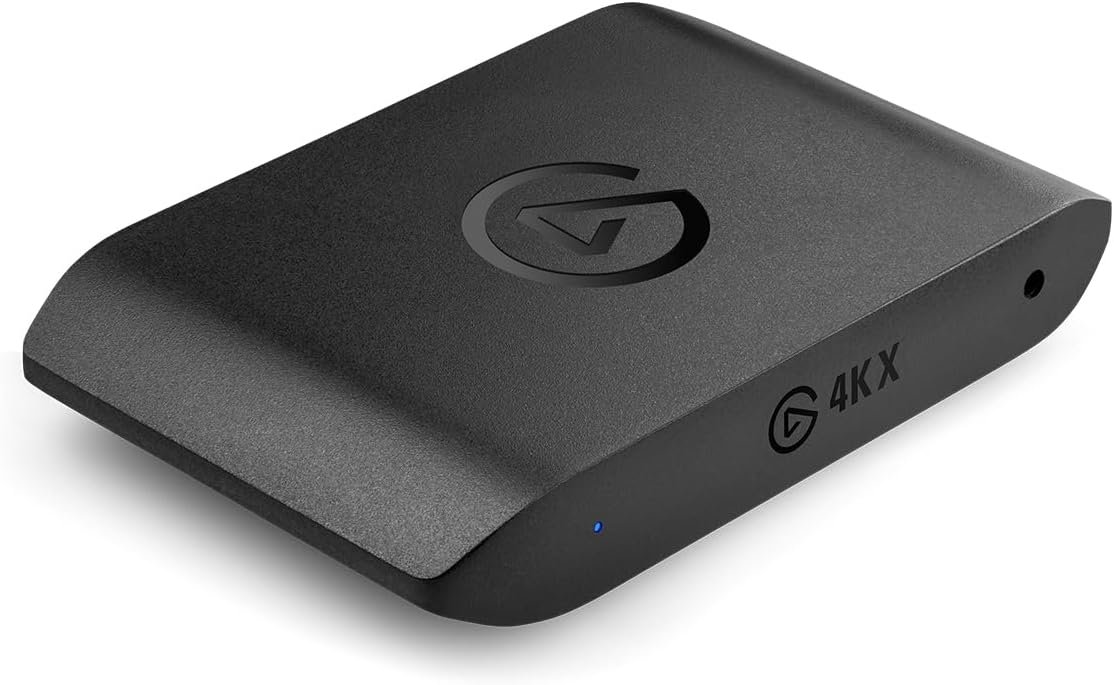
Elgato 4K X – Capture Up to 4K144 with Ultra-Low Latency on PS5|Pro, Xbox Series X|S, Nintendo Switch 2, OBS and More, HDMI 2.1, VRR, HDR10, USB 3.2 Gen 2, for Streaming & Recording, PC|Mac|iPad
$33.99
Related Products


4K X is game capture at its best. Equipped with HDMI 2.1, our most powerful USB card lets you capture the latest titles up to 4K at 144 frames per second, or even 1080p240. Say goodbye to screen tearing with VRR passthrough. Enjoy ultra-low latency technology that keeps your broadcast and gameplay synced. 4K X works with almost any HDMI-compatible device, including PS5, Xbox Series X, Switch, Steam Deck, PC, Mac, even your iPhone 15. And it works seamlessly with leading broadcast apps like OBS, so you can stream like a pro on Twitch, YouTube, or Discord. Technical Specifications Input: HDMI (unencrypted) Output: HDMI (lag-free passthrough) Recording & passthrough resolution: up to 4K144 HDR10 Support Dimensions: 112 x 72 x 18 mm / 4.4 x 2.8 x 0.7 in Weight: 91 g / 3.2 oz System Requirements Windows 10 (64-bit), macOS 11, iPadOS 17 or later 6th generation Intel Core i5 CPU (i5-6xxx) / AMD Ryzen 5 (or better) NVIDIA GeForce GTX 10xx (or better) USB 3.2 Gen 2 port (USB 3.2 Gen 1 works with reduced capture resolution) In The Box Game Capture 4K X USB 3.2 C-to-C cable (150 cm | 59 in) 8K HDMI cable (200 cm | 78.7 in)
Seamless Broadcasting and Versatile Streaming: Connect effortlessly to any app such as OBS, Streamlabs, Twitch Studio, Restream, Zoom, Teams, and stream flawlessly on various platforms like YouTube, Twitch, Discord, Facebook Gaming, etc., providing you with unparalleled flexibility and reach.
Next-gen capture: Unleash the full potential of your content with cutting-edge 4K resolution, delivering crystal-clear visuals at an impressive 144 frames per second.
HDMI 2.1 in/out: Elevate your recording capabilities with HDMI 2.1 support, allowing you to document high frame rates up to 240fps in glorious 1080p resolution for an unparalleled viewing experience.
VRR passthrough: Immerse yourself completely in the gaming experience as our Variable Refresh Rate (VRR) passthrough ensures flawlessly smooth gameplay, eliminating screen tearing for an uninterrupted visual feast.
Ultra-low latency: Stay in the moment with ultra-low latency powered by USB 3.2 Gen 2, ensuring your broadcast and gameplay remain perfectly synchronized, delivering an immersive and responsive streaming experience.
13 reviews for Elgato 4K X – Capture Up to 4K144 with Ultra-Low Latency on PS5|Pro, Xbox Series X|S, Nintendo Switch 2, OBS and More, HDMI 2.1, VRR, HDR10, USB 3.2 Gen 2, for Streaming & Recording, PC|Mac|iPad
Add a review

$33.99
Suhail –
Great Entry to 4K Capture, but Mind the HDMI 2.0 Limits
The Elgato 4K S is an excellent, easy-to-use capture card, especially if you’re upgrading from a 1080p card or want a simple external setup.Pros (The Good Stuff):Ease of Use: Truly plug-and-play. I was recording within minutes with their 4K Capture Utility software.Portability: The USB-C power and small form factor make it perfect for a compact desk setup or travel.Quality: The 4K60 footage is very clean and sharp, and the HDR support is a nice touch.Cons (What to Consider):Passthrough: While the passthrough is nearly lag-free, it uses HDMI 2.0. This means if you have a high-end 4K monitor capable of 120Hz or higher, you’ll be limited to 4K60 when the card is connected, unless you drop the resolution to 1080p or 1440p to get higher refresh rates. It forces a trade-off.No Dedicated Power: Being bus-powered is usually a plus, but it does mean your PC/laptop needs sufficient USB power.Final Verdict:It’s a solid, reliable, and convenient capture card that delivers great video quality for the price. However, users with top-of-the-line gaming monitors might find the HDMI 2.0 limitations a bit frustrating. If you mostly play at 4K60, this is a perfect 5-star choice. For high-refresh-rate console gamers, it’s a very solid 3.5 to 4-star device because of that one limitation.
Ashur Stepro –
Perfect for most. Best if you have no pc and want to do console gaming
I’d highly recommend this capture card if you are doing console gaming and don’t have a pcie slot or a pc at all. The more expensive capture card is the 4k x and in a nutshell the only differences are that there’s a little preview lag on obs (which is useless when you’re looking at your monitor or tv anyways), it only does 4k60 and not 4k144 (besides maybe using 144hz for slow motion editing, any streaming platform doesn’t support the high refresh rate). I’m sure there’s other differences but really besides a few niche cases the 4k s is the best option. I’m using it to capture my switch 2 gameplay on my MacBook Pro, which the switch 2 can only do 4k 60, and it’s been a flawless experience
Juan Carlos yaguara Velasquez –
Cumple su función
Cumplió lo que quería jugar en una ps5 pro con todas las opciones activas deben tener otro cable HDMI 2.1 o llamado ultra Hai definition para que salga to bien lo malo es que tiene un cable USB tipo c de alta velocidad y mi boar no tenía esa entrada me tocó con otro cable USB 3.o de resto llegó bien sin problemas y esperar su durabilidad con el tiempo
Brad tatt –
Latency is extremely good while playing on preview.
If your looking for a device to not have to use the passthrough and just play your console games on your desktop this is it! Set up was straight forward. Downloaded the Studio software from Elgatos website and connected the 4K S. I ran ran the USB-c directly into my motherboard. Connected the Switch 2 dock up with the supplied HDMI Cable. It did not work at first but there was a reddit post about needing to turn off HDR at first to get it to connect and that worked perfectly. Latency is low enough were i cant tell. Outputting to a 1440p 240hz monitor.I used the slo-motion camera on a Iphone to try and calculate the latency i was getting with the switch 2. Actually was getting better than what Elgato Advertises.240FPS Recording at 60FPS Playback (25% speed).First Frame of stick getting moved – 6.64First Frame of Menu Switching – 7.11Difference of .47 (This is at 25% playback speed so at normal speed this would be divided by 4)Actual Latency – 12ms
TG –
Best version yet and relatively affordable
Works very well with the Xbox series X. Not sure if this is device related or OBS related, however I have to set this device up in OBS again every couple of days.One thing to keep in mind is that your computer needs to be on to see the image on your monitor once you run HDMI through this. So if you use a laptop like me, make sure to have a charger handy or you might lose visuals midway through a game if the battery runs out on the laptop. lol trust me not fun.Taking away a star because the device says it can support 1080p 120fps recording but it will only work at 1080p 60fps max. Maybe in a future update?
Nimmy –
It works
So my old card would make my game look terribad like omg. But I had to do it for twitch. I finally got this card and it changed the game. This should be a no brainer, especially if you want to project and stream switch 2 imo. It works, belive me for the love of God and all things holy. Stop your headache and just buy this capture card.
Brenda –
Fixed all my issues with the Elgato Neo
YouTubers and Twitch streamers, this is a no brainer. If your computer supports USB 3.2 gen 2, this is the capture card for you. It will last you a long time, so I would avoid purchasing cheaper units that you will quickly outgrow.The video capture is top notch, going from the Elgato Neo to this was night and day.The Neo supported 120hz pass through, but the recorded image would have a green tint of you used that feature. This gets rid of the tint and supports 144hz at higher resolutions.My streams really pop now.
W –
Able to use Apple Studio Monitor with PS5 Pro
This is the only good solution I found to be able to use an Apple Studio Monitor with a PS5. I have to go through my laptop as an intermediary to run the Elgato software, and that laptop needs to be on a pretty recent OS (using a Mac), but all works like a charm. I downloaded an additional app to override the automatic sleep function of my computer whenever I use the Elgato app, which has been clutch.The next best alternative I found for hooking up a PS5 to Apple Studio Display involves a lot of cables (with DisplayPort conversions) and bottlenecks at 1080 — and would have been far cheaper. This Elgato is painfully expensive in comparison. For me, the picture quality, color, and overall gaming experience was worth it.
Das Spaz –
I bought an AverMedia UVC captrure card before trying the Elgato 4K X, and AverMedia (AM) advertises it as being UVC, well it was not and my linux OS could not properly use it or detect it. This was an internal PCIe capture card and the results on the AM were intermittent, sometimes I could record and the input would show up and sometimes not at all.Then i bought this external capture card, I was a bit worried about it being external and the bandwidth requirement over USB-C. Then I was worried about the UVC not being up to spec like the previous card I bought.Well I am glad to be proven wrong.This external capture card not only performs well in Linux it handles 4K 144Hz pass through like a champ.I can capture 4k@60hz in Linux without issues. I am pleasantly surprised.I am using Fedora and OBS (flatpak).I noticed the OBS flatpak performs better than the rpm package in the OS and the flatpak form flathub is also more up to date than the rpm package and fedora flatpak.I guess you get what you pay for.
Ruben –
Perfect capture card. Easy to install, portable and high quality
Andrew.R –
I got this primarily to record 1080p input streams from other devices on Mac. It was plug-and-play, HDMI goes into the source, USB-C into the Mac and it shows up.It only worked on the USB-C port nearest the power cable on my Mac M1 laptop, the other 2 USB-C ports didn’t connect. Maybe insufficient power on the other ports.I found OBS software to be the best option for capturing. Elgato Studio and Quicktime are simpler to use but have very few options for configuring and OBS has video filters to adjust color and picture quality.Although I intended to use it for 1080p, I have it set to 4K as it gives a sharper image and it works great at 4K60. I can record 4K60 videos and they are smooth and clear. Connection speed is 5Gbps.The product is compact and lightweight, the supplied cables are high quality and look durable. The device barely gets warm even after using it for hours.One thing to note that I found out later is the 4K X has higher quality recording formats. I assumed the only difference was being able to capture 4K120 due to running at 10Gbps, which I didn’t need but it also allows higher quality recording of the lower resolutions and framerates so if the best picture quality is needed, it may be worth paying the extra for the 4K X.The 4K S suited my needs perfectly, it’s very reasonably priced and works great.
Cleber Nascimento –
Parau de funcionar no meio da gravação
Amaya Inspired –
The Elgato 4K S Capture Card delivers incredible 4K capture with zero lag or compression. It’s super easy to set up, works seamlessly with OBS, and supports high-quality streaming and recording. Whether you’re streaming on Twitch or recording gameplay for YouTube, the performance is smooth, and the quality is top-notch. It’s compact, reliable, and works well with both PC and console setups.Pros:Supports 4K capture at 60HzEasy setup and compatibilityCompact and portableCons:Requires a powerful PC for best performance