

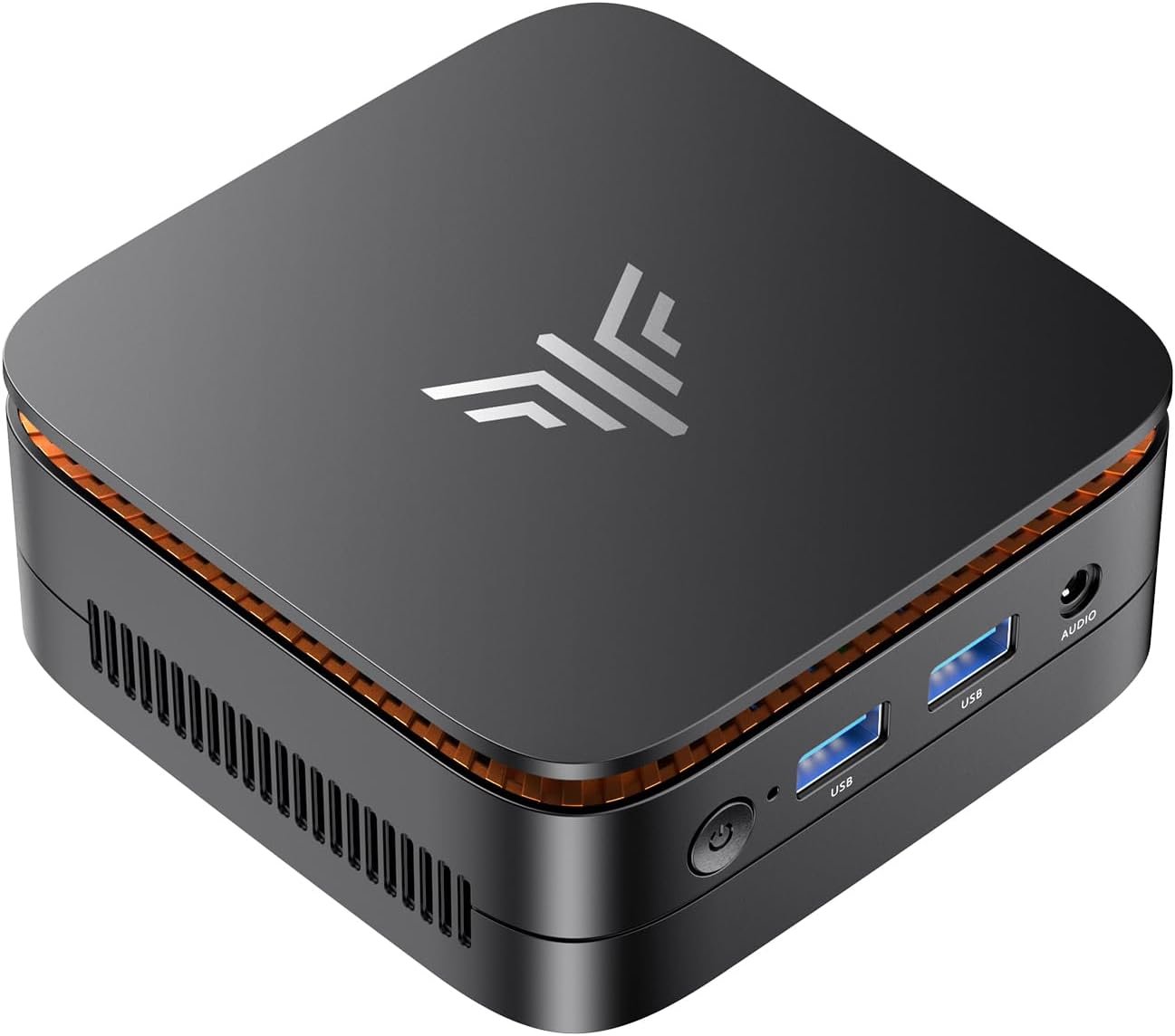
KAMRUI Essenx E1 Mini PC, N95 Processor (up to 3.4GHz), 12GB LPDDR5 RAM 256GB M.2 SSD, Mini Desktop Computer Support Dual 4K, WiFi, Ethernet for Business, Office, Home
$21.99
Related Products






From the brand

KAMRUI Mini PC
Choose KAMRUl, Choose Professional Mini PC

KAMRUI are an integrated high-tech enterprise of computer technology committed to R&D, production, and sales of smart products like Mini PC, and pc stickKAMRUI Mini PCs blend a stylish design, high-performance professional features and an incredible end-user experience for office and home use, gaming, business, home entertainment, and so on
Professional Mini PC Preferred
Professional Mini PC Preferred

Powered By 12th N95 Processor: KAMRUI Essenx E1 Mini PC features 12th N95 Processor (4 cores/ 4 threads, 6MB Cache, base frequency 1.7GHz, up to 3.4GHz). The performance of N95 (10nm) is even 30% better than that of N5095/N5105. Whether you need a robust home server, a versatile tool for school education, seamless web browsing, or even efficient business office tasks, the KAMRUI Mini PC with exceptional capabilities is up for the challenge easily
Ideal For Multitasking: The Mini Computer has equipped with 12GB LPDDR5 and 256GB M.2 2280 SSD. Sufficient capacity allows you to get rid of the trouble in multitasking. Capacity upgrade options: replace the M.2 SSD up to 2TB. Smooth processing speed and powerful features double your work efficiency
Immersive 4K Ultra HD: The Small Desktop Computer comes with UHD Graphics (Up to 1.2GHz), works well for photo editing, creative work and video playback. With maximum resolution 4096×2160@60Hz, how wonderful that turn it into your home theater center or connect to a projector while camping. Dual HDMI allows you to connect two screens simultaneously to increase your productivity. Ultra-high-definition video output makes your life and work full of joy
No Latency Connection: The KAMRUI Essenx E1 Mini Desktop PC designed with HDMI 2.0 X 1, DP X 1, USB 2.0 X 2, USB 3.2 Gen 2 X 2, Ethernet X 1 and 3.5mm Audio Jack X 1. Gigabit Ethernet and 2.4G/5G dual band WiFi, providing high-speed transmission and download. Bluetooth technology can easily and stably connect additional devices in the range of 10 meters, such as keyboard-mouse combo, speaker, microphone, etc. Multiple sockets are available to fully meet all your needs
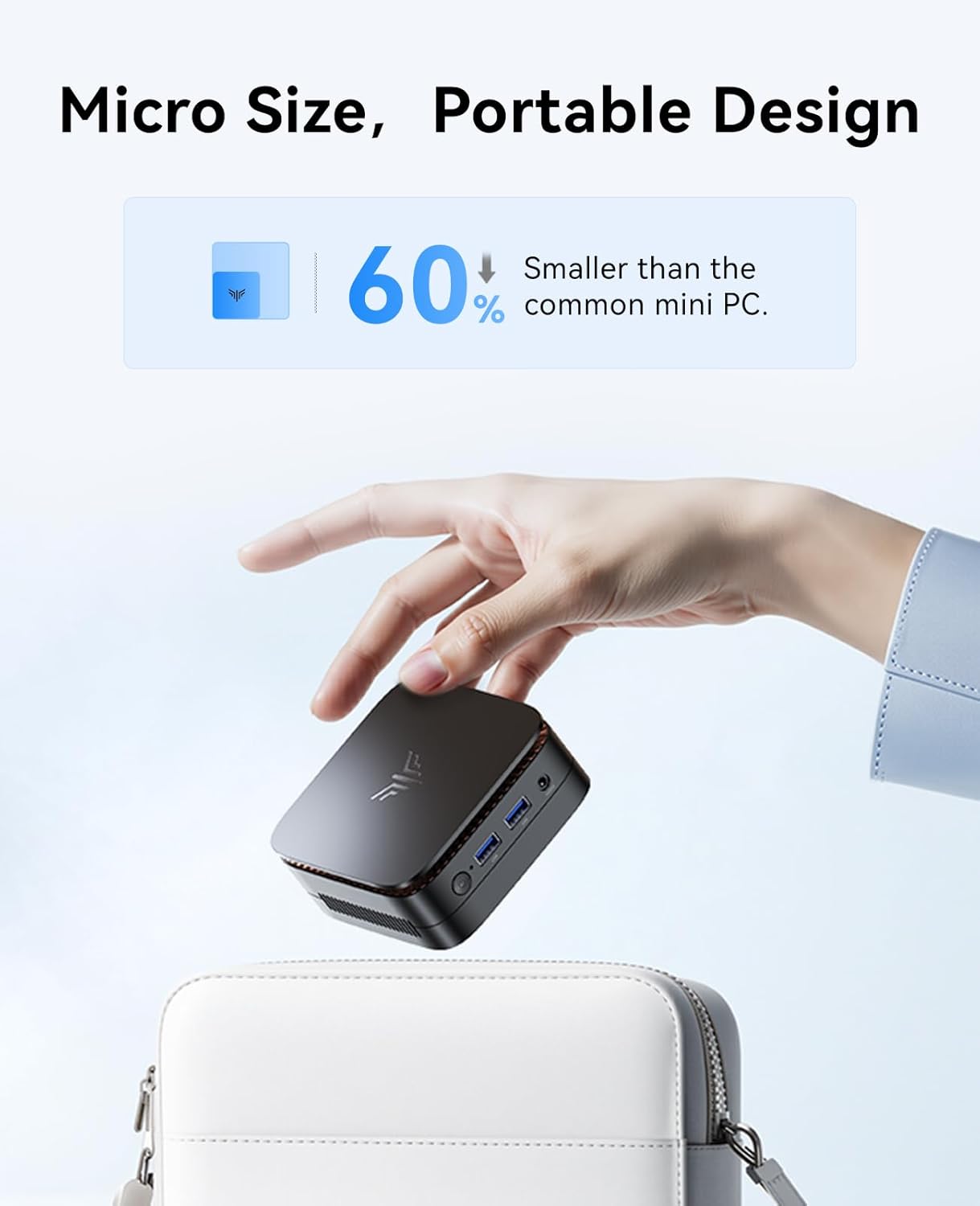
Small But Powerful: The body size of the micro pc is 3.95 X 3.95 X 1.57 inch. The unlocked BIOS supports auto power on/RTC/wake on lan setting, With the VESA Mount, you can get an all-in-one machine that starts with one button. Built-in smart quiet fan to keep it chill and achieve better heat dissipation. Our N95 Mini PC offers a perfect balance of size and power, which can take you toward a more efficient and enjoyable computing journey
5 reviews for KAMRUI Essenx E1 Mini PC, N95 Processor (up to 3.4GHz), 12GB LPDDR5 RAM 256GB M.2 SSD, Mini Desktop Computer Support Dual 4K, WiFi, Ethernet for Business, Office, Home
Add a review

$21.99
Mr. Marc –
Perfect for running video streams and discord!
I was looking for a second PC to run two twitch streams (DashDucks and OurChickenLife) to take the load off of my actual gaming laptop and possibly some light gaming. My initial reaction was this is surprisingly fast for a sub $125 mini PC. It is snappy and loads chrome and the two twitch streams just fine with each stream in a separate window (one on each monitor). I was super happy with finally having the ability to have a PC with dual monitors and at this price point is in incredible.Set up was easy and I was up and running in under 5 minutes. Boot time is under 20 seconds and once I configured it for not needing to login even faster than that. I initially installed Steam, Discord, Chrome, SpeedTest (from the Microsoft store), and an auto clicker mouse program. I ended up deleting Steam and Discord as the game I primarily play struggled even on very low graphics settings. The game in question is Farm Together 2 and would highly recommend if you like farming games. Anyways, it wasn’t unbearable but there was noticeable lag when moving around in the game. Discord ran ultra smooth though and there wasn’t any lag so would be great for using that on this PC.As for internet speeds and quality goes, I would very HIGHLY recommend using an ethernet cable if you can. My current internet speed is 1.0 GB up and down. Under WiFi, I got a 1/5th of that speed with speeds around 200 down and 150 up despite this PC being literally inches from the router. This is most likely a limit of the WiFi 5 used in this PC and not necessarily a defect. Once I installed a Cat 6 ethernet cable, I got around my full speed of 930 both up and down. While it was on WiFi, I didn’t notice any lag when watching the twitch streams When installing windows updates though, definitely use an ethernet cable.As for noise level this thing is ultra quiet even under 100% CPU usage. Always was cool to the touch when I checked and no burning or any kind of smells like that since I have been using it. I keep it running 24/7 and as of the writing of this review it has been flawless.As for storage and RAM this seems to be good to go right out of the gate. You do have the option to upgrade if you wish, but for my needs the 8GB of RAM is just fine. It hits around 60% usage for RAM with running 2 chrome windows. And for storage with only chrome, speedtest, my mouse program, and edge which was preinstalled storage is very sufficient for me. And you can also upgrade the hard drive (SSD) to 2TB so if in the future I need more space or change how I use this PC I can. And honestly, that is a comforting thought knowing the option is available to me. If you are considering one of the larger storage models I would say go for it versus this 256GB version as it won’t be an issue later on, but for me I got this version initially because of budget reasons and it would work for me and my needs. My game would probably run alot better if it had the 16GB of RAM but I am okay with just using it as a media consumption PC.Not having to worry about batteries and all that jazz was a huge selling point for me versus getting, say a Chromebook. I have this plugged into my battery backup in the event of a power failure which alleviates my worries a bit.My only real complaint with this PC is the placement of the power button. I did accidentally press it causing the PC to go to sleep when connecting my mouse and keyboard, but this can be changed in settings as to what the power button does in settings. I do wish it was in the front, but it isn’t anything deal breaking.Overall, this is a great little PC for what I needed it for, which was to run 2 twitch streams via chrome. Your mileage may vary, but I feel confident recommending this PC for light to medium use. I don’t do video editing or any intense operations like that so I can’t comment on that. USB connections have been stable (no random disconnects) and the HDMI ports have both been running great. It runs Windows 11 just fine and aside from some user stumbles on figuring out where things are now and then (coming from Windows 10) it is just fine.I hope this review has helped you and have a blessed day <3
codgertech –
Good Basic Windows 11 PC
Purchased this to replace my old computer that was running Windows 10 and could not be upgraded. I am very pleased with this mini PC. It came with Windows 11 and I had no problems getting it operational. It is not blazing fast but fast enough for the routine tasks we do with this PC. I like the fact that it can be upgraded with another SSD if needed. And, its size is an improvement over the tower PC it is replacing.
Bil. Alvernaz –
Amazingly Wonderful Windows 11 PC
If you’ve ever thought about getting a mini computer this is the best one to get. I’ve had several mini PCs … all of which have worked okay and then eventually died. This Kamrui mini computer astounded me at how easy it was to set up and how seamless everything is in working with it. I have a Dell desktop and this mini computer is equal to or even better than the Dell computer. I can’t say enough great things about this mini computer. It sets the standard for the way things ought to be done. And it takes up such minimal space on the desktop. I have LOTS of computers and this one really does impress me. It’s PERFECT. Buy it!
Edwin –
Computer gets 5 Stars but Documentation & Support is Lacking
I’ve been working with this computer for three weeks now, and so far it’s been great. An excellent product, especially considering the low price. The 360-degree status indicator at the top of the device is a bit of a gimmick , but attractive and also useful. So 5 stars on the computer itself.Documentation & Support is a different story:Documentation first: It consists of three 4″ x 5″ pages of hard-to-read text (I needed a magnifier to read it) repeated in nine different languages that barely sufficed as a introduction. So 2.5 Stars on that.Support: I wanted to install Ubuntu Linux in a separate hard disk partition alongside the Windows 11 pro OS that is already installed on the computer to create a dual boot system. (I mostly run Linux, but occasionally I need to run Windows.) The manual is silent on how to do this, and I had forgotten on how I previously did this on other machines, so I emailed support@kamrui.com; result: Nada. (However, I finally remembered the crucial step –See below.) 2 Stars.Placing greater emphasis on the five-star product itself, my overall rating is 4 starsNote: The key step in creating a dual boot system is to access the American Megatrends (AMI) 5.26 BIOS immediately at startup. (I did this by repeatedly pressing the Esc and delete keys — One of them works.) Once the BIOS display appears, move to the Boot tab and change the boot device order to place “USB Boot Device” first before the hard disk containing windows. Then insert a thumbdrive containing the Ubuntu OS into a USB port, click “Save & Exit” in the BIOS, and keep going.
Kevie Frank –
Compact Powerhouse
The KAMRUI AK1PLUS Mini PC is a compelling option for users seeking a space-saving desktop without sacrificing performance. Its compact design makes it ideal for cluttered desks, home theaters, or office environments where space is limited. Performance & HardwareEquipped with an ntel processor N95 and 8GB DDR4 RAM, this mini PC handles everyday tasks—web browsing, office work, and media playback—with ease. The inclusion of 256GB ensures fast boot times and responsive app loading. For more demanding workloads like light photo/video editing, it performs adequately, though users needing heavy multitasking or gaming may find its integrated graphics limiting. Connectivity & Expandability The AK1PLUS offers a solid selection of ports, including HDMI, Ethernet, USB-A, supporting dual-monitor setups and peripheral connectivity. However, the lack of USB-C could be a drawback for some power users. Pros:✔ Compact, space-saving design ✔ Solid performance for daily tasks ✔ Good port selection and wireless connectivity Cons:✖ Limited graphics performance for gaming/rendering