

MINISFORUM MS-01 Mini Workstation Core i9-13900H 32GB RAM 1TB SSD Mini PC, HDMI+2X USB4 8K Display, 2x10G SFP+ Port, 2×2.5G LAN Port, Support M.2 2280/22110/U.2 SSD/RTX 3050 Graphics Cards
$439.90
Related Products


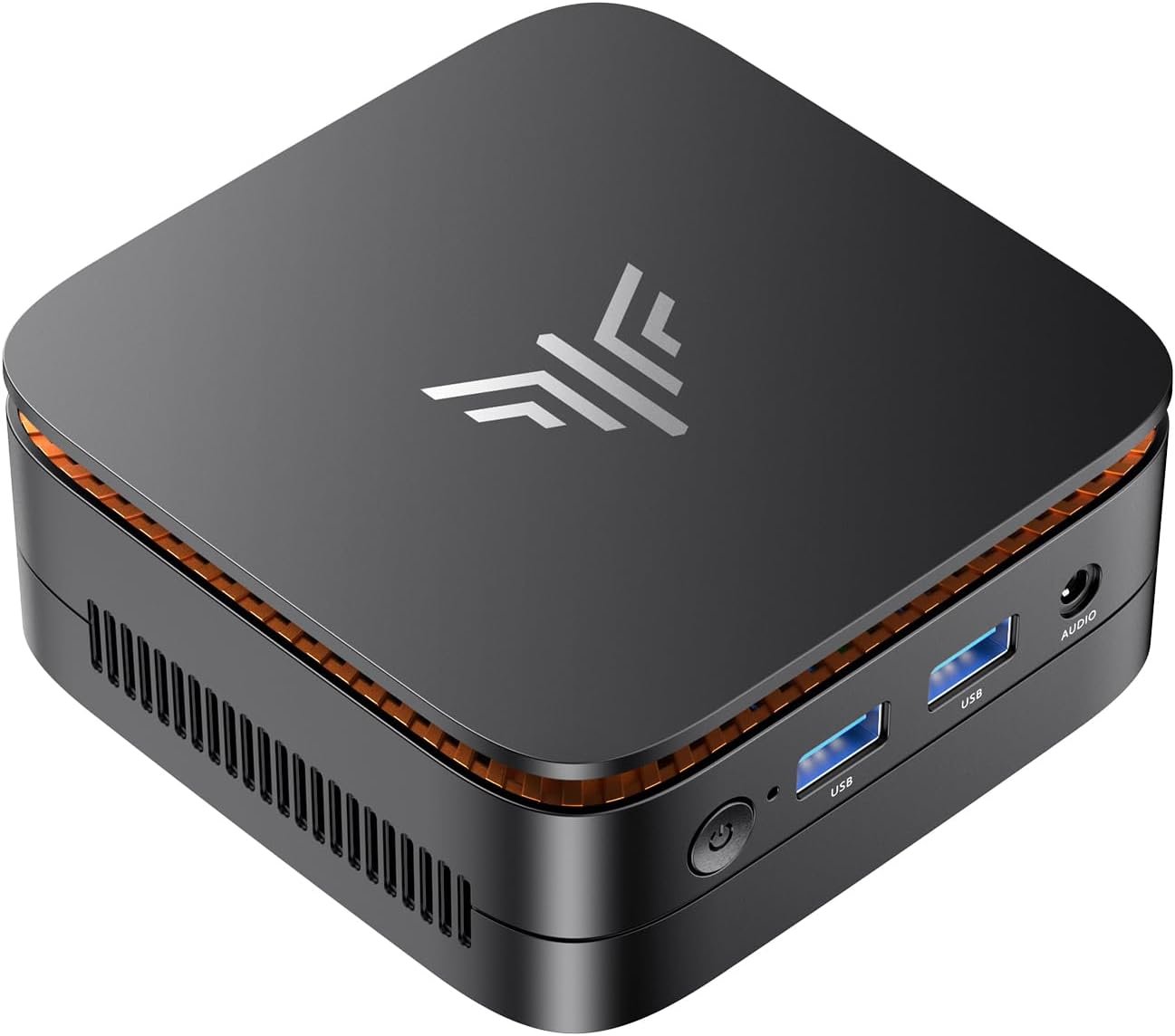


Product description


1 Flexible Expandability
2 Support U.2/22110 SSD
3 For Descrete GraphicsCard
4 8K Video Output


【Excellent Performance】The MINISFORUM MS-01 Mini Workstation is equipped with Intel Core i9-13900H(14 cores/20 threads/up to 5.4 GHz) that uses a hybrid architecture. It adopts “7nm SuperFin” with improved process, featuring the built-in Intel Iris Xe Graphics (Graphics frequency 1.5 GHz) with Xe architecture that makes a difference, it is designed for next-generation efficient high-performance gaming and widely used in games, 3D rendering, video editing and teleworking.
【USB4 8K@30Hz Video Output】 This i9 Mini PC is Equipped with 1x HDMI (4K@60Hz) and 2x USB4 (8K@30Hz/ 4K@144Hz) Outputs, you can connect ultra HD screens to 3 displays at the same time. Increase work efficiency by expanding multiple workspaces. It is used in fields that require high-performance computing and graphics processing, including digital signage and securities trading, as well as work that uses CAD, such as engineering design, scientific calculations, animation production, and post-production for movies and television. These are typically used by individual users or experts in their field.
【Super Fast Network Speed】The MS-01 workstation comes with two 10G SFP+ ports, each supporting a 10 Gbps transfer rate and link aggregation, which is ideal for users demanding ultra-fast wired network connections to high-speed LANs, network storage devices, servers etc. It also includes two 2.5G RJ45 ports. It’s suitable for connecting to high-speed home and office networks and other scenarios requiring rapid network transfers. Furthermore, it is equipped with 2xUSB4 and supports 20G Thunderbolt Ethernet. Total transfer speed: up to 65Gbps.
【Expandable Storage】This Workstation equipped with 32GB DDR5(2x16G) + 1TB M.2 2280 PCIe4.0 SSD. This SSD slot compatible with RAID0 and RAID1, supports U.2 SSD. U.2 enterprise-grade solid-state drives can easily achieve larger capacities, reaching 7.68 TB/15.36 TB or more on the same four PCIe channels. With two more M.2 NVMe SSD Slots(compatible with M.2 2280 SSD/enterprise class 22110 SSD/RAID0/RAID1), you can store movies, videos, photos, important files easily. What’s more, it also comes with 1x standard PCIex16 slot(PCIe4.0x8 compatible|128GT/s), you could also expand the graphics card — RTX 3050(TESTED).
【Package contents】 1xMS-01 MiniWorkStation, 1x U.2- M.2 Conversion Adapter, 1x Power Adapter, 1x Power Cord, 1x SSD Heat Sink, 1x HDMI Cable, 1x Screw Set, 1x Manual.
9 reviews for MINISFORUM MS-01 Mini Workstation Core i9-13900H 32GB RAM 1TB SSD Mini PC, HDMI+2X USB4 8K Display, 2x10G SFP+ Port, 2×2.5G LAN Port, Support M.2 2280/22110/U.2 SSD/RTX 3050 Graphics Cards
Add a review

$439.90
JMagz –
Solid multipurpose workstation
The mini workstation is awesome. Tons of connectivity at 10gb and 2.5gb. I initially used it as a temporary workstation replacement until I could build a new one. Now running as a proxmox host. Has tons of nvme slots and can fit a 14mm or smaller u.2 drive. Needless to say it’s a workhorse with a decent amount of power and total ram can be upgraded to 96gb. Very awesome pc in a very small footprint for an i9 mobile processor.
max gilpin –
Great Performance and Value for the $$$
My personal laptop died in late November of 2024 so I decided to replace it with the MS-01. I ordered the Core i9-13900H (32+1T) but in reflection should have ordered the Core i9-13900H (0+0) because I used the 1T NVMe from my dead laptop and ordered the 96GB upgrade kit (Crucial RAM 96GB Kit (2x48GB) DDR5 5600MHz (or 5200MHz or 4800MHz) Laptop Memory CT2K48G56C46S5) which will arrive after this review. To begin the packaging this comes in is very nice and the padding is almost 2 inches thick making it very ship worthy. Access to the BIOS which is very clean and easy to use is accessed by hitting the DEL key when the Minis Forum logo appears. This unit recognized and booted effortlessly from the NVMe that was in my laptop. I examined the boot drive that came with my MS-01 and all drivers were loaded but downloading the Windows 11 drivers from the Minis Forums sites is a bit challenging but once you find the drivers they are all in one RAR file. The MS-01 is very quiet, sleeps well and wakes up easily. Under heavy load the fan is noticeable but not to the point of being obnoxious. I purchased this primarily for the dual NIC cards and the (3) NVMe slots as well as the (2) Type C ports and once the drivers are installed, they work flawlessly. The build in GPU is running a pair of LG Ultrawide monitors at 2560×1080 each and while the resolution is not quite as crisp as I hoped, it is still very clear and I suspect higher quality type C cables may help this. Screwless entry to open the case is great but there is one design flaw that I have found. One cannot access the button that opens the case with the CAT5e cables in place and one cannot access the locking clips that hold the CAT5e cables in place due to the case design. To remove the CAT5e cables one must use a tiny screwdriver to press down on the locking clips. I spent a few hours researching GPU’s that would fit in this case and the options are few, especially of you are not comfortable tearing down a GPU and installing a custom GPU Cooler. Overall I am very impressed with the unit.
Shawn –
Fantastic for Virtualization
This is an amazing little machine. I chose to upgrade to this as my previous virtualization machine was a cruddy 6-core CPU thin client that barely did the job. Since I share an office with my significant other I can’t just get a big system, or a datacenter server, so this is the best option. This thing is a beast. I threw in the maximum 96GB of RAM and filled all of the NVME slots, installed a low profile Nvidia GT 1030 GPU, and installed TrueNAS Scale on it. I’m able to run a handful of my VM’s, as well as quite a bit of the applications available from the TrueNAS app library, and this thing has had zero issues. I would highly recommend this if you want some solid virtualization hardware in a small form factor.
HTGuy –
Excellent Mini server
I have two of these in a proxmox cluster. I added 64 GB of RAM and a 4TB NVME and smaller NVME for the boot drive. Both SFP+ ports are being used one for VMs and one for NFS storage. Connectivity and stability have been rock solid. VMs are very snappy most Linux based and the system has been up 24×7 since I got them and no issues. Run cool with current workload. They are running a nine node K8S cluster. I plan to add a third unit for full high availability and then the K8S cluster will be evenly distributed across the machines. I also have a few other VMs that are running on them too. Highly recommend for anyone wanting to setup a home lab and minimize their power bill.
jeffrey r lang –
Pc
Great little PC. Runs Linux really well.
-scott –
I THINK I’m glad I bought it, but there are some issues.
The jury is still out: the design is great – super easy to set up. I have two issues with it, first the fan is constantly turning up and down – this is in a bedroom so it’s a bit annoying at night. Yes, the settings can be changed. More concerning is it doesn’t seem to have any way to change its behavior when power is restored. I don’t think I’ve ever seen a PC that lacked this feature in its BIOS. Their support organization doesn’t have a stellar reputation, we’ll see how quickly they get back to me on the power issue.
Kurumi –
Great for home lab use.
For how small it is, it is a great value for the performance you get in such a small package. Works great as a 3-node cluster for Proxmox for home lab use. Thunderbolt does work (but finicky Linux network drivers makes that a mixed bag; use case is this is a portable lab and the Thunderbolt networking CEPH cluster didn’t like being brought up and down).Temps are somewhat reasonable as long as the SSDs you use are lower in heat and power draw. The airflow isn’t great and the case is best in a place where there is some active airflow blowing around the unit.I guess the main gripe is Intel AMT doesn’t work reliably. I got it to show up once in Mesh Commander and that was it.
Kyle Button –
Home Lab Use for the win.
I own four of these as servers, and they are among the best mini-servers I’ve ever had for home lab and work use. Minis Forum stands behind their products; when one of my servers stopped powering up, their support team responded quickly, and they promptly shipped me a replacement. These servers are very fast, have a compact form factor, and operate quietly. I highly recommend them to anyone looking to start a home lab, use low power, and be prepared for any challenges that may arise.
Colin Woods –
I sent an email request for drivers after searching everywhere I could think of. I see there are some hacks on forums, but I feel I deserve something safe from the manufacturer that sells this system with Windows 11. (which I was planning on trying first) With no network drivers discovered in the Windows install drivers I feel up-the-creek. I emailed the manufacturer 4 days ago …. no dice! (no reply) I’ve never purchased a motherboard that didn’t come with drivers, and this seems like a silly waste of my time.