

MUNBYN Portable Scanner, Photo Scanner for A4 Documents Pictures Pages Texts in 900 Dpi, Flat Scanning, Include 16G SD Card, Wand Document Reader Uploads Images to Computer Via USB Cable, No Driver
$7.99
Related Products


From the brand
MUNBYN
Empower Your Business, Unleash Your Potential

2025 Promat is Coming
Let’s meet MUNBYN in Promat at March 17-20 2025 in Chicago.
The world’s largest logistics exhibition


Live from 2025 CES
The premier global stage for breakthrough consumer technology innovations
MUNBYN Document Scanners
MUNBYN Featured Products

MUNBYN is trustworthy!Provide the most excellent support with the most professional technical team and service.More and better choices for businesses and families.Continuous improvement and progress.If you have any problems or concerns, please feel free to ask us. We will serve you wholeheartedly.
How did we get our start?
Founded in 2015, “Munbyn” not only inherits the fine traditions but moves with the times and introduces new concepts: Simplicity, Vitality, Specialty.
What makes our products unique?
In a market flooded with high-priced automatic scanners, we remain focused on serving the needs of affordable prices. We use trusted techniques to produce portable handheld scanners to meet your scans needs.
Why do we love what we do?
We want to find more appropriate solutions for documents scans, photos scans, drafts scans, receipts scans, magazines scans, graffiti scans, and any scans needs.


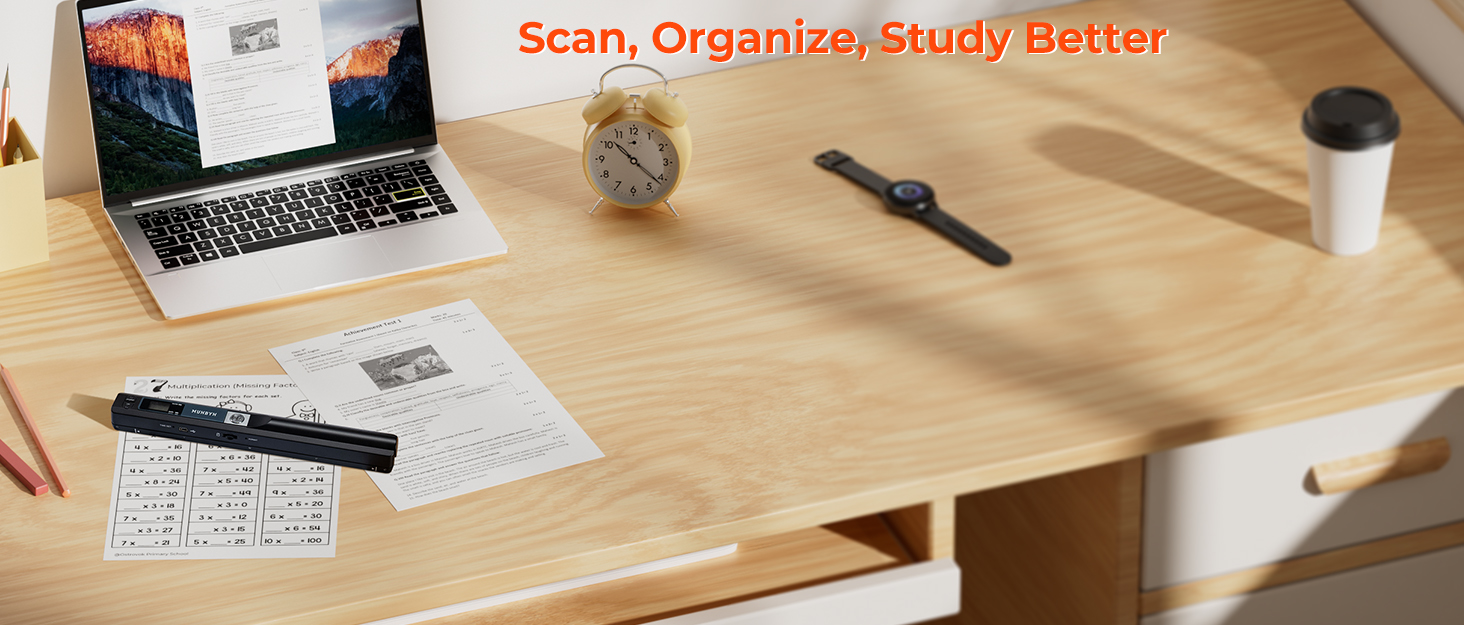
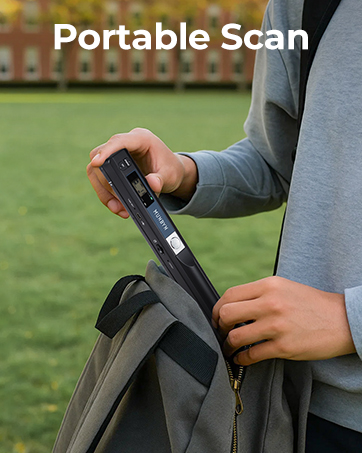
【Easy to Carry–Portable Scanner】Length: 9.5 in = 1.5 pens. Weight: 0.66 lbs = An apple. Carry way: Small bag. Power Source: a pair of AA batteries (NEED TO BUY EXTRA). Support scanning up to A4 size.
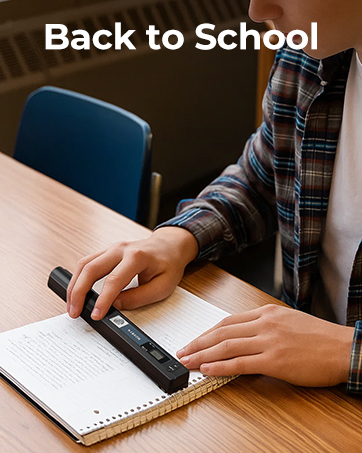
【Easy to Scan–Handheld Scan】Portable Scanner scans your photos, documents, and book pages in 3-5 seconds on 900 dpi resolution independently. Easy to use once you take a tiny bit of time to get the hang of this portable scanner. Compared to the feeding scanner, the wand scanner will not fold or damage old photos during scanning.
【Easy to use–No Driver】Portable Scanner does not require downloading a driver. Easily connect the portable scanner to a computer through a USB cable to transfer your scanned photos or documents anywhere and anytime.
【Easy to Digitalize–Clear Image】The highest 900dpi scan resolution can convert pictures, documents, book pages, or other targets into digital files in high clarity.
【Easy to Store–16G SD Card】Wand scanner with 16G SD card will store thousands of scan files. With OCR software (you can find some software from Google Play Store), easy to transfer PDF scan files into Word/Excel format and edit them.
【How to scan the paper properly? 】1. Scan on flat paper or books. It cannot be identified in concave and convex places, such as the gaps between the pages of a book. 2. Move to the next new scanning area within 3 seconds. The scanner will automatically finish jobs if you don’t move to the new area. 3. The document scanner works properly if the “scan” button lights up; otherwise, the “error” button will light up.
7 reviews for MUNBYN Portable Scanner, Photo Scanner for A4 Documents Pictures Pages Texts in 900 Dpi, Flat Scanning, Include 16G SD Card, Wand Document Reader Uploads Images to Computer Via USB Cable, No Driver
Add a review

$7.99
Amazon Customer –
Very Handy. Easy to Set Up, Easy to Use. Perfect for Digitizing.
This is a review of the Magic Wand Portable Scanners for Documents, Photo, Old Pictures, Receipts, 900DPI, Scan A4 Color Page in 3sec, 16G Memory Card Included, MUNBYN Photo Scanner for Computer, Laptop.I am an author and I got this scanner to scan in almost 20 years of handwritten journals that contain the basis for many of my books. This is my first time using a portable scanner, it really doesn’t take long to get up to speed with it, though.This little wand scanner is not heavy, and not difficult to work with. It produces clear, good quality scans. I am using the medium resolution setting, and the scans are very clear.Here are the important points I have noticed:1. Your document needs to lay flat when you scan it. This necessitated me taking all the pages out of each journal in order to lay them flat.If you try to scan from a book, the scanner will cut off much of the inside margin and sentences. I could not find a way around this.In the YouTube video (search MUNBYN on YouTube) that shows how the scanner works, you will see the two markers on the scanner that mark the edges of the scan area. The quick start guide included with the scanner gives the URL to download the free scanner software to your laptop and the instructions say NOT to update it during the installation. A mini-CD came with mine but I have no drive for it, so I was glad to find that link. And for whatever it’s worth, I am running Windows 10 and that software integrated seamlessly without any further configuration on my part.2. You must move the scanner slowly. If you move it too quickly, the red light comes on to warn you. I have had to rescan a number of pages due to this.3. If you are scanning many pages that need to be in a particular order like I am with my journals, scan them in that order and download the images from the scanner all at one time. Like most scanners, this scanner names the scans IMG0001, IMG0002, etc. and there does not appear to be a way to override or change this. If you download some of them and then start scanning again before you have all of one project (or journal in my case) scanned, you will have to rename a bunch of them. In retrospect, I wished I had numbered my journal pages before starting, and I plan to with subsequent journals, so I can tell when a page is missing and if I have them in the right order. Have plenty of AA batteries on hand if you are scanning a large project. I scanned maybe 50 pages before I had to change the batteries. It could be those first batteries I put in were not fully charged, (the scanner did not come with any batteries) I did not test them before using, or maybe I am just slow and that created the drain on the batteries. I will update this review if I get a good feel for how many pages I can consistently scan on one new set of AA batteries.All said, I think this little scanner is a very handy tool and I’m glad I purchased it. Highly recommend.
University Doc –
Easy to set up and use! Handy! Highly recommend!
I made some test scans right out of the box without reading the directions or uploading the software and it worked. Easy to set up and use. Hardest part was scanning to make sure there was nothing bad on the CD before installing on my PC’s. There is so much stuff on the CD it took a while for some scans. No issues with scanner of software, though. Great thing about this is that with batteries (two AA’s) this scans independently without the need for the PC. You only need your PC to transfer your scans and sort them out to it. PC recognizes it as another piece of hardware such as a camera or USB drive. Highly recommend.Only caveat is you can’t see t he scans until you transfer to your PC.Except for not including two AA’s Batteries to operate it, everything you need to operate this scanner is included. I’m glad I took a chance on this one. i already have a HP Scan Pro Scanner S2000v, but unfortunately as with so many other electronics, it doesn’t work with my WIN 10 PCs. Hence, I had to invest in a new scanner.
S. Sheaffer –
DOES THE JOB
I wanted the scanner to scan a few recipes from cookbooks, that otherwise aren’t very good and that I plan to get rid of. It does the job. Are the scans first quality — no. Are they readable and useful — very much so. For $63 I think it’s a great deal. I found it very easy to use after the first few stumbles. I have a Mac so I didn’t need to load the OCR software since it doesn’t work with a Mac. At first I wanted to transfer the images to my Mac using the included USB cable, but that didn’t work. So I just take out the MicroSD and use it with my computer to read the images directly. Since I’m not scanning a huge number of images, I always do two or three scans of each page (it only takes a few additional seconds) and then choose the best of the bunch.
Cheyenne –
No instructions provided
This item came with batteries in it but they did not work. That was an easy fix. However, no instructions were provided on the item so I could not figure out how to get it to work. I looked online and did not find helpful instructions there. I did attempt to scan documents and it showed that it took an image on the device, but when plugged into the computer I was unable to get any files to upload. Had instructions been provided, it would be easier to figure out how to use. At this point in time, I still have no success in using this.
POBrien –
Munbyn Customer Service is Off The Charts!
I needed a hand scanner for my teaching ministry. I often use digitized textbooks, but more often than not, I need to pull additional hard copy from a book.I looked at the different options available and settled on the Munbyn Portable Scanner. When it arrived, the very next day, I might add, I put it to work.It was a no-brainer to get it started, and after a few practice runs, I was ready to go. It worked very well.After that initial use, I set it aside for about a week and then reached for it again to scan additional material, but for some reason, it would not work. I reviewed the documentation, checked out online videos, but nothing helped.Sadly, this item was going back to Amazon. Preparing to send it back, I noticed my “return window” had expired the day before. I was dead in the water.There was a sticker on the scanner that provided information for customer support. It stated 24/7 service. Sure! How many times have you seen that before?I had nothing to lose, so I sent off an email late that evening.A few hours before heading to bed that same day, I reached for my laptop to close out the evening. To my surprise, I “already had a reply from Munbyn”! It had only been a couple of hours, and they were on it.Munbyn provided several suggestions, including links to some additional videos. After checking these out and a couple more email exchanges, it was determined that my scanner was finished for good.Munbyn set up a replacement!I find this type of “online” customer service to be off the charts!
Adrian Walter –
Great product. Scans perfect.
Kees –
for my administration and contracts all over the world !