

NETGEAR Nighthawk Dual-Band WiFi 7 Router (RS140) – Router Only, BE5000 Wireless Speed (up to 5.0 Gbps) – Covers up to 2,250 sq. ft., 80 Devices – 2.5 Gig Internet Port – Free Expert Help
$28.99
Related Products


![Gigabit Ethernet Splitter 1 to 2 – Network Splitter with USB Power Cable, RJ45 Internet Adapter 1000Mbps High Speed for Cat 5/5e/6/7/8 Cable [2 Devices Networked Simultaneously]](https://deviceden.co/wp-content/uploads/2025/11/71198oB8NnL._AC_SL1500_.jpg)


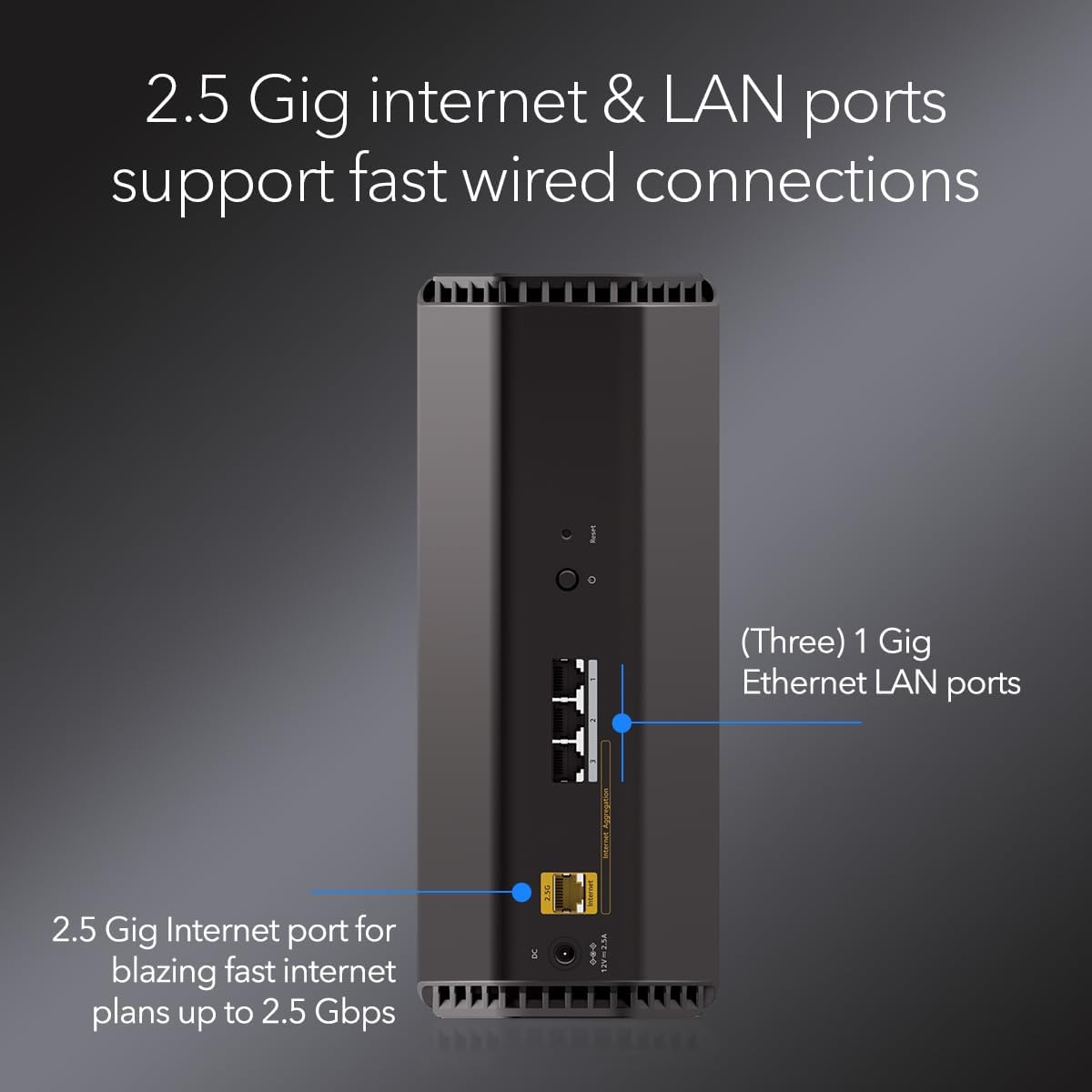
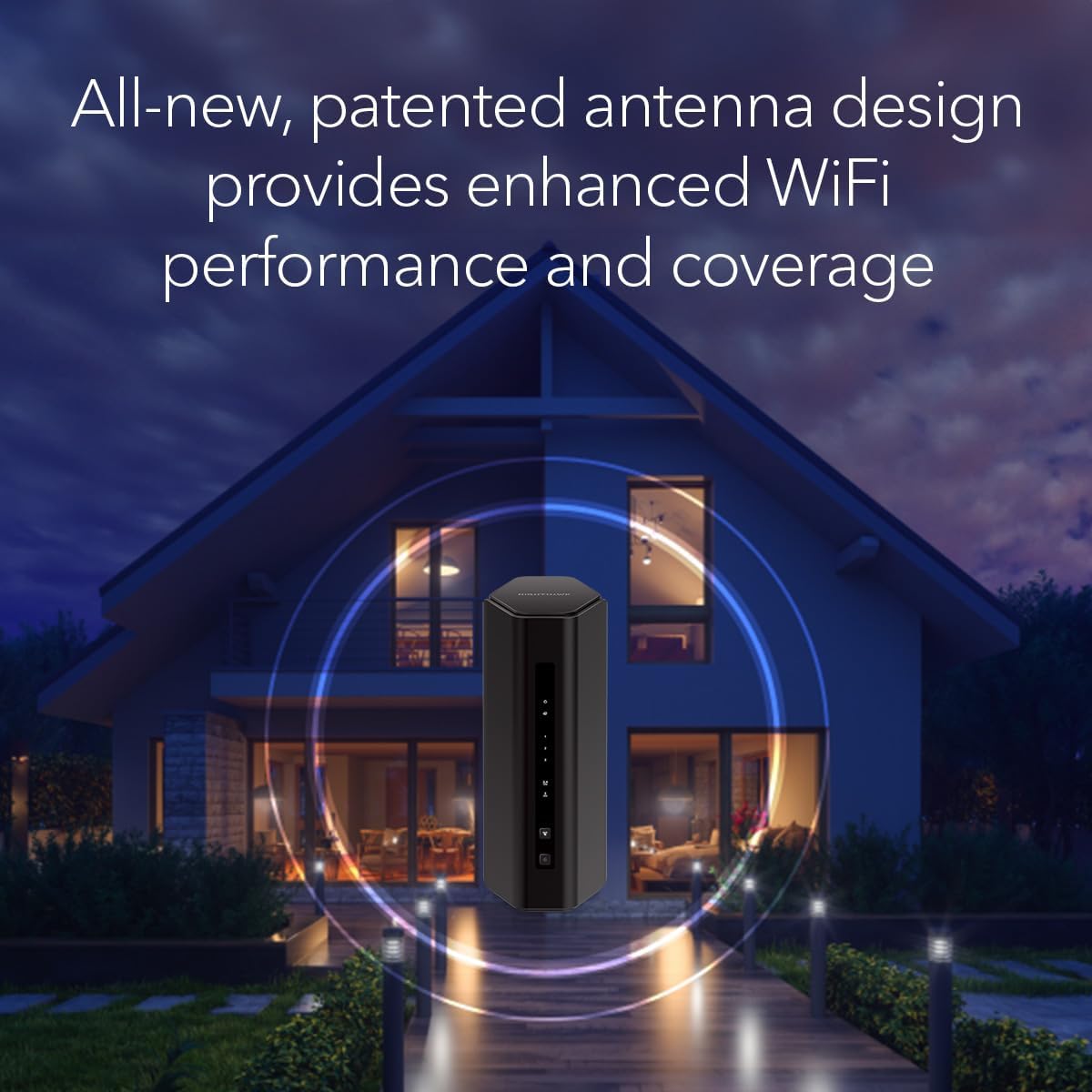


Leverage the power of WiFi 7 for speeds up to 5.0 Gbps at 1.2X faster than WiFi 6. The Nighthawk RS140 WiFi 7 Dual-band Router provides up to 2,250 sq. ft. WiFi coverage and capacity for up to 80 devices. Experience stunning 4K streaming, video conferencing and reliably connect smart home devices. NETGEAR Armor protects your family’s WiFi by creating an automatic shield for all connected devices. Product dimensions: 9.8 x 5.9 x 4 in.
Blazing-fast WiFi 7 speeds up to 5.0 Gbps for gaming, smooth streaming, video conferencing and entertainment
WiFi 7 delivers 1.2x faster speeds than WiFi 6 to maximize performance across all devices. This is a Router not a Modem
This router does not include a built-in cable modem. A separate cable modem (with coax inputs) is required for internet service.
Sleek new body with smaller footprint and high-performance antennas for up to 2,250 sq. ft. of WiFi coverage
2.5 Gig internet port enables multi-gig speeds with the latest cable or fiber internet service plans, a separate modem may be needed for you cable or fiber internet service
8 reviews for NETGEAR Nighthawk Dual-Band WiFi 7 Router (RS140) – Router Only, BE5000 Wireless Speed (up to 5.0 Gbps) – Covers up to 2,250 sq. ft., 80 Devices – 2.5 Gig Internet Port – Free Expert Help
Add a review

$28.99
Crazy4Coffee –
Excellent WiFi Home Router
I spent some time doing research on both modems and routers, including speaking with several IT professionals. I ended up landing on this Nighthawk after many recommendations. This router was a breeze to set up and paired perfectly with my new Motorola B12 cable modem. The step by step instructions in the app made it very easy; the performance and user-friendly experience is really nice. You can easily view all devices connected to the network, configure a separate guest network, run a Speedtest directly from the modem, and more. 2.4 and 5 GHz are automatically configured based on the devices connected. I used the same SSID / Login/ network name from my previous WiFi router and all devices connected seamlessly to the new Nighthawk. I am very pleased with the purchase!
Leonardaj –
Speed, Reliability, Compatibility all in one outstanding, easy to set up device!!
This is a fantastic router!! Setup was a breeze! Connected it, powered it up and 10 minutes later everything was up and running. Didn’t even have to perform setup on anything including smart plugs and switches. Kept the same wifi name and password. It was an amazing thing. Last switch, it took me a couple hours because I had to reset each device and one wouldn’t connect. Performance- speeds are all maxed. I’m even running on WIFI 6 with internet access. Reliability and compatibility have not been an issue. All things are great after running for a week now! Well worth the purchase and I highly recommend this product. Coming from a former network admin and computer support tech.
Barbara Martin –
High Quality, Easy Installation, Strong Connectivity!
The router was delivered as scheduled. I watched a couple of videos on YouTube before installing the router which was very helpful. Installation was easy and the system works perfectly. Connectivity was seamless for over twenty concurrent devices. I replaced a five year old Nighthawk router that has served us well so it was an easy decision to stay with the Nighthawk line. I wholeheartedly recommend this router for homes of 3,000 sq ft or smaller.
Don S. –
Great coverage area, reliable connection, good price
Overall, a good router. One of the only electronic things I ever bought that actually worked out of the box. Installation and setup was very easy with the Nighthawk app from my Android tablet. I have not had to access the router as administrator, it actually worked fine, first time. I have a 1 Gbit service and I get that speed up and down. Fantastice coverage, I get good service in my backyard, garage, basement and driveway. A couple of small things prevented 5 stars — first, if my internet service winks out for some reason, the router will not auto-recover, must be powered down for hard reset and second, if internet is out for any reason, the router will not work within our household AND I cannot access as admin either by Nighthawk app or via the common “192.168.1.1” or Netgear’s “routerlogin.net”.
WD –
Work great.
Title: Nice routerDescription: Easy to install with the app. Getting faster download/upload speeds than my internet providers equipment. Solid system.
Caden –
High cost but amazing, worth every dollar
Compatibility of this router is amazing, signal strength and power is outstanding. Parental controls I don’t use but with people who have kids I say it very simple to use and pretty easy to go through to have restriction and protections for your younglings.
Matthew –
You will not find WiFi here, only pain.
TL;DR – Frustrating setup process, contrary to the promised “fast and easy” configuration. Range actually seemed worse than my current Netgear router, which is 7 years old. Very unreliable connectivity. Speed was great, when it worked, but that’s the rub. Devices would randomly be kicked off the network and we frequently had to power cycle the modem and router to restore the main carrier signal to get back online. None of this is good for any router, but it’s unacceptable at this price point.Extremely disappointed with this product, which resulted in it being returned. Specifically, this review is for the 17Gbps, 10G Port model, which you know, happens to be the top of the line, most expensive offering.Disclaimer: I am not an engineer (lot of folks claiming that these days…IYKYK). I am also not a network admin, SYSOP, BBS, modem, ICQ, wonder-guru tech guy. That said, I’m not a total dunce with computers. I’ve built my own rigs for over a decade and have configured home WiFi networks for myself, friends and family, so I at least know the basics of what I’m doing.Also, I am normally a fan of Netgear products. I am currently using an older Nighthawk router, one which I went back to using after returning this POS, one which is still running more reliably then this newer, supposed marvel of technology.Okay, let’s get into it. The coolest thing about this device is probably the box and packaging. They really upsell you with the presentation. It’s a good thing, too, because those were the only positive feelings I have left from this item, so it was kind of them to trick me right out of the gate.Basic setup is, well, basic. You plug it in to an outlet and connect it to your modem. However, when it comes to setting up the WiFi network itself, they make you download an app. Okay, whatever, this is nothing new since literally everything has an app these days. They claim it is “easy and effortless setup.” The setup, was in fact, neither easy, nor effortless.After the app was installed, I had to repeatedly go through the basic setup of connecting to my ISP because it kept failing. And this wasn’t a “once or twice” type failure, it easily happened over a half-dozen times before it finally established a connection.Then came the actual network configuration, where you use the preestablished one they provide you, but then change to your own name and login credentials. This was a repeat of the process failing out midway and then having to start all over. This whole “easy setup” easily took over an hour, so yeah, all I was doing was clicking buttons on the app, but it was still frustrating.Finally, finally everything seemed to be getting ironed out and the network was established. Okay, great, lets start connecting our myriad devices. Surprisingly, this was rather painless. Phones, tablets, PCs, security cameras, TVS, everything seemed to be connecting. I resigned myself to the whole configuration process just being teething pains, and thought the worst was behind me. How wrong I was.The first 24 hours of usage were…fine…for the most part. One thing I noticed though was that despite speed tests showing good numbers, the perimeter security cameras were all showing lower signal strength than normal and seemed to be taking longer to access the live feeds. That’s…curious…especially considering how strong a signal they had with the old router. This new one was supposed to have nearly twice the coverage range, right? Surely, the manufacturer wouldn’t lie, right?We got about another day of relatively reliable usage and then the problems really started. Devices kept getting dropped off the network and we were prompted to re-enter the password. The cell phones and televisions would show connected but would have “no internet access.” Then we started noticing sluggish performance on the work computers, with frequent drop-offs in connectivity.It got to the point where almost daily, and sometimes even multiple times per day, we had to power cycle the modem and router to get things up and running again. Based on the strange disconnection issues of the various devices, I feel like there had to be something weird going on with the tri-bands and that the 2.4 and the 5 and 6 weren’t playing nicely. I certainly did not diagnose this, but it’s just a hunch.I was not going to bother dealing with tech support. I really don’t have time for that, especially not when I had a perfectly functioning, older router just sitting there that I could plug back in. And plug it back in I did. The older Nighthawk powered back up with the old network still in place and all the bad thoughts went away. Perfectly reliable connectivity was restored at only marginally slower speeds. Oh, and the cameras around the property all had their stronger signals back. Funny how that works.I really wanted to like this product because the promise of faster speeds and greater range was, well, promising. Alas, it was not to be, and with a tear in my eye, I packed it up and started the return process. Maybe I got a dud, but when you consider that this is their top model, that’s not really excusable in my book. As I mentioned earlier, I’ve used Netgear products for years (and still do, technically), but I will be looking elsewhere for a router upgrade because I’m simply not willing to roll the dice on another one after this experience.
Hayden Christensen –
Don’t hesitate to buy
Works amazingly, definitely got better speed after install compared to my other router, easy to set up and has great range 66ft before it drops down a few bars