

OBSBOT Tiny 2 Webcam 4K Voice Control PTZ, AI Tracking Multi-Mode & Auto Focus, Web Camera with 1/1.5″ Sensor, Gesture Control, 60 FPS, HDR Light Correction, Webcam for PC, Streaming, Meeting, etc.
$26.99
Related Products


Product description
The video showcases the product in use.The video guides you through product setup.The video compares multiple products.The video shows the product being unpacked. OBSBOT Tiny 2 Webcam 4K AI Trakcing&Voice Control Merchant Video


1 Ultra Large 1/1.5″ CMOS
2 PixGain HDR
3 ALL-Pixel Auto Focus
4 USB 3.0 Interface
5 Sound Like A Pro
The video showcases the product in use.The video guides you through product setup.The video compares multiple products.The video shows the product being unpacked. Multiple AI Tracking Modes Merchant Video


OBSBOT More for You
Add to Cart
Add to Cart
Add to Cart
Add to Cart
Add to Cart
Add to Cart
Add to Cart
Customer Reviews
4.2 out of 5 stars 63
4.3 out of 5 stars 1,313
4.5 out of 5 stars 1,561
4.6 out of 5 stars 1,023
4.4 out of 5 stars 1,482
4.5 out of 5 stars 718
4.4 out of 5 stars 2,030
Price
$1,199.00$1,199.00
$499.00$499.00
$129.00$129.00
$69.00$69.00
$159.00$159.00
$99.00$99.00
$299.00$299.00
CMOS Sensor Size
1/1.5″
1/1.8″
1/2.0”
1/2.8″
1/2.0”
1/2.8”
1/1.5”
Video Resolution
Up to 4K@60FPS/1080P@120FPS
Up to 4K@30FPS/1080P@60FPS
Up to 4K@30FPS/1080P@60FPS
Up to 1080P@100FPS/720P@150FPS
Up to 4K@30FPS/1080@60FPS
Up to 1080P@100FPS/720P@120FPS
Up to 4K@30FPS/1080P@60FPS
Zoom
Optical 5X & Hybrid 12X
Digital Zoom 4X
Digital Zoom 4X
Digital Zoom 4X
Digital Zoom 4X
Digital Zoom 4X
Digital Zoom 4X
AI-Tracking Targets
Human/Animal/Object Tracking
Human/Animal/Object Tracking
Human Tracking
Human Tracking
Human Tracking
Human Tracking
Human Tracking
Special AI-Tracking Modes
Group/ Single/ Zone Tracking
Single Tracking
Auto Framing
Auto Framing
Body Part/ Zone Tracking
Body Part/ Zone Tracking
Body Part/ Zone Tracking
NDI Support
✔
✔
✘
✘
✘
✘
✘
Interfaces
SDI/HDMI/Ethernet/RS232/USB-C
Micro HDMI/USB-C
USB-C
USB-C
USB-C
USB-C
USB-C
Storage Time
5H or Plug-in Use
2.5H or Plug-in Use
Plug-in Use
Plug-in Use
Plug-in Use
Plug-in Use
Plug-in Use
Control Method
APP/PC/Tablet/Web/Talent/Pelco
APP/Gesture/Remote/Stream Deck
PC/Gesture/Remote/Stream Deck
PC/Gesture/Remote/Stream Deck
PC/Gesture/Remote/Stream Deck
PC/Gesture/Remote/Stream Deck
PC/Gesture/Remote/Voice/Stream
Focus
All Pixel PDAF
Laser Focus
Phase Detection Auto Focus
Auto Focus
Phase Detection Auto Focus
Auto Focus
All-Pixel Auto Focus
Preset Position
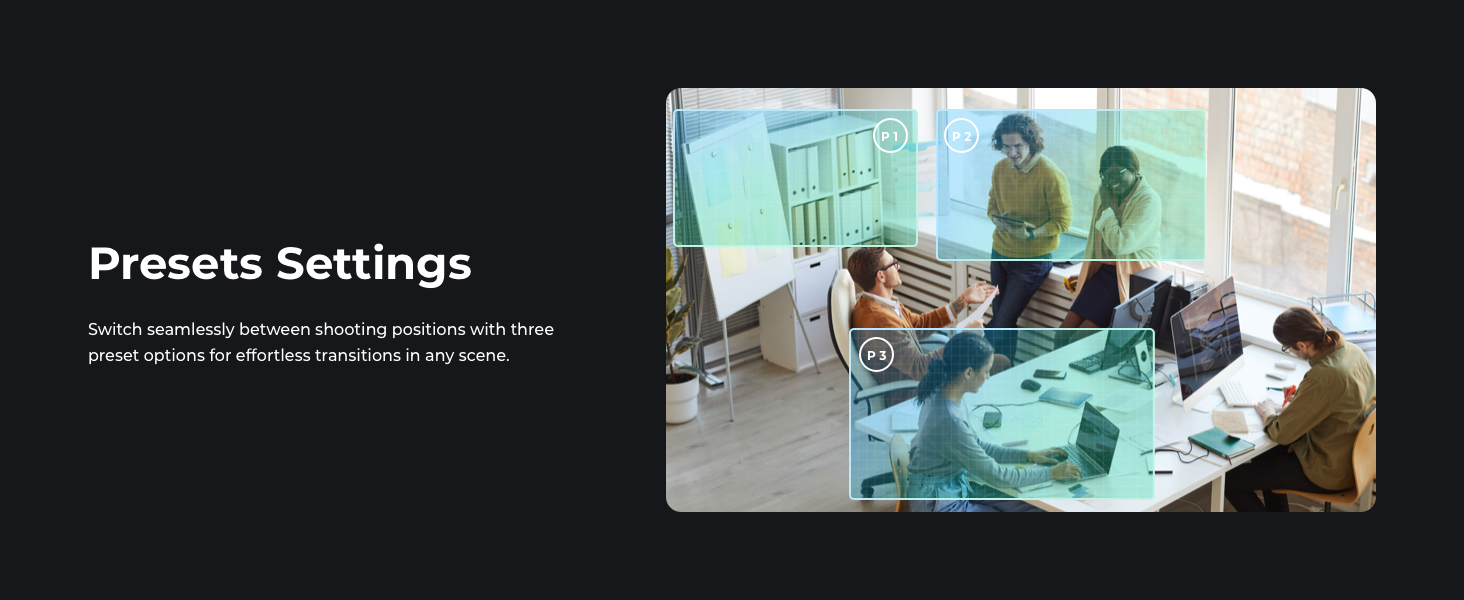
3 Positions & Parameter Adjust
3 Positions
X
X
3 Positions & Parameter Adjust
3 Positions & Parameter Adjust
3 Positions
Light Correction
Dual ISO/HDR/2μm Pixels/AI-ISP
Dual ISO/HDR/2μm Pixels
HDR/Single ISO
Staggered HDR/Dual ISO/2.9μm
HDR/Single ISO
Staggered HDR/Dual ISO/2.9μm
PixGain HDR/Dual ISO
【OBSBOT Tiny 2 – New Era of Webcam】Our 4K Webcam is equipped with 1/1.5″ CMOS Sensor, which is the largest and most advanced sensor currently used in the Webcam industry. This significantly improves the image quality and light sensitivity, allowing you to shine in dark environments.
【Superior AI-Tracking, Up 4 Tracking Modes】Our Tracking Webcam has fully upgraded the AI algorithm to make the auto-tracking smoother and faster, quickly capturing every move of you, and the reaction speed exceeds 99% of the peers. There are 4 additional automatic tracking modes such as upper Body Mode/Close-Up Mode/Hand Tracking/Zone Tracking to meet the needs of different people.
【Breakthrough Voice & Gesture Control】Our Webcam with Microphone introduces a groundbreaking voice control feature, becoming the first webcam to support voice commands. If you are far away from the conference camera, you can control your Webcam for Streaming through specific commands, such as 🗣️”Hi, TINY”, “Track Me”, etc simple command. Besides, Tiny 2’s gesture control has been upgraded to version 2.0, making it even more responsive.
【Industry Leading 0.3 Seconds Auto Focus】All-Pixel Auto Focus means our Webcam for Mac takes only 0.3 seconds to capture your silhouette, 4X faster than other webcam. (Note: If you need to focus on another object, place it in front of the camera and block the person’s face)
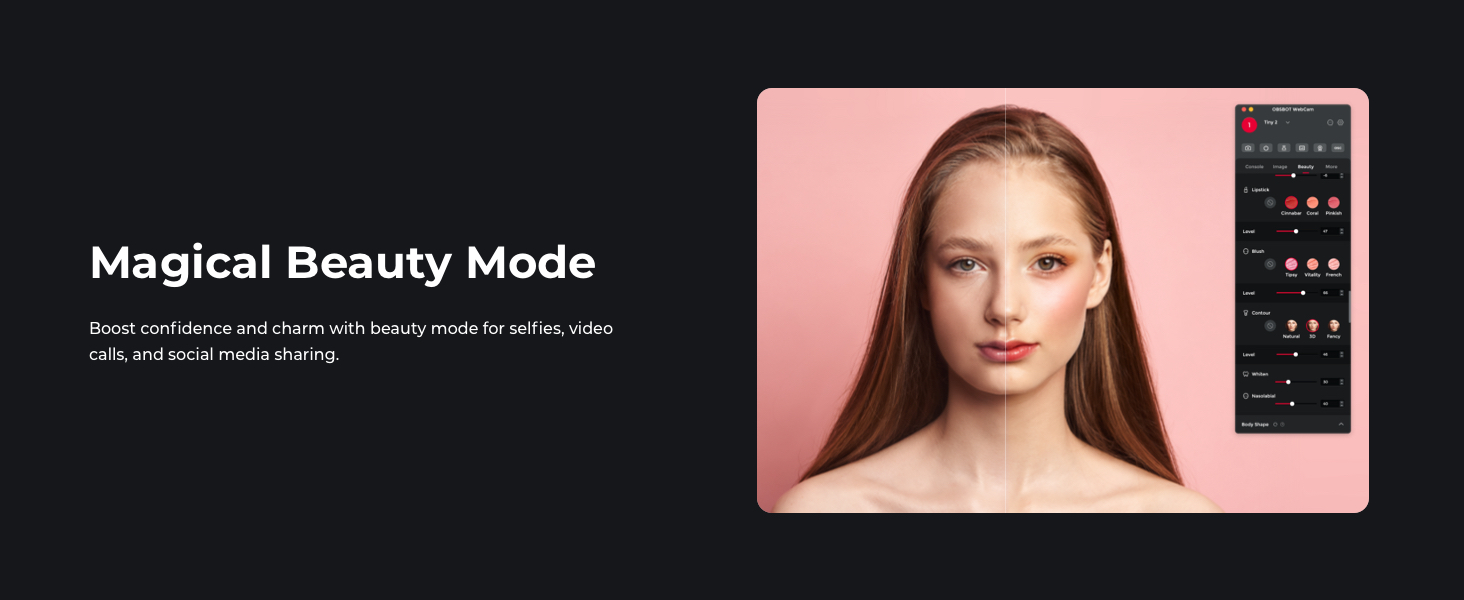
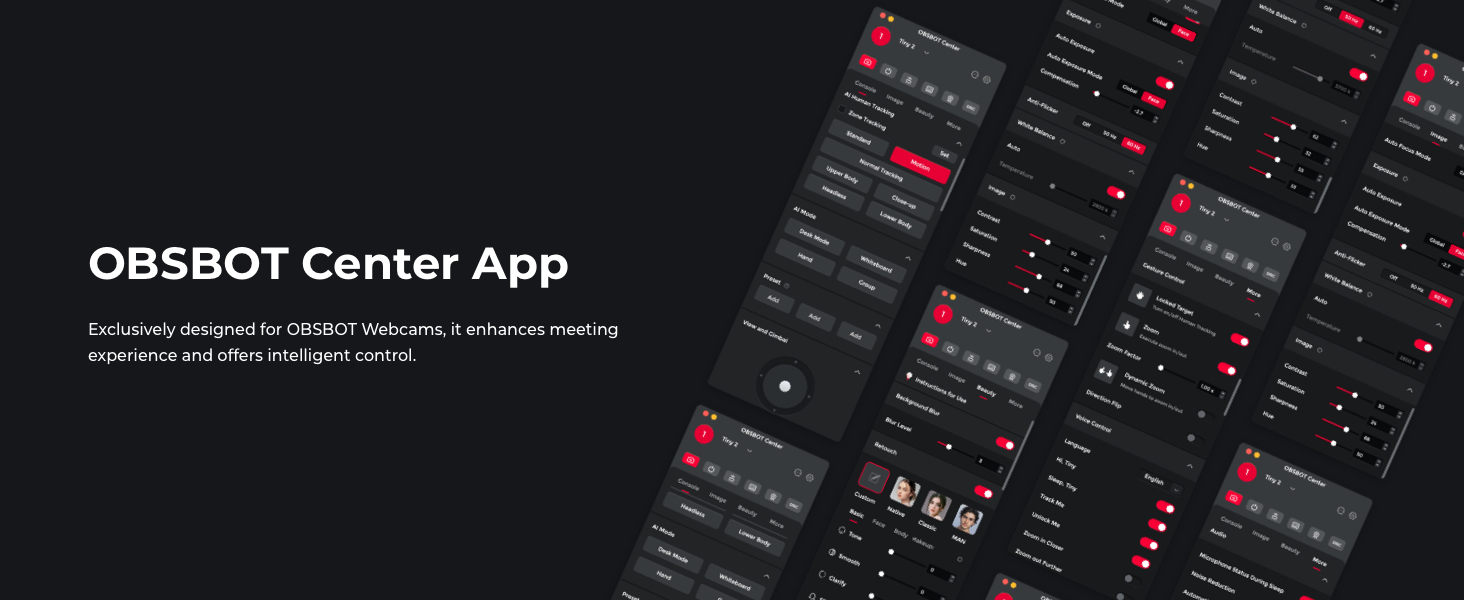
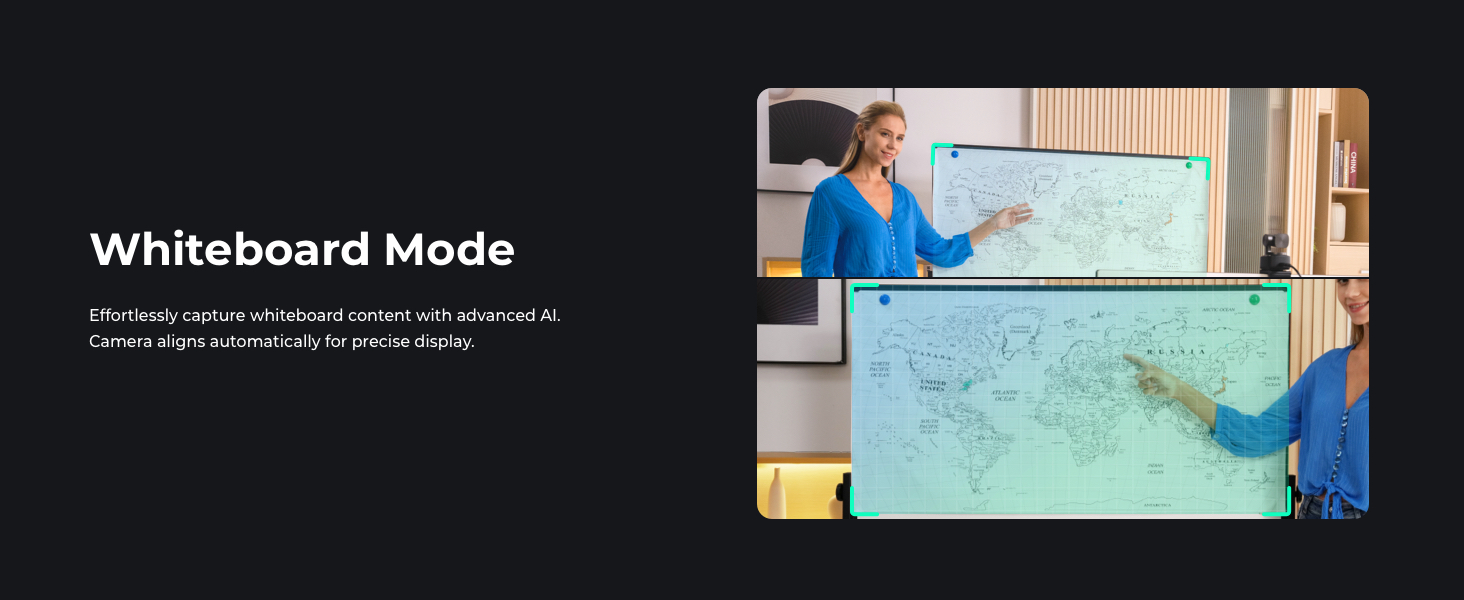
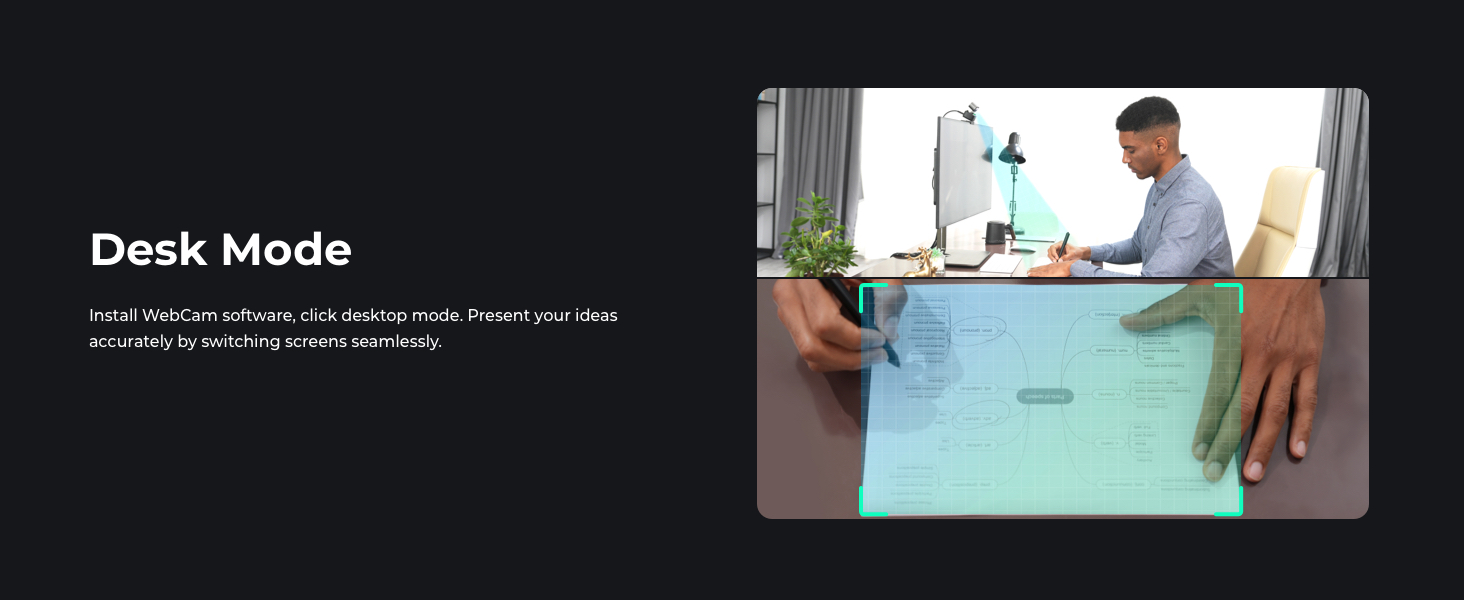
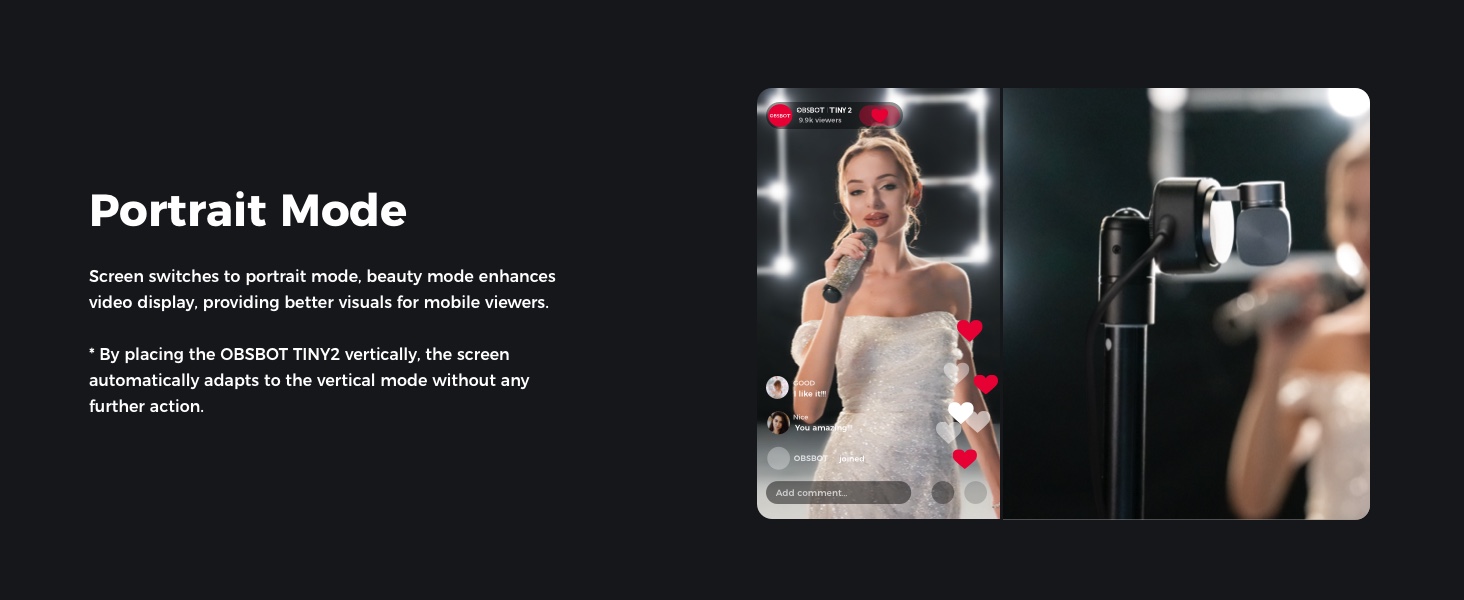
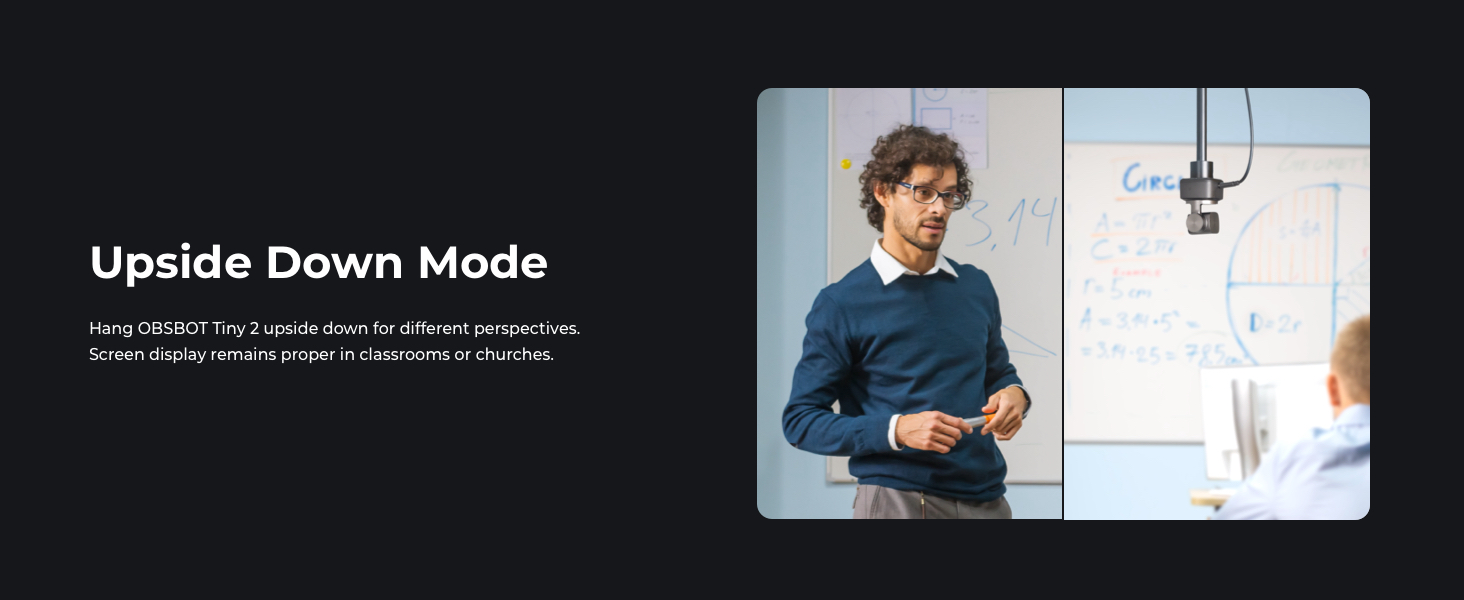
【Custom Your Own OBSBOT Tiny 2】Our Computer Camera introduces the Beauty Mode, as well as Desktop Mode, Whiteboard Mode, Portrait Mode, and Group Mode. Our PTZ camera 4K can meet your needs in various scenarios, such as meetings, presentations, live streaming, and teaching. If you are a professional camera enthusiast, great news! Tiny 2 supports SDK, OSC, Stream Deck, and Global Hotkey functions, allowing you to customize your own Webcam experience.
【Excellent Adaptability Webcam 4K】Webcam for PC, Laptop, Mac, Tablet, Streaming, Video Calling, Conference, Meeting, Skype/Zoom/FaceTime/Teams/Tiktok, etc. OBSBOT Tiny 2 data transfer supports USB 3.0. 🚩System requirements: Windows 10 or later; macOS 11 or later; Recommended PC configuration: CPU-7th Gen Intel Core i5 Processors or later; RAM-8GB.
🚩Due to its powerful performance, TINY 2 webcam may get hot during use, this phenomenon is normal and will not damage any function of the camera, please feel free to use it.
9 reviews for OBSBOT Tiny 2 Webcam 4K Voice Control PTZ, AI Tracking Multi-Mode & Auto Focus, Web Camera with 1/1.5″ Sensor, Gesture Control, 60 FPS, HDR Light Correction, Webcam for PC, Streaming, Meeting, etc.
Add a review

$26.99
Francis Stark –
Amazing Webcam — Clear, Fast, and Smarter Than Expected!
I’m extremely impressed with the OBSBOT Tiny 2. The video quality is ultra-clear, the autofocus is fast, and the AI tracking works flawlessly even when I move around the room. The voice and gesture controls make it super easy to use during meetings or recordings, and the overall build quality feels premium.I was surprised by how well it performs in different lighting conditions, and it instantly upgraded the quality of my online presentations and livestreams. Setup was quick, and everything worked perfectly right out of the box.Highly recommended for anyone who wants a professional, reliable webcam!
chris mix –
Best webcam on the market. No contest
The OBSBOT Tiny 2 has completely leveled up my Twitch streams. The video quality is razor sharp with vibrant colors and smooth motion — it honestly looks like I upgraded to a pro studio camera. The built-in AI tracking is awesome too; it follows me around naturally when I move without being distracting, which keeps the stream dynamic and engaging.Setup was super easy, and I love how customizable the settings are. Low-light performance is also way better than any webcam I’ve used before, so I don’t need to blast my room with extra lighting just to look decent on stream.For streamers, content creators, or even just video calls, the Tiny 2 is worth every penny. My audience has already commented on how much more professional my streams look. Easily one of the best gear upgrades I’ve made.
IAN C. –
Hands downs the best camera I’ve ever used
From the very first webcam that I purchased back in the late 90s, I’ve found all of them to be disappointing to some degree. I’ve always felt that these cameras should have better quality. Fast forward to the 2020’s – I’ve have tried way too many webcams in the past 5 years, ranging from $50 – $500, to use for Zoom/Teams meetings. Most of them have been mediocre or worse. In the past year, I’ve focused on mainly on cameras that have Windows Hello capability, which in hindsight was dumb. I thought the Dell WB7022 was an excellent camera. I couldn’t have been more wrong.I’d seen some reviews that looked promising for the Tiny 2, so I decided to give it a try. (Even though it doesn’t have Win Hello) OMG!!! My jaw hit the floor after seeing the first images on my machine. I am in disbelief over what this camera can do. Not only is the video quality excellent, but the PTZ (& its speed) is unreal. The ability of this camera to track my movements is absolutely amazing!The last time I’ve been this excited about a piece of computer hardware was around 2000 when I’d gotten a Linksys 802.11b router w/ 768k DSL link & was able to stream video to my laptop. This freakin’ camera is beyond amazing! I haven’t been able to stop playing around with this thing.In my search to find a great meetings camera, I’ve tried an AVer 520 pro2 on my home machine. The 520 is no slouch and retailed for more than $1500 a few years ago. IMO, the tiny blows it out of the water!I’m going to mention this (because a lot of folks don’t have common sense) – The PC that you use with this camera should be somewhat modern. Do not expect that this camera to look amazing on a Core 2 Duo processor with 2gb RAM. I believe that the OBSBOT spec page lists using an Intel 6/7th gen CPU & 8gb RAM as the minimum requirement. I don’t recall this being mentioned, but a having a low-grade or better graphics card will probably be helpful as well. My system has an 11th gen Intel i7 and the cam/software utilizes 7 – 10% of CPU when running the camera at 4k/30fps. 1 – 2% of my graphics card resources are also used. (My graphics card, 3080ti, is way overkill for this application.) I’d think 16gb of system RAM or higher would be more than sufficient (Again, my system is overkill at 64gb)Something to note: 60fps is only available in 1080/720. HDR will NOT work in 60fps mode, no matter what the resolution is used. However, HDR works in all 4k/1080/720 resolution settings at 30fpsAs with anything, you can find flaws if you look hard enough. IMO, the tiny 2 is the best camera I’ve ever used, period. I’m so happy that I made this purchase.
Chris L –
Great webcam hampered by some odd software choices
As a pan-tilt-zoom webcam, let’s just start by saying you can’t really get more value for money than this one at the time of writing (July 2021). I bought this to replace a Logitech C922 ProStream that seemed to have real trouble with its auto white balance and other colour functions.The obsbot cam works and it works reasonably well. The three tracking modes – normal/motion/headroom all do what they’re supposed to and it does kind of become a plug-it-in-and-forget-it device.Criticisms:- unless you specifically use their desktop app to ‘sleep’ the camera, it appears to be on all the time. The status light on the front implies that.- Caveat: if you tilt the camera down to face it’s base, it does cut the video so while it’s not really ‘off’ (the status light is still yellow), the video is cut off- The firmware update requires it’s own app, which works – but it takes an AGE to complete. The app indicated 10-15 minutes to complete but by the time it was done it was 1hr 50 minutes. That’s unacceptable.- Gesture control is definitely a gimmick – it works about 50% of the time and does seem to prefer the right hand.Pluses:+ MUCH better video than my Logitech C922 ProStream. Night-and-day difference in the same shooting environment. The Obsbot default settings seem to give a much more natural skin tone. With the Logitech I was always having to manually fuss with white balance, brightness and contrast and it just couldn’t ever really deal with artificial light sources, even a studio light.+ The zoom function is well implemented and seems to not be a lossy digital zoom, implying that the sensor has more resolution than advertised (because there’s no mechanical movement in the lens when it zooms).The software choices definitely have an ‘alpha’ feel to them, like they’re not really ready for mass market use, especially the need to have the desktop app open all the time just to properly sleep the camera.But yeah – totally worth the money I spent on it – great improvement over my Logitech C922 ProStream
Damiano Biagi –
Presa al Prime day a 299€, una cam dalla qualità strabiliante, anche in momenti di bassa luce riesce a tirare fuori i colori in maniera perfetta, davvero consigliata per streammare, anche solo per il fatto del Tracking, che è davvero rapido e personalizzabile
Daniel Marquez –
La Tiny 2 es una webcam que ha superado las expectativas que tenía. Desde el momento del desempaquetado te das cuenta de que es un producto premium y esas sensaciones se mantienen en todo momento, claro que al principio su precio puede parecer algo elevado, pero una vez que la pruebas y ves todas las funciones, así como la calidad que ofrece, la cosa cambia bastante.En principio la calidad de imagen es muy buena, sobre todo al grabar en 4K a 30fps, aunque puedes bajar la resolución y llegar a los 60fps, es a tu preferencia, en mi caso la he utilizado principalmente a 4K y he quedado muy satisfecho, no únicamente con la claridad y nitidez, sino también con el enfoque automático, así como con los micrófonos. Pero todo esto no es lo único que la hace tan buena, y es que incorpora un gimball de dos ejes, así como inteligencia artificial, con la cual podrá seguirte para que siempre estés encuadrado, tiene diversos modos en cuanto a los planos que puedes grabar, y claro que de forma manual puedes ajustar la posición de la Tiny 2, así como el zoom.Tiene distintos ajustes en el modo belleza, diversos filtros y puedes configurar la exposición, el ISO, contraste, entre otras cosas. Pero sí no quieres enrollarte con todo eso, no hace falta, ya que la cámara es plug and play, así que no hace falta descargar drivers y tampoco la app, aunque en lo personal lo recomiendo, pues es muy intuitiva y con ella le puedes sacar más partido.Lo único que podría reprocharle es que el fondo desenfocado no me funcionó en Windows y que al grabar desde el software de OBSBOT en mi MacBook Pro, los vídeos tenían retraso, pero al usar cualquier otra aplicación como Discord, Teams, OBS, etc, nunca tuve problema.Aunque no es una webcam para todo el mundo, por su precio, sí considero que es una excelente opción en caso de que tengas un Home Office, que te requiera estar en videollamadas, también sí eres un creador de contenido o stremear, esta Tiny 2 es más que suficiente en términos de calidad de imagen. Bajo esos escenarios, me parece que realmente vale lo que cuesta, porque comprar una DSLR o Mirrorless que te permita grabar a 4K por este precio, es prácticamente imposible, además de que tendrías que hacer la inversión en otros accesorios, mientras que con esta webcam no tienes que enrollarte mucho, sólo la conectas y listo, además de que puedes transportarla con suma facilidad.En conclusión, es un producto excelente y yo que soy creador de contenido en YouTube he disfrutado mucho del producto, y pienso usarla para diversos proyectos, no la recomendaría a todo el mundo, pero sí quieres una webcam con una calidad de imagen increíble, que literalmente está al nivel de cámaras mucho má caras y piensas sacarle partido, es una gran opción, en lo personal estoy muy contento con la compra.
Ömer gül –
Araştırmadan alın
Owen Nhamo –
Order received without any problems
Amazon カスタマー –
一つランクが下のモデルも使いましたが、こちらの方がケーブルや造りもしっかりしていて、第一印象はいい感じです使った感じについては、これからじっくり確認していきます