

OrCam Read – Artificial Intelligence (AI) Assistive Reader – Including Smart Reading Feature – for Anyone Who is Exposed to Large Amounts of Text at School, Work, or on The Go
$159.99
Related Products


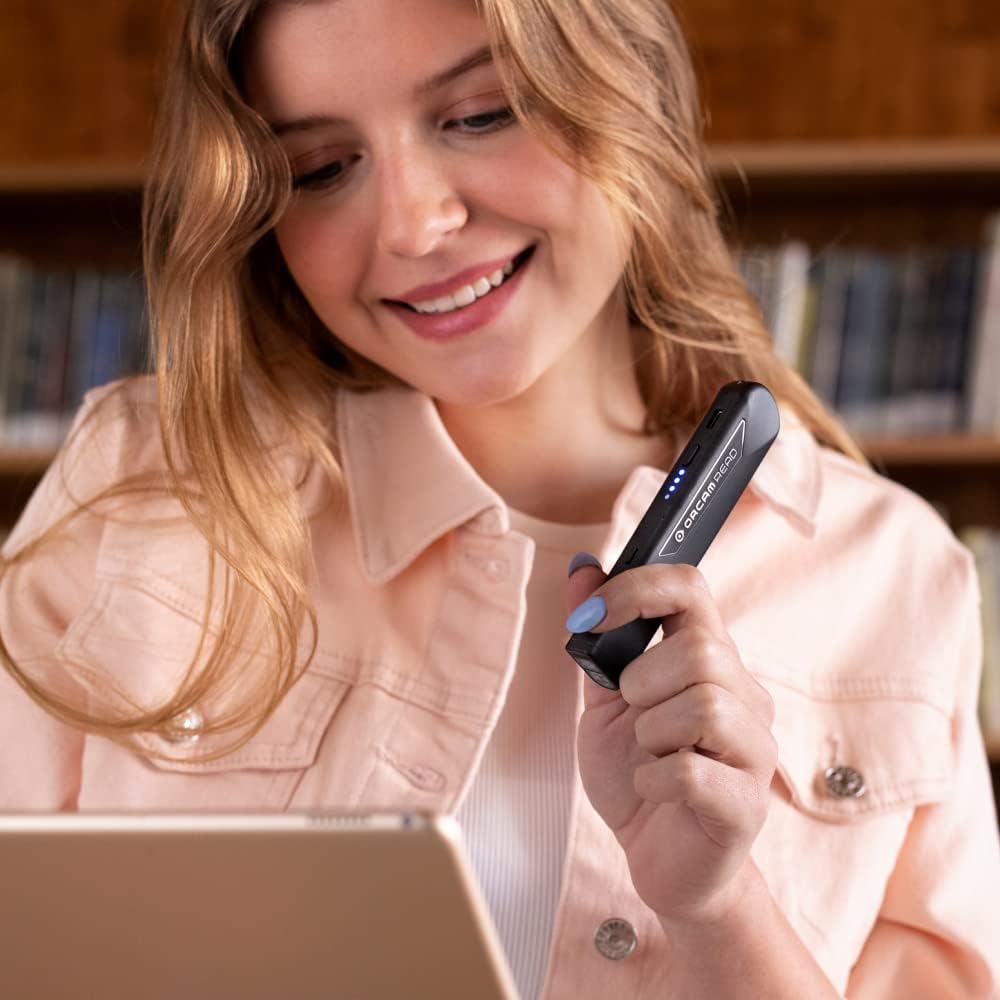

OrCam Read is a highly sophisticated lightweight smart camera. Using artificial intelligence technology, it instantly reads any printed or digital text from books, newspapers, smartphone screens, computers, and more. It is intuitively operated, with just the press of a button. Either listen via the mini speaker on the device or through headphones (wired or Bluetooth). OrCam Read is the most efficient smartpen on the market, with Speed Reading and the only one with Full Page Capture. It is designed for all ages and does not require an internet connection.
OrCam Read has been recognized with the top CES 2021 Best of Innovation Award, in the Accessibility category! OrCam Read is a personal artificial intelligence (AI)-driven device unlike any other, for anyone who is consistently exposed to large amounts of text – at work and school, or for leisure – and can even assist people with visual impairment, or reading difficulties including dyslexia and reading fatigue
The OrCam Read can also help people with learning disability, or anyone who reads large amounts of text on a daily basis, including students, professionals, etc. Now with a new smart reading feature: Simply ask for the text that interests you: “Read the headlines,” “Read amounts,” or “Start from” a specific section (like “desserts” in a menu)
The OrCam Read can be used in any environment, including low-light, and without requiring any internet connectivity. The device can be easily used to read any kind of printed or digital text, at home, in the office, or on the go. Make your reading easier and more enjoyable, add the OrCam Read to your cart TODAY!
People who have moderate to severe levels of visual impairment would have difficulties using the device. OrCam Read requires the user to be able to hear, with or without a hearing device. OrCam Read also requires the user to have full control over their hand movements
This version is for English language, for other languages contact OrCam. Free OrCam online video tutorials and user support
13 reviews for OrCam Read – Artificial Intelligence (AI) Assistive Reader – Including Smart Reading Feature – for Anyone Who is Exposed to Large Amounts of Text at School, Work, or on The Go
Add a review

$159.99
Mike Blyth –
Amazing little device
I’ve been very impressed with this little device. I had tried various software apps to scan and read text, but they all suffered two limitations. First, they generally would not properly read text in multiple columns, but would just read all the way across the page as if the columns were not there. Secondly, they were too complicated for my tech-challenged, visually-impaired wife to use.The Orcam, on the other hand, is dead simple as well as lightweight. You point it at the page and click the button. That’s it. Within a few seconds, the device starts reading the page. There is a more complicated Smart mode which costs about another $200, which we did buy, but I’m not sure it was worth it for basic reading.The only tricky part is knowing how to aim the camera. The Reader projects a frame around the nominal reading area, but not until you actually click the button. It does seem to read some distance beyond the frame, though, so the positioning is not critical. The frame may also be hard for visually impaired people to see (my wife can’t see it).The reading accuracy is excellent. Notably, for good or bad, all the processing is done within the unit itself, without requiring an online connection. You can’t adjust any OCR or text-to-speech parameters, but that fits with the goal of total simplicity. Of course, you can adjust the speech rate.Whether it’s worth the cost depends on your resources and alternatives. If you’re doing fine with phone apps or another solution, this may be overkill. But for someone who needs maximum functionality with minimal complexity, this is the best I’ve found.
Bert –
Great product!
Really works !
Laurie S. –
Working well for Highschool accessibility
My tenth grader is using the OrCam for all courses and seems to be gaining academic improvement in all areas. Waiting for SAT officials to approve it for accommodations let’s hope they understand the need for visual and auditory processing assistance during testing.
Sandy Claflin –
Stop working
My OrCam completely stop working four months after I bought it. It started out saying light is to low then it would say that it was to far away. Eventually it just stop working all together. I was in the middle of a move and had to sign important paperwork when it quit working all together. Waist of money.
Travis Short –
Very Useful Device.
Grat little Device. Volume could be louder. But otherwise very useful.
debbie –
They hide the instructions but once you find them it wonderful.
I finally found instructions. It was easy to setup. Will make reading enjoyable again. Don’t worry about tech support google the version you have and you tube instructions are great. I got version 9.0 am 71 finally finishing my BSN. If I can do this you can to.
Lynn –
Wonderful
Purchased for a family member who lost her ability to read after having a strokeshe suffers with aphasia. She was able to use this devise for reading. It works exactly asdescribed. Thank you
Roy Pfaltzgraff –
Very good product but instructions are poor.
The only difficulty that I have with this product is that instructions that come with the Orcam Read and videos were not particularly helpful. Took a lot of poking around to find out how to slow it down so I could understand the instructions and menus. Even though my eyesight is fairly good, it makes reading much better especially since everything is printed with fonts smaller than 4!
sandy Stowe –
I just wanted to thank the Orcam Team for all the help they gave me to get the full benefits of the item. Special thanks to Elan Kaufman and Eiton Grinsteiner who spoke to me on several occassions and helped me greatly. I recommend this product for anyone with reading difficulties. Again Orcan you are the best.
Szymanski –
Non seulement un appareil facile à utiliser et à manipuler, mais un vendeur au top ! Très disponible et aidant ! Absolument indispensable pour des déficients visuels, une gentillesse incroyable, des conseils pratiques ! Et le prix est franchement raisonnable pour ce type d’appareil ! Merci infiniment !
Nicky_Help –
Hand held device. After pressing the on/off button to switch on, it takes a little too long before it announces, in a rather electronic jerky voice that it is ready to use. Long enough for a confused elderly person to think it hasn’t worked, so you press again, but that just switches it off. That in itself was confusing for my elderly and non-tech savvy mother-in-law.When it does eventually tell you it is ready to operate, you need to point the device at the text you wish it to read. 4 angled red lights will beam onto the page. You need to position these fine red lights over the outer corners of the passage of text you wish it to read. Press the raised + sign and the device will take a picture of the text that appears within the 4 red markers, just like using a camera. Trouble is, not all visually impaired people can see the red lights. My mother-in-law could just about see them but she lacked coordination and hand eye coordination to line up the passage of text within the 4 markers.In addition, being visually impaired, she had no idea how far away to hold the paper. She thought she could see the red lines but it was obvious she lacked the skill to be able to see all 4 lines at the same time and kept holding the paper too close in an attempt to see it.Then came the next problem. The device basically takes a camera shot of the text. Try reading a food packet, even a modern day letter or gas bill. The text is often displayed in columns. The device doesn’t know this, it reads from left to right across how ever many columns there are. It reads a page from a story book ok, but it’s no good for letters, recipe books, food packaging.The device has the ability to listen to a few voice commands. You can ask it to read the date for example. We had hoped this would help to read sell by dates, and dates on letters. Unfortunately, the device looks at all numbers that appear on the page and reads any combination of every number, making no sense at all.We were all quite surprised by how bad this device is. It sounds great on paper but the technology just isn’t there. In this day and age, I am sure a clever boffin would be able to program it to be more sophisticated. As it is, and coming from a technical background ourselves, we cannot understand the poor functionality nor the extortionate price. Perhaps it would suit those who are very capable in every way, other than sight, or people who have difficulty with reading in general, but with age, there often comes a lack of hand/eye coordination and the ability to think and reason quickly. For those people, unfortunately, this device is not suitable, in our opinion.
Client d’Amazon –
Efficace même s’il faut un peu de temps pour se l’approprier
Bob coville –
Everyday life he now knows what on a menu read his bills he bought an anniversary card for our 50th and knew what it said for the first time .it’s life changing for him . Only problem was cord clip broke . There should be some kind of help to help to pay for these wonderful reading device for people that have learning disabilities for people who cant read or write to have these. Thankyou