

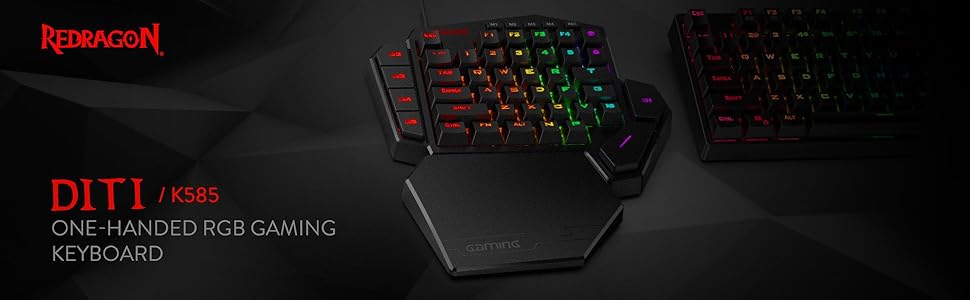
Redragon K585 DITI Wired One-Handed RGB Mechanical Gaming Keyboard, 42 Keys Type-C Professional Gaming Keypad w/Upgraded Hot-Swappable Socket, 7 Onboard Macro Keys & Detachable Wrist Rest
$5.99
Related Products


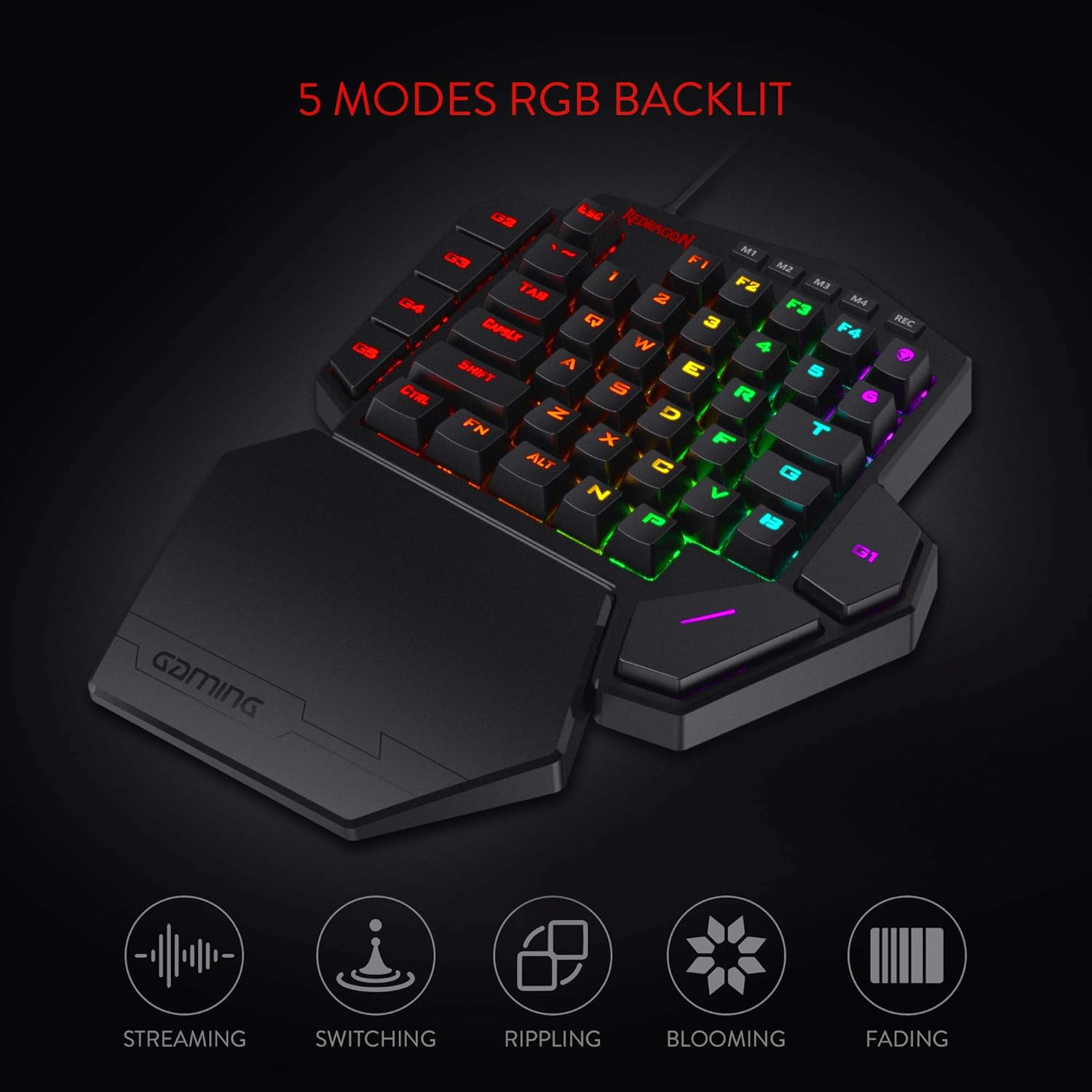


Product description

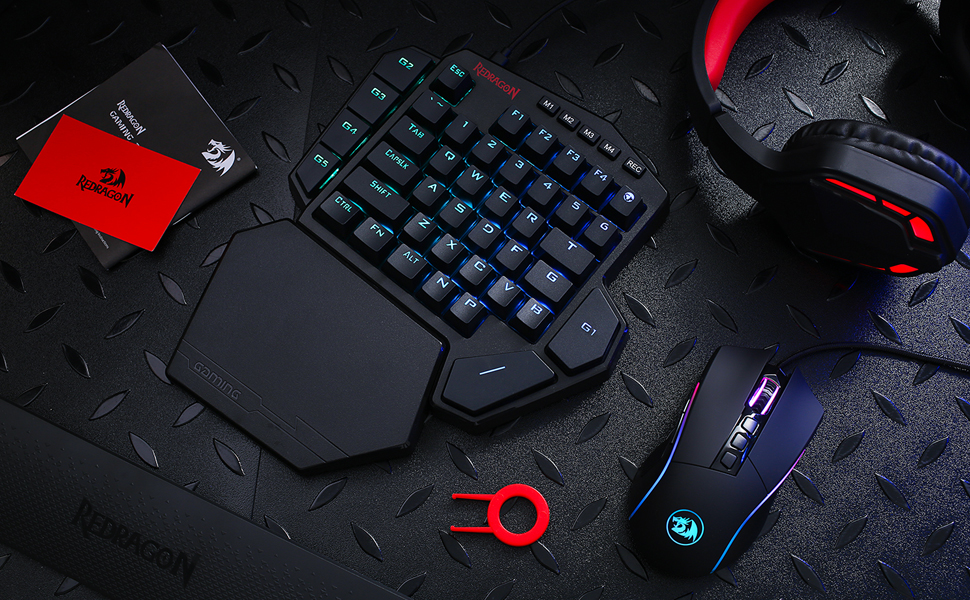
Specifications:
Keyboard Weight: 0.61 kgKeyboard Dimensions: 10.3×8.5×2 inchesKey Switch: Redragon Blue SwitchUSB Connector: USB 2.0Keyboard Connectivity: WiredMatrix: 42 Keys (Full Rollover)Onboard Macro Key: 7Wrist-rest Part: YESHeight Adjustable: No
Package List:
1 x Redragon K585 mechanical keyboard1 x Typer-C Cord1 x User manual
Please Notice: RGB backlit and keys macro can be set via software, please download it from redragonshop-software.

Troubleshooting for keyboard connect
Please replace the USB cable and make sure it is properly and fully connected to the keyboard. Try using a different USB port, and avoid using a fast-charging cable to connect the keyboard. Then, press and hold Fn + Esc for 3 seconds to reset the keyboard.
Troubleshooting for key issues
Please replace the keyboard with the spare switch provided, and press and hold Fn + Esc to reset.
Troubleshooting for keyboard software
Please make sure you have downloaded the correct software and are using a wired connection.
Customer Reviews
4.3 out of 5 stars 9,774
4.4 out of 5 stars 9,908
4.6 out of 5 stars 1,647
4.6 out of 5 stars 235
4.6 out of 5 stars 7,014
4.3 out of 5 stars 467
Price
$32.99$32.99 $64.99$64.99 $49.99$49.99 $39.99$39.99 $29.99$29.99
— no data
Dimension
10.3×8.5 in 17.1×4.9 in 13.1 x 5.4 in 13.7 x 4.9 in 11.5×3.9 in 12.2×4.1 in
Weight
0.61 kg 1.06 kg 0.95 kg 0.73 kg 0.43 kg 0.47 kg
Switch
Blue Switch Red Switch (Hot-Swap) Red Switch (Hot-Swap) Red Switch (Hot-Swap) Red Switch Custom Switch (Mint Lemon)
Keys
42 104 81 78 61 68
Connection
Wired Wired/BT/2.4Ghz Wired/BT/2.4Ghz Wired Wired Wired/2.4Ghz
Extra G Keys
5 0 0 4 0 0
RGB
✓
✓
✓
✓
✓
✓
Software
✓
✓
✓
✓
✓
✓
Slim and Tactical – The K585 keyboard gets rid of those extra keys and keeps the most useful ones in a slim & portable package. All of your keyboard action keys are in one convenient place. No need to worry about misclicked keys.
Upgraded Hot-Swap – The upgraded socket is now available on Redragon one-handed keyboard, with more ways to mod, and more fun. The iconic Redragon Blue Switches deliver audible clicky with clear tactile feedback, original mechanical feel.
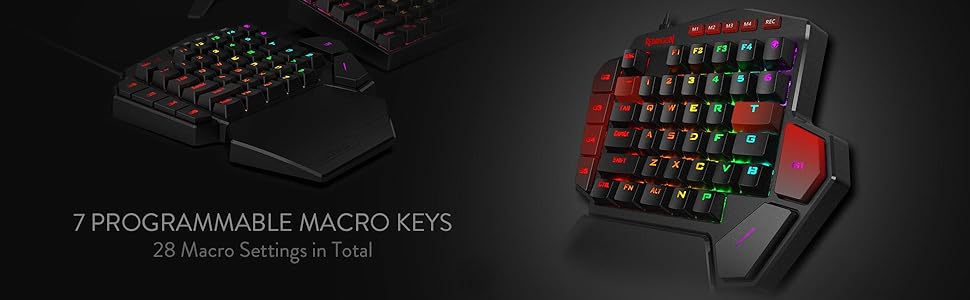
Play to Win – With 7 programmable macro keys, binding multiple commands and activating them instantly is simple and quick. Assign single or multiple keystrokes to any macro key to save precious time in the middle of battle.
Light it Up in Your Way – 5 RGB backlit modes are selectable with 16.8 Million Colors. Glorious & amazing lighting effects let the light of victory wreak havoc in the dark.
USB Pass-Through Port – Positioned for uninterrupted game play and ready for your mouse, headset adapter, or other USB device.
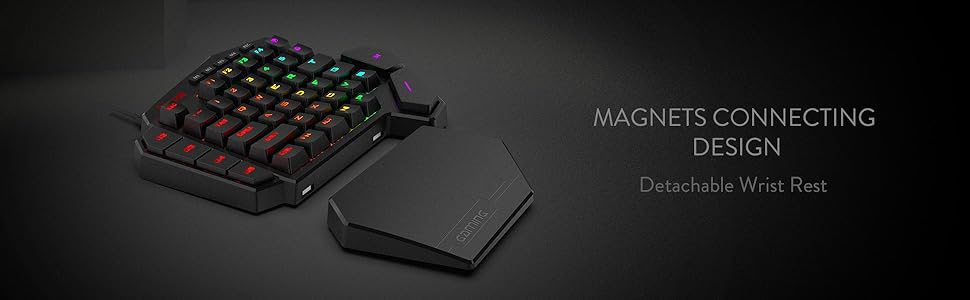
Form & Function – Ergonomically designed with a detachable wrist-rest section connected by magnets, the wrist-rest offers great support to make use more comfortable.
7 reviews for Redragon K585 DITI Wired One-Handed RGB Mechanical Gaming Keyboard, 42 Keys Type-C Professional Gaming Keypad w/Upgraded Hot-Swappable Socket, 7 Onboard Macro Keys & Detachable Wrist Rest
Add a review

$5.99
Edward –
Replacing my Logitech G13 with the Redragon K-585 DITI
So it finally happened — my beloved Logitech G-13 gave up the ghost. After years of patching it together and a final, hopeful autopsy, I had to admit defeat. It now rests in peace somewhere in the garage, never to grace my desk again.Over the past two weeks, I dug through every possible replacement. The market isn’t exactly overflowing with options, but I finally landed on the Redragon K585 DITI. The reviews were mixed — not amazing, not terrible — but it seemed like a decent shot.🖐️ First ImpressionsIt’s basically half a keyboard — no frills or fancy curves, just a straight-up slice of the left side. But that simplicity has its perks.Setup was quick and painless. I downloaded the software from Redragon’s site and was programming keys in minutes. I pulled up my Logitech G-Hub and began transferring profiles — smooth process overall.🎮 Layout & UsabilityThe K585 has plenty of programmable keys, and its standard keyboard layout makes it familiar to use. That’s a double-edged sword — it lacks the ergonomic curve and intuitive thumbstick of the G-13, which was a huge plus for wrist comfort and muscle memory. I do miss that design, especially during longer sessions.That said, the magnetic wrist rest on the K585 is a nice touch — not perfect, but helpful. I even tried modifying it with some padding underneath, but ironically, that made it worse. Still, out of the box, it gets the job done.⚔️ Performance in ActionIn-game, the K585 really shines. The mechanical keys are responsive and satisfying, a major upgrade from my 17-year-old G-13. Whether in combat or fast-paced gameplay, the key presses feel snappy and precise. Mechanical keys absolutely rule — there’s no going back.🚩 Minor FlawThe one real miss? No indented or textured key — especially on the W. Most gaming pads have some tactile marker to keep your fingers centered during chaotic moments. This one doesn’t. A simple bump, texture, or raised edge would make a big difference for feel and orientation.✅ Bottom LineDespite a few comfort trade-offs, the Redragon K585 DITI is a great value. Tons of customization, solid performance, and easy setup. For the price, it’s hard to beat.💡 My wishlist for a “Pro” version?A raised or removable ergonomic wrist restReplaceable indented keys for better finger positioningA little more curve to mimic the feel of the G-13If Redragon released that version and doubled the price? I’d buy it in a heartbeat and finally call it: the true successor to the G-13.
M. Razzano –
Versatile with some nice DIY features
TLDR: Likely the best sub $50 One Handed Keyboard you’ll find; decent wrist rest and good thumb button placement, nice weight and non-sliding feet, nearly entirely reprogrammable and hot swappable (see below), and for those who like to void warranties, easily disassembled. It could use a slightly stronger angle, sound dampening (the thin plastic base is pingy) and more robust software, but for the price, you can’t really see those as faults.I own more OHKs than I’d like to admit, but I dislike the spacebar on a standard keyboard while gaming (don’t like my thumb curled under my palm). This one isn’t comparable to the likes of Razer, but for half the price and more buttons, with some DIY, you’ll have yourself the best all-around gaming keyboard for under $100.SETUP/USAGE: Works straight out of the box on most anything. The usb-passthrough is a true hub, so it works with almost any (USB 2.0) device, just don’t expect it to charge anything. Great for connecting a mouse when using with a laptop lacking ports or Playstation/Xbox (only tried it with a PS4, works as expected). If you have Windows 10, the software allows you to reprogram all but the profile (M1-M4), Function, and recorder buttons. The software is basic but functional. I didn’t have troubles with the included braided cable or any other USB-C cable I had. Connection was firm. The base doesn’t slide around, but does have a largish footprint. It has more buttons than high end OHKs; too many for straight FPS, but useful for FP/TP RPGs, Mobas, 4X, or any game that needs ‘G’ or ‘T’. The stock switches are decent, if a bit wobbly, the keycaps are thin ABS, but not terrible.ERGONOMICS: I like the placement of the two thumb buttons, but they might be an issue for small hands. The standard staggered keys should make switching from a standard keyboard easy, even if I prefer ortholinear keys. The wristrest is hard but not uncomfortable, and while some may like padding, I find hard surfaces less irritating and sweaty. The additional Map (M) and N and P keys are nicely placed so that nearly anything you need to do can be done with one hand.SOFTWARE: the software is basic and not exactly self explanatory, but isn’t hard to work once you figure it out. It only works on Windows 10, and it doesn’t allow extended options (you can program any of the main keys to any key on a standard keyboard, media function, mouse action, or a macro; it has profiles (4) but not layers). The changes are saved to the board, so they’ll travel with it. You can’t do much with the lighting other than change speed, direction, and color of the built-in effects. Still, it’s more versatile than the software (or lack of it) found on other low-cost OHKs.MATERIALS/CONSTRUCTION: The main body is, what I assume is, a single piece of ABS. The bottom is the same, as is the wristrest. The top plate is a non-ferrous metal, the switches are plate mounted (3-pin). The stabilizers are part of the body, so not replaceable and made of the same plastic. The keycaps could be better, but expected at this price. Together, it feels solid, and a good balance of weight for stability and portability (other than the size).DIY: beyond the software, most of the keys are also “hot swappable” (the exception being the G2-G5 keys, which seem to be soldered in). The sockets are *not* Kailh, which makes it harder to get the keyswitch in straight, and it has a rather tall LED; you’ll need a switch that had a cutout for SMDs (I swapped mine for Akko Blue Oceans because they’re available on Amazon and fit just fine). The stabilizers are built in to the plate, so aren’t replaceable and are pretty cheap. Lubing helped a bit. Deconstruction means removing the bottom screws (two are under the rubber feet, but as long as your careful, they stick back on just fine),, and then a set of screws to remove the plate/pcb from the base. No foam or gasket, but, again for the price, this isn’t surprising. Removing the plate from the PCB means removing all the keyswitches, but with 4 soldered into the sockets this is close to impossible, and then popping some pressure clips. I don’t recommend. Since the top and sides are all one piece, I found it easy to paint (in the picture, it’s a matte white spray with masked stripes and a clear coat finish). The keycaps are replaceable, but the non-standard “T” and “G” can make finding a set difficult. It worked with several cables I tried from various manufacturers.Overall, this is a great little piece of gaming tech. While not high-end, the ease of use, good button count, and versatility through software and hardware modifications, make this a great choice for an inspiring gamer/builder looking for something to play on and also tinker with, without breaking the bank.
Clemens van der Geugten –
Om specifiek games (bijvoorbeeld Hogwarts Leggacy) te spelen is dit een aanrader. Degelijke kwaliteit, prettige aanraking en handzame vorm.
erny71 –
Ottima tastiera ad una mano
Adrian P. –
Estaba buscando un teclado para jugar a la playstation 5 con teclado y ratón. Me hubiese gustado uno con joystick pero a falta de ellos este ha sido la mejor opción tras comprar y devolver otros modelos. He necesitado actualizarlo antes con un PC, el software de actualización lo tienen en la web, puesto que la tecla T hacía una macro extraña. Tras actualizarlo… es la tecla T. Por otra parte la tecla “Mundo” es la tecla M. La calidad se ve buena, el teclado es cómodo, muy bien pensado el reposamos magnético para no ocupar tanto espacio al guardarlo; y encima me permite conectar el receptor del ratón, facilitándome un puerto USB extra que necesitaba. Estoy muy contento y espero usarlo mucho tiempo.
D –
La caja llegó muy maltratada pero el teclado está en perfectas condiciones, no he percibido ningún grado de input lag y es bastante cómodo y funcional, en especial si se utiliza en Laptops para ahorrar espacio o no dañar el teclado integrado de la computadora. No tuve problema para acostumbrarme al tamaño y posición de la tecla “Espacio” (que es lo que suele preocupar a las personas). Muy recomendado.
İbrahim BEDÜK –
Klavye yer kaplamıyor fakat space çok kötü yerde ve aynı anda bazen farklı tuşları algılamıyor gibi hissettim kaykepleri berbat kısa süreli tatillerde felan kullanılır ama bu paraya değmez bence