

ThePhotoStick® Omni 128GB USB Flash Drive & Memory Stick – Photo & Video Backup for iPhone, Android, Mac & PC – Multiport Connection to Easily Store & Transfer Files
$67.99
Related Products


Product description





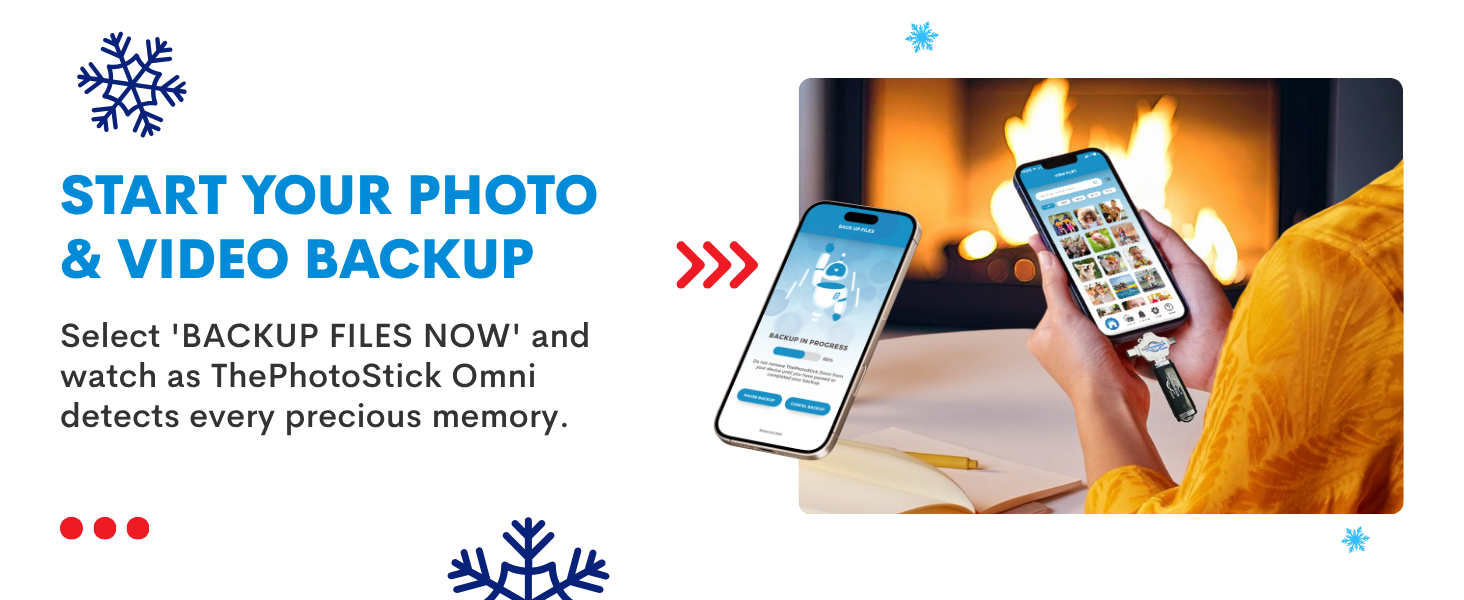

Simple, secure content backup – ThePhotoStick Omni automatically finds and saves photos, videos, and other files, helping to keep your digital life organized and protected across devices.
Large capacity – This 128GB thumb drive and storage stick holds over 51,000 images and videos, making it a reliable and safe solution for data access and archiving.
Multi device compatibility – Works with PC, Mac, iPhone, iPad, and most Android phones and tablets. One flashdrive for your entire digital collection.
THOUGHTFUL GIFT IDEA OF 2025 – Give loved ones a simple way to relive the year’s best moments! ThePhotoStick Omni safely stores photos and videos from all devices—perfect for sharing life’s milestones in one special keepsake.
MOM-APPROVED STOCKING STUFFER – A practical way to show you care. Compact, useful, and perfect for slipping into holiday stockings to help loved ones keep their favorite memories organized and protected throughout the year.
Broad file format support – Compatible with common media types like JPEG, PNG, HEIC, GIF, MOV, and MPEG4. This memory stick works across devices for flexible storage.
Easy to use with free app – Download the app, connect the photo stick with the included adapter, and follow the onscreen steps to save your images, videos, and more.
System requirements & ports – Requires Android 8.0+, iOS/iPadOS 13.0+, Windows 7 SP1+, or macOS 10.13+. Includes USBA, USBC, microUSB, and Lightning connections.
13 reviews for ThePhotoStick® Omni 128GB USB Flash Drive & Memory Stick – Photo & Video Backup for iPhone, Android, Mac & PC – Multiport Connection to Easily Store & Transfer Files
Add a review

$67.99
Matt Lansberry –
Works a bit too well
Read the instructions. The default setting will pick up WAY more than you want or need. For instance, be sure your recycle bin is empty because it will find everything. Deselect the OS and program files or it will pick up files within there as well Carefully select which formats you need too. It saves files two ways: By file type or by your file structure. I find the file structure type to be more useful. The saving by file type (the default) puts all the files from every entry and all programs on a list strictly by type. This can be useful if all you want are specific types of files. It doesn’t appear to work on XP or other older OS’s. I’m still trying to get it to work on WIN 7. Works great on Win 10. Over all I’m happy with it.
John Wisner –
Photo Stick
Easy to use. Works great with the provided stick and sticks purchased locally.
B.T.Bullet –
Takes a LONG time to backup. Over 4 HOURS.
Charge the battery on your device because the PhotoStick uses the charge port, and it’s been running for about two hours on my iPad and only 62% done. There’s only 52% battery juice left. In order to get a charger on I’m going to have to, what? cancel the backup. Now I’m wondering if the PhotoStick will share the charge port with a splitter. TWO HOURS and only 62% DONE. Whew. And the PhotoStick will not work with a lightning splitter. I also suspect it’s trying to backup the videos I’ve downloaded from streaming services, which I don’t really want backed-up. I have 4-6 streaming downloads on the iPad at any given time. I don’t want them as part of my photo/video archive. There also doesn’t appear to be a way to organize the files. They go on organized in folders, but once they are on the PhotoStick they don’t appear to be in any logical order.Backing up the iPhone took OVER 6 HOURS used 57% of battery, then went into PHOTOSTICK MOBILE NOT ACCESSIBLE mode. When I attempted to Chat with Support, the chat applications DID NOT WORK on my iOS browser. Also when attempting to clear the device there was NO DELETE OPTION available as shows up in the app examples. I mean, how bad can it get? Really?
Nuttywoman –
Hard to set up on phone
I haven’t been able to connect the device to my phone. The directions are not very clear for a non tech person. I still haven’t been able to get it set up to save my photos. It is very frustrating. My phone is almost full and I refuse to delete photos. At a lose for what to do now. Watched many videos on You Tube but they were not helpful. It is installed on my phone but that is all
Some Old Guy –
Great backup device
This storage unit works great to purge.your cellphone of photos and documents. After that you can transfer them to your computer.
DOV HOLLAND –
Bought for my Sister-Glad I tested before gifting 1 of 2 phones works
My sister is very non-technical, so when she said she wanted a photostick, I knew she was looking for a complete plug and play device. This sounded like just the thing, but I decided I would test and make a little video for her in case she had trouble. I have a fairly new Android phone, so I didn’t anticipate any problems. Generally, the problem is that the phone doesn’t recognize the Photostick drive. I did all the things suggested–delete the app and reinstall. Unplug and replug the device. I thought it was a bad stick, so I tried it on my PC. Worked like a charm there, but that is not what I was trying to back up. Back to the phone, I tried a generic USB stick to see if the phone could even detect USB drives. It does–just not the Photostick. When I use the back arrow, to go back to the main menu, I get this message: “An error occurred selecting the root folder. Please try again”. I have already been through the tutorial and troubleshooting online, but didn’t find a solution. So, for my phone, it doesn’t work. I am afraid to send it to my sister, because if it doesn’t work immediately out of the box, she won’t know what to do.I have an old phone I used before I bought the new one and decided to test it on that one. I had better luck with that one. At first I had the same problem with it, but by leaving the stick plugged in while I restarted the phone, it then recognized the stick and it worked as advertised. Based on testing with 2nd phone, I would have given it 4 stars.If I were buying it for my phone 1 star, for my old phone 4 stars. I am going to send it to my sister, but I think there is a 50/50 chance that it will work (an expensive experiment).
DeKay’s Opinion –
Photostick Omni saved me from what seemed like a hopeless mess!
For some reason I couldn’t get iCloud for windows to transfer my photos to iCloud Photos. It kept failing and then making multiple copies. It was frustrating and a real mess. I used the photostick Omni to transfer my photos directly from pc to MacBook. It was incredibly fast and straightforward. iCloud Photos removed the duplicates using the merge duplicates. I found Google explained things step by step and was very helpful. Thanks Photostick Omni!
Bob –
Great alue
Excellent
Amazon Customer –
Did exactly what it was required! Great product. Easy to install!
S. Sanders –
Great seller, the photo stick was easy to use and the price was even better. It allowed me to free up a lot of storage space on my device. I highly recommend this seller as shipping was very fast and the product was spot on.
meatball –
great value very pleased
thecrewof46 –
Love it
Sepp Lorbeck –
Sehr zufrieden, alles funktioniert Super!