

wo-we P6 AMD Ryzen 5 3550H Gaming Mini PC (Beats N150/N100/N97),16GB RAM 512GB SSD 4C/8T,4K Triple Displays, Light Gaming Mini Computers Home Theater Office Business Education
$21.99
Related Products






From the brand

WO-WE Mini Computer
Big dreams start small.

Why WO-WE
Minimal Footprint, Maximum Performance
For the Modern User
Sustainability Meets Innovation
By optimizing energy efficiency and reducing e-waste, we prove that cutting-edge tech can also be kind to the planet.
Today, WO-WE stands as a testament to doing more with less. Our mini PCs empower users worldwide to declutter their spaces without compromising on speed, reliability, or future-ready technology.
Big dreams start small.
wo-we mini pc


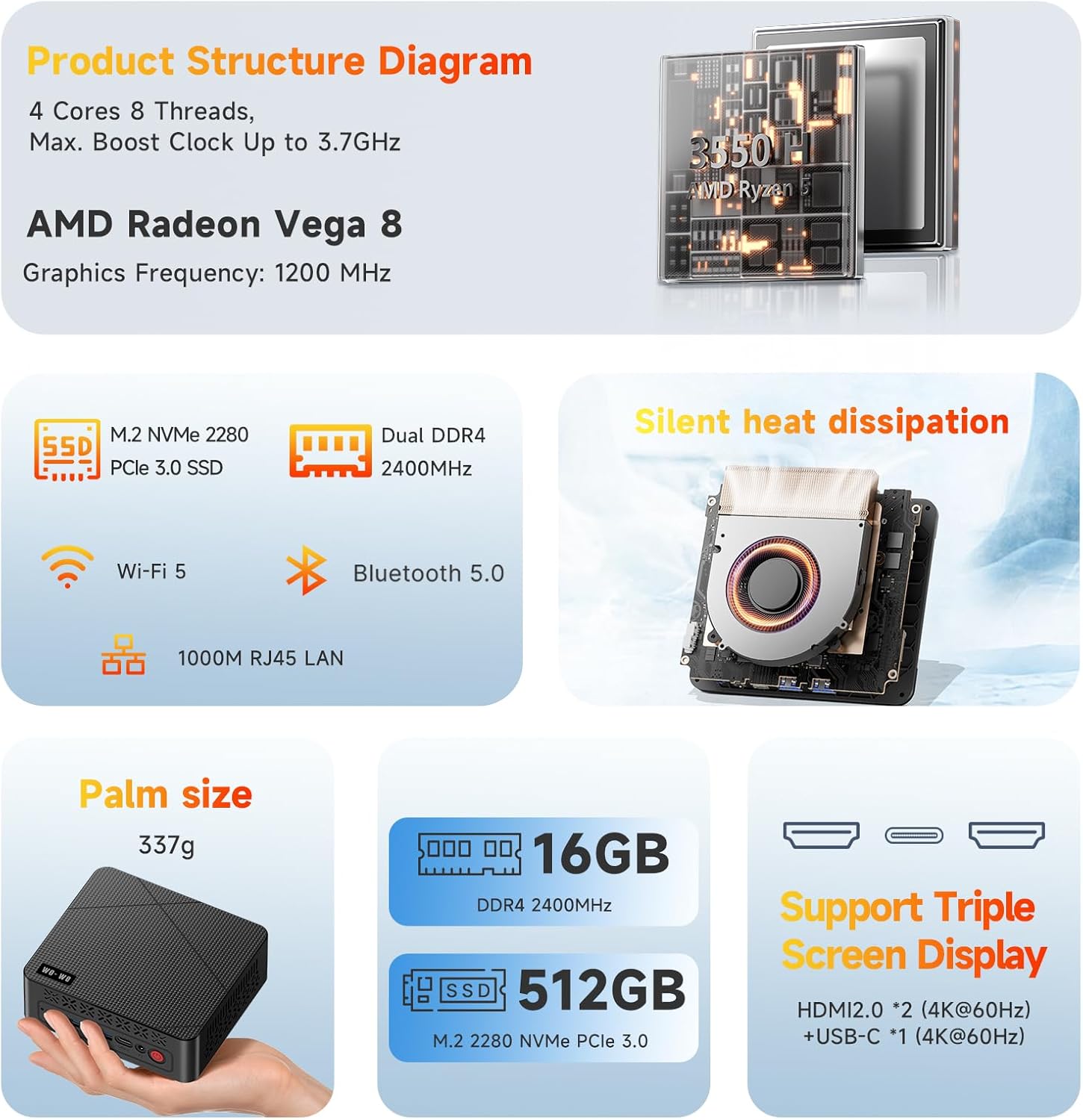
【AMD Ryzen 5 3550H Mini PC 】The wo-we P6 mini pc is driven by the AMD Ryzen 5 3550H,Radeon Vega 8 Graphics, a high-efficiency 4-core, 8-thread processor.Dynamically accelerates to 3.7GHz when needed, balancing speed and efficiency.Ideal for home offices,education, multimedia tasks, and casual gaming.etc
【 Equipped with 16GB RAM and 512GB PCLe SSD】Featuring 16GB DDR4 memory (upgradable to 32GB) and a 512GB M.2 PCIe 3.0×4 NVMe solid-state drive, P6 mini computer ensure snappy performance for multitasking and high-speed data access.With large-capacity memory, it enables smooth switching between multiple applications. The mini PC’s compact form factor supports wall-mounted installation, effectively saving space.
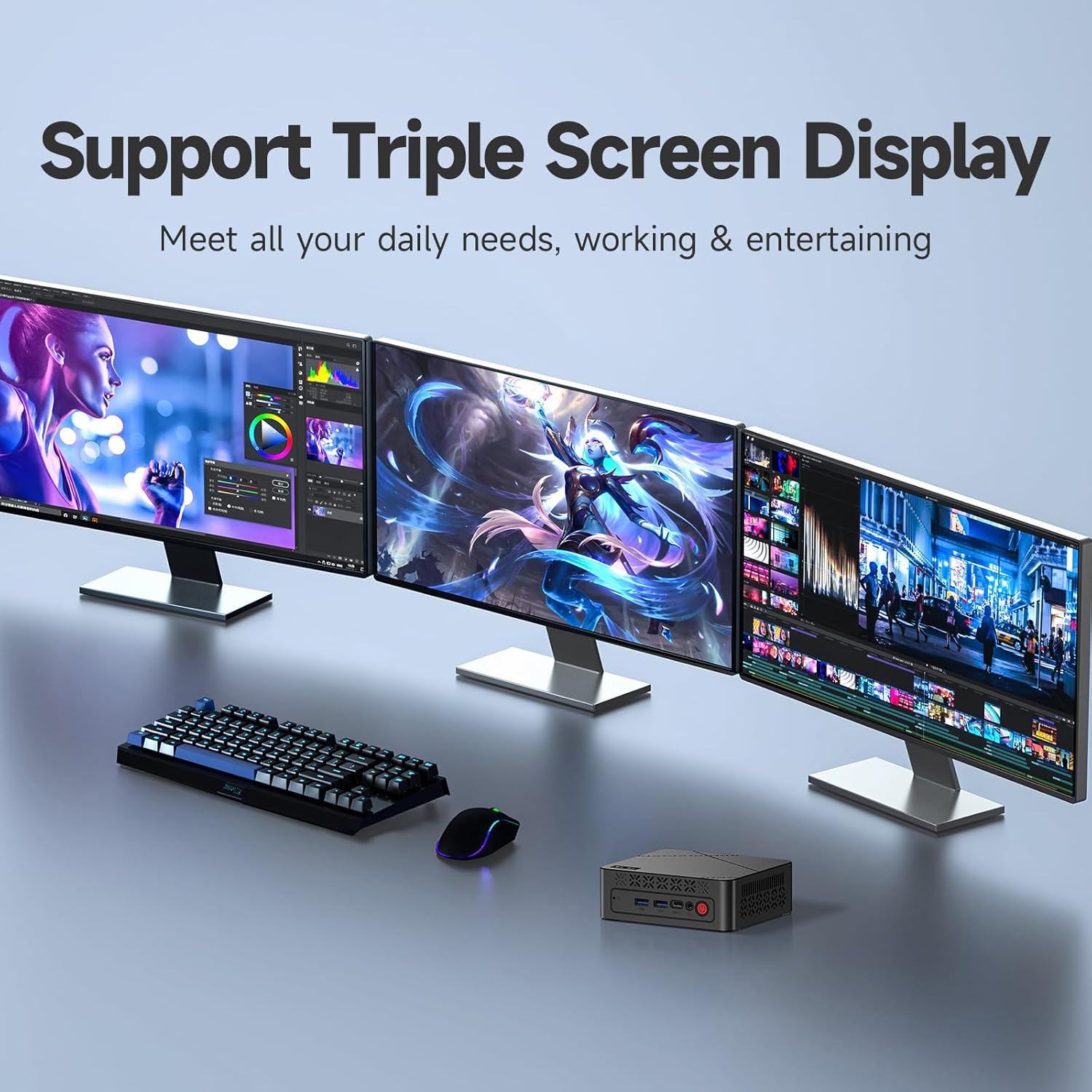
【Triple-Screen Display】The AMD Ryzen 5 PC triple-screen design—featuring 2×HDMI 2.0 (4K@60Hz) and 1×USB-C (4K)—lets you connect three displays simultaneously. Whether for office work requiring multi-window efficiency or media streaming demanding vivid visuals, it delivers detailed, realistic graphics with smooth HD video output.
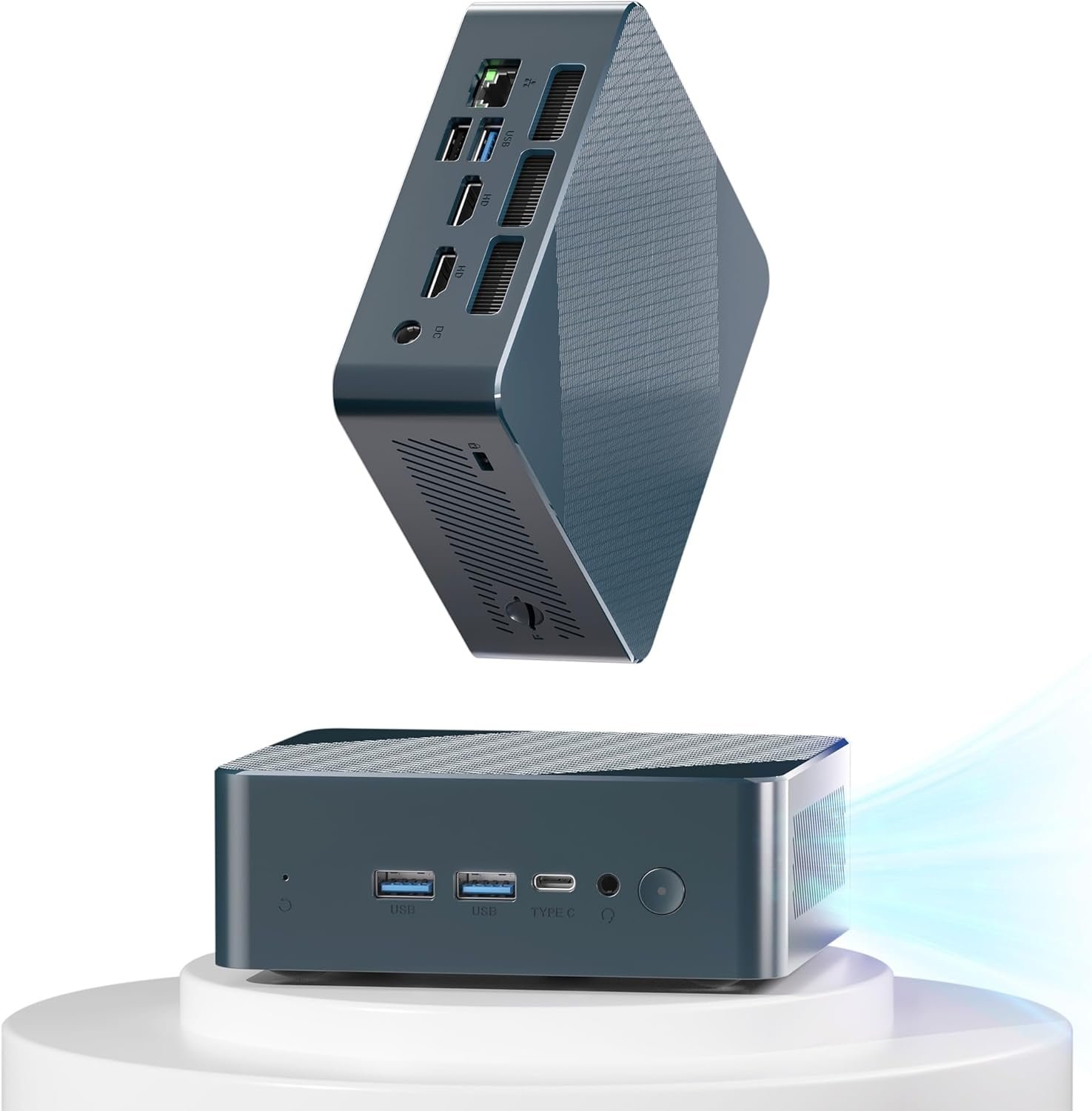
【9 Versatile Ports& Silent Cooling Fan】3×USB 3.2 (5Gbps) for fast data transfer, dual HDMI 2.0 for 4K multi-display setups, USB-C/USB 2.0/RJ45 ports for versatile peripherals, and audio/power interfaces.A built-in silent fan ensures efficient heat distribution, while energy-saving design minimizes power consumption and operational noise for optimal usabilitytups, USB-C/USB 2.0/RJ45 ports for versatile peripherals, and audio/power interfaces.A built-in silent fan ensures efficient heat distribution, while energy-saving design minimizes power consumption and operational noise for optimal usability
【3 Year After-Sale Quality Support, 24/7】Rest assured knowing our customer service operates 24 hours a day, 7 days a week. From troubleshooting hardware problems to answering product questions, our multilingual team is ready to assist via multiple channels. With guaranteed response times and a commitment to resolving issues on the first contact, we maximize your experience.
12 reviews for wo-we P6 AMD Ryzen 5 3550H Gaming Mini PC (Beats N150/N100/N97),16GB RAM 512GB SSD 4C/8T,4K Triple Displays, Light Gaming Mini Computers Home Theater Office Business Education
Add a review

$21.99
E. Conrad –
Works great
So far so good, this little computer is a bare bones copy of windows without all the crap you don’t need or use which leaves more storage for programs you do use. Of course you have to supply them yourself but that is what I wanted. 16GB of Ram is Plenty of Ram and is noticeably faster then the 12 gigs in my old one. All in all a really good computer for the price. And mine didn’t take 4 hrs to set up like some have said but it does take a bit to load it all and get updated the first start up after that it opens up really fast.
EasyVisits –
Built well, solid and very responsive! Great bang for the buck! Recommended!
Nice mini pc for the money! Just got it today and it is rockin’ along nice and good! Great value, and is noiseless. It is snappy with all business apps and it works great as a business computer!
Gregory jemson –
Was slow to start, but that’s just windows
It was a bit slow during initial boot and start up taking about 4.5 hours to get to the desktop, but after that it’s been great. Even starts up pretty quicky after the first time. I was able to play some games on low quality settings without too much trouble. I mostly I just wanted an easier way for the tv downstairs to watch sports and connect to my movie library and it does both quite well. I used the bracket that came with it to mount it and it disappeared behind the tv. It looks very clean and I can connect a wireless keyboard and mouse, or even use a remote desktop client, to control the pc. It’s been great for a computer for being under 200$
Sarah L. –
A great performing little Linux box for the money!
Great value with snappy performance running Linux in a tiny box. I also bought another SSD for this unit. I pulled the SSD out that was infected with windoze 11 and installed the empty drive in under 3 minutes. This made it SO easy to install Linux mint cinnamon without needing to touch BIOS. This is going to be a high school homework work horse for my twins. It is very responsive and will handle everything for high school, even up to editing short, medium res videos. Amazing utility for $170. I highly recommend this with Linux. The operation is practically silent. I have no idea how it would work with Windoze, but I would guess much slower due to higher resource demand. The WiFi seems solid, but I will be plugging it in directly to ethernet.
Brian –
Overall Great Product
This PC handles my gaming needs very well. It has great, smooth graphics, fast performance, and is surprisingly quiet! I’ve had other similar PCs before, but this one has been the best choice.
Rob M –
This is a capable mini pc, the support email (in case you need it) does not seem to work
I received two of the wo-we H5 mini PC variants (worth noting that as of this writing, there are three different versions listed under the same product page). Both appeared to ship with a bone-stock Windows installation. Even so, I decided to reinstall Windows from USB bootable media to ensure nothing was “phoning home” or otherwise spying on me.The reinstall itself went smoothly. However, upon first boot I discovered that many drivers specific to this mini PC were missing. Neither Windows Update nor the manufacturer’s website offered any solutions. In fact, the listing for this device isn’t easily found on their site, you need to search for it through Google.I tried numerous generic drivers and driver packs from similar mini PCs, but none worked. When that failed, I reached out to wo-we via the email address listed in the included documentation. As expected, that went nowhere: the address was something @ service dot com, and over the course of several days I received three separate “delivery failed” messages.My workaround was to boot up the second mini PC, use DISM to back up its drivers onto a USB stick, and then point Device Manager on the first system to that folder. That resolved the driver issue in my fresh installation.In terms of actual use, the hardware performs admirably. The mini PC fits my intended purpose perfectly, as a Windows kiosk for my kids to access select websites and to emulate older PC games. I haven’t done any stress testing, since that isn’t my use case, and this isn’t a system I would buy for high-performance tasks, anyway.The price, however, feels a bit steep for what you get. This market space is crowded with alternatives from manufacturers who at least provide functioning service email addresses. Still, for my needs, the hardware itself delivers exactly as I expected.
Tony Wang –
Worth it
This wo-we H5 Mini PC is super fast, quiet, and surprisingly powerful for its size. It handles work, streaming, and multitasking well.Definitely worth every penny!
James –
Great for the price!
I have been testing out these mini PC’s, and the quality of this one is really good for an Intel based computer. GPU runs most of the popular games out there with very little tweaking needed. I’d love to test out more of their products. I give it an 8/10.
mario –
ok merci
Francisco Diaz –
Cumple con lo que ofrece, para trabajo básico de oficina es más que suficiente
Cristian González –
Llevo aprox 2 meses con la Pc y funciona super bien, potencia fluida para ofimatica y reproduccion de multimedia, navegacion incluso me ha sorprendido el rendimiento en algunos juegos bastante actuales.
jose luis perez –
Buen producto. Para la oficina. Un monitor de 27 pulgadas y listo para él trabajo. Tiene Windows 11 pro. Y puedes ponerle un SSD aparte del M2 de 512 GB que trae. Sé compró para subsanar la muerte de Windows 10. Trae un cable adaptador para el SSD porqué el conector a la tarjeta madre es pequeño.