

Brother Professional Laser Printer with Scanner, High-Speed 36 ppm Monochrome All-in-One, Wireless Duplex Printing and Scanning, Cloud-Ready 3.5 in Touchscreen for Small Business (MFC-L2900DW)
$52.99
Related Products


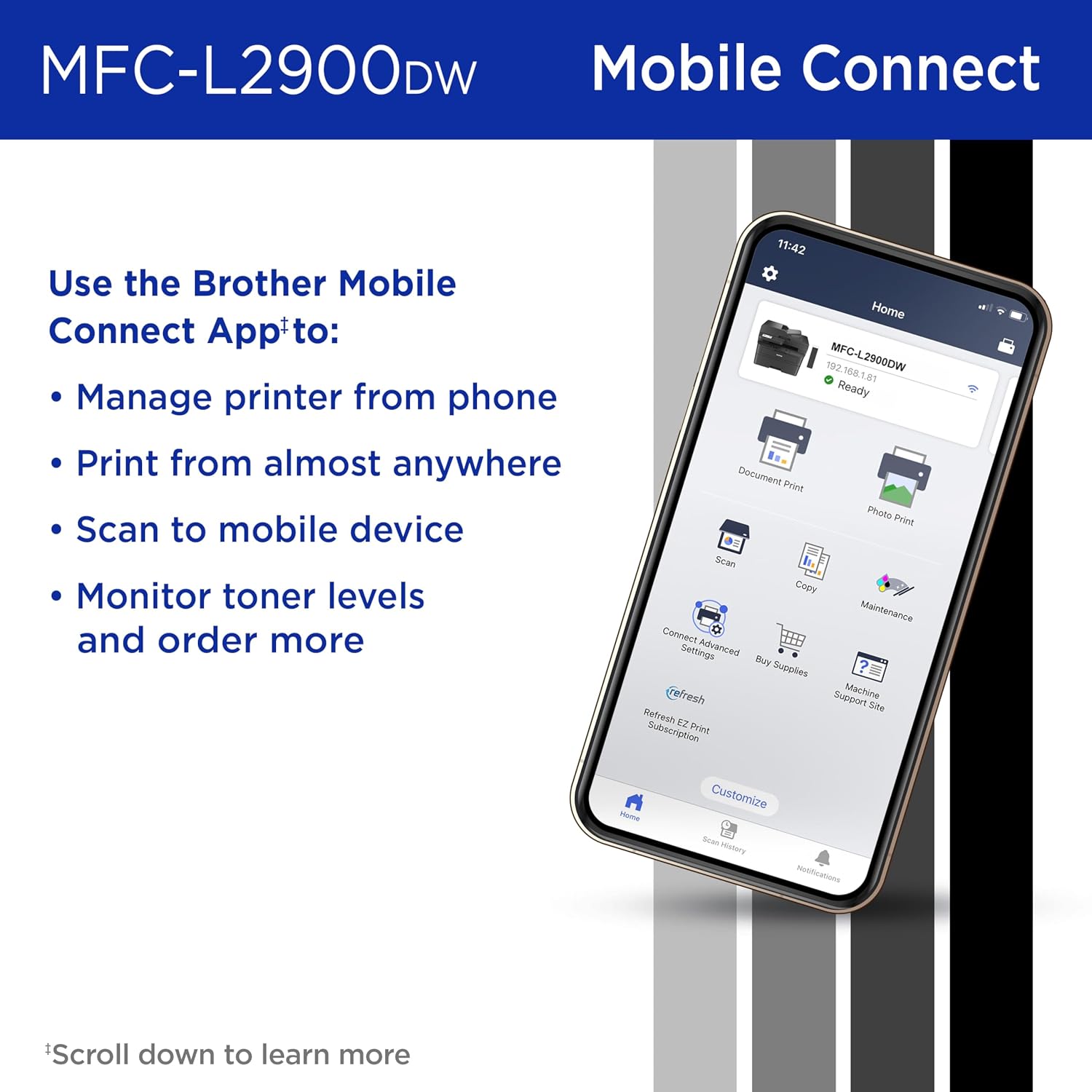


The Brother MFC-L2900DW Wireless Compact Monochrome (Black & White) All-in-One Laser Printer is the affordable choice for highly efficient high-volume printing, copying, scanning, and faxing. Designed for powerful business printing, this quick, reliable 4-in-1 office printer consistently produces crisp, easy-to-read black & white prints at speeds up to 36 pages per minute(2) (ppm). Increase your productivity with time-saving features like single-pass duplex scanning and a 50-page automatic document feeder(4) to help you handle large multi-page double-sided copy, scan, and fax jobs. Convenient automatic duplex printing and a 250-sheet paper tray(4) reduce the frequency of paper refills and helps you save paper. The enhanced, highly efficient fuser design offers a 22% reduction in electricity consumption compared to its predecessor.(7) This also means a shorter warmup time from sleep mode so you can start printing in half the time.(7) With its small footprint, this compact printer can be placed almost anywhere on your desktop. Meanwhile, the integrated 3.5” touchscreen makes navigation easy and allows you to print-from and scan-to popular cloud-based apps.(6) Dual-band wireless, Ethernet, and USB 2.0 provide flexible options for connecting to your devices. Plus, complete more work on-the-go with the Brother Mobile Connect app – print remotely, order Brother Genuine Supplies, track toner usage, and more, all from your mobile device.(5) Advanced security features help safeguard your information and maintain secure connections while printing. Backed by Brother with a 1-year limited warranty and free online, call, or live chat support for the life of your printer. An efficient, time-saving addition to any workspace, this multi-function wireless office printer combines four critical business functions in one compact footprint. Use with Brother Genuine Supplies, expertly engineered by Brother to produce reliably sharp and smudge-free black & white prints in Brother laser printer: Replacement Toner TN830 (Standard), TN830XL (High Yield), and TN830XL 2PK (Twin-Pack); and Replacement Drum Unit DR830. 4. Disclaimers 1. Refresh Free Trial requires enrollment in a monthly billed Brother Refresh EZ Print Subscription service plan based on monthly printed page allotments. Unused pages roll over, limitations apply. Additional page set charges and taxes apply during trial. Plan, options offer, and pricing subject to change. Open to new subscribers located in the contiguous United States only. After the free trial period your credit card will be charged on a monthly basis for the Plan Fee, Overages, and Taxes in accordance with the Terms of Service. Overage fees will apply during free trial. Your service will continue on a month-to-month basis until you cancel it. May be canceled at any time. If your printer did not include a Refresh ready cartridge at purchase, upon cancellation, the subscription cartridge you received will be deactivated and must be replaced with a standard cartridge at your expense in order to continue printing. 2. Based on one-sided printing. Change from default setting required. 3. Monochrome scan speed in accordance with ISO/IEC 17991 with all advanced features turned off, letter at 300dpi. 4. Maximum capacity based on using 20-lb. paper. 5. Free app download and wireless connection required. Compatibility may vary by device and operating system. 6. Requires an Internet connection and an account with desired service. 7. Reduction in Typical Electricity Consumption (TEC) compared to MFC-L2750DW measured using ENERGY STAR Ver 3.2 test method. Reduction in First Page Out Time measured from Sleep Mode from standard tray. 8. Based on monthly subscription cost in U.S. for Mono Laser Power Plan vs. average cost per page of eligible like standard capacity cartridges. Savings will vary based on Refresh EZ Print Subscription plan selected. ENERGY STAR and the ENERGY STAR mark are registered trademarks owned by the U.S. Environmental Protection Agency. EPEAT is a trademark of the Green Electronics Council in the United States and other countries. Images are for illustrative purposes only. Specifications subject to change.
Professional Performance: Elevate your business efficiency with this Brother Genuine laser printer delivering lightning-fast 36 ppm output, crystal-clear monochrome documents, and advanced single-pass scanning for superior results
Versatile Connectivity: Take command of your workflow with dual-band wireless (2.4GHz/5GHz), Ethernet, or USB connectivity options, plus seamless mobile printing and scanning through the Mobile Connect app from Brother Genuine
Advanced Document Handling: Maximize productivity with the 50-page auto document feeder, automatic duplex printing to save paper, and convenient single-pass two-sided scanning for rapid document processing
Smart Interface: Navigate effortlessly through printing, scanning, and cloud functions using the responsive 3.5 in touchscreen display, with direct access to popular services like Google Drive, Dropbox, and OneNote for seamless workflow integration
Energy Efficient: Benefit from an enhanced fuser design that delivers 22% reduction in electricity consumption, faster warm-up times from sleep mode, and automatic duplex printing – all backed by Brother Genuine’s commitment to sustainability
10 reviews for Brother Professional Laser Printer with Scanner, High-Speed 36 ppm Monochrome All-in-One, Wireless Duplex Printing and Scanning, Cloud-Ready 3.5 in Touchscreen for Small Business (MFC-L2900DW)
Add a review

$52.99
JW –
Amazing Laser Printer, Flawless Wireless Setup
An amazingly simple, flawless installation. I hate installing my printers because they usually requirea lot of time and effort to get the wireless printer recognized by all devices , to get the scan feature properly set up and all the other things that most people are tortured with when setting up a new printer.The Air Print feature works flawlessly with my Windows notebook, my iPhone and my iPad.This is a quality made, durable printer that Brother is known for but this models particularly effortless setup , sharp printing quality with crisp, clear B&W copies is the best that I have seen in laser printers at this affordable price. I spent hours researching the different Brother printers and decided this model was the best based on ratings, reviews and online professionals. I love this printer and it’s so quiet when printing or scanning that I can’t even hear it printing out the document. I strongly recommend this model for those who are looking for a quality laser printer, scanner, fax, all in one machine. This model works better than more expensive laser machines and you will enjoy the simplicity of its wireless setup and never need to think about having quality printer performance ever again.There is no mandatory toner subscription plan which is a plus as you can buy Brother OEM toner or off brand compatible toner whenever you want to purchase them. It comes with a starter OEM toner that does 700 pages and there are high performance 3000 page toner’s that are available to buy once the starter cartridge is used up. Great high quality product in a world of other manufacturers garbage printers.
redone13 –
Great Connectivity, Print Quality and Ease of Use without Requiring Extra Drivers
Saw complaints about connectivity with the occasional complaint of print quality. My unit has a problem with neither.In fact, it was the easiest thing to add to workflow. I connected it to my Wi-Fi without any issues. I then went on my Windows 11 PC and went to the “Add a printer or scanner” in the Printers & scanners settings. After that, it started appearing as a selectable device. The print quality is exactly what you’d expect quality-wise; clean and clear.I also have an Macbook Pro M3. Once again, all I did was go to the Printers and Scanners menu in Settings and click “Add Printer, Scanner, or Fax…”. I used the scanner on MBP, which is great because you can select the feed tray or glass bed, and that was all it took.So there you have it. No extra drivers are necessary. There is zero hassle with connectivity (my girlfriend even prints from her iPhone though I haven’t bothered to try from my Android device). You just get an amazingly convenient product. I know we all have varying levels of tech savviness and my experience won’t necessarily be the same as others, but the setup process seemed relatively bulletproof to me as far as places to go off the rails. I don’t think I could have messed it up if I tried.
Sherry GGGGGGG –
Very user friendly!
Just set this printer up, a little concerned as reviewers had some issues, plus I have only had HP printers my entire life! But I will no longer tolerate the HP ink bullying! My 25 yo hp laser just wouldn’t do wifi printing so I chose this Bro…$50 more for the 3.5″ display but the generic toner cartridge covered it.Had no connection issues at all, didn’t download any apps, I just hooked it to my wifi and it showed up on my phone printer list and printed fine without any new apps . Used a USB to the HP Windows 11 computer for the registration etc, opted out of all the marketing and sharing bs, which they weren’t happy about..just added new device, made it default and away we went, printing fine.It is a really big footprint but worth it, very pleased with this first run, seems like a workhorse and so happy I won’t have to worry about dried up cartridges and the HP ink police looking over my shoulder.Hopefully no future connection etc issues but will update.
JN –
Great printer
I like this printer and I’m a fan of Brother products.Pros.- Quick startup- Fast prints- Fast copies and scans. – Single pass where it scans both sides of the page at once is an upgrade to the ADF I had on the previous printer.- Good quality crisp looking prints.- Decent security.- Is usable from wired, wireless and from several cellphone/ tablet app.- Semi portable – don’t need the moving squad- Quiet- Efficient and economical – didn’t notice lights dimming.- Great scanning software.- easily to install- Cartridges for replacement ink are easily to find and there’s a good 3rd party supply and opportunity.Cons (or nits):- ADF jams easier than other brands/models. There is very flat opening on the feeder side of the ADF so slightly creased pages or pages that are creased on the leading edge will get caught or torn and caught by the ADF.- Color screen is great however navigation keys are not illuminated so difficult to see the keys in a darker room.- Software in the printer takes a bit of getting used to.Overall the printer provides better black ink on white paper prints on letter and legal size standard copy paper than some of the larger printers that also do just black on white. If you do mostly printing black ink on white office paper then this is a great printer.The issues with the ADF or local display shouldn’t really stop a purchase. 36ppm more than plenty for most of what we use the printer for.I had the previous printer also from brother for more than 15yrs. It still works, but doesn’t connect easily with cell phones or wifi. I’m hoping to get similar trouble free operation and longevity.
Dorothy Golden –
Terrific and compact.
I needed a new printer and this one is great. It is quick and has strong black color to each sheet. Delivery was fast and it was easy to set up.
Amazon Customer –
This is an awful printer. It doesn’t print evenly. Half of the page will be blank. I have only had it for a couple of months and I have tried changing the toner several times and it doesn’t help. I can’t return it now so I just have to buy a new one. Do not buy this printer.
Reza Gh. –
Very nad printer! So many paper jams and so much pain to take prices of paper out of printer. I won’t wvent take this printer for free.
Romulus –
The Brother MFC-L2900DW has exceeded my expectations! It’s a compact, yet powerful all-in-one printer that handles printing, scanning, copying, and faxing effortlessly. The print quality is sharp and professional, and the speed is perfect for my home office needs.I really appreciate the wireless connectivity—it works flawlessly with both my laptop and phone. Setting it up on Wi-Fi was simple and quick. The automatic duplex printing is a nice bonus and saves paper without extra effort.Overall, this printer is fast, quiet, and very reliable. If you’re looking for a cost-effective all-in-one laser printer with dependable performance, the MFC-L2900DW is a great choice. Highly recommended!
Dariusz –
Really good printer. Print quality is excellent and printer is very quiet compared to what I’m used to. My main reason for getting this printer was the fact it has duplex scanning from the feeder. Also scanning in color could come in handy for any scans I need to keep in digital format. Setup of the printer was fairly straight forward although was a little confusing when setting the app on a 2nd phone. You just need an option to register printer rather than install it again. Printing from the phone is great as well.. very quick.
Santa –
So far, it works really well and meet my expectation for sure! I like the fact that it can scan in colour and scan in duplex (double-sided) too! Really convenient and easy to use.