

Brother Work Smart 1410 Wireless Color Inkjet All-in-One Printer with 2.7” Color Touchscreen and Automatic Duplex Printing | Includes Refresh Subscription Trial(1) (MFC-J1410DW)
$23.99
Related Products


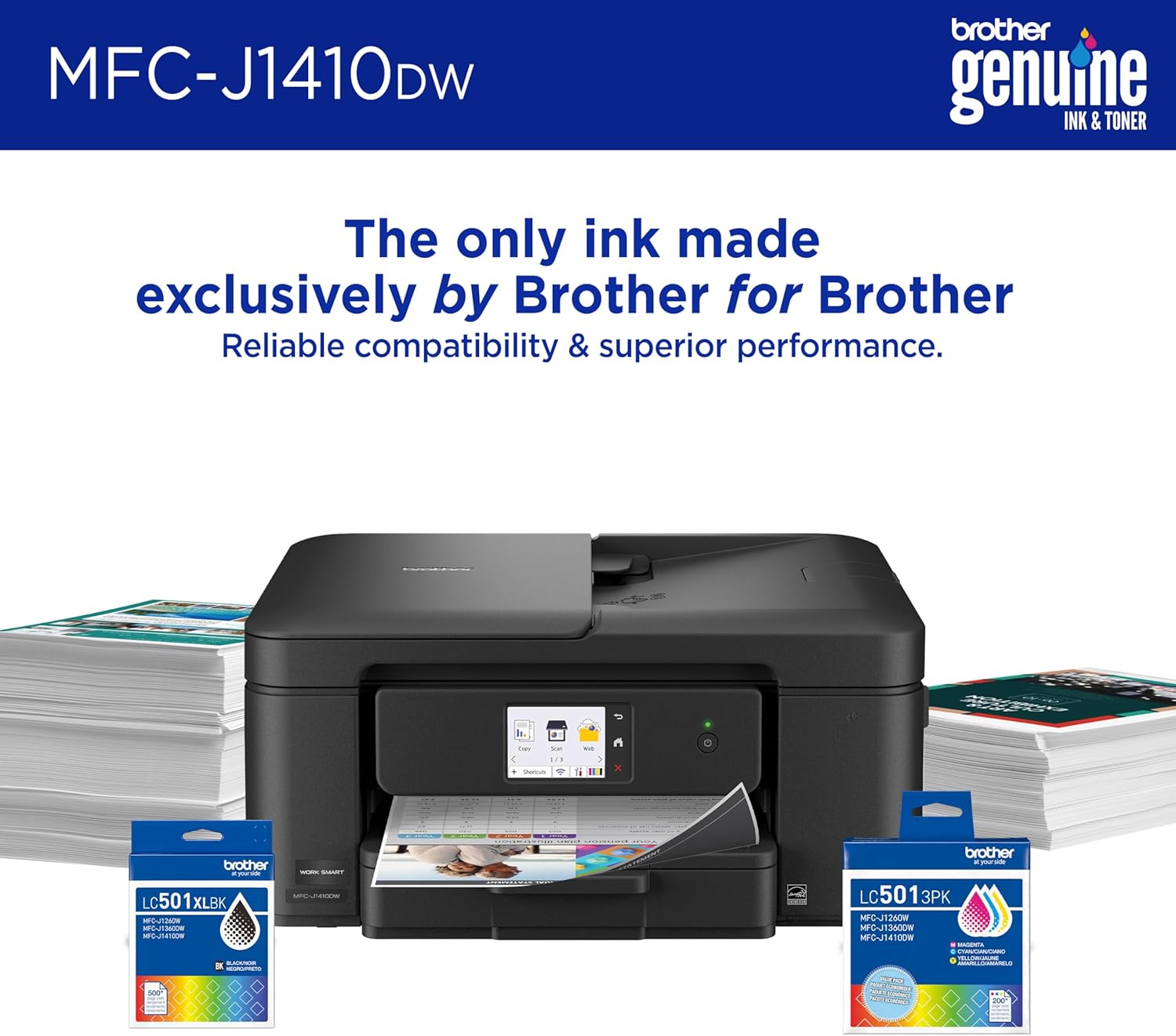


Experience true reliability, efficiency, and ease of use with the Brother Work Smart 1410 Wireless Color Inkjet All-in-One Printer. Brother inkjet printers produce beautiful prints in vibrant color or rich black & white for results you can be proud of, from to-do lists and home calendars to flyers and business reports. A 2.7” color touchscreen display lets you connect to popular Cloud apps(2) directly from your printer. Automatic duplex printing, a 20-sheet single-sided automatic document feeder(3) and flatbed scanner/copier capabilities, and a 150-page paper tray(3) bring modern convenience to this compact printer. Engineered to produce great prints, this color inkjet printer outputs vibrant colors and bold, rich blacks at fast print speeds, and Page Gauge(6) monitors your ink usage so you know when you’re running low. When paired with the Brother Mobile Connect app, setup is quick and easy – plus, you can print from virtually anywhere on your mobile device(5). Print Confidently with Brother Genuine LC501 Ink in your Work Smart 1410 for reliable, consistent prints – with multipack and high yield cartridge options for added convenience. Try one of our smart delivery systems with Refresh and have your ink delivered automatically, before you run out. Includes a 2-month FREE Refresh EZ Print Subscription Trial(1) and built-in savings of up to 50%(7). Disclaimers: (1) Refresh Free Trial requires enrollment in a monthly billed Brother Refresh EZ Print Subscription service plan based on monthly printed page allotments. Unused pages roll over, limitations apply. Additional page set charges and taxes apply during trial. Plan, options offer and pricing subject to change. Open to new subscribers located in the contiguous United States only. After the free trial period, your credit card will be charged on a monthly basis for the Plan Fee, Overages and Taxes in accordance with the Terms of Service. Overage fees will apply during free trial. Your service will continue on a month-to-month basis until you cancel it. May be canceled at any time. Upon cancelation, cartridge will be deactivated and must be replaced at user’s expense in order to continue printing. For full details or to enroll, visit: https://www.brother-usa.com/supplies/subscription-info (2) Requires an internet connection and an account with desired service. (3) Maximum Capacity based on using 20lb. paper. (4) Based on ISO/IEC 24734 (after first set of ISO test pages). For inkjet print speed methodology, please visit www.brother-usa.com/printspeed. (5) Free Brother Mobile Connect App download, wireless connection and connection of an eligible printer with Brother are required. Compatibility may vary by device, operating system and country. (6) Page Gauge is an estimate for informational purposes only. For actual cartridge yield information refer to go.brother/pageyield. (7) Based on combined value of the included extended limited warranty plus monthly subscription cost in U.S. vs. purchase of an extended limited warranty plus average cost per page of standard replacement cartridges. Savings will vary based on Refresh EZ Print Subscription plan selected.
BEST FOR HOME OFFICE AND SMALL OFFICE: Get your work done with a multifunction printer. Print, copy, and scan on one convenient, compact printer, with quick and easy setup for your home, home office, or small office space.
EASY-TO-USE TOUCHSCREEN WITH CLOUD APP CONNECTIONS: Seamless integration with the Cloud(2). Print from and scan to popular Cloud apps(2), including Google Drive, Dropbox, Box, OneDrive, and more on a clear 2.7” color touchscreen display.
PRODUCTIVITY-FOCUSED FEATURES: Automatic duplex (2-sided) printing, 20-sheet single-sided Automatic Document Feeder (ADF)(3), 150-sheet paper tray(3). Print at fast speeds of up to 16 pages per minute (ppm) black/9 ppm color(4).
MULTIPLE CONNECTION OPTIONS: Connect your way. Interface with your printer on your wireless network or via USB.
THE BROTHER MOBILE CONNECT APP: Go mobile with the Brother Mobile Connect app(5) for easy onscreen menu navigation for printing, copying, scanning, and device management from your mobile device. Monitor ink usage to help ensure you don’t run out(6).
CHOOSE BROTHER GENUINE LC501 INK: Reliable performance you can count on. Brother Genuine ink cartridges are engineered by Brother to work seamlessly with Brother printers. Choose Brother Genuine Ink, the only brand we recommend for use with your printer.
13 reviews for Brother Work Smart 1410 Wireless Color Inkjet All-in-One Printer with 2.7” Color Touchscreen and Automatic Duplex Printing | Includes Refresh Subscription Trial(1) (MFC-J1410DW)
Add a review

$23.99
Jim –
Works great on home network
Great printer. Easy to set up, found internet right away. Print quality is great. I would recommend for home. Quick page printing, can handle 8-1/2 x 14” paper as well as standard letter size. Works with all operating systems, Windows and iOS. Separate ink cartridges for black, cyan, magenta and yellow. Copies and scans and auto feeds pages up to 20 pages.
tina Magill –
Easy setup. Great ink service. Handles legal size paper ok
My previous printer died and I reordered the same brand (which shall remain nameless). It arrived quickly but I was unable to setup as the software in the printer was out of date and the update required too much effort and expense. Back it went. Looking at printer reviews I chose this Brother. Easy to setup. 70+ me had no problem. The ink delivery is fast and on time. My only issue is that the legal size printing is tricky. Sometimes it doesn’t feed well. Since I only print a max of four legal size at a time it’s not a big deal. Would be if you needed to print many legal size pages.Basically. It prints. Easy communication with my Pc and iPad. Does tap to print but I haven’t tried that.
Kat –
Excellent little printer
Okay, overall this is an awesome little printer/copier/scanner. I got the black version and it looks much nicer than the white in my opinion. It seems well made and I expect it will be quite durable. I have had no issues with the paper jamming and LOVE that the paper tray drawer is accessible in the front of the machine. So far the ink is doing well-does not seem to gobble it up which is great. The print is clear, easily readable, and the colors very vivid. My only complaint regarding it is that it was not that easy to get going. I need my printer wired to my computer for various reasons with my work, and while it may be a snap to set up for wifi/phone, it was a pain the in the backside to hook it up via USB-had trouble using the PC app and had to uninstall/reinstall it several times before it seemed to work properly. It didn’t immediately alert me that the drivers for the printer needed updating either-only after I started using it. All that being said…now that it is up and running…it is smooth, efficient, relatively quiet and does it’s job very well…far better than any hp piece of garbage I have had to contend with in the past. Ink cartridges are easy to install too. I would recommend this product absolutely-just know if you are using the usb connection instead of wifi it may take a hot minute.
Damion Waltersd –
Easy to setup, simple app and relatively small size!
–Set up is easy as the app and/or the printer itself will walk you through it step by step.–Small size: This can be easily stored on a desktop or tucked away as it is not very big.–Printer cartridges: the EASIEST printer cartridge installation ever…bar none–Love that you can easily see your ink levels of each respective color in the app.–Easy to print from your phone as well, which is super convenient.Overall this is an excellent printer. Highly recommend!
K. Miller –
When it works it’s ok… so it’s pretty much never ok.
I’m printing 100pages a month so hardly a power user and was thrilled to get rid of my super expensive ink cartridge machine when it finally died. I’d heard great things about Brother and this looked wonderful. I can’t get mine to stay on the wifi; the machine password changes/resets and the app constant ally wants to update but since I don’t know the machine password all the time that’s hard. It doesn’t wake up from sleep mode well but if the worst of it was I needed to walk over and hit a button every so often I could live with that. I generally have to unplug it and start over. Scanner feed/quality is good if it will actually talk to the computer to push off the scanned documents. Scanner app isn’t great. The ink cartridges from brother are nice, the generics definably impact print quality. Final nail in the coffin of this machine is that it’s developed a jump in the printed text from the ink cartridge feed after less than a year. It’s off to the e-cycle bin and I’m back to a real printer company.
NorthernDoor –
Good for new 5ghz Wifi connection, good value, sturdy machine
I had to upgrade to a printer with 5ghz wifi capability and shopped around quite a bit before deciding on this one. The printer arrived earlier than scheduled. It was well packaged and all components were wrapped securely. It’s sturdy and has some weight to it. After unboxing, total set-up with downloads for the apps/connecting to wifi took a little over an hour. The ink is easy to install, much better than the cartridges of older models. The printer doesn’t come with a cable to connect it to your laptop/computer, but I had one from my old printer and was able to use that, making set-up easy. It took a while to find where to plug it in; the illustration was vague. Instructions were cookbook. Print quality is excellent: great colors, crisp, aligned well. The value is excellent for this printer/scanner/fax unit. It comes with a phone cord if you need it for faxing. It was up and running wirelessly with no problem right away. No problems with paper feed. I’m pleased with this printer!
Justin J –
Easy peasy
Excellent quality printer and easy setup. Works with dual/tri band routers.
LP –
Very dependable
This has worked really well for me. I don’t print often, but this has stayed connected and is quick to print. It was easy to set up and I don’t have any complaints about it. I turned it off for a few months and when I turned it back on it was if it had never been turned off. Very dependable.
YASMIN G. –
Me llegó con muchos detalles de maltrato como se puede ver en las fotos, sin cintas de embalajes, sin plástico protector en la pantalla, sin tapones de seguridad en dónde van los cables. En dónde escanea estaba un poco tallado de la parte de apoyo. Supongo que porque la compré con descuento. No la devolví porque realmente la necesitaba, al principio se trababa y me aparecía que tenía atascon, la revisaba y seguía con el mismo problema, hasta que la voltie y vi que en el riel había un tapón anaranjado de una entrada de cable. Sin contar todo lo anterior funciona perfecto, más rápida que la que tenía, imprime perfecto a doble cara, la calidad de las copias y escaneo tu las eliges, la pantalla touch es genial. Lo malo es el material de dicha pantalla es muy sensillo. La tinta de los cartuchos que vienen en la caja me alcanzó para muchas impresiones y copias. Si no hubiera sido por los detalles con lo que llegó yo le pondría 5 estrellas, realmente vale la pena.
Vianey Hernández Nava –
Falta de cartuchos en mexico
Kyle Lakowski –
I couldn’t be happier. After many tries with many different printers I finally found a cost effective one! I have already used it to print several full-color pages, and as soon as I signed up for the year of free ink “refresh” and printed something they sent me my first replacement ink cartridges! I haven’t even used up the others!
ana lilia cervantes –
No hay cartuchos a la venta y sin tinta se vuelve solo una basura porque ni escanear se puede. Sólo tiré mi dinero a la basura.
AB –
This printer works great for my needs, and was super simple to setup. Love Brother equipment.