

Epson EcoTank Pro ET-5150 Wireless Color All-in-One Supertank Printer with Scanner, Copier, Plus Auto Document Feeder, Large, White
$84.99
Related Products


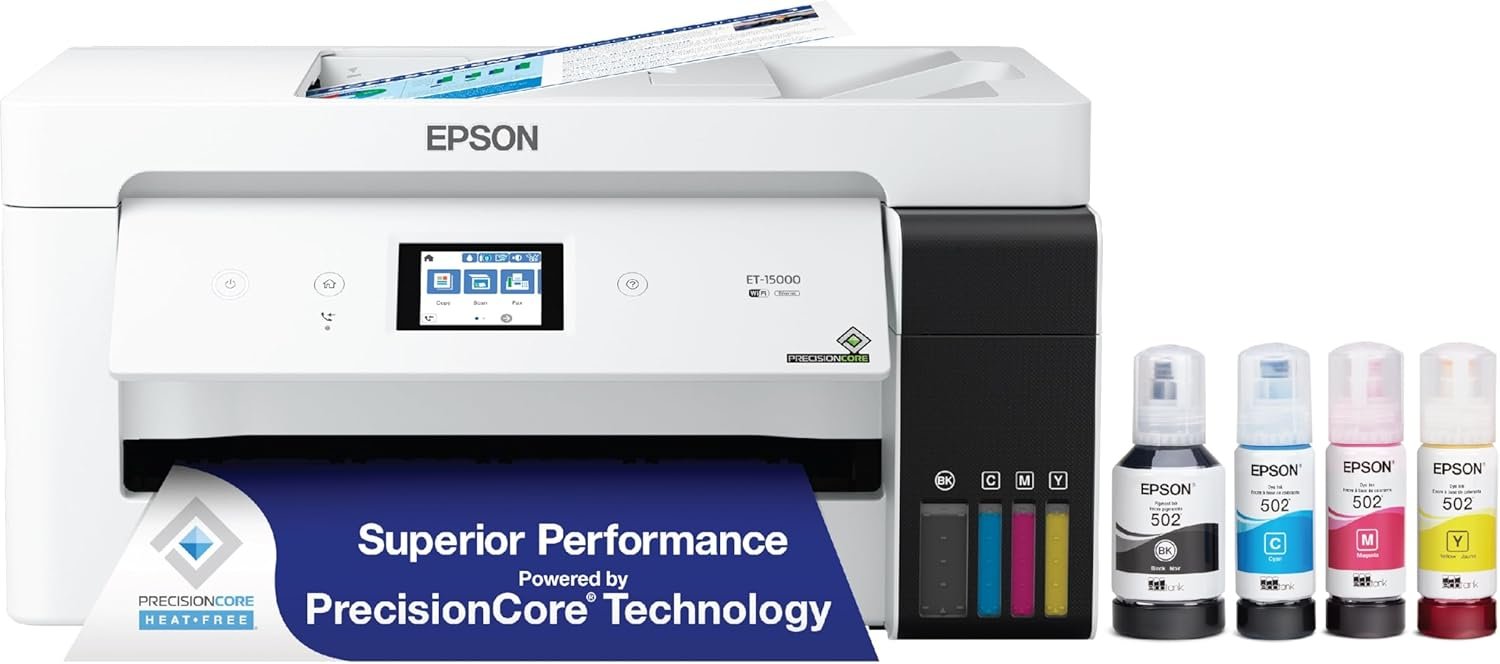


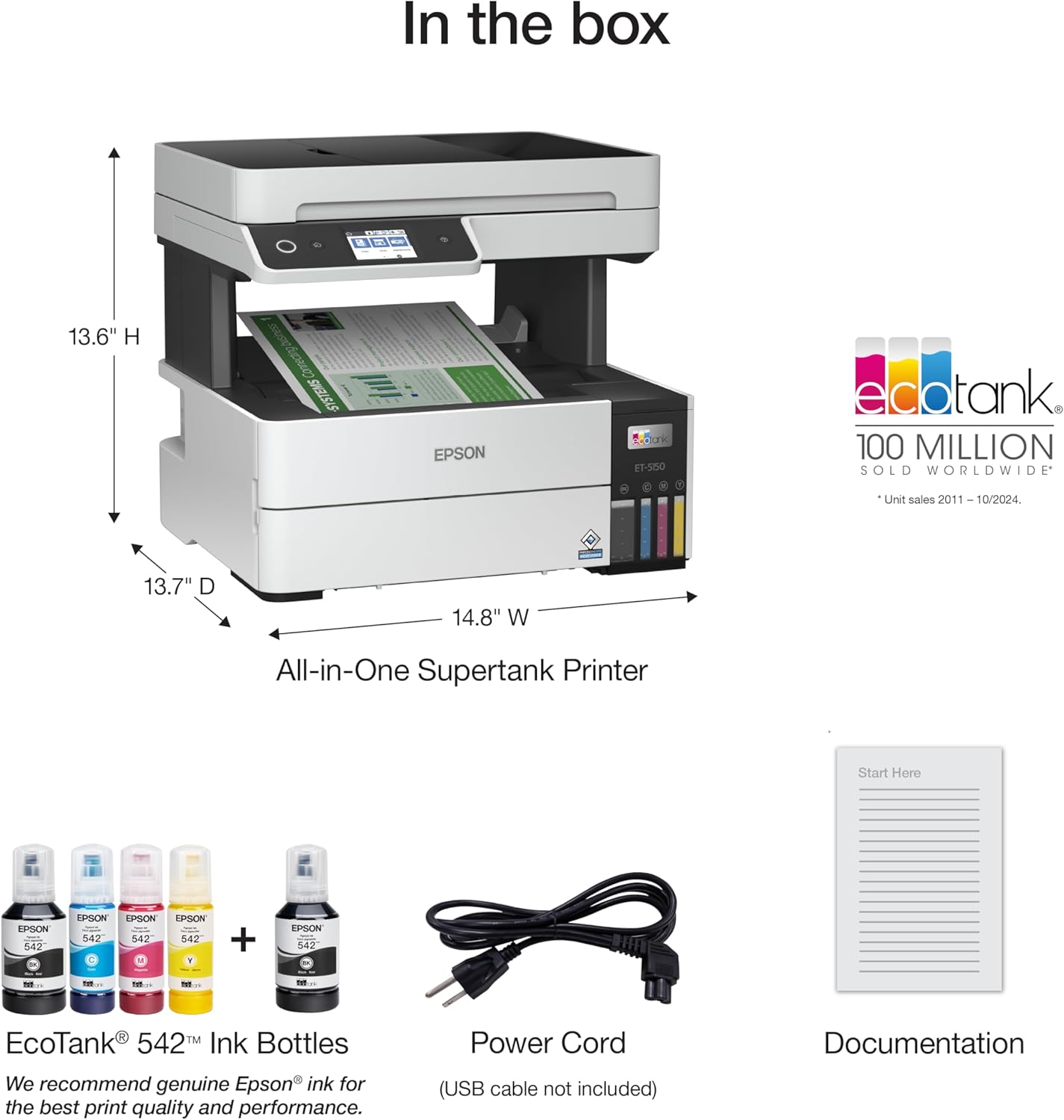

*Promo valid for ET-5150, ET-5170, ET-5180 ET-5800, ET-5850, ET-5880, ET-16600 or ET-16650 printers purchased from 10/1/2021 to 3/31/2025. Product must be registered within 30 days of purchase. Limit four 542 ink bottles per claim. Each claim cannot contain multiple bottles of the same color. Retain your empty 542 ink bottle for submission along with rebate form. Promotion applies to ink only. Printer covered by Epson 2-year ltd warranty with registration. For promo participation, you must register your product. See manufacturer’s website for details. The EcoTank Pro ET-5150 all-in-one supertank printer offers fast Cartridge-Free Printing, ideal for high-volume environments. Save up to 80 percent with low-cost replacement ink bottles vs. standard-capacity color laser toner cartridges (1) – that’s about 2 cents per color ISO page versus 14 cents with cartridges (1). Engineered for high productivity in a small footprint, the ET-5150 delivers professional-quality prints face down for greater privacy. This hardworking printer offers demanding businesses reliability they can count on, including a 2-year limited warranty with registration (2) and permanent printhead designed to last the life of the printer. Plus, there’s zero cartridge waste. Ƚ Black and color print speeds are measured in accordance with ISO/IEC 24734. Actual print times will vary based on factors including system configuration, software, and page complexity. For more information, visit epson.com/printspeed 1 Actual savings and costs will vary considerably based on print tasks, print volumes and usage conditions. Savings and cost per ISO page are based on the cost of replacement ink bottles and the cost of enough standard-capacity color laser toner cartridges to achieve the total page yields of the ink bottles using the manufacturers’ online prices and yields for the best-selling similarly featured color laser printers, available at retail, priced at $999 or less (USD) with speeds of 40 ppm or less per industry-available data as of August 2020 Savings of up to $600 (USD) and cost per ISO page of about $0.09 (USD) for XL-capacity color laser toner cartridges based on the same methodology. 2 12 months of standard limited warranty or 80,000 plain paper sheets (whichever happens first). For an additional 12-month extended service plan (total of 24 months or 80,000 plain paper sheets, whichever happens first), register your product and use Epson genuine ink bottles. See Limited Warranty for details. 3 Part of the ink from the included bottles is used for initial setup; yields are lower than those of replacement ink bottles. Replacement and included ink bottle yields based on the ISO/IEC 24712 pattern with Epson’s methodology. Actual ink yields will vary considerably for reasons including images printed, print settings, temperature and humidity. Yields may be lower when printing infrequently or predominantly with one ink color. All ink colors are used for printing and printer maintenance, and all colors must be available for printing. For more information, visit epson.com/inkinfo 4 Requires Smart Panel app download. Data usage fees may apply. 5 Wi-Fi CERTIFIED; level of performance subject to the range of the router being used. Wi-Fi Direct may require printer software. 6 Epson Connect account and voice-activated account registration required. See epson.com/voice for device compatibility.
Sold as 1 Each.
All-in-one printer gives you printing, copying, and scanning capability
Printer has a resolution quality that goes up to 4800 x 1200 dpi for excellent readability
17 ppm in black/white and 9.5 ppm in color with a monthly duty cycle of 33000 pages
1 x LAN, 1 x USB 2.0, and Wi-Fi connectivity help enhance productivity
10 reviews for Epson EcoTank Pro ET-5150 Wireless Color All-in-One Supertank Printer with Scanner, Copier, Plus Auto Document Feeder, Large, White
Add a review

$84.99
The Experimentalist –
Outstanding so far….
I’ve done a full 180 degrees about-face on Epson inkjets. I used to be a diehard HP printer guy until HP failed to maintain their driver software compatibility through OS upgrades. HP hardware was excellent; it was painful to throw it in the garbage. My Brother color laser printer had software showstoppers too; I ended up chunking it shortly after a $500+ hardware rebuild.I bought an Epson WF-3540, which uses the old cartridges. I gave it a 1-star review initially because of the extreme hassle of getting it setup and working. As time went by, I kept going back and adding stars because it turned out to be a stalwart. Back when I bought it, inkjets were more expensive with consumables than lasers. Epson inkjets were more economical as inkjets went, even with the cartridges. One thing I learned was to run the built-in maintenance procedures fairly regularly.I went with this ET-5170 because it is Epson, it uses cartridge-free replenishable ink, and it spits out its work into an underneath tray rather than an awkward, flip-out tray. It also feeds paper from an underneath drawer. Those two features make it neater and more compact than the cheaper alternatives. Also, I’m not picking up paper off the floor anymore. I’m hoping that it will hold up well, given its higher price and orientation toward groups, rather than individual use. If my old ET-3540 is any indication, it’ll probably outlast me!Epson has solved their setup problems. Setup was literally like falling off a log. I was actual taken aback by how smoothly it went. I did the setup on Windows 11 and then added a Mac. I just did a macOS upgrade (Sequoia 15.3). No hiccups.The procedure for adding ink is pretty idiot-proof: you can’t put the wrong color in the wrong tank, and you can’t overfill. (The competition is probably just as good in this regard, but the competition isn’t Epson.) When you first turn it on, the ink drops below the full level in the tanks as it self-primes, but you get enough extra ink to more than top it off. Of course, you have to know to have the computers and printer on the same network. I’ll be using Epson ink, just out of loyalty.Print quality is excellent. I haven’t tried photo printing on premium paper yet, so I can’t promise good results on that. If anything goes wrong, I’ll update this review. I’m typing this on 12 Feb 2025.
SL Sanders –
Reliable and inexpensive
Used in small church office. I have several Epson Eco-Tank printers and they are reliable and much less expensive to use than cartridge types. I won’t use anything else for now.
Maria –
Does not work with Macs and RESTOCKING FEE
The printer is good, in theory only. For $689.00 I thought this printer would serve all my home office needs and I was so excited to get it, even though the price was higher than I wanted to spend. First, shipping was delayed, so it arrived later than identified. Second, this product does not work with Mac or I-phone products. you can install the program and print (with problems), but scanning absolutely does not work. Also, there is no USB on the printer as a possible work-around this issue either. When I say there was printing problems, I mean that the printing would work sometimes and not others, print hours later, in the middle of the night, stop printing in the middle of a document and then re-start the document. It just became a nightmare. I tried trouble-shooting on-line and moving the printer location in-case it was a Wi-fi issue , nothing. Finally, I just had to decide I had to return it, it just wasn’t functional, consistent, and the printing quality itself was just average. I still had to use my old printer, so why keep this new expensive, do less printer. I asked for a return and got approval- NOTE- if your have full ink-wells, you are advised by shipping company to try to reduce the amount of ink because there will likely be spillage and they can not be responsible for that. Do not fill the ink wells completely until you know you want to keep the product because the only way to get the ink out is by printing and this is a pain given the above mentioned difficulty. I will say this about the printer- the ink usage is phenomenal in the worst way, it takes forever to try to get ink levels down, if it worked the ink savings would have been great! The last piece to this is that the customer service is terrible. I shipped back via Fed-Ex (label given by seller) but you have to pay for shipping and professional packaging which I did to preserve the item’s condition. You have to follow-up with seller for refund, because even if they have the item, they won’t initiate the refund. Lastly, they do not give the full refund, but will create reasons to only give partial refunds. In my case, they offered less than half the purchase price because of a “restocking fee, ” so a the box costs more than half the price of the product itself… I wonder if the box works with Macs because that must be some box!
Katie –
18 months and going strong
I’ve had this printer for 18 months and love it. I haven’t even had to refill the ink yet! I print a fair amount, not constantly, but I homeschool and print things for church and scouts also. I’m able to connect easily from my Windows laptop, Mac desktop, and iPhone. Automatic double sided printing is great. Color printing is good quality. Printing on card stock can get jammed, but there’s a rear bypass for that. It’s annoying that you have to do a single sheet at a time, but oh well. Copying and scanning is handy.
CoachDad –
Good value
I had a Canon color laser printer that I loved! The problem was that after 6 years it started to need name brand toner at $45/each. I decided to co for something that would print cheaper, because it turns out I don’t print as much as I used to, so having a commercial printer is no needed.I like the tanks a lot and they are super easy to fill. The first fill does not use a whole bottle, but then it settles and the next day you can top off the tanks with the rest of the bottle.The print quality is good.The weird thing is that when you scan, it does not know that there is paper in the feeder, so you hear the flat bed scanner run first, and then the tray starts feeding.So far so good. If things go south I will revise.
Kim –
Epson EcoTank Pro ET-5150 Wireless Color All-in-One Supertank Printer works great. It has a scanner copier and an auto document feeder. You can print letter sized paper,legal size as well as envelopes. This printer is easy to set up. It prints fast. The quality of the printed picture is great. I highly recommend this printer.
Malcolm –
Real works with few glitches.
Alfonso de Jesús Domínguez Gamboa –
The printer have a lot errors, they made me spend time and money to be able to return it, since they send garbage and even though I am a person with a disability I have to carry heavy loads and carry the product to be returned because of their errors
David Poulin –
It works on laptops. Good quality printing.
ROSA ELENA –
Buena impresora, hasta ahorita funcionando perfectamente. Lo único molesto fue el tiempo de entrega ya que la aduana de México la retuvo mas de una semana. Por lo demás todo bien ya que tengo años de usar multifuncionales Epson, son muy buenos equipos siempre y cuando se les proporcione su respectivo mantenimiento.