

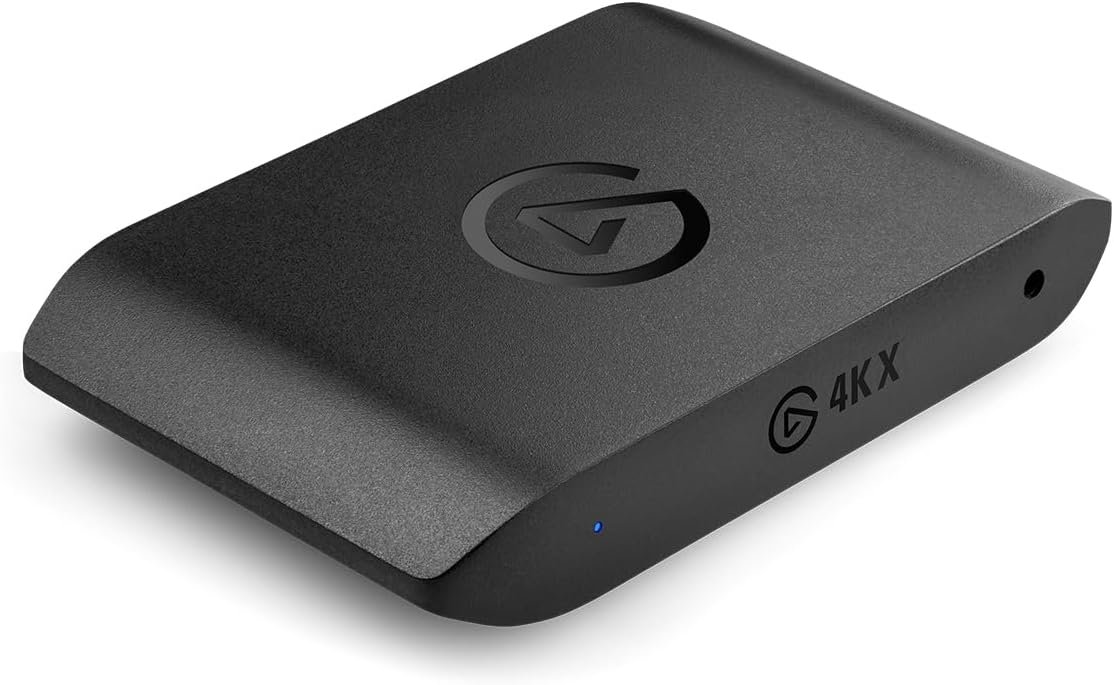
HDMI Video Capture Card, Tohilkel 4K HDMI to USB Capture Device for Broadcast Live Streaming Game Compatible with Windows Mac OS
$5.00
Related Products




Product description

Features:
HDMI 1080p video recording. Tihokile new HDMI capture card with full HD recording, Fast / fluent / no offset. Supports 4K input (3840 × 2160 @ 30fps) and 1080p output (1920 × 1080 @ 30fps). Suitable for streaming, teaching, video conferencing or live streaming.Suitable for a variety of live streaming platforms. Use your camera / DSLR / webcam etc. through an HDMI connection to Windows or Mac to stream live on the major live streaming platforms. Like Facebook Live / YouTube / Tiktok / Switch etc.Equipped with a USB to Type-C, can be used on computer with has type C port.Equipped with a mini HDMI adapter to HDMI adapter, can be used on cameras with mini HDMI interface.Wide compatibility: supports most capture softwares such as VLC, OBS, AMCAP, etc., and supports Windows Mac os Linux.Small size and easy to carry: light weight, can be carried around at home/entertainment/office/conference etc. No external controller or system adapter required.


Maximum input resolution 3840 x 2160 @ 30 Hz Maximum output resolution 1920 × 1080 @ 30 Hz HDMI Input VCR, camcorder, DSLR, PS4, xbox, nitendo switch, PC, smartphone, laptop, tablet USB output PC, laptop USB support system supported Windows, Mac OS, Linux Video format 8/10/12 deep colorbits HDMI input distance Standard AWG26 HDMI cable ≤ 15 meters. Acquisition software VLC, OBS, AMCAP etc. Max working current 5V/0.4A DC Feature No additional power supply required, compact and portable Package content Caputure card x1 ; USB-A to USB-C adapter x1 ; Mini HDMI to HDMI adapte x1; User manual x1 Service 24h email service on technical support, 60 days replacement, 30 days return service.

Minimum configuration requirements
CPU: PC i5-3400 or above; NB i7-3537U 2.0GHZ or above
Graphics card: PC NVIDIA GT630 or above; NC NVIDIA GT735M or above
Run memory: 4G RAM

Connect HDMI to video device.Connect USB to computer.(no matter Windows/ Mac OS)Add new source, choose “Video Capture Device”.

Device: USB VideoResolution/FPS Type: CustomResolution: 1920x1080FPS: 30/Match Output FPSVideo Format: Any/MJPEG(Default format: MKV)Audio Output Mode: Output desktop audio (WaveOut)Mark the “√” use custom device.

“Start Streaming” to begin your Live Broadcasting. (Please preset URL and Stream Key in the “Stream” tab of settings)”Start Recording” to record the video and audio, files will be saved to the default folder.
2 reviews for HDMI Video Capture Card, Tohilkel 4K HDMI to USB Capture Device for Broadcast Live Streaming Game Compatible with Windows Mac OS
Add a review

$5.00
Pete –
Could not get it to work reliably
I ordered the “HDMI Video Capture Card, Tohilkel 4K HDMI to USB Capture Device for Broadcast Live Streaming Game Compatible with Windows Mac OS” to review and to use for capturing various forms of video.I put quite a bit of time into trying to get this to work and was unsuccessful after many attempts. I cannot entirely blame the product since it requires third party software to use it, all of which I am currently unfamiliar with. It is worth noting that I am using this product on a very state-of-the-art gaming and content-creation laptop with a Core i7-12700H processor, 16GB DDR5-4800 RAM, and an NVIDEA GeForce RTX™ 3050Ti Laptop GPU.I had most trouble trying to capture a shared desktop from an older tablet/PC with HDMI output. I actually had more success capturing recognizable video from a popular brand streaming card but the quality was just poor. Unfortunately, I cannot afford any more time to trying to make this work. Someone with more experience or knowledge in this area may find it easier to use.With all of that said, I have to rate it 3-stars based on my rating system below as I found it to be Average to Below Average – Possibly a bit less than what you would expect based on the Product Page. I’m left feeling somewhat disappointed. Maybe you’ll feel differently but I cannot fully stand behind the product.Explaining my rating system:5 stars ⭐️⭐️⭐️⭐️⭐️– Exceeded Expectations – Highly recommend product.4 stars ⭐️⭐️⭐️⭐️– Average to Above Average – At least what you would expect based on the Product Page. Maybe a bit more. A solid product. Recommended.3 stars ⭐️⭐️⭐️– Average to Below Average – A bit less than what you would expect based on the Product Page. Left feeling somewhat disappointed. Maybe you’ll feel differently but I cannot fully stand behind the product.2 stars ⭐️⭐️– Below Average – Incorrect, missing, or misleading information on the product page. Low quality or questionable safety issues. Not recommended.1 star ⭐️– Junk – A complete misrepresentation of the product advertised, severe quality or safety issues. Avoid at all costs.
Meerah –
Not user friendly
After some trial and error, my brother managed to help me figure out the programs needed for this capture card. I tried to use this to capture my phone’s screen on my PC, but the video input was a bit laggy and the sound quality wasn’t great.