

Laptop Screen Extender 14 inch Laptop Monitor Extender 1080P IPS, Triple Portable Monitor for Laptops 13-17.3″ with USB-C DP/HDMI Port, Plug-Play Portable Screen for Windows/Mac/Chrome/Android
$28.99
Related Products



Product description


The video showcases the product in use.The video guides you through product setup.The video compares multiple products.The video shows the product being unpacked. Please Note Before Purchasing Merchant Video


Due to the unusually thin screen contour of the 13 inch MacBook Air, the portable monitor may not perfectly clip-on fit during use, may experience slight oscillation. Please note this before purchasing. If you are an existing customer and have any questions, please contact our support team.
Usage Instructions & Common Troubleshooting
Purchased items include a portable monitor, an HDMI-to-Mini HDMI converter, a DC charger, an HDMI-to-Mini HDMI cable, and two dual USB-C cables.Make sure your laptops support 𝟐* USB-C 𝐃𝐢𝐬𝐩𝐥𝐚𝐲 𝐏𝐨𝐫𝐭𝐬 (𝐃𝐏) or 𝟏* USB-C 𝐃𝐢𝐬𝐩𝐥𝐚𝐲 𝐏𝐨𝐫𝐭 (𝐃𝐏)+𝟏* HDMI port.
The video showcases the product in use.The video guides you through product setup.The video compares multiple products.The video shows the product being unpacked. Operation Instructions and FAQ Merchant Video
First type of computer: using HDMI + Type-C connection
The Type-C in the middle is powered.
Another Type-C is right screeen data transfer.
The HDMI interface is for left screen datatransmission.
Please ensure that your laptop’s C-port supports 𝐃𝐢𝐬𝐩𝐥𝐚𝐲 𝐏𝐨𝐫𝐭 (𝐃𝐏) function.
The video showcases the product in use.The video guides you through product setup.The video compares multiple products.The video shows the product being unpacked. Type-C DP & HDMI Connection Merchant Video
Second type of computer: using two TypeC cables for connection
Two USB-C DP ports are available for connection; however, the screen extender is not responding. This issue may arise because your laptop is unable to provide sufficient power to support the screen extender.
Make sure your laptops support 𝟐* USB-C 𝐃𝐢𝐬𝐩𝐥𝐚𝐲 𝐏𝐨𝐫𝐭𝐬 (𝐃𝐏)
The video showcases the product in use.The video guides you through product setup.The video compares multiple products.The video shows the product being unpacked. two Type C connection Merchant Video
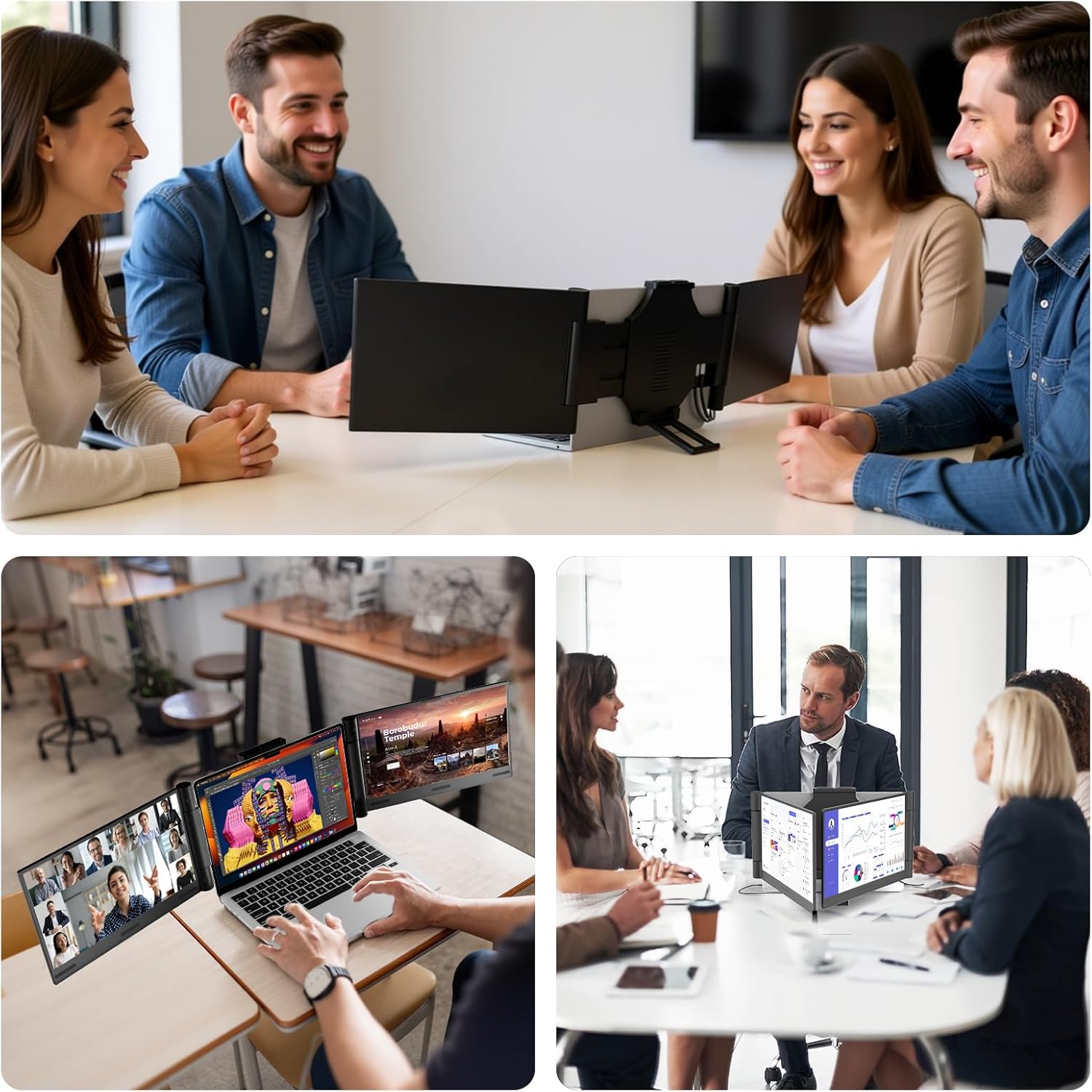
Boost 300% Efficiency- Funhill laptop screen extender can instantly expand your laptop to triple screens – view spreadsheets, design tools, and chats simultaneously. Say goodbye to the hassle of constantly switching back and forth on a single laptop screen continuously. Portable screen for laptop can switch between extended/duplicate/portrait modes to minimize tab-switching fatigue. Funhill triple monitor provides the perfect solution for laptop users for multi-screen synchronization and split-screen display.
1080P IPS FHD Monitor Extender- Funhill laptop screen extender equips a 14″ FHD IPS screen paired with 1920×1080 resolution, 16:9 aspect ration, 60Hz refresh rate for superior image clarity. Enjoy a wide viewing angle and rich, vibrant colors. The laptop monitor extender can rotate 0-330° (Left), 0-280°(Right), allowing you to customize the viewing experience according to your preferences. Adjust brightness via screen extender portable side buttons.
Plug & Play Without Driver- You just need to connect the portable monitor for laptop via USB-C DP, HDMI directly without any additional driver download. Funhill laptop screen extender includes all the necessary cables (2* Dual USB-C cable, 1* HDMI to Mini-HDMI cable, 1*DC Charger). 𝐍𝐨𝐭𝐞 𝟏: Make sure your laptops support 𝟐* USB-C 𝐃𝐢𝐬𝐩𝐥𝐚𝐲 𝐏𝐨𝐫𝐭𝐬 (𝐃𝐏) or 𝟏* USB-C 𝐃𝐢𝐬𝐩𝐥𝐚𝐲 𝐏𝐨𝐫𝐭 (𝐃𝐏)+𝟏* HDMI port. 𝐍𝐨𝐭𝐞 𝟐: If one screen displays “No Signal,” it means the laptop output power is insufficient, requiring extra power for laptop extender. 𝐍𝐨𝐭𝐞 𝟑: when use the HDMI cable, please connect one extra dual USB-C cable to the same screen extender to power supply.
Widely Compatible & Portable- Portable monitors for 13-17.3″ laptop support a wide range of devices and operating systems, including Intel, Android, Windows, Mac, Chrome, Linux, Type-C/A phones, PS4, Switch, and so on. Funhill 14 inch laptop screen extender is created to folded compactly for easy storage in a computer bag(not included). Note: The phones need to support video output. 𝐍𝐨𝐭𝐞: Please ensure that your laptop’s C-port supports 𝐃𝐢𝐬𝐩𝐥𝐚𝐲 𝐏𝐨𝐫𝐭 (𝐃𝐏) function.
Reliable Service Support- Rest assured with a 1-year support on our laptop screen extender. If you notice missing accessories or have inquiries about connectivity, feel free to contact us, and we are here to provide a prompt solution within 24 hours. 𝐍𝐨𝐭𝐞 𝟏: Please ensure that your laptop has at least one USB-C 𝐃𝐢𝐬𝐩𝐥𝐚𝐲 𝐏𝐨𝐫𝐭 (𝐃𝐏), Otherwise, the right screen may not function properly. 𝐍𝐨𝐭𝐞 𝟐: Two USB-C DP ports for connection, but the screen extender no respond. This may be due to the laptop version being too low to support the screen extender. Please use HDMI+C ports to connect and connect the external power supply
7 reviews for Laptop Screen Extender 14 inch Laptop Monitor Extender 1080P IPS, Triple Portable Monitor for Laptops 13-17.3″ with USB-C DP/HDMI Port, Plug-Play Portable Screen for Windows/Mac/Chrome/Android
Add a review

$28.99
Kelli –
Improved productivity
I am beyond impressed with this laptop extender. Set up was simple. It is a true plug-in-play with my USB-C connection. The display is crisp, vibrant and it perfectly matches the colors of my original screen. It helps when I am multi-tasking between spreadsheets. Video calls, and emails. It has made my workflow so much smoother. The build quality seems sturdy yet lightweight.. It folds neatly into my laptop bag making it great for travel. It works perfectly on my MacBook and Windows laptop.If you are someone who travels or works remotely, this extender will be great for you. Excellent performance and great value. Highly recommend!
Orion International –
Triple extended fun!! Awesome
I am working as a software developer and often i need to use dual screen in my work but this i ordered because it was three screen and it is super useful. It us so easy to setup and carry and lightweight. I am carrying it daily in my laptop bag so that i can set up my desk anywhere. The connectivity is super fast no lagging or buffering and the brightness snd sound quality is same as with laptop. I loved it as the scren colour and resolution really good and screen is sturdy an durable. I really loved it and it is being so useful to me in my office work.
My2cents –
Homeschooling made easy!!!! Also works with broken laptop screen!
I got this for homeschooling my kids because juggling tabs on one laptop screen was turning into real mess. This triple-monitor setup fixes everything. Now I can keep:• A video lesson on one screen• A worksheet or notes on the main screen• A visual, map, diagram, or example on the thirdIt helps my kids follow along so much better, and it makes it easier for me to explain things side by side.What I like:• Super easy to set up — literally plug in and it works• Screens are bright, clear, and adjustable• Fits my laptop perfectly• I can rotate a screen into vertical mode for reading• Makes lessons smoother and more interactiveFor the price, this was 100% worth it. If you homeschool, tutor, or do any teaching, this will seriously level up your setup. Durable, sturdy easy to connect. Compatible with my off brand laptop I got for $300 on amazon. But it also works with my $1000 laptop that has broken touchscreen! Now I have my good laptop back too!
Javier Enciso –
Perfect for multitasking and productivity
This triple monitor extender is a total game changer! 💻🙌 The setup was super easy — just plug it in and it works instantly with my laptop. The screens are bright, clear, and have amazing 1080P quality. Perfect for multitasking, editing, and working on multiple projects at once.The build feels sturdy and premium, yet it’s lightweight enough to carry around. I love how it folds neatly when I’m done. Definitely worth every penny — it has made my work so much more efficient. Highly recommend it!
Dog Mom –
I love it!! Incredibly easy to set up, nice quality.
This 14-inch laptop screen extender has completely transformed the way I work. Being able to turn my laptop into a triple-screen setup helps me so much when I work at home. I have multiple screens at work and always wanted multiple screens when I work at home, but I use a laptop at home and didn’t know that laptop screen extenders existed until my son told me about them. I can keep spreadsheets on one screen, emails or chats on another, and my main work in the center, no more constant tab switching or losing focus. The 1080P IPS display is crisp, bright, and vibrant. Colors look fantastic, and the viewing angles are excellent. I also love that each screen can rotate independently (up to 330° on the left and 280° on the right), so I can position them exactly how I want whether I’m working, presenting, or multitasking, which is something I can’t do at work, lol. Adjusting the brightness directly from the side buttons is quick and convenient. Setup was incredibly easy, just plug and play with USB-C DP or HDMI, and everything worked with zero driver installation. The extender comes with every cable you could possibly need, which I really appreciate. I also like that it offers clear instructions about USB-C DisplayPort support since not all laptops have that feature. Once powered correctly, the screens run smoothly without any issues. This is one of the best tech investments I’ve made in a long time. I highly recommend it!
Maggie –
Great Portable IPS Screen, Works Well with Proper Setup
This portable monitor setup works well as a laptop screen extender, but it requires at least one USB-C DP port and either an HDMI/mini-HDMI port or a second USB-C DP for the second screen to function. A USB-C without DP will not work, though the description makes this clear. If your laptop is more than a couple years old, there’s a good chance there’s no USB-C DP.Attaching and adjusting the screens is fairly easy. They are a bit heavy, so a locking mechanism would be nice. My laptop is very light, and the extra weight can make it tricky to keep the laptop screen at my preferred angle. Despite this, I am able to use it on my lap with a lap desk comfortably.The IPS display is excellent for productivity. Text is easy to read with no eye strain, there is no noticeable glare, and the dim/brightness range is very comfortable, even for someone with light sensitivity.The instructions and diagrams are very clear and even explain how to adjust display settings on your PC (for Windows and Mac). One improvement would be including a soft case for regular use rather than just the shipping sleeve.
Halyna –
Good connection with MacBook Air
I bought this 14-inch laptop monitor extender for my work setup.The installation was straightforward, and it connected through USB-C without additional configuration.The screen provides clear 1080P image quality, and the brightness level is consistent.It attaches securely to the laptop and stays stable during use.The device works properly with my system and functions as described – I have MacBook Air