

AVerMedia 4K60 Capture Card with HDMI 2.1, Low Latency, 4K144/4K120 Passthrough, Game Capture Device for PS5, PS5 Pro, Xbox, Switch, Streaming on Twitch, OBS on Mac & PC, GC553G2 Live Gamer Ultra 2.1
$33.99
Related Products


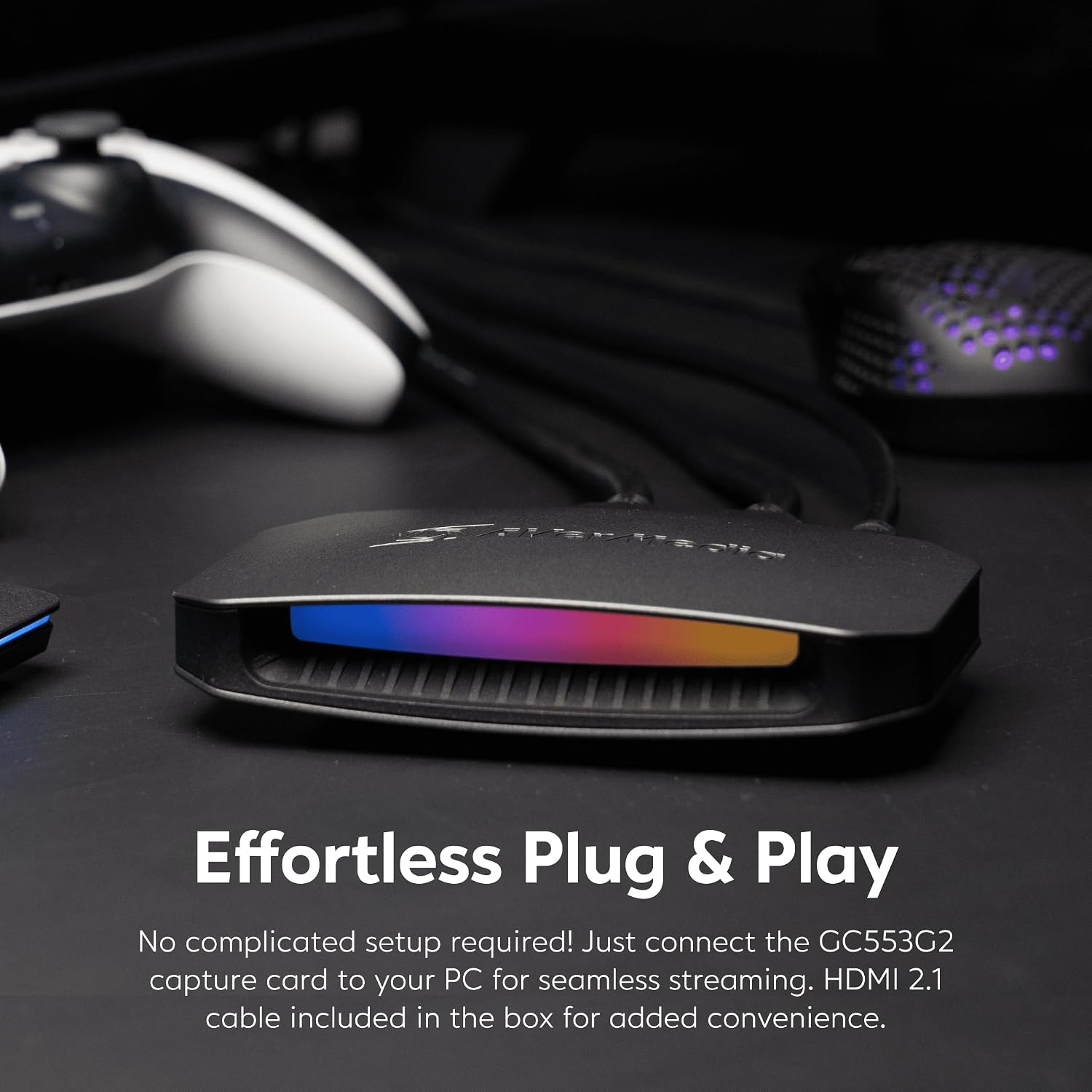


Product description
The video showcases the product in use.The video guides you through product setup.The video compares multiple products.The video shows the product being unpacked. hero-video Merchant Video
 5.1 Channel Audio Capture
Experience immersive audio with stunning 5.1 multi-channel surround sound captures.


1 5.1 Audio Capture
2 Vibrant HDR Support
3 Seamless VRR Gameplay
4 4K144 Pass-through
4K144 Video Capture via Streaming Center
The video showcases the product in use.The video guides you through product setup.The video compares multiple products.The video shows the product being unpacked. hero-video Merchant Video
 4K144 Pass-through & 4K60 Capture
The GC553G2 empowers you to capture every pixel in buttery-smooth 4K60 quality.
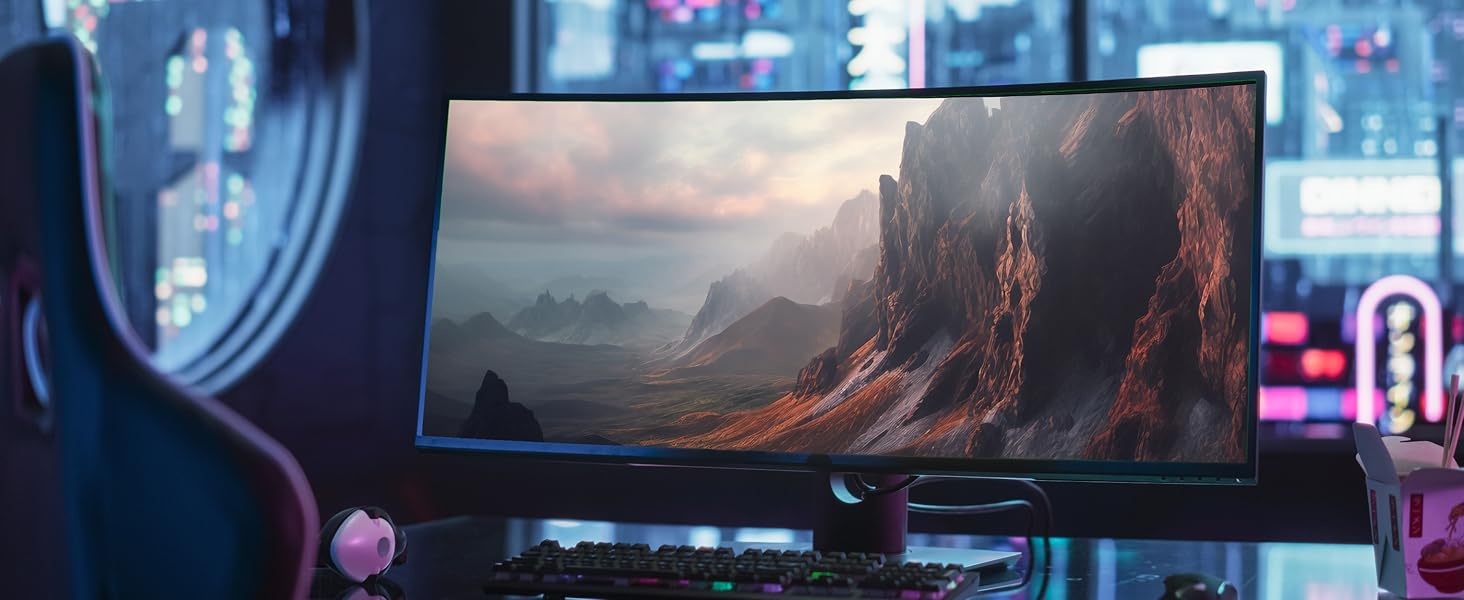 The Support Gets Wider!
Supports ultrawide resolutions of 3440×1440 and 2560×1080 with ultrawide gaming monitors.

 Express Yourself with RGB Customization
Upgrade with customizable RGB lighting—Windows 11 Dynamic Lighting, AVerMedia Tool, or MSI Software
1 4K60 Capture
2 Ultrawide Resolutions
3 Live and Party Chat
4 RGB Customization
Does GC553G2 HDMI 2.1 capture card support ultrawide resolutions?
Yes, the GC553G2 streaming capture card supports ultra-wide resolutions, including 3440×1440 and 2560×1080, making it an excellent choice for gamers and streamers using ultra-wide monitors.
How do I confirm that my computer supports USB 3.2 Gen2 Type C (10Gbps)?
Some motherboard manufacturers label Type C as 10Gbps. If it’s not labeled, please check the official website or manual of motherboard.
*According to the latest USB-IF standard: the included USB cable is USB 3.2 Gen 2 = USB 3.1 Gen 2 = USB 10Gbps.
Can this HDMI capture card record both game audio and party chat?
Yes, GC553G2 has built-in support for game audio and party chat recording without requiring additional cables or software.
Does the Live Gamer Ultra 2.1 (GC553G2) support capturing 5.1 multi-channel surround sound audio?
Yes, the Live Gamer Ultra 2.1 (GC553G2) supports multi-channel surround audio capture, but only on Windows. Please note that LPCM audio format supports stereo (LPCM 2.0ch) only.
How to prevent audio desync in OBS?
In the Video Capture Device settings, choose Custom for both Resolution and FPS, set them to match the input source (do not use the default value). Add another Audio Input Capture in the Sources section and select GC553G2 as the audio input device.
Technical Specifications
Input HDMI 2.1 Output HDMI 2.1 (lag-free passthrough) Passthrough Resolutions 2160p144 HDR/VRR, 3440x1440p120 HDR/VRR, 1440p240 HDR/VRR, 1080p360 HDR/VRR System Requirements Windows 10 x64 / 11 x64 or later, macOS 13 / 14 or later, Connectivity Options HDMI 2.1, USB 3.2 Gen 2 Type-C, 4-Pole 3.5mm Audio Max Capture Resolution 4K60 (macOS), 2160p144 (Windows) with AVerMedia Streaming Center (Windows only*) Max Recording Resolution NV12: 3840x2160p60, 3440x1440p60 YUY2: 3840x2160p50, 3440x1440p60 RGB24: 2560x1440p60 P010(HDR 10): 3840×2160 p30, 2560x1440p60 What’s In the Box LIVE GAMER ULTRA 2.1 (GC553G2), HDMI 2.1 Cable, USB 3.2 Gen 2 Type-C Cable, 4-Pole 3.5mm Audio Cable, Quick Start Guide
Find Your Capture Card
Add to Cart
Add to Cart
Add to Cart
Customer Reviews
4.2 out of 5 stars 214
4.3 out of 5 stars 55
4.4 out of 5 stars 173
4.4 out of 5 stars 173
Price
$208.86$208.86
—
$75.79$75.79
$129.99$129.99
Interface
USB 3.2
USB 3.2
UBS 3.0
USB 3.0
Output Interface
HDMI 2.1 / 4-Pole 3.5 mm
HDMI 2.0
HDMI 2.0
HDMI 2.0 / 3-Pole 3.5 mm
Max VRR Pass-Through Res.
4K144, 1440p240, 1080p360
4K60, 1440p144
–
1440p120 / 1080p120
Max Pass-Through Resolutions
HDR:4K144,1440p240,1080p360
4K60 HDR/VRR,1440p144 HDR/VRR
HDR:2160p60,1440p144, 1080p240
HDR:4K60 / 1440p120 / 1080p240
Max Capture Resolution
4K144 (with Streaming Center)
4K60, 1440p144, 1080p240
1080p60
4K30
Ultra-wide Screen Support
3440×1440/2560×1080
3440×1440/2560×1080
–
–
Compatible Game Console
PS5/Pro, Xbox Series, Switch2
PS5/Pro, Xbox Series, Switch2
PS5/Pro, Xbox Series, Switch2
PS5/Pro, Xbox Series, Switch2
Streaming Platform
OBS/Twitch/YT/FB Live/Mixer
OBS/Twitch/YT/FB Live/Mixer
OBS/Twitch/YT/FB Live/Mixer
OBS/Twitch/YT/FB Live/Mixer
Windows Operating System
Windows 10×64/11×64 or later
Windows 10×64/11×64 or later
Windows 10×64/11×64 or later
Windows 10×64/11×64 or later
macOS Operating System
macOS 13 / 14 or later
macOS 13 / 14 or later
macOS 13 / 14 or later
macOS 11 / 12 / 13 or later
4K Capture Card for Streaming: Seamlessly capture and stream PS5, PS5 Pro, Xbox, and Nintendo Switch gameplay in 4K60 resolution. Compatible with popular streaming platforms such as Twitch, YouTube, and Live gaming with OBS Studio and Streamlabs.
4K144 HDR/VRR Pass-Through: Enjoy stunning 4K144 HDR/VRR pass-through for smooth gameplay, delivering high quality for streaming, recording, and gaming on PS5/Pro, Xbox Series X/S, PC, and Mac.
Low Latency Capture Card with 4K144Hz Passthrough for Real-Time Gameplay: Experience seamless gameplay streaming and recording with minimal delay via OBS, Twitch, and YouTube. Enjoy synced audio and video for an immersive gaming and viewing experience.
Live Party Chat Support: Connect a gaming headset directly to the GC553G2 HDMI 2.1 capture card and manage game/chat volume while gameplay streaming or recording, no extra party chat cable needed, with added 5.1 channel audio capture.
Customizable RGB Lighting: Elevate your setup with customizable RGB lighting. Use Windows 11 Dynamic Lighting, AVerMedia Tool, or MSI Software for the perfect gaming ambiance.
11 reviews for AVerMedia 4K60 Capture Card with HDMI 2.1, Low Latency, 4K144/4K120 Passthrough, Game Capture Device for PS5, PS5 Pro, Xbox, Switch, Streaming on Twitch, OBS on Mac & PC, GC553G2 Live Gamer Ultra 2.1
Add a review

$33.99
NONAME –
The Best Capture Card I’ve Used In 10+ Years of Content Creation
Over 10 years ago I started with a Easycap using Integrated graphics on a mini Acer PC and later upgraded to a Elgato HD and then switched to the Avermedia brand around 2018 and never looked back. Here’s some key features why the AVerMedia Live Ultra Gamer 2.1 is the best card to date:- Video / Audio quality: When running the AverMedia Ultra 2.1 in OBS to record gameplay, if you use custom FPS settings you can record up to 144fps. I confirmed the FPS by using both VLC player and Da Vinci Resolve to monitor frames rates in the preview window.- The setup of the card was quick and easy BUT a possible major issue could be the card will only works on a USB C plugin when connecting to the PC. I tried a couple other regular USB to USB C cables and got the flashing Yellow light error from the built in RGB on the front of the capture card. Since the card can record up to 4K 144FPS a USB C 3.2 Gen 2 cable is needed to make the card work. That cable was brand new in the box. My suggestion is check your PC to make sure you have a USB C input that this card can connect too before purchase.- During a 5 hour broadcast on Twitch the card worked perfect with no dropped frames in OBS while both streaming and locally recording. I did run into an encoder overload issue when trying to record 1440p 120fps while also streaming due to limitation of my RTX 3060 so that should be another thing to keep in mind. When I tested only recording at the higher frame rates this capture card on OBS had no issues.- One other inconvenience is the Avermedia software didn’t register the RBG lighting at all in the Avermedia software. To change this I had to go into Windows settings and into Dynamic lighting to change the color and pattern of the RBG.Settings pathway: (Windows Settings/Personalization/Dynamic Lighting)- There’s also 2 audio ports for connecting 3.5mm audio cables to the capture card. If you have a audio mixer like the Roland Bridgecast (highly recommend) you already have access to the multi channel audio anyway.Overall the stability of the cards capture will make whatever project or stream you’re working on look and sound professional with minimal effort when it comes to setup in OBS (free software most all creators use)
OldnAchy –
This Works Great ON PS5 and XBOX S!!
I originally bought this to capture video on the XBOX S, but am now successfully using it to capture video on the PS5. The video is captured using the Avermedia Streaming Service. The resulting videos of game play look great. By the way I do not recommend using RecCentral 4 with this card on the PS5 — the audio is not synced with the video.
BH Slick –
4K streaming with no lag.
If you stream on current consoles or on PC and want the best quality, you need this. I have used Avermedia for streaming since around 2011. I used the Live Gamer Portable, the LGP2 and the LGP2+. The ONLY downside of this model versus those is no PC-free mode (it does not have an SD card slot). For me, that is no longer an issue because I do not have the storage concerns I used to anymore. With the ultra, you get 4K streaming and 4K pass through with no lag. My PS5, Switch and XSX are connected to a TV but when I stream I look at the game on my monitor and there is no lag. I play the game as I stream as if I were looking at the original video. While it is pricey, it is worth it if it is within your budget. If it is not, put it on your streamer wishlist!
Jeff –
Don’t buy this crap
This capture card is crap. It keeps disconnecting. horrible recording quality. just complete crap save your money for an Elgato thats like $40 cheaper and way better
Paulo Alexandre Vicente Martins –
Works perfectly with no delay, just as described
Works perfectly with no delay, just as described
Luiz Skane –
Live Gamer Ultra 2.1 Gradual Audio Desync and Crackling Sound Issue in OBS + Solution
In general, I have no issues with the video, the image is correct in 4K, and I can use it with HDR without any problems. However, when I try to use it with OBS, the audio first produces a crackling sound. This is relatively fixed by disconnecting and reconnecting it, but what persists is that after a short period of time, the audio becomes out of sync, which is annoying when I’m capturing something or streaming. At the moment, I haven’t found a solution. If this situation changes, I will update this review or feedback.* Update:I found a solution for the desynchronization in OBS. This can be fixed by adding a new audio input capture and selecting HDMI/Line In (Live Gamer Ultra 2.1 Audio) there. It is important to avoid selecting it in the properties of the capture device in OBS. With this, the audio will no longer have desynchronization issues. After that, you need to configure the advanced audio settings in OBS to ensure it works on your stream.An optional step, according to Avermedia support, is to turn off automatic VRR on the capture device (I haven’t tried it).Regarding the crackling sound issue, I consulted with support, and they told me you should turn off microphone noise reduction via Nvidia Broadcast or sound software. I haven’t tried it, as I solved it by disconnecting and reconnecting the capture device.
Tolinx21 –
Très bon boîtier qui permet d’avoir un pass-through de haute qualité pour les consoles récentes.Par contre attention il se branche en USB-C.Dommage que le branchement casque soit à l’arrière et que le volume soit un peu faible sans modification.
Ricardo José Messias –
Entrega muito rapida para o brasil. qualidade da placa é excelente!
IlMike87 –
Anche se ha qualcosa in meno rispetto al live gamer ultra preferisco questo, almeno non ha la ventola di dissipazione che fa il macello notte e giorno, era sempre in funzione, questo invece è silenzioso e fa quello che deve fare
Kindle-Kunde –
Die AVerMedia HDMI 2.1 Capture Card bietet eine erstklassige Möglichkeit, hochwertige Videosignale aufzunehmen und zu streamen. Mit Unterstützung für HDMI 2.1 bietet sie ultraschnelle Datenübertragungsraten und ermöglicht die Erfassung von Inhalten mit einer Auflösung von bis zu 4K bei 60 Bildern pro Sekunde.Die Capture Card ist ideal für Content Creator, Gamer und professionelle Anwender, die hochauflösende Inhalte aufnehmen möchten. Sie bietet eine einfache Plug-and-Play-Installation über USB-C und ist kompatibel mit einer Vielzahl von Geräten, einschließlich PCs, Laptops und Spielekonsolen.Dank der integrierten Hardware-Encoding-Technologie können Videos in Echtzeit mit geringer Latenz und hoher Qualität aufgenommen werden. Die Capture Card unterstützt auch HDR-Passthrough, um die bestmögliche Bildqualität zu gewährleisten.Zusätzlich verfügt die AVerMedia HDMI 2.1 Capture Card über Funktionen wie Live-Streaming, Aufnahmeplanung und mehr, um den Anforderungen verschiedener Nutzer gerecht zu werden. Mit ihrer robusten Konstruktion und zuverlässigen Leistung ist sie eine ausgezeichnete Wahl für alle, die professionelle Videoaufnahmen und -streaming betreiben möchten.
ZIE –
So far so good, I can play and stream 4k120fps with my ps5 and Xbox series X no problem, loving it 😃